
Javid
Founder of DroneBundle
Javid is the founder of DroneBundle and the technical force behind the platform. He architects the system from the ground up, designing for enterprise-grade security, high availability, and the kind of scalability that supports fleet operations across multiple regions. His writing covers the engineering and operational challenges of building mission-critical drone software, from real-time flight tracking infrastructure to compliance automation and secure multi-tenant data architectures.
Articles by Javid
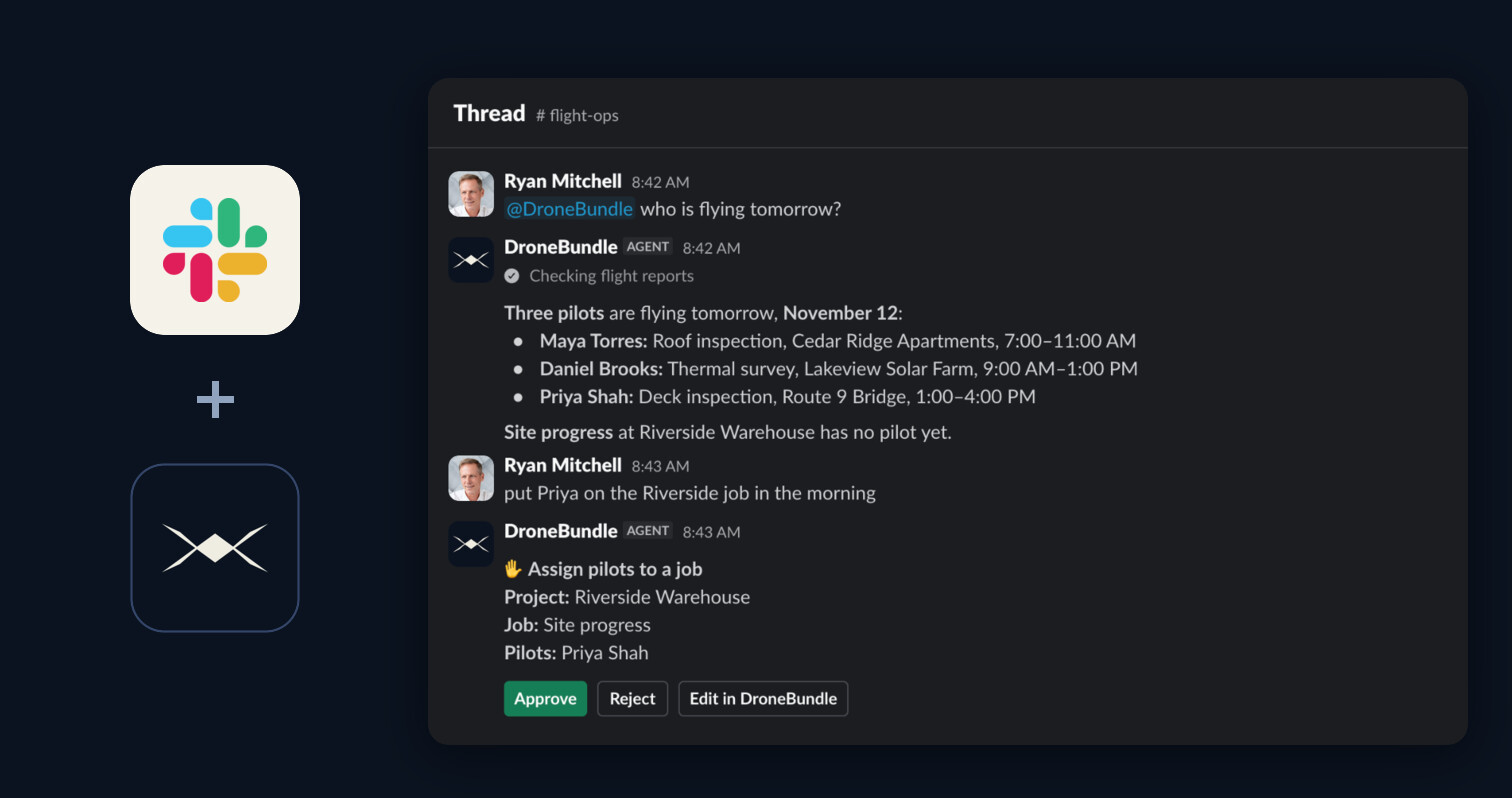
DroneBundle for Slack: AI Answers and Daily Flight Posts
Ask DroneBundle AI in Slack, approve changes with one click, and get the schedule, flight recap, due dates and weather posted to your channels.
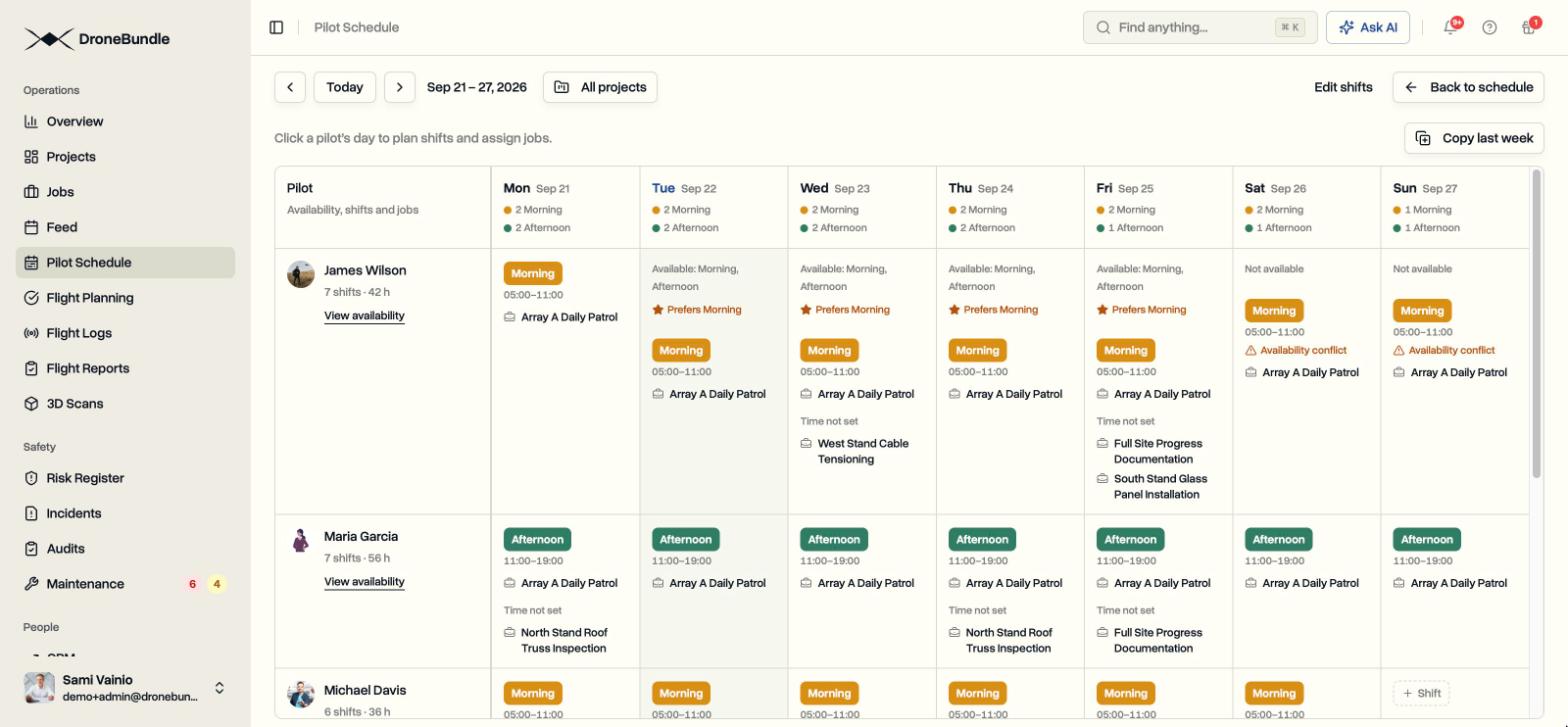
Pilot Schedule: Plan Shifts and Put a Pilot on Every Flight
Pilot Schedule is a week view of who flies what and when. Set up your shifts once, plan each pilot’s week, assign a whole shift or a single flight, and see every flight that still needs a pilot before the day arrives.
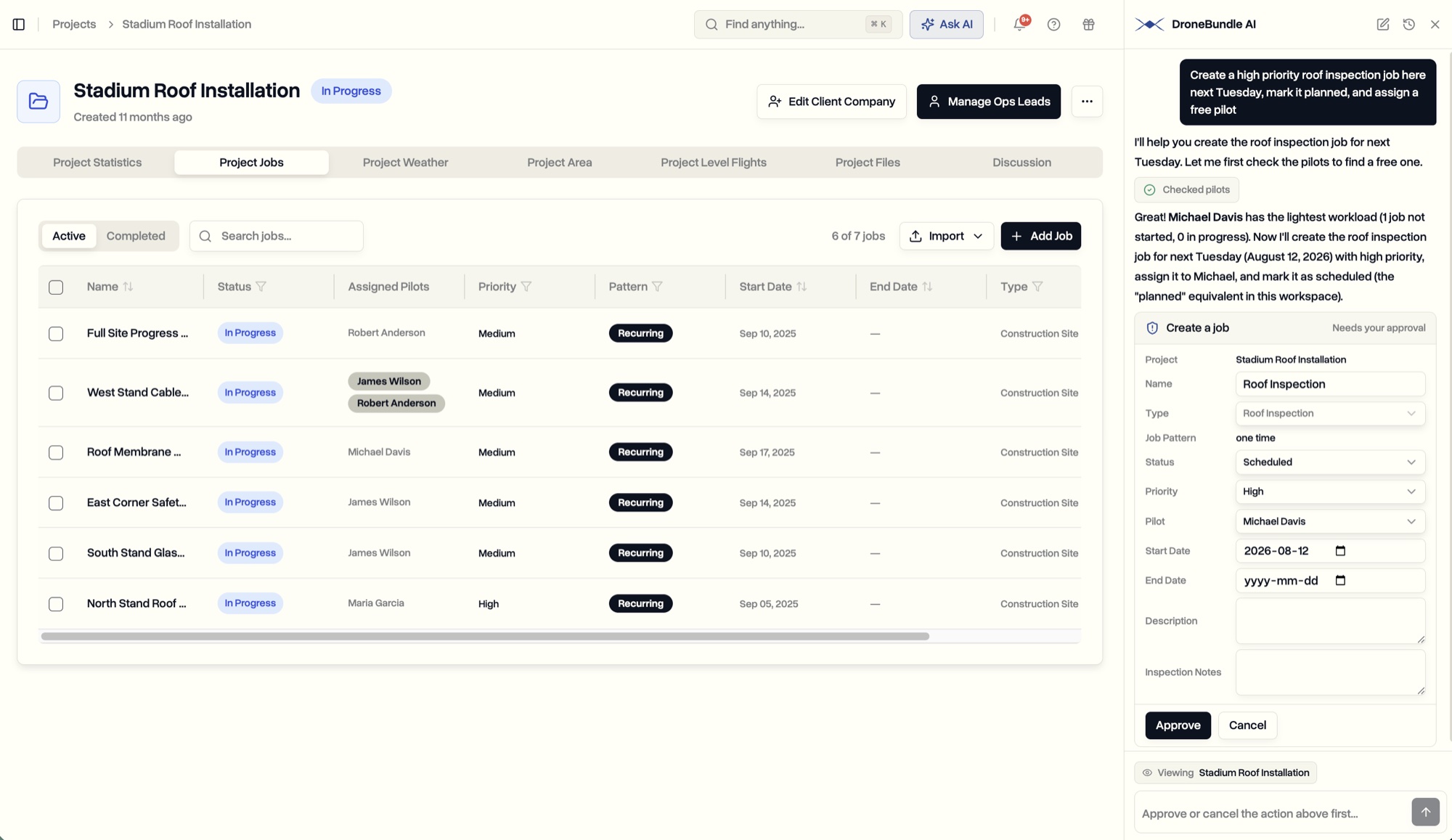
DroneBundle AI: An Assistant That Answers Questions and Creates the Work
DroneBundle AI sits inside your dashboard, knows the page you have open, answers anything about your operation, and creates projects, jobs, and assignments for you to approve.
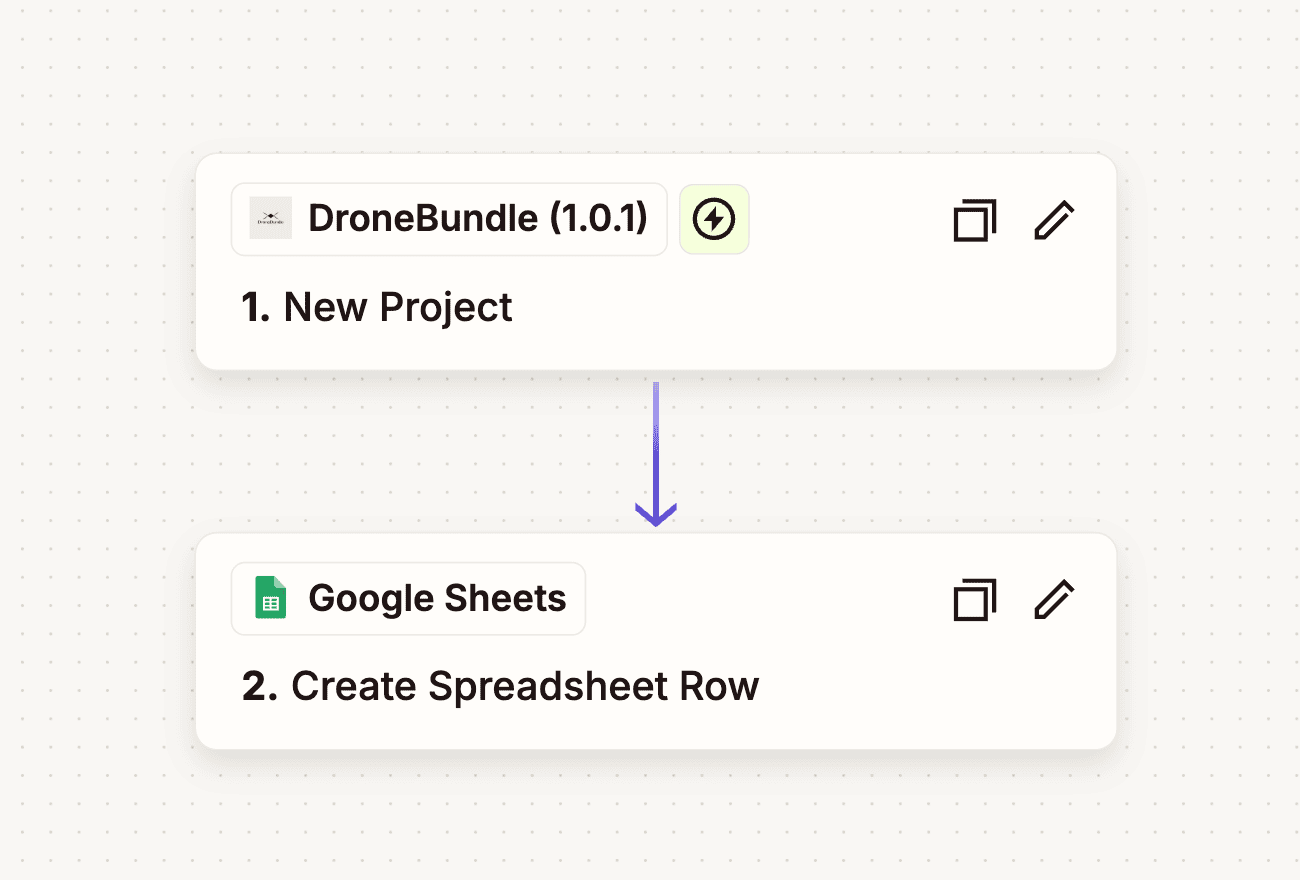
Zapier Integration: Connect DroneBundle to 7,000+ Apps
DroneBundle is now on Zapier. Automate project creation, job updates, and team notifications by connecting to Google Sheets, Slack, HubSpot, and thousands more.
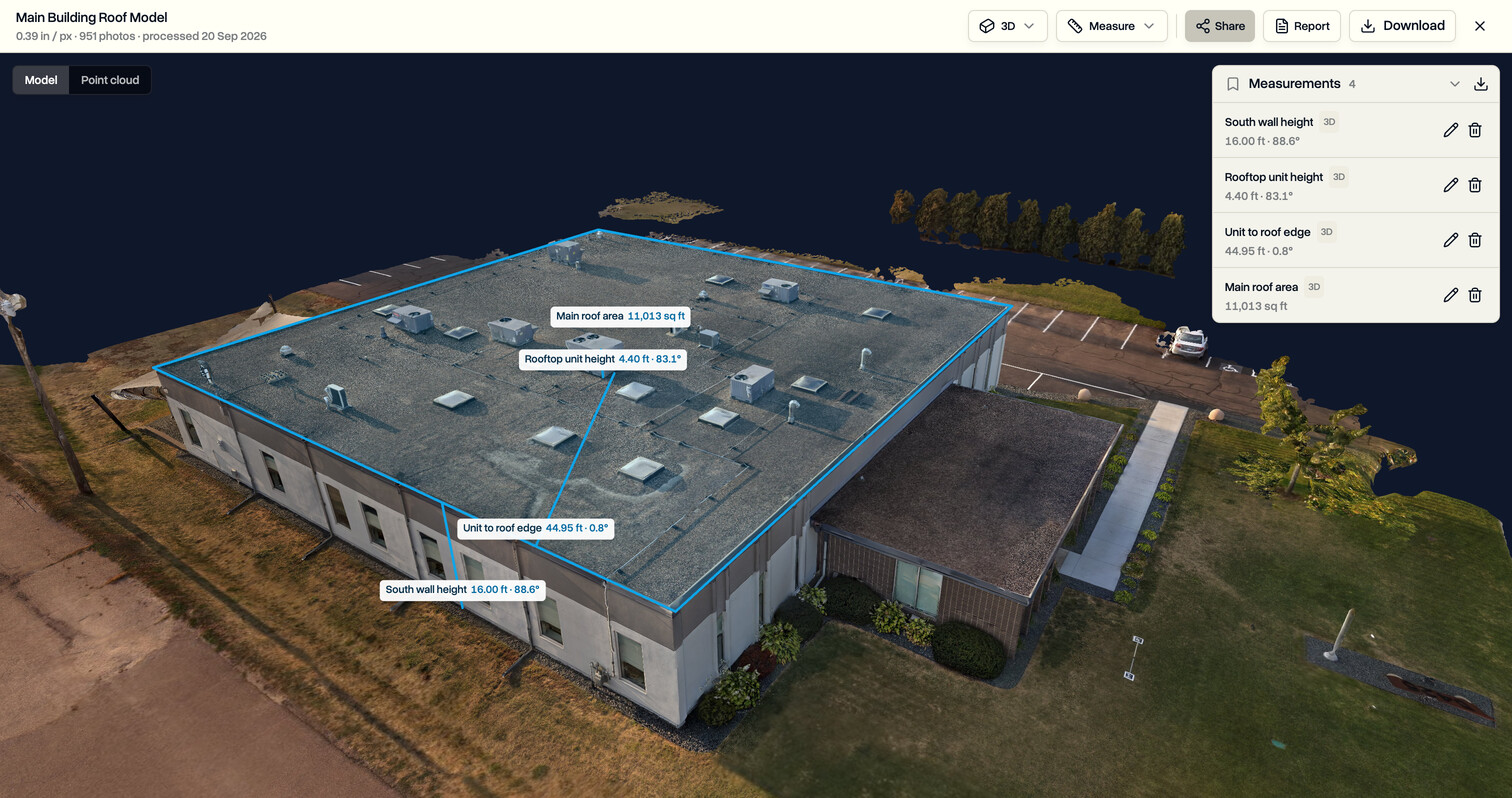
3D Measuring: Measure Walls and Roofs on the Drone Model
Measure directly on a 3D model in DroneBundle: wall heights, rooftop units, roof areas and slopes, saved to the job and ready for the client report.
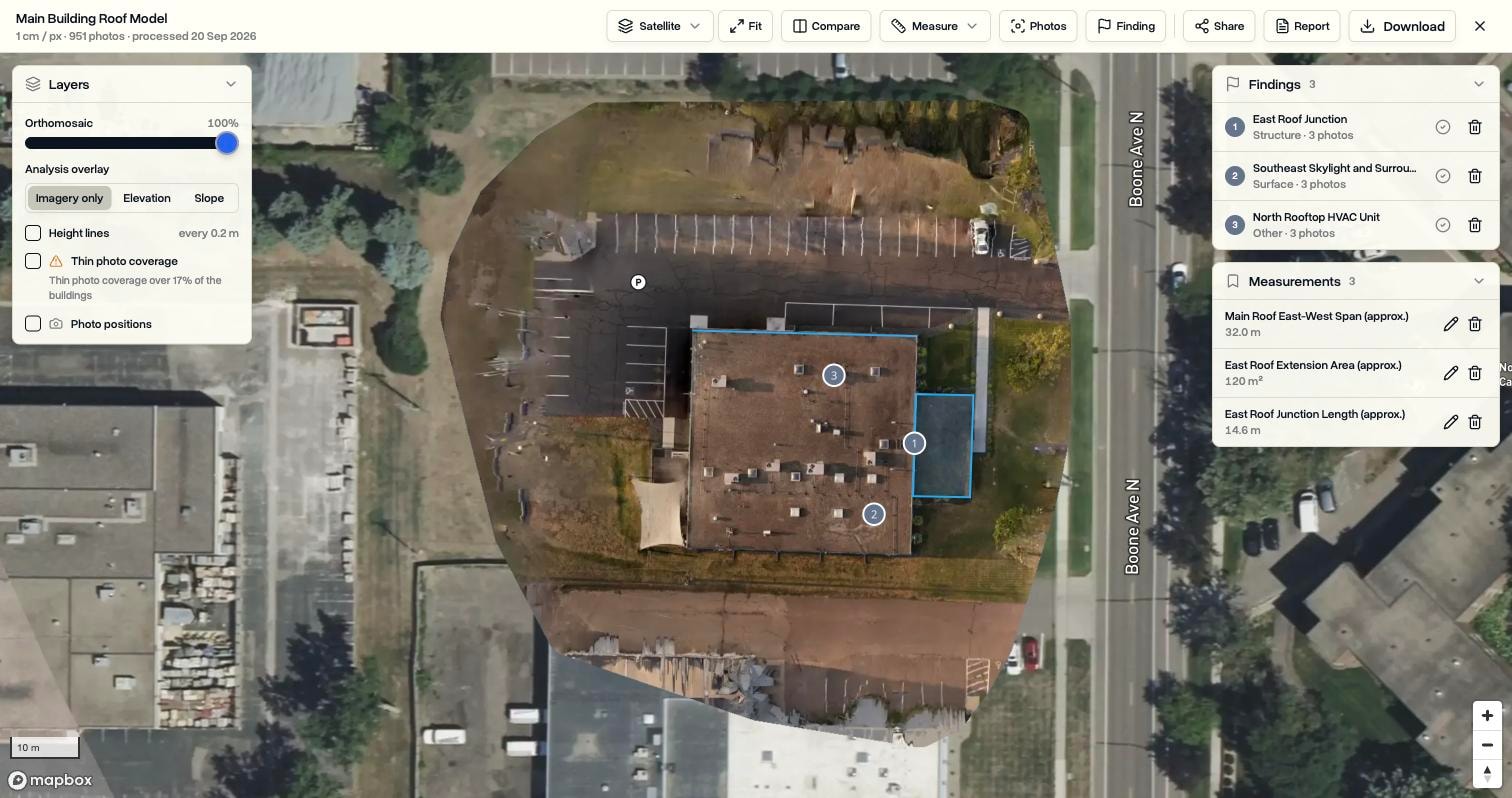
Drone Mapping: Turn Drone Photos into Maps, 3D Models, and Client Reports Inside DroneBundle
Pick the photos from a job and DroneBundle builds a measurable map, a 3D model, or a thermal map from them. Measure, mark findings, look up the original photos of any spot, and send a report or a share link, all without leaving the job.
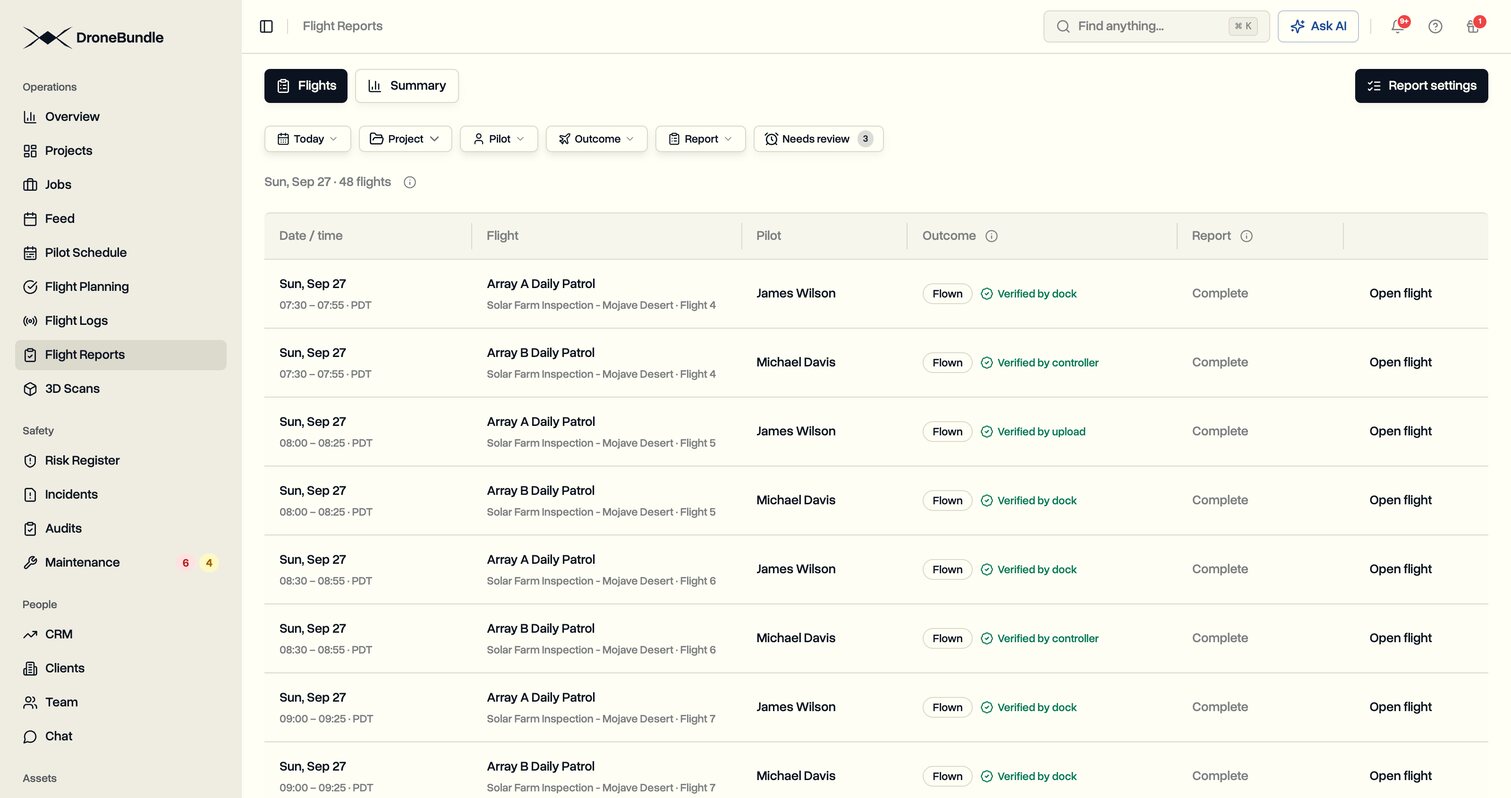
Automatic Flight Verification: Let the Flight Report Itself
DroneBundle checks every scheduled flight against its flight log. Flown flights are marked with the log as proof, the rest are flagged for review, and manager approval is off unless you want it.
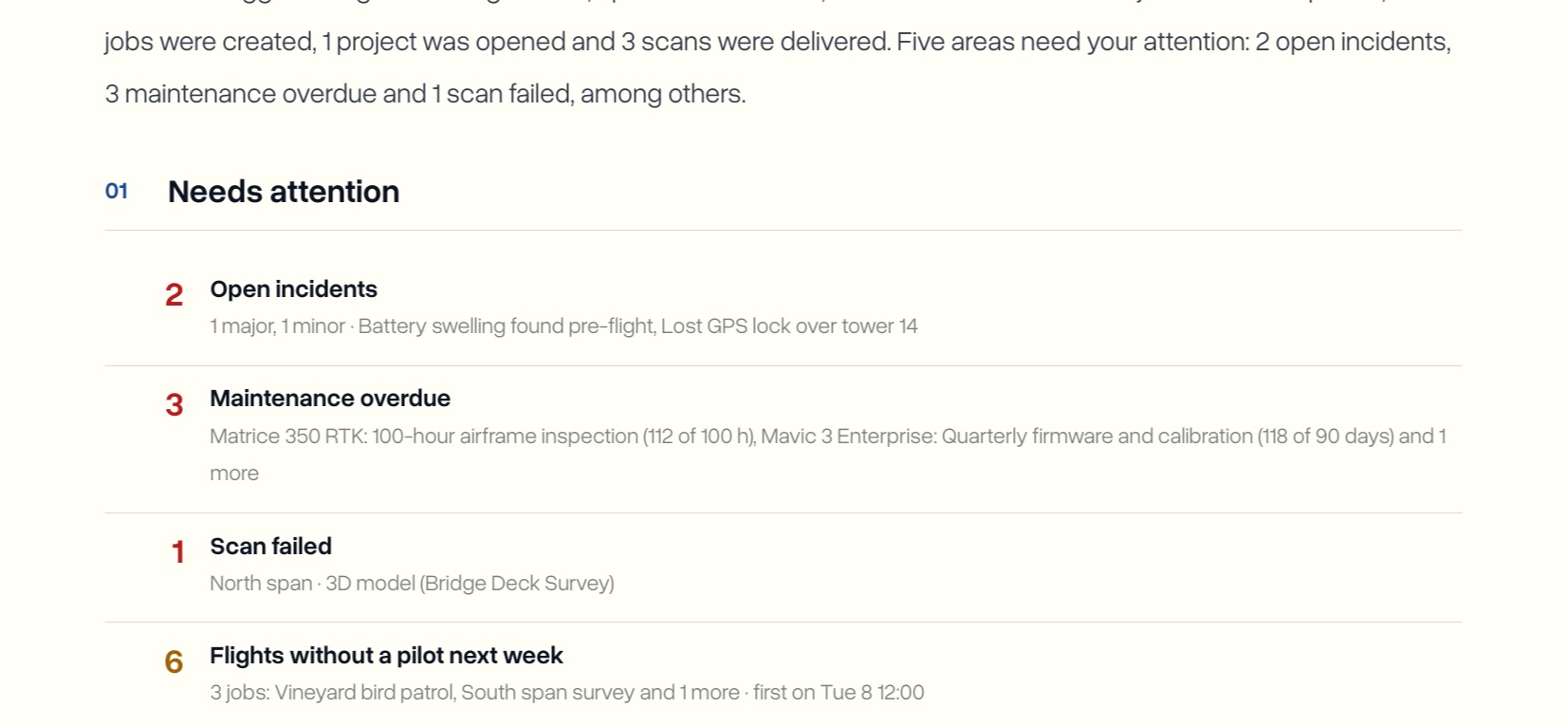
Weekly Report: Your Drone Operation’s Week in One PDF, Every Monday
Every Monday, DroneBundle emails owners and project managers a short PDF of the week: flights, jobs done, what needs attention, what is coming up, and where every project stands. No one has to put it together.
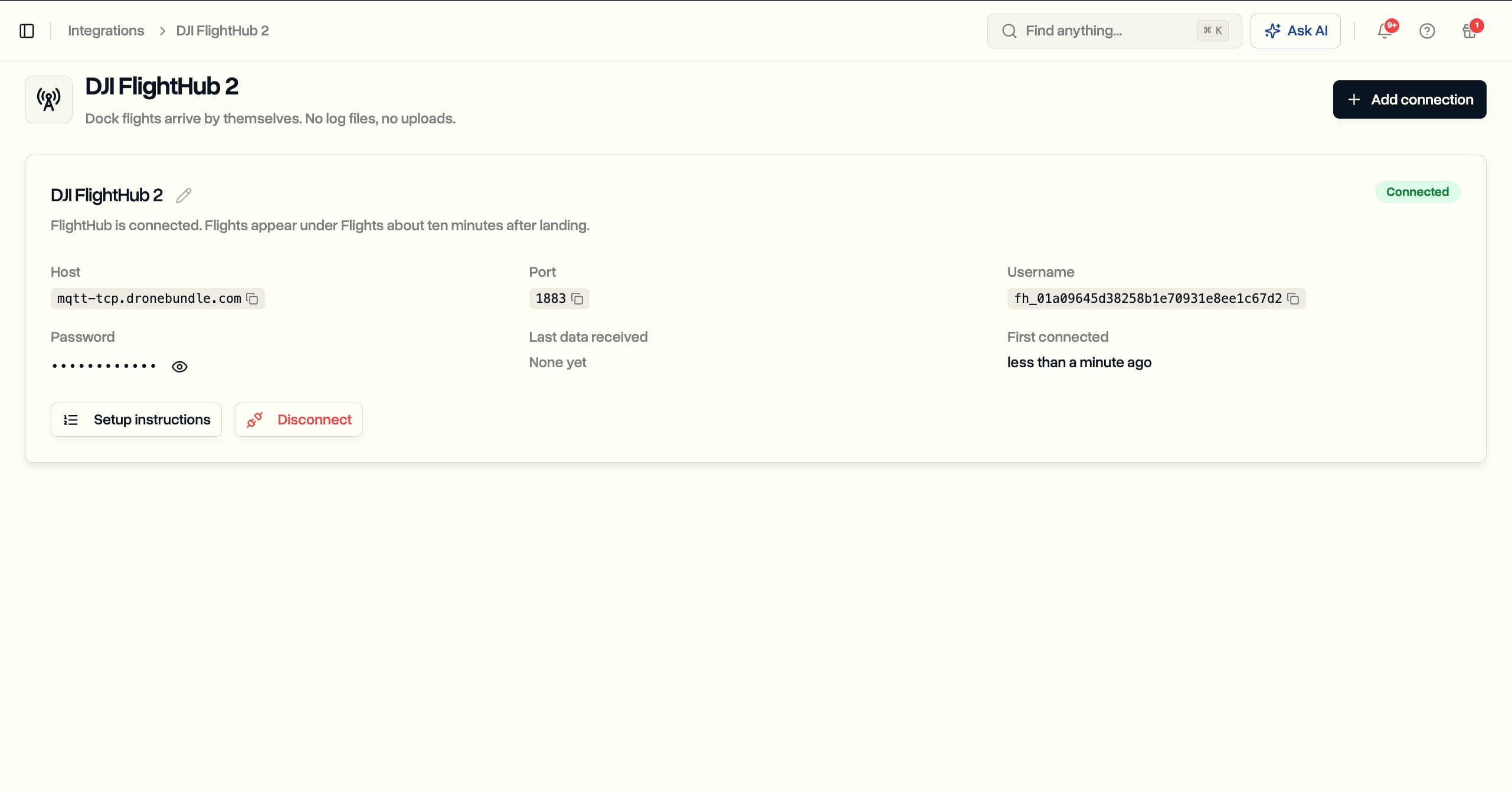
DJI Dock Flight Sync: Every FlightHub 2 Flight Lands in DroneBundle on Its Own
Connect DJI FlightHub 2 once and every dock flight arrives in DroneBundle about ten minutes after landing, filed to the right job, credited to the rostered pilot, and counted for maintenance. No log files, no uploads, and it works for US operators.
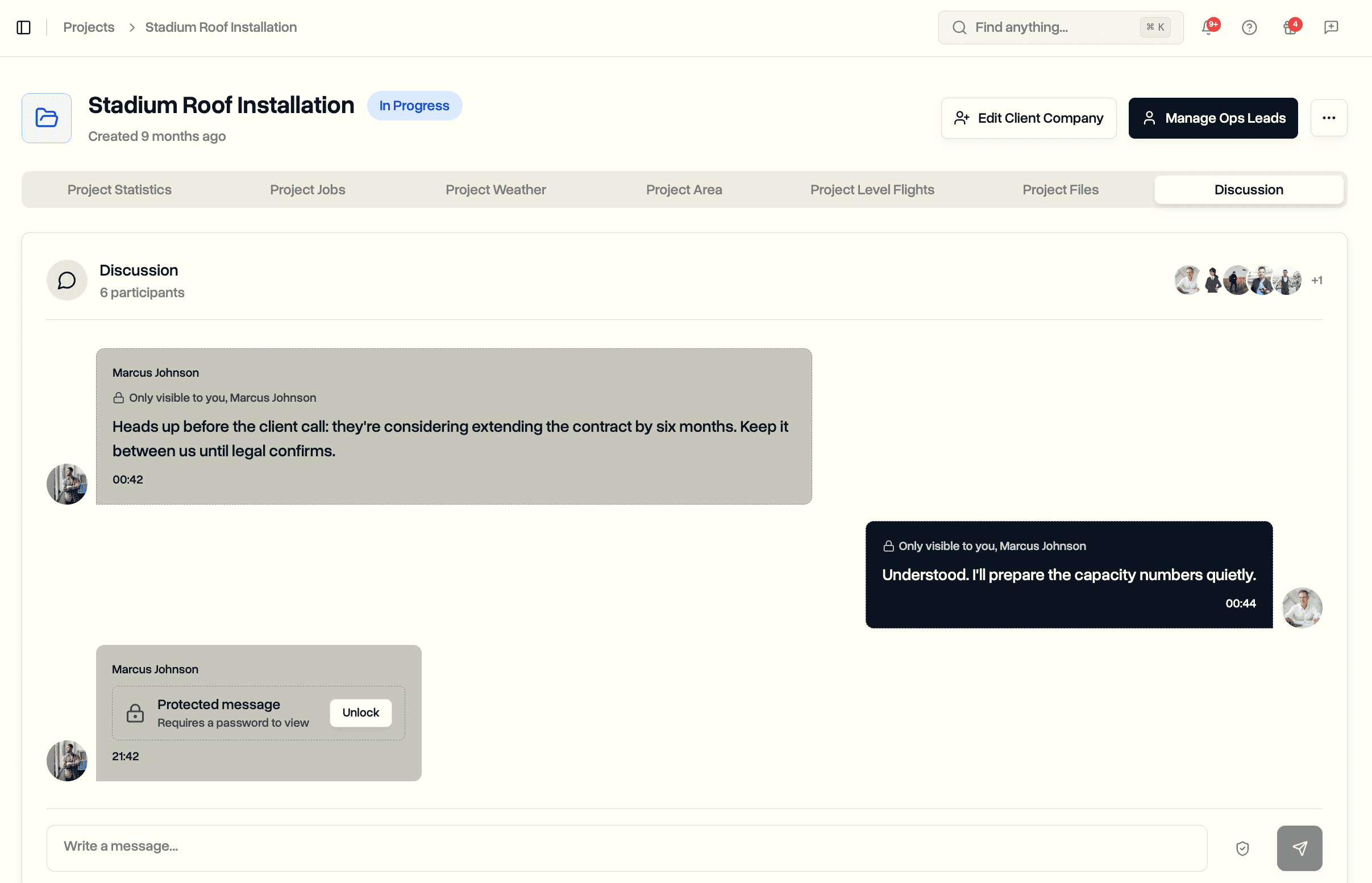
Secure Messages: Private, Expiring, and Password-Protected Messages in Discussions
Send private messages only chosen people can see, set messages to expire on a schedule, and password-protect sensitive details shared in project discussions and team chat.

Introducing Weather-Smart Operations: Real-Time Weather Integration for Safer Drone Flights
DroneBundle launches comprehensive weather integration with real-time data, automated safety scoring, and intelligent flight planning. Discover how weather-aware operations reduce incidents and improve efficiency.
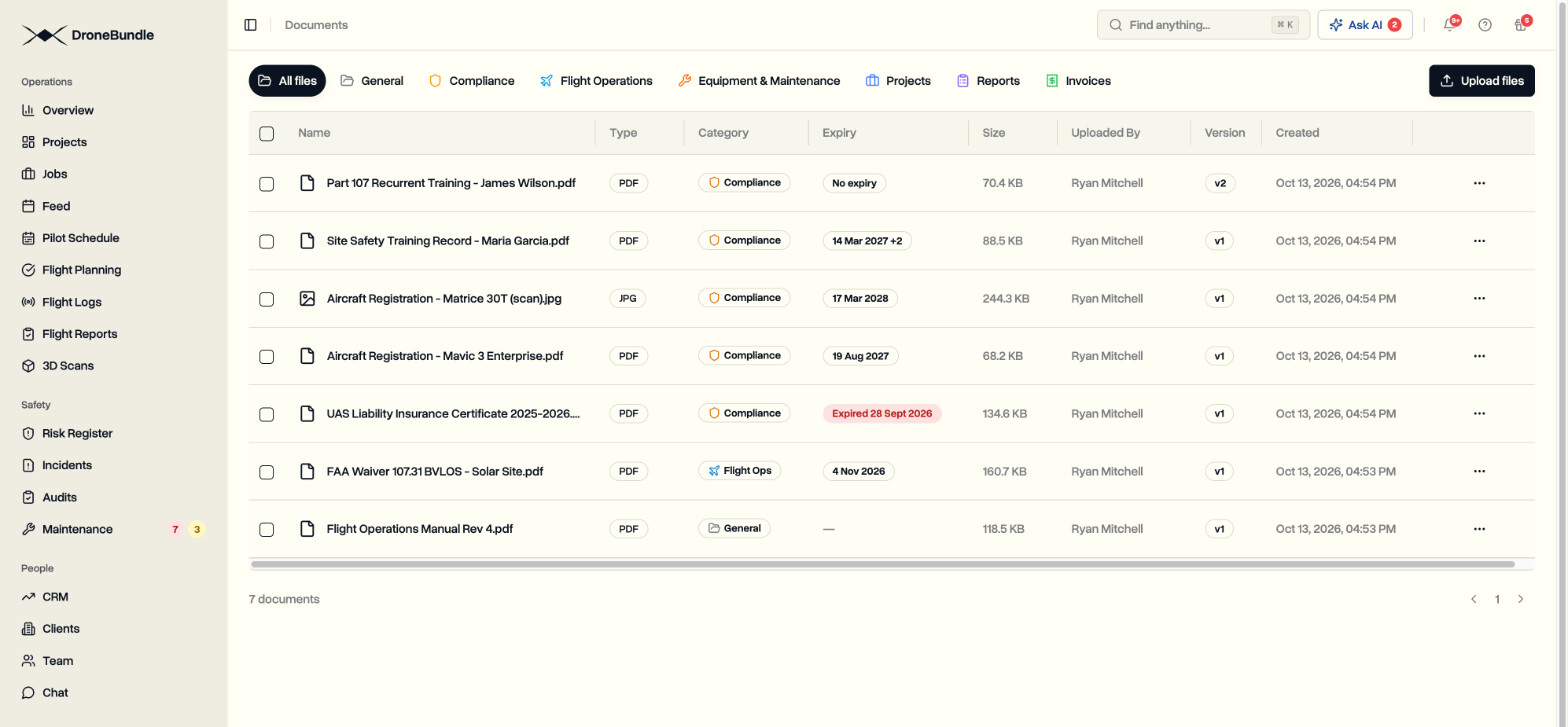
Document Expiry Tracking: Upload a Certificate and DroneBundle Finds the Date
Upload an insurance certificate, a waiver, a registration, or a training record and DroneBundle reads it, finds every expiry date on it, and reminds you 30 days before, 7 days before, and on the day. Nobody types a date.
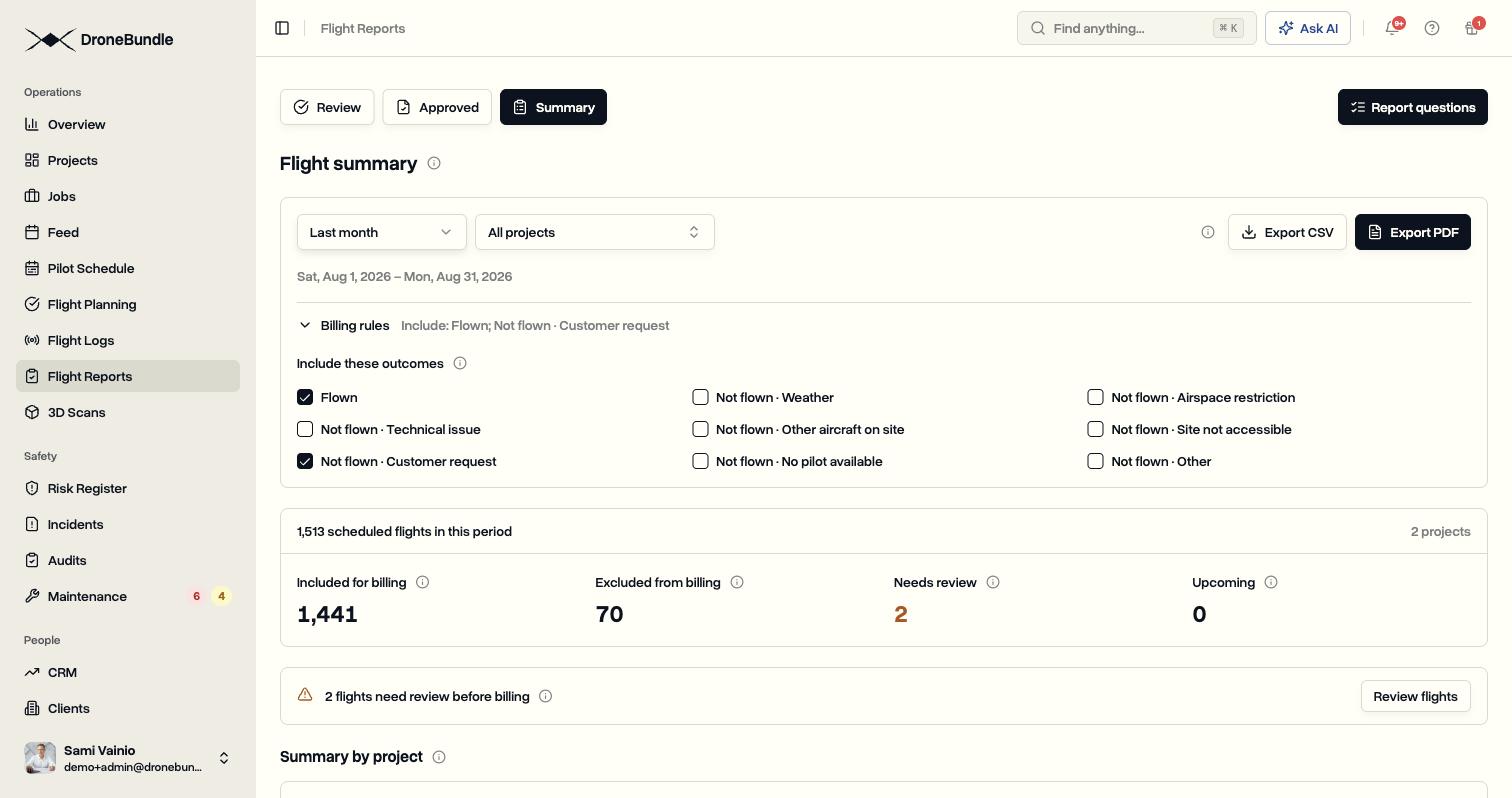
Flight Summary and Custom Flight Reports for Drone Billing
Pilots answer your own questions after every flight. Flight Summary counts each flight as flown or not flown, with a reason, ready to bill.
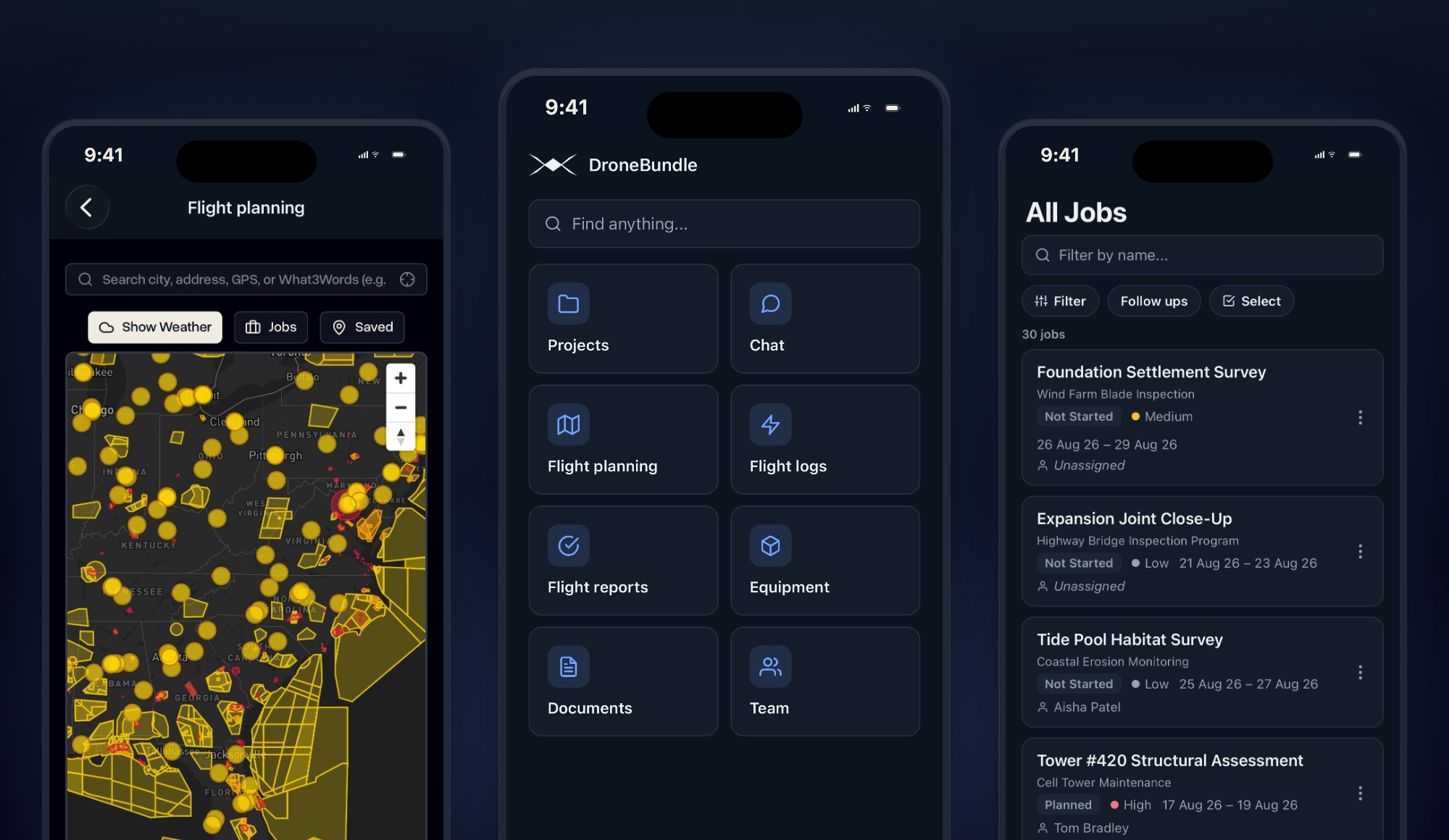
DroneBundle for iPhone: Run the Job From the Field
The DroneBundle app is on the App Store. Sign in with the account you already have and take your jobs, the schedule, the airspace map, and site photos onto the job site with you.
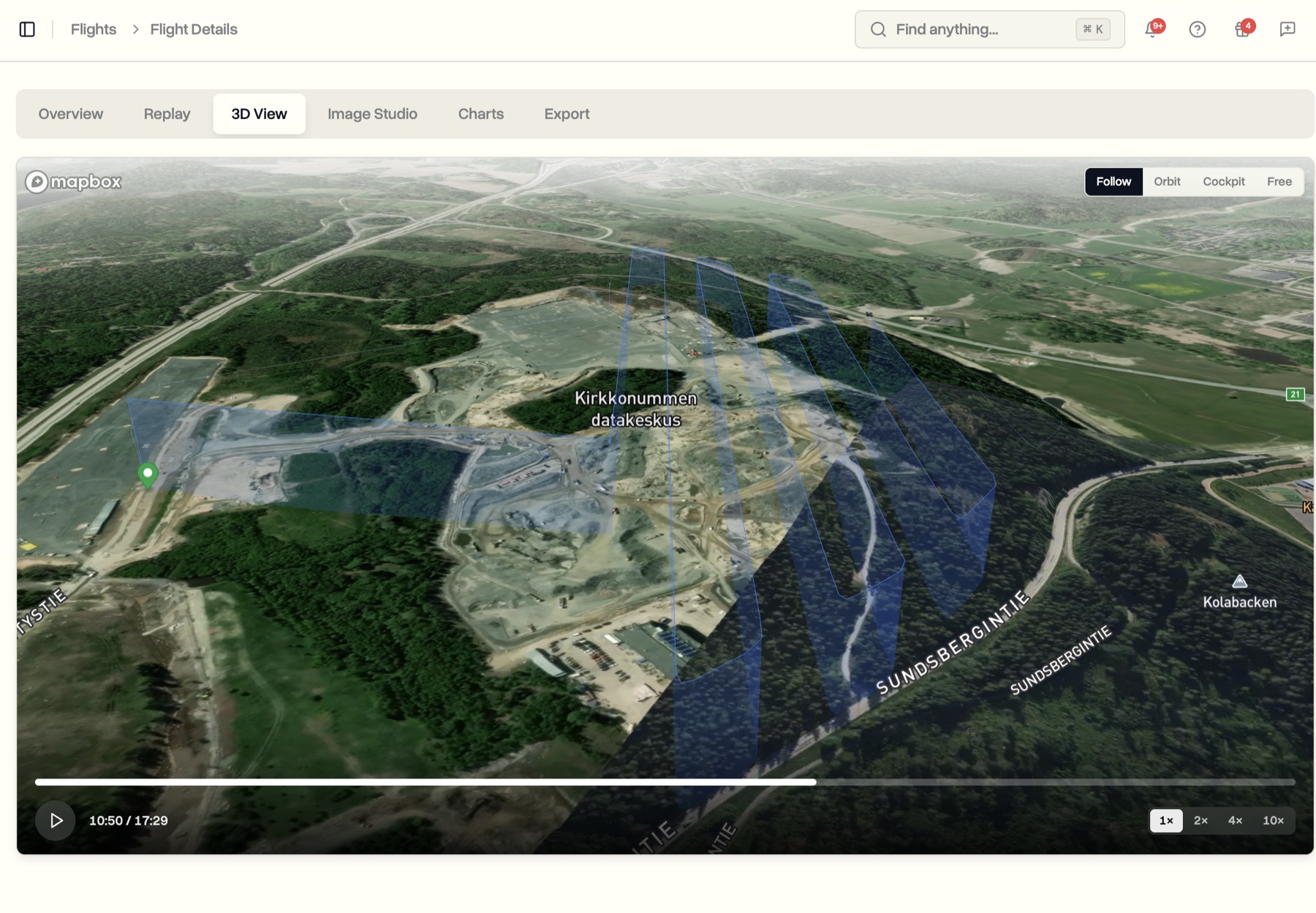
Flight Replay: See Every Drone Flight in 3D, Chart the Data, and Share the Map
The flight page is rebuilt. Replay any drone flight on the map, fly it again in 3D, read every reading as a chart, turn the path into a shareable image, and export a clean report, all from one screen.
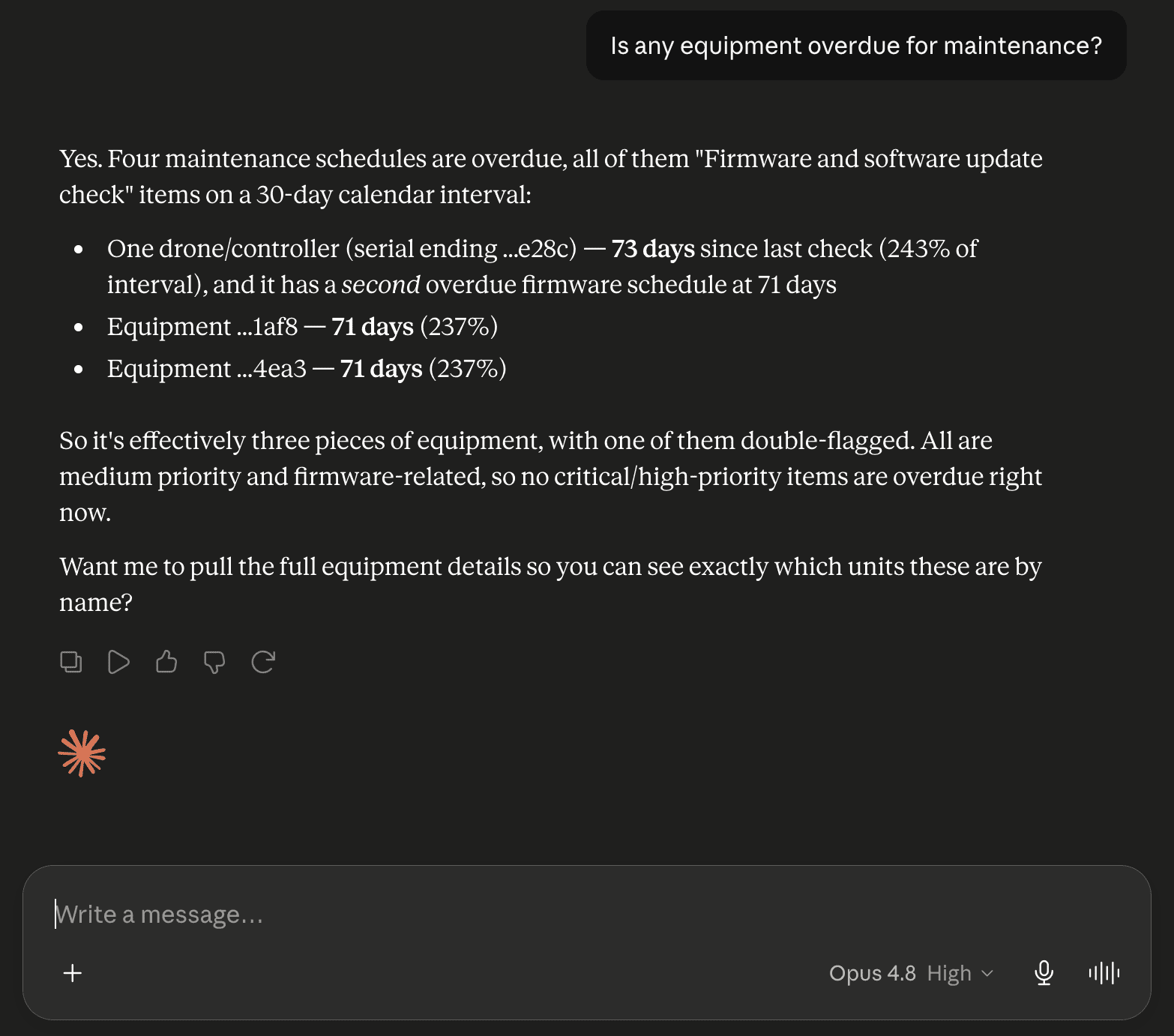
AI Assistant: Connect Claude or ChatGPT to Your Drone Workspace
Connect an AI assistant like Claude or ChatGPT to your DroneBundle workspace and ask about your operation in plain language. It reads your live data and can change nothing.
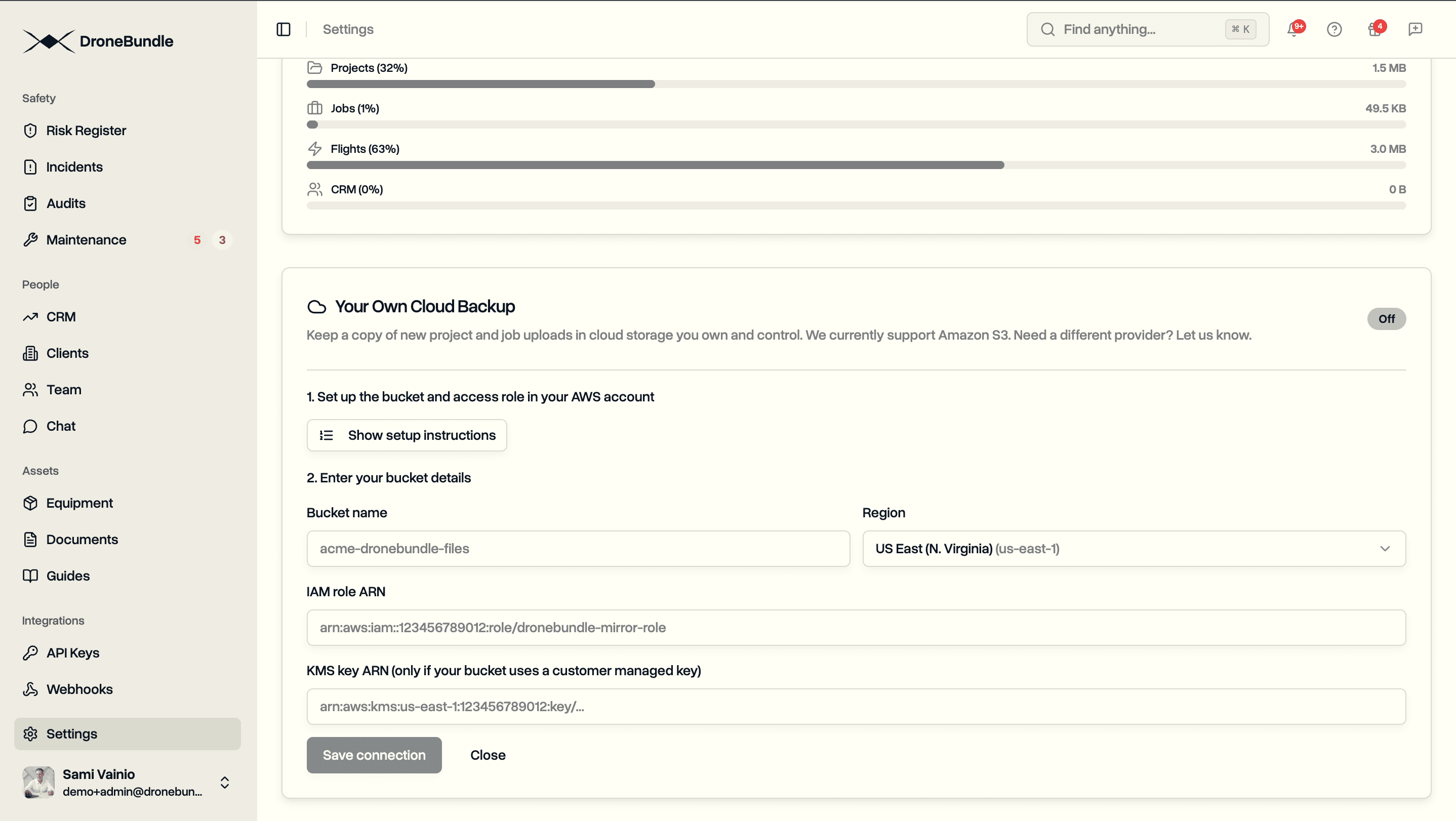
Data Ownership: Keep a Copy of Every Drone File in Your Own S3 Bucket
Data Ownership mirrors every drone file into an S3 bucket you own, in your own cloud account, automatically and encrypted with your own key.
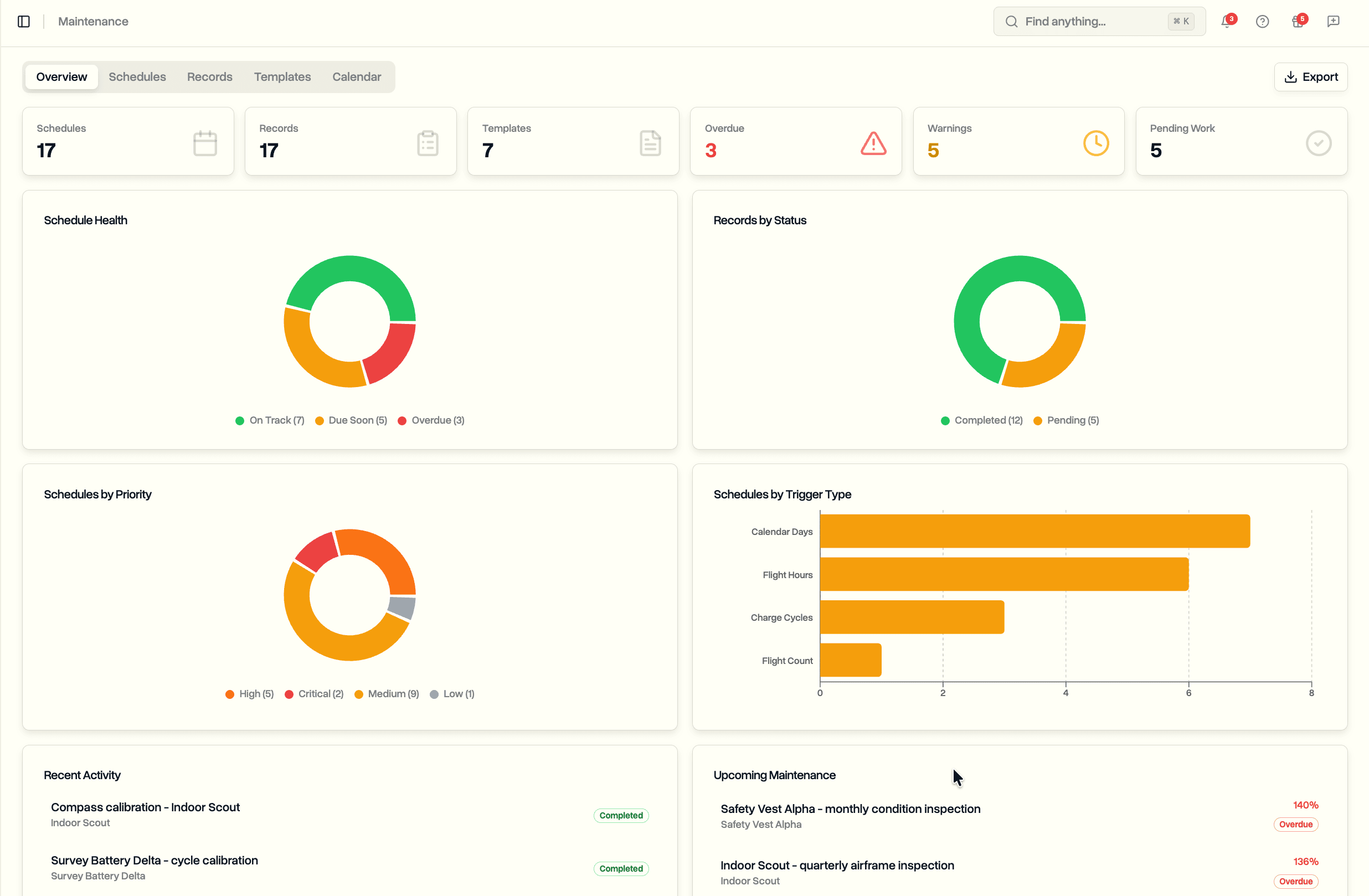
Maintenance: Schedule Drone Maintenance by Flight Hours, Cycles, and Calendar Days
Schedule drone maintenance by flight hours, flight count, battery cycles, or calendar days. Progress tracks automatically against your flight logs.
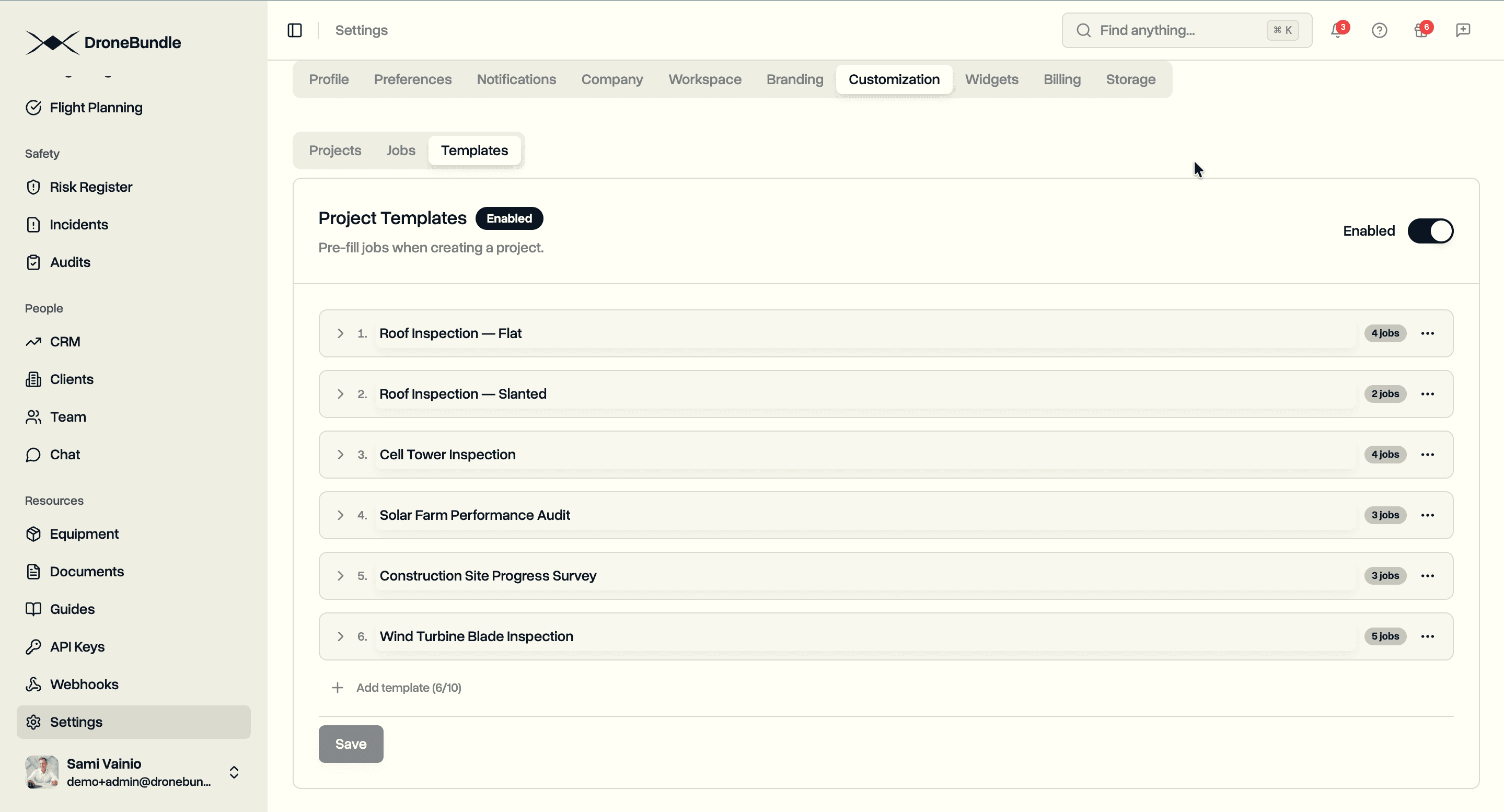
Project Templates: Pre-fill the Jobs That Always Come With a Project
Workspace-level project templates that pre-fill jobs at create time. Define the essentials once, edit per job before submit, and skip the loop of opening every new project to add the same job set by hand.
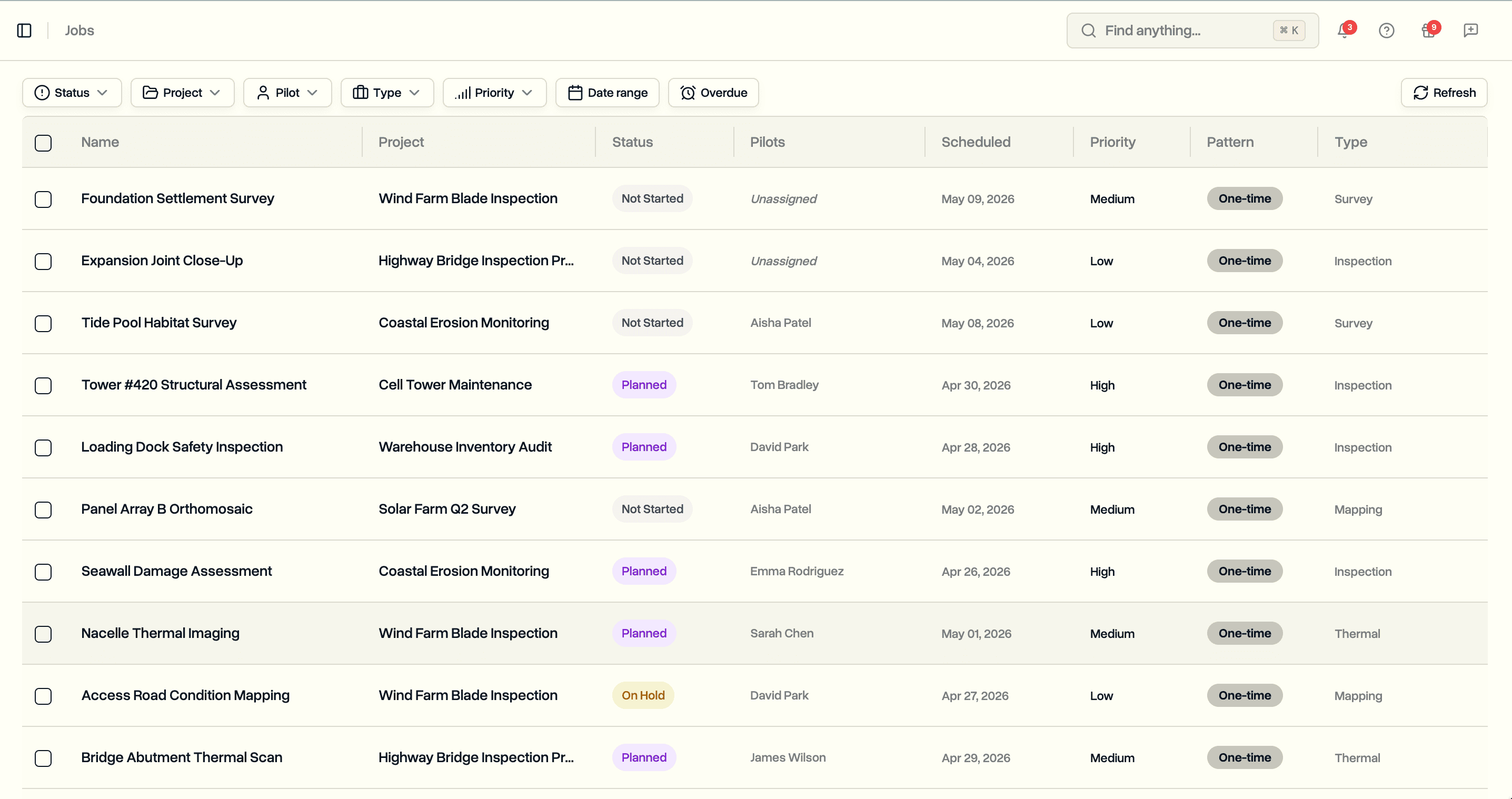
Global Jobs Page: Cross-Project Filtering and Bulk Actions
A workspace-wide Jobs page that spans every project. Filter by status, pilot, project, date, and overdue state. Bulk change status, assign or unassign pilots, and delete across projects in a single flow.
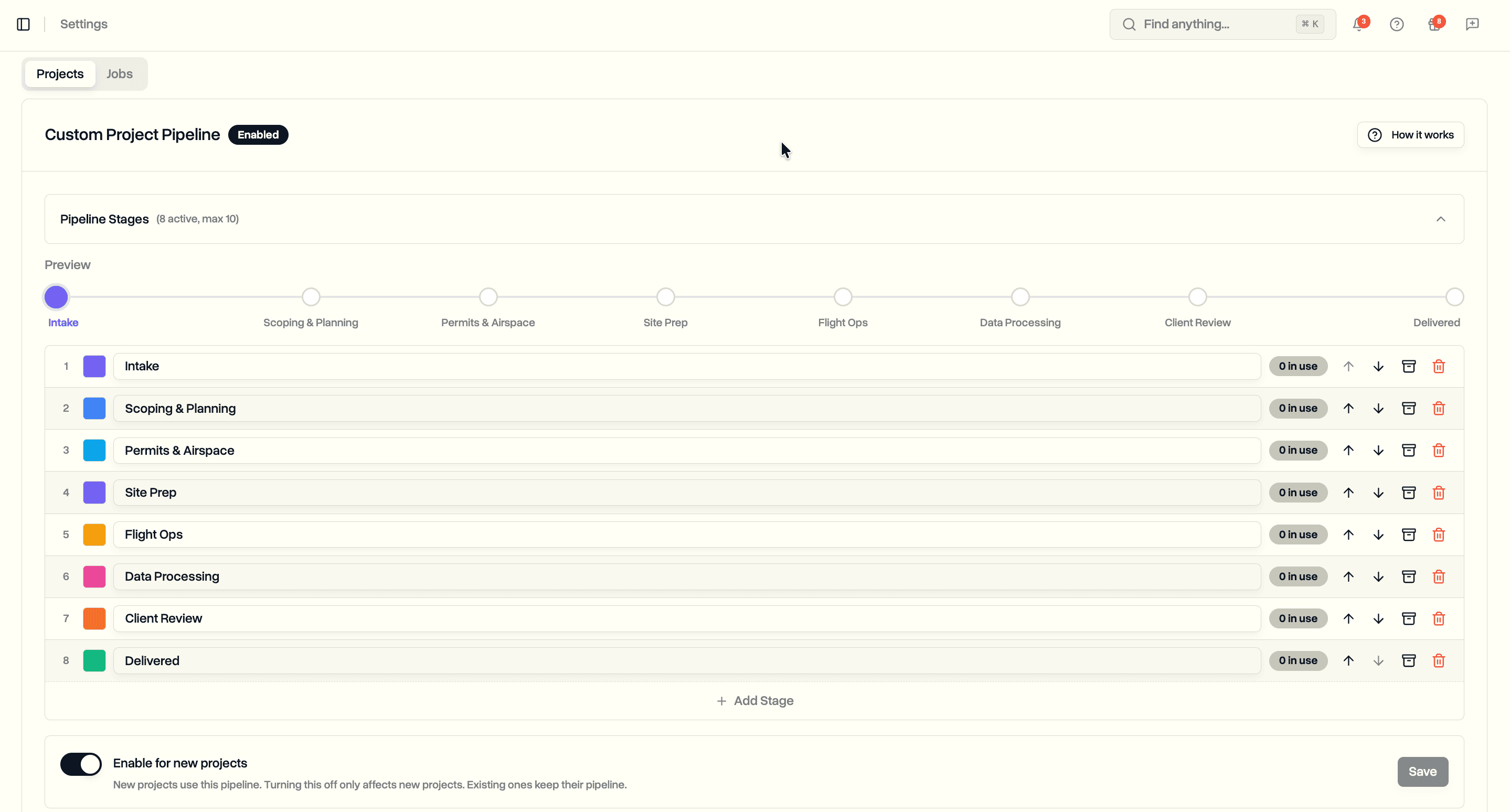
Custom Status Pipelines: Build Project and Job Workflows That Match Your Operation
Define ordered status pipelines for projects and jobs at the workspace level. Replace the fixed status list with custom stages, colors, and categories that match how your team actually runs work.
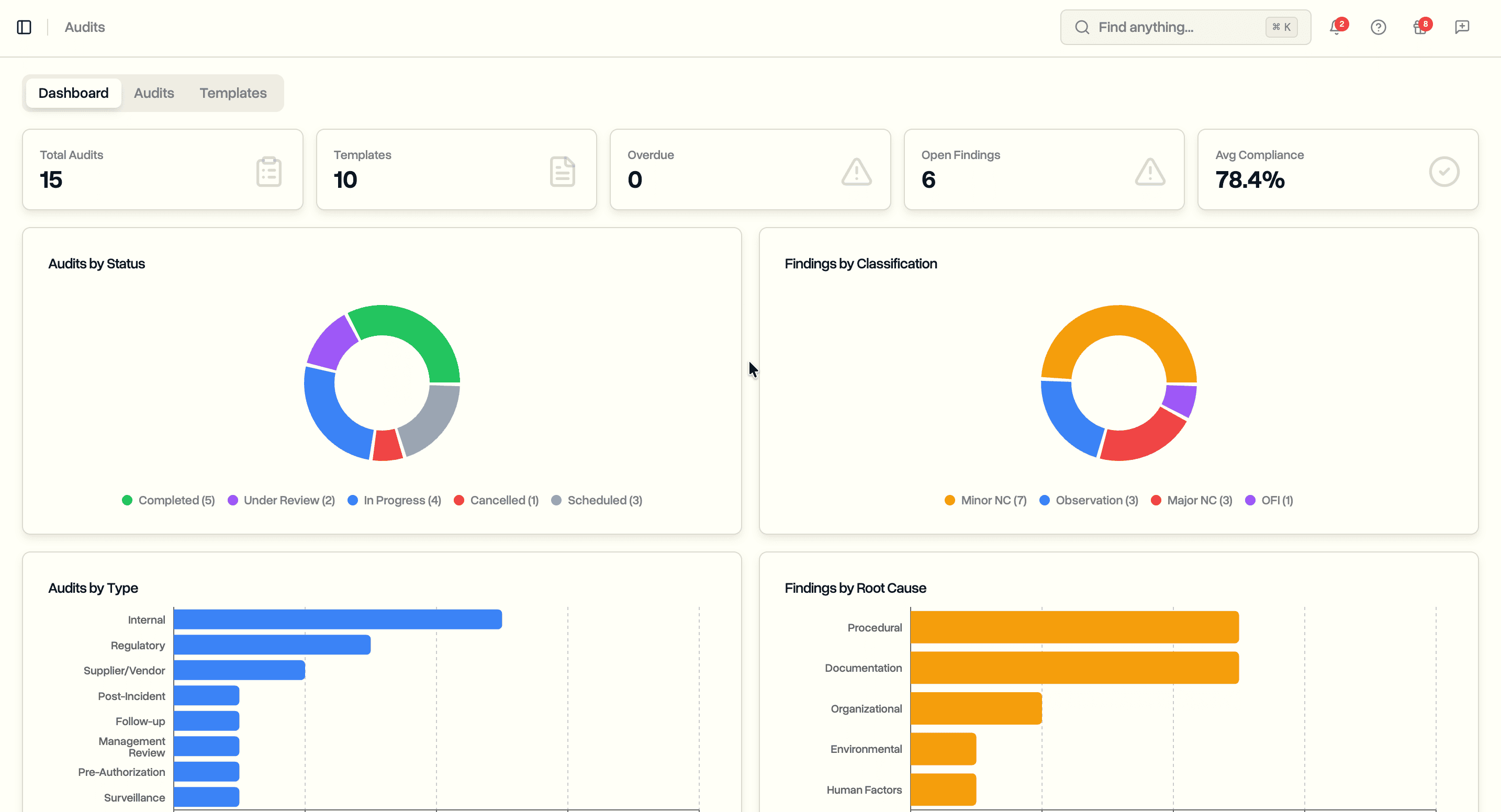
Audit Scheduling: Plan Internal Audits, Run Compliance Checklists, Track Findings
Schedule internal audits with reusable templates. Run compliance checklists during audits. Log findings with classifications and corrective actions. Track compliance scores across your operation.

Sandbox: Test Your Integrations Before Going Live
Build and test API integrations in a fully isolated sandbox environment. Same API, same endpoints, no risk to production data.
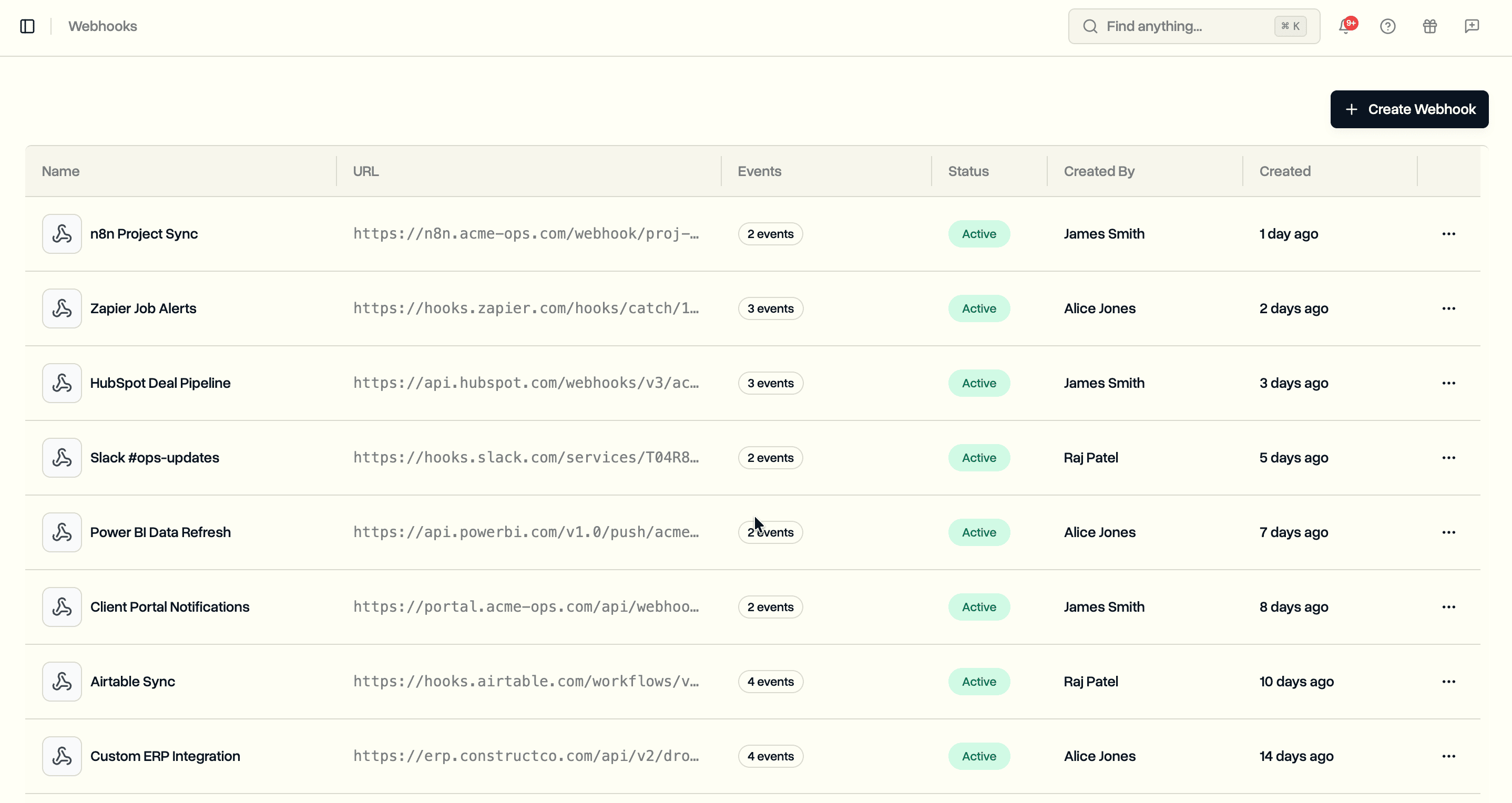
Webhooks: Get Real-Time Notifications from DroneBundle
Set up webhooks to receive instant HTTP callbacks when projects, jobs, and job types change in your workspace. No polling required.
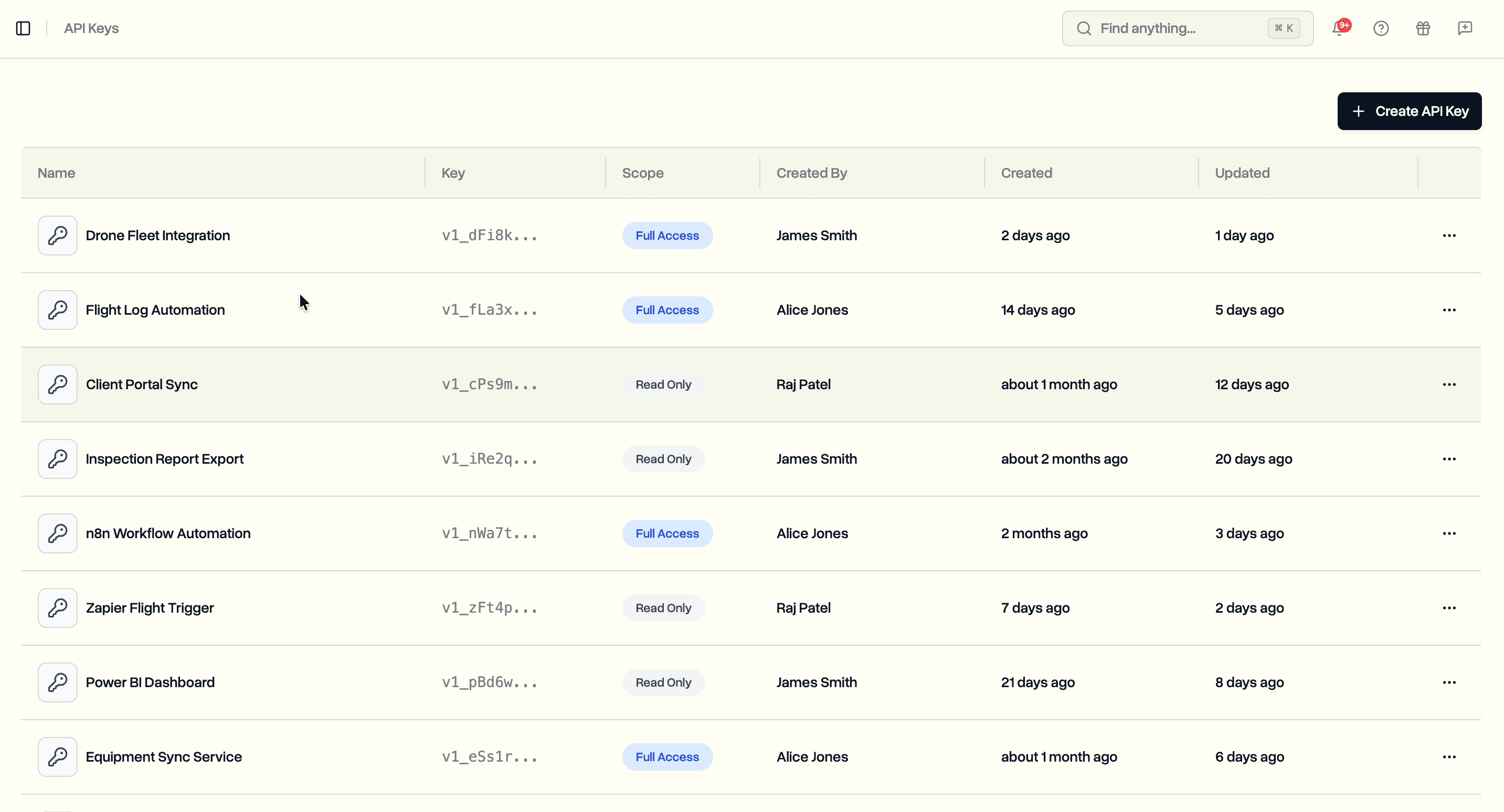
API Keys: Build Custom Integrations with the DroneBundle API
Create API keys and manage projects, jobs, and job types programmatically. Connect DroneBundle to your CRM, ERP, or automation tools.
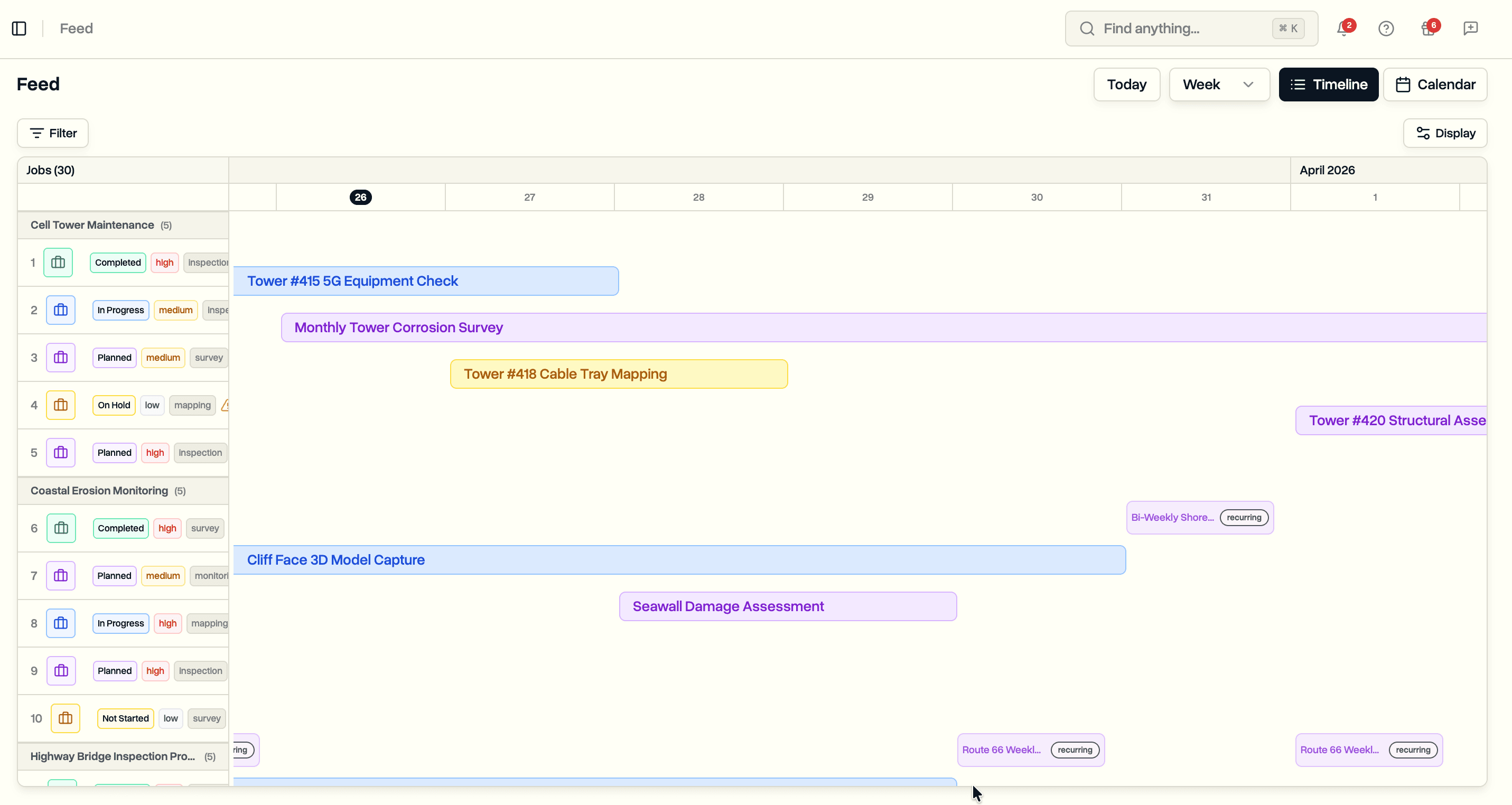
Job Feed: Timeline View, Filters, and Display Settings
See all your jobs on a timeline. Filter by status, pilot, priority, job type, and project. Group by project, status, or pilot. Customize what you see and share filtered views with your team.
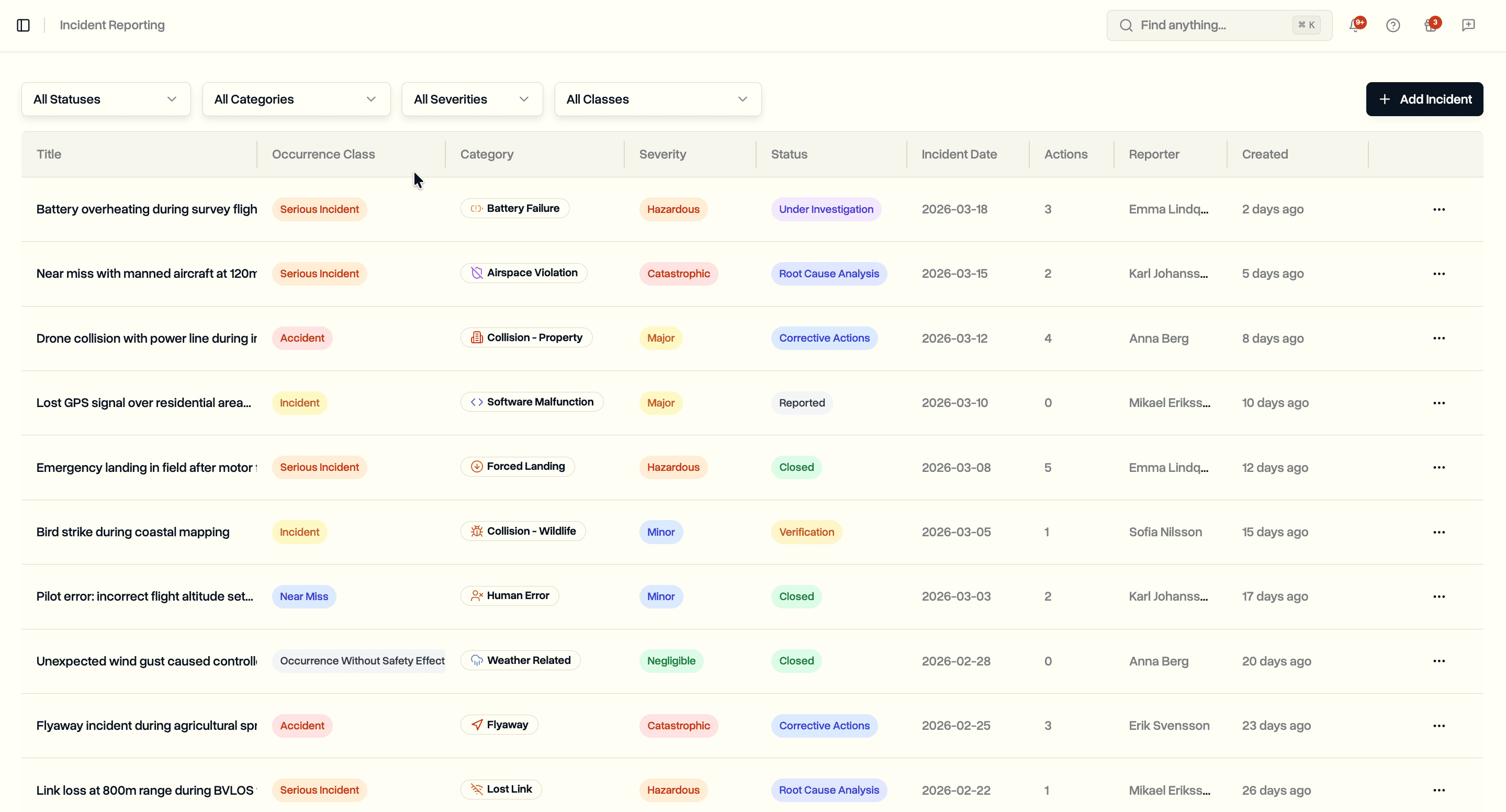
Incident Reporting: Log Safety Events, Investigate Root Causes, Track Corrective Actions
Report incidents with structured classification. Investigate root causes with environmental and operational context. Track corrective actions from assignment through verified completion. Built for drone operations teams under regulatory oversight.
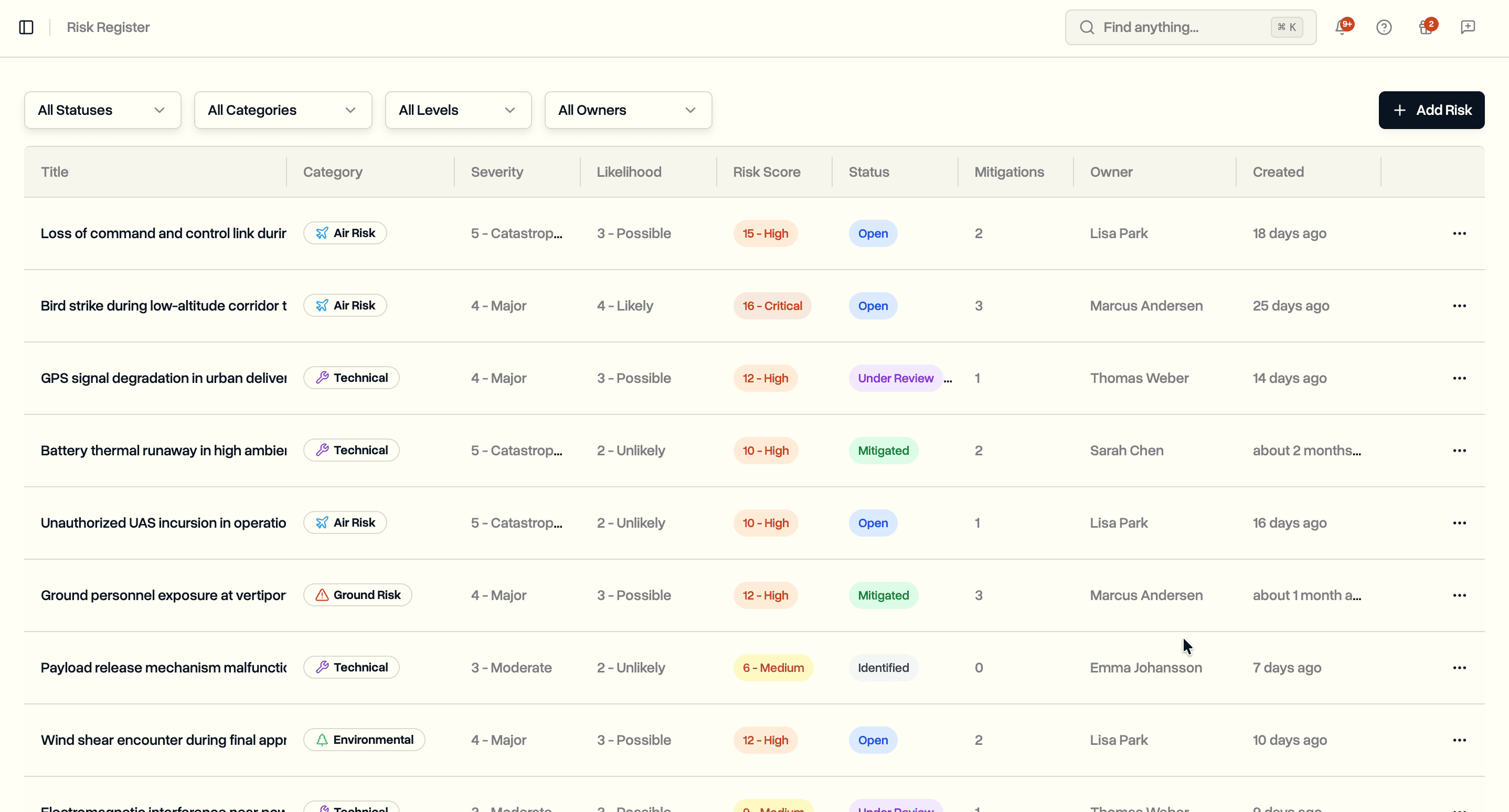
Risk Register: Track, Assess, and Mitigate Operational Risks
Log risks with a 5x5 severity and likelihood matrix. Assign owners. Track mitigation actions with deadlines, priorities, and verification methods. Built for teams running complex drone operations under regulatory oversight.
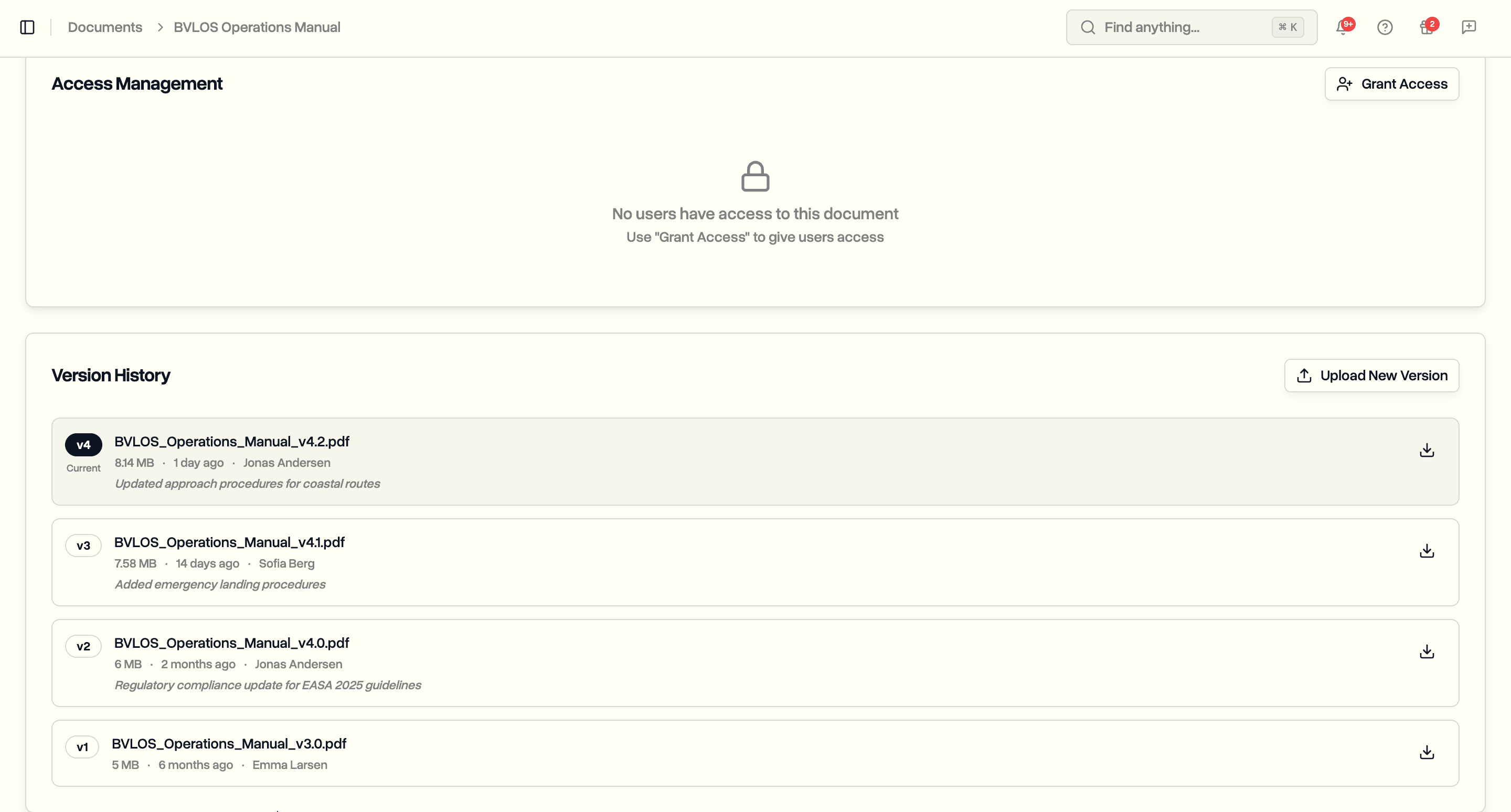
Document Version Control: Track Every Revision
Upload new versions of documents without losing previous ones. See who changed what and when. Download any previous version. Built for teams that need audit-ready document history.
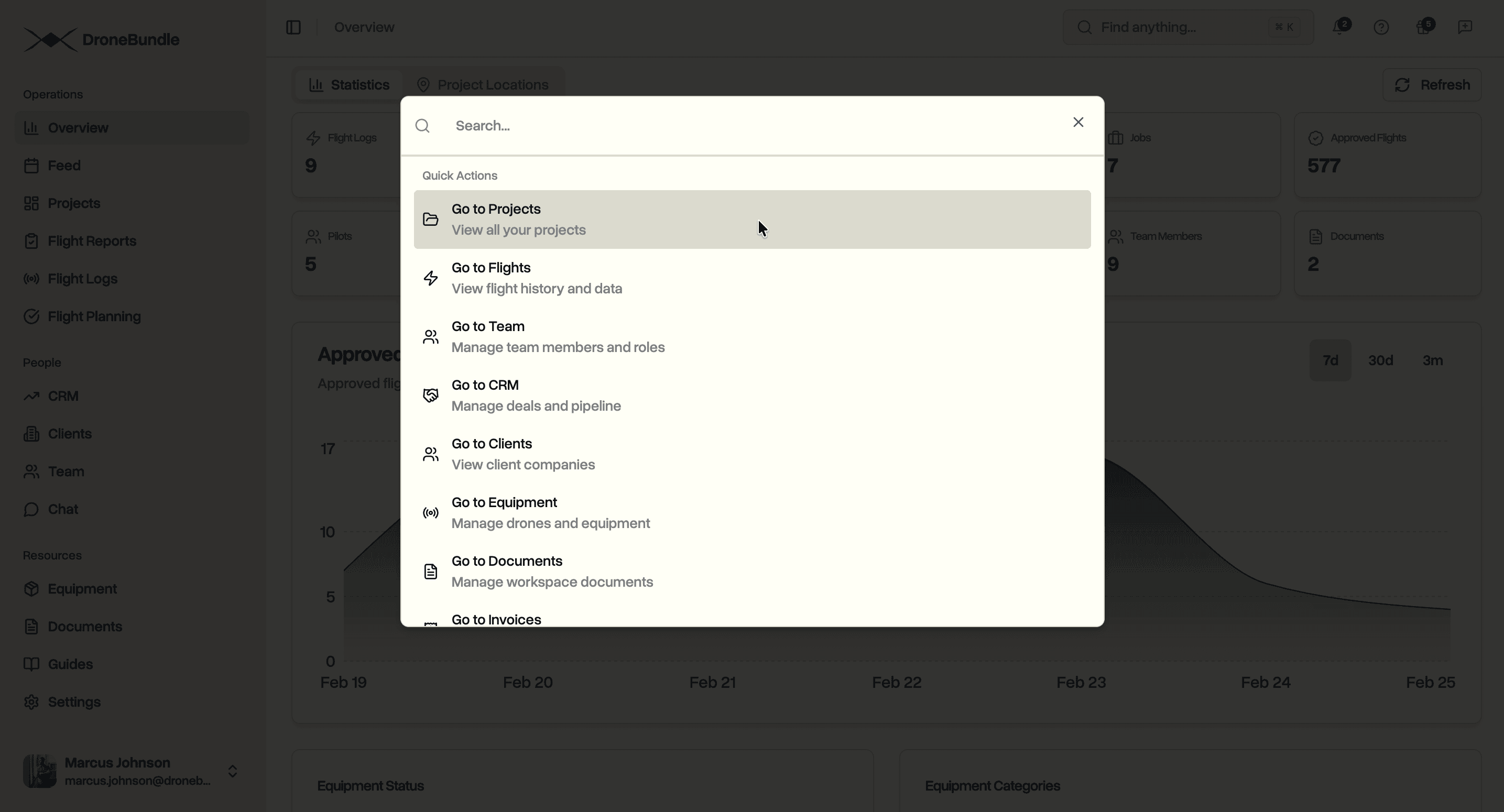
AI-Powered Search: Find Anything Across Your Entire Workspace
Search projects, jobs, flights, drones, clients, invoices, deals, and documents from one place. Type what you need and get results instantly. No more clicking through pages to find things.
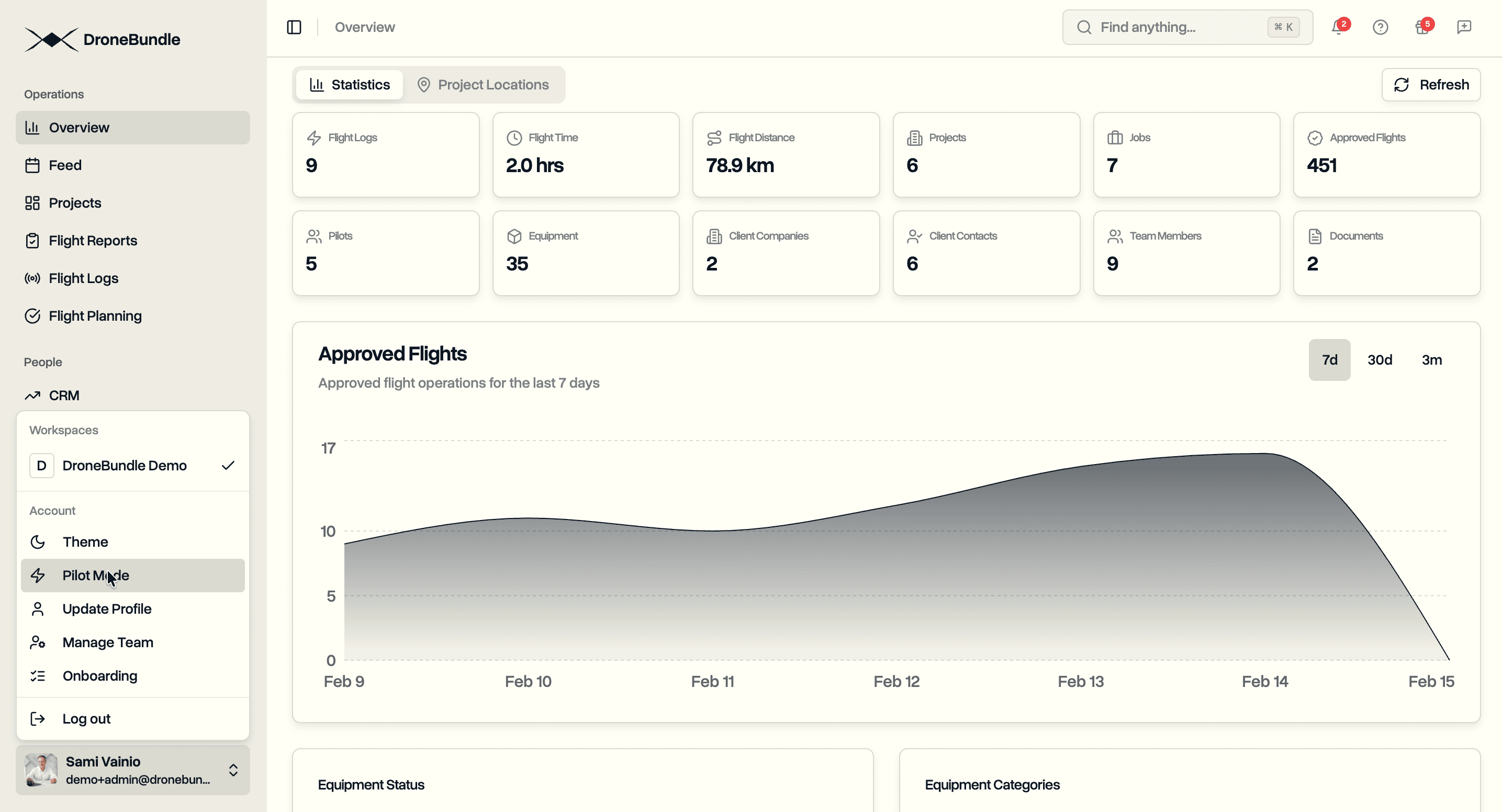
Pilot Mode: Project Managers Who Also Fly
Project managers and admins who fly drones no longer need workarounds. Enable pilot mode in your profile settings. Switch between manager and pilot views instantly. Assign yourself to jobs. Complete flights from one account.
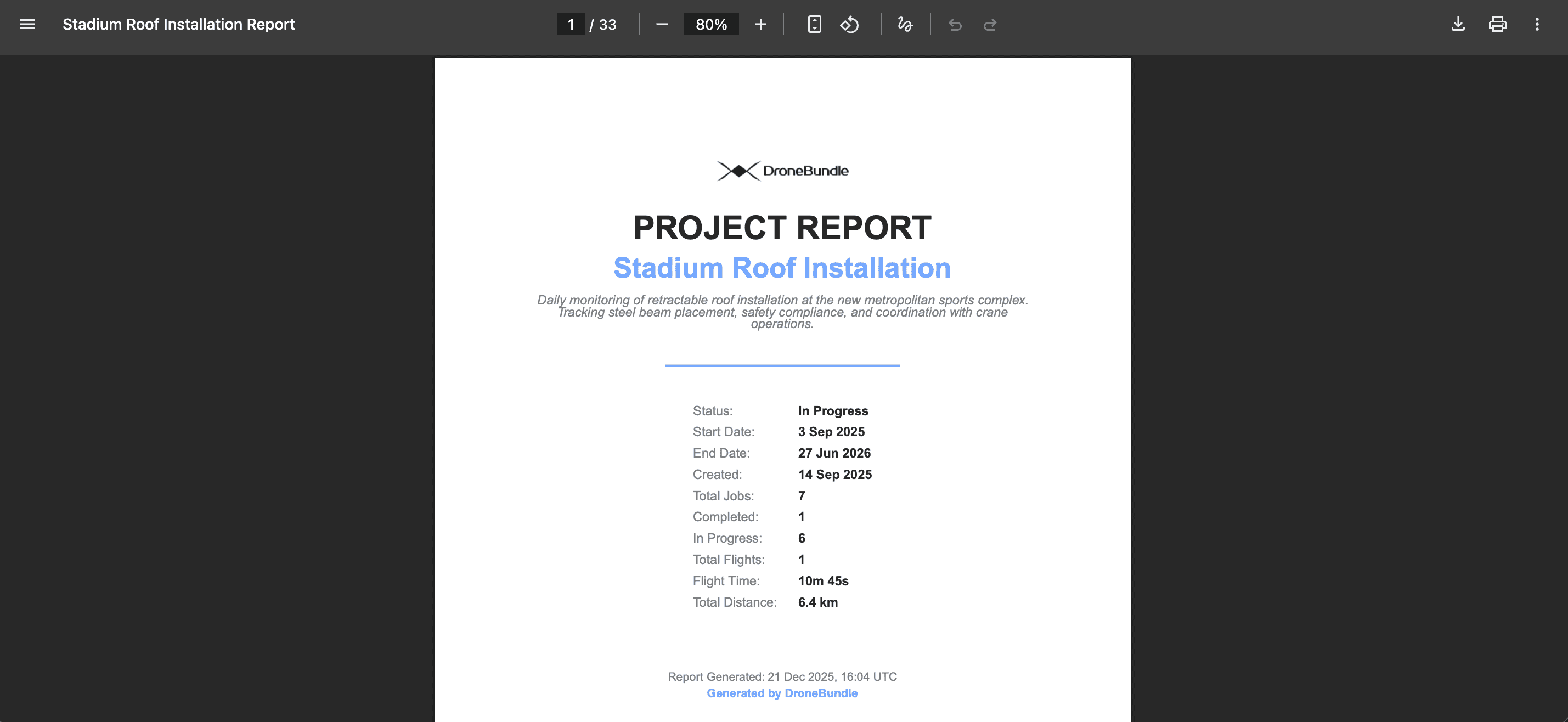
Export Project Data: Download Complete Reports in PDF and Excel
Export your entire drone project as a PDF report or Excel spreadsheet. Get project maps, job details, flight statistics, team assignments, and equipment lists in one download. Receive an email when your export is ready.
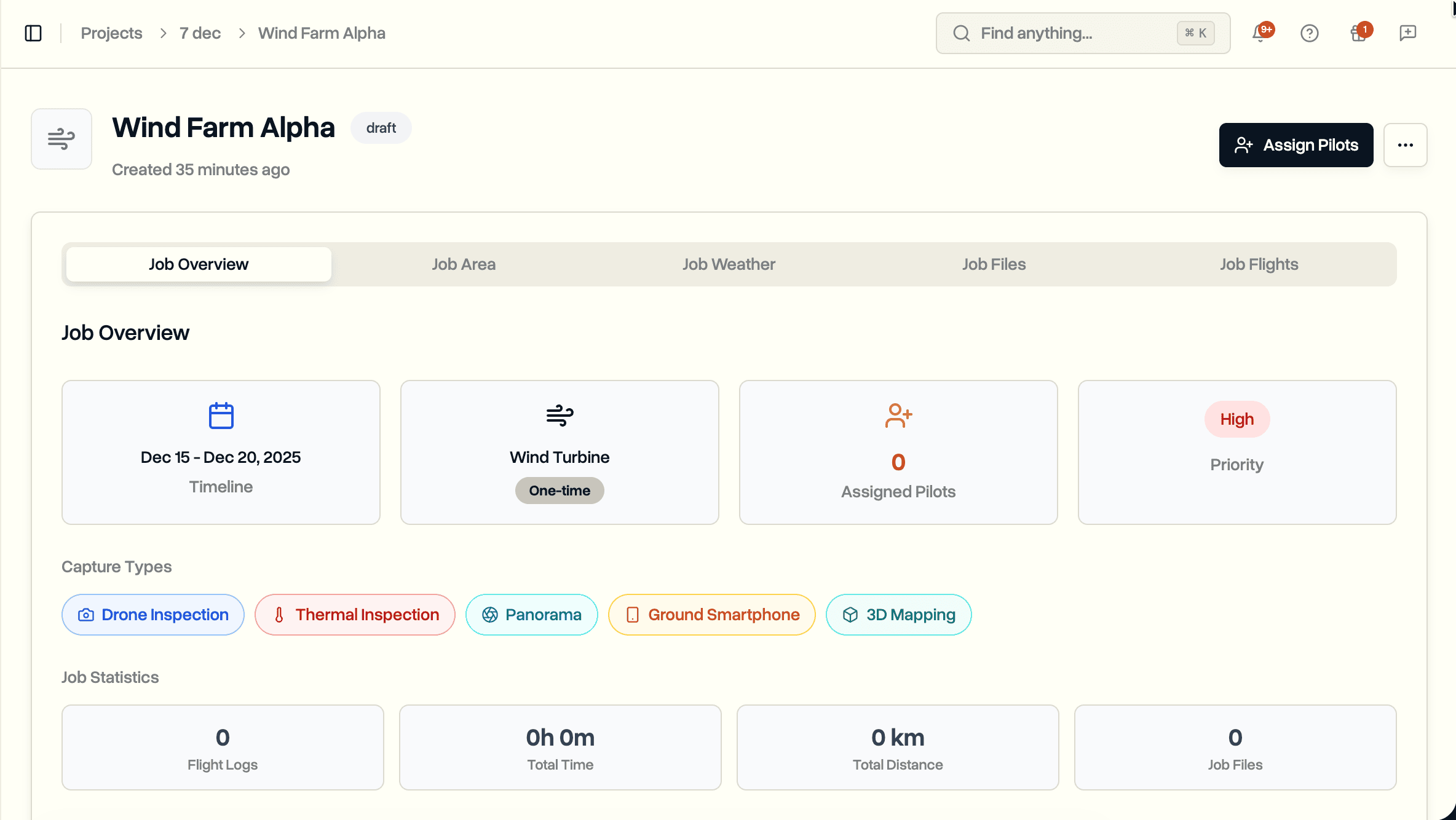
Capture Types: Track Data Collection Methods for Jobs and Files
Specify what type of data capture each job requires. Assign capture types to uploaded files. Filter files by capture type. Import capture types directly from Excel spreadsheets.
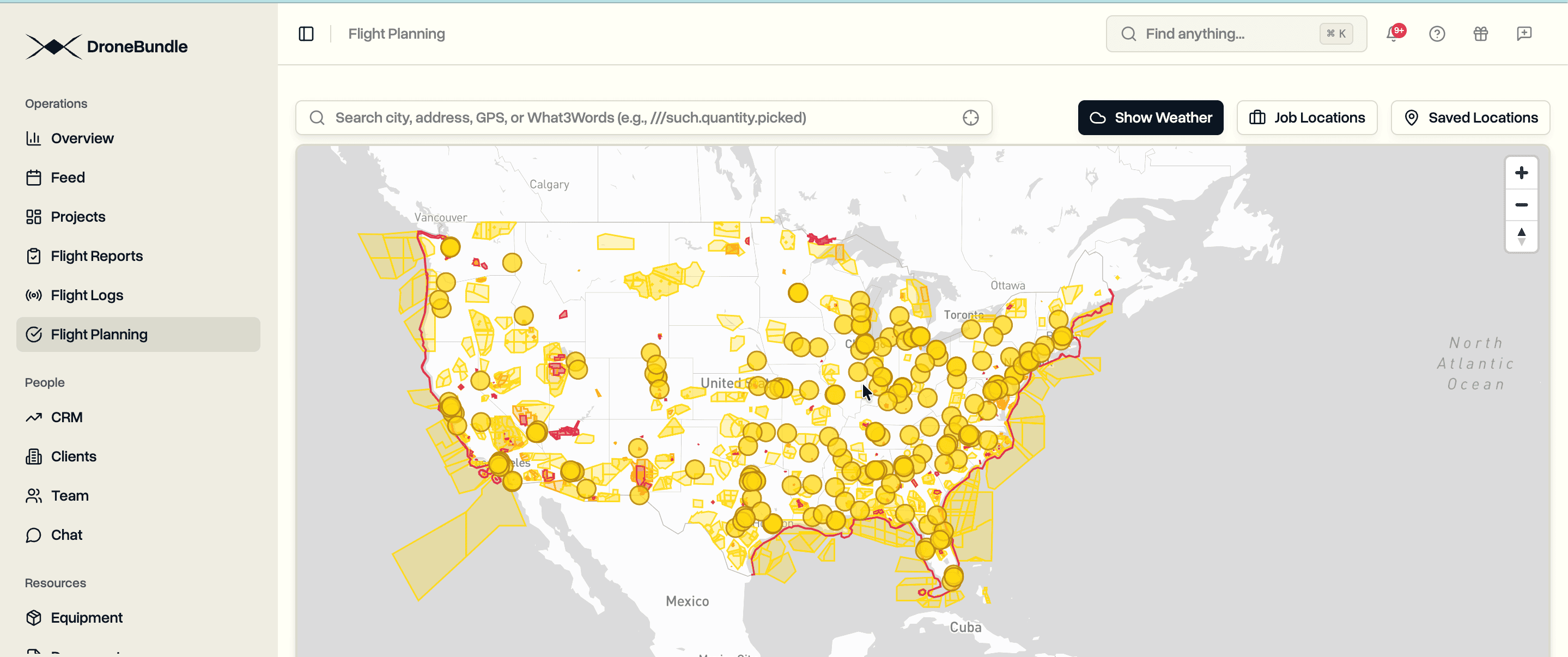
USA Aviation Maps: FAA Airspace Data for Flight Planning
Plan drone flights in the United States with integrated FAA airspace data. See controlled airspace, prohibited areas, LAANC grids, and restricted zones on an interactive map before you fly.
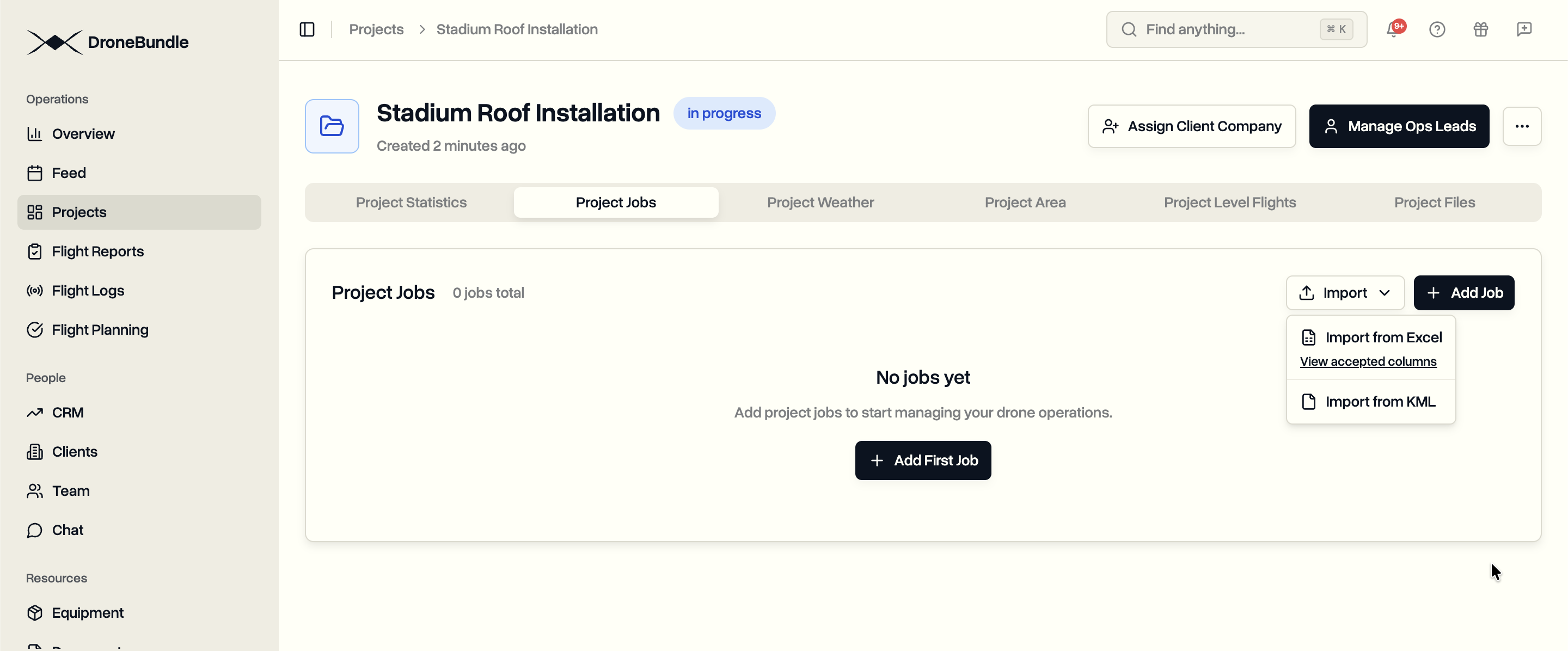
Excel Bulk Import: Create Multiple Jobs from a Spreadsheet
Import dozens or hundreds of drone inspection jobs at once from an Excel file. The system recognizes common column names automatically. Fill in missing fields during preview. No strict template required.
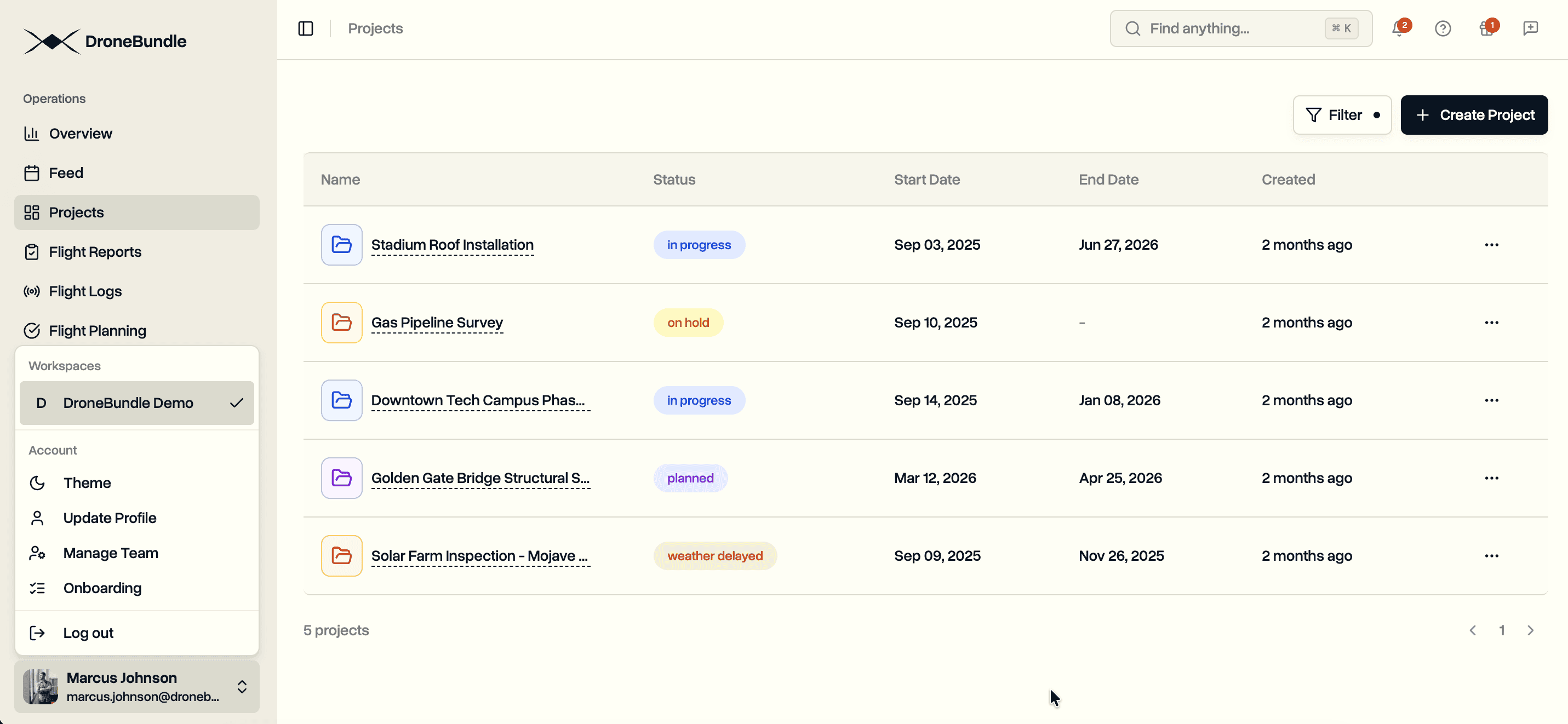
Multiple Workspaces: One Account, Multiple Organizations
Pilots working for multiple operators no longer need separate accounts. Contractors can access client workspaces while maintaining their own. Switch between workspaces instantly from the sidebar.
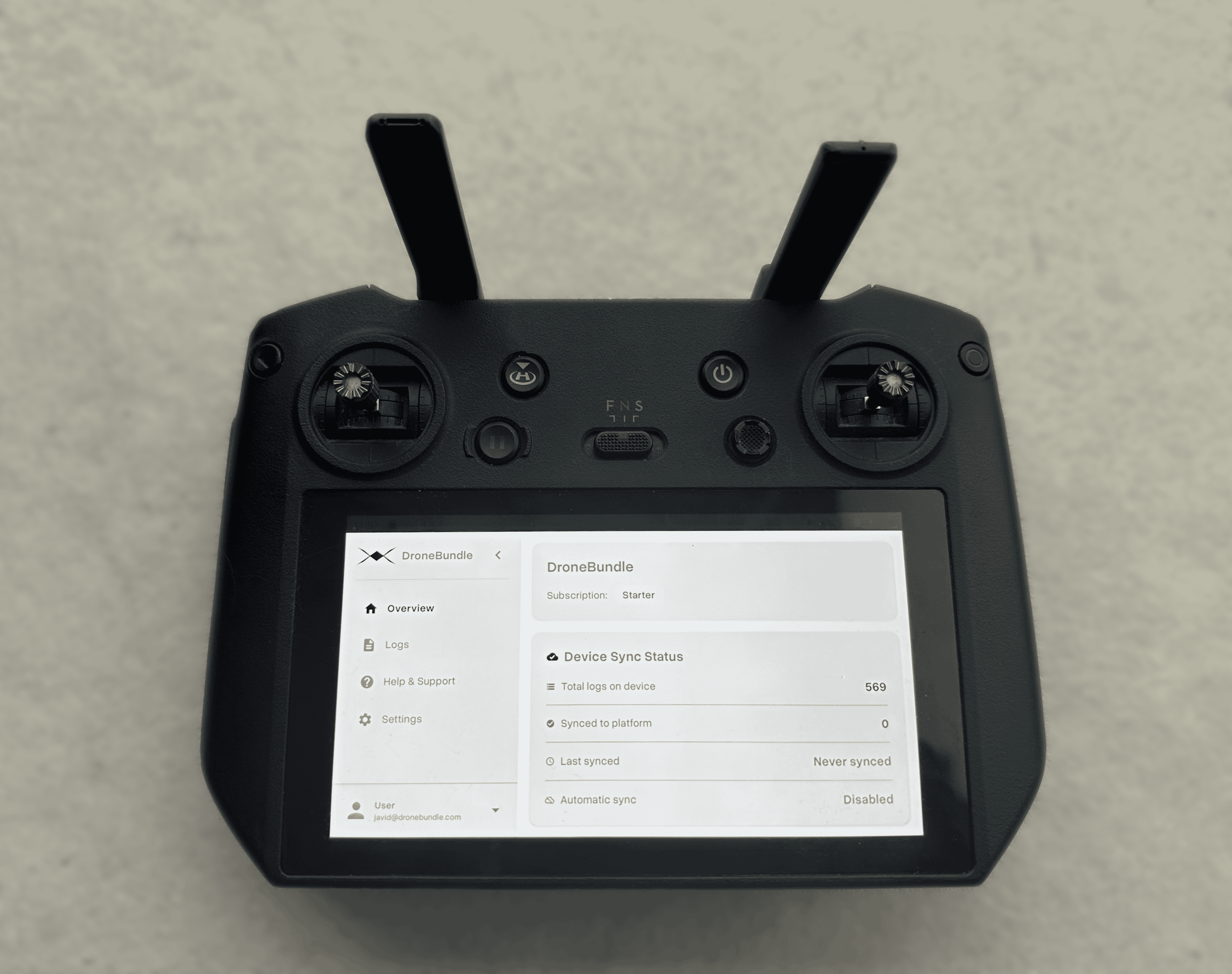
We Built an Android App That Syncs Your DJI Logs Automatically
Tired of pulling SD cards and manually uploading flight logs? Install our Android app on your DJI Smart Controller and your logs sync to DroneBundle automatically after every flight.

Introducing DroneBundle: Built by Operators, for Operators
DroneBundle is a comprehensive platform that brings every part of drone operations together. From mission planning to team coordination, asset tracking, and progress monitoring—all in one intuitive interface designed by operators, for operators.
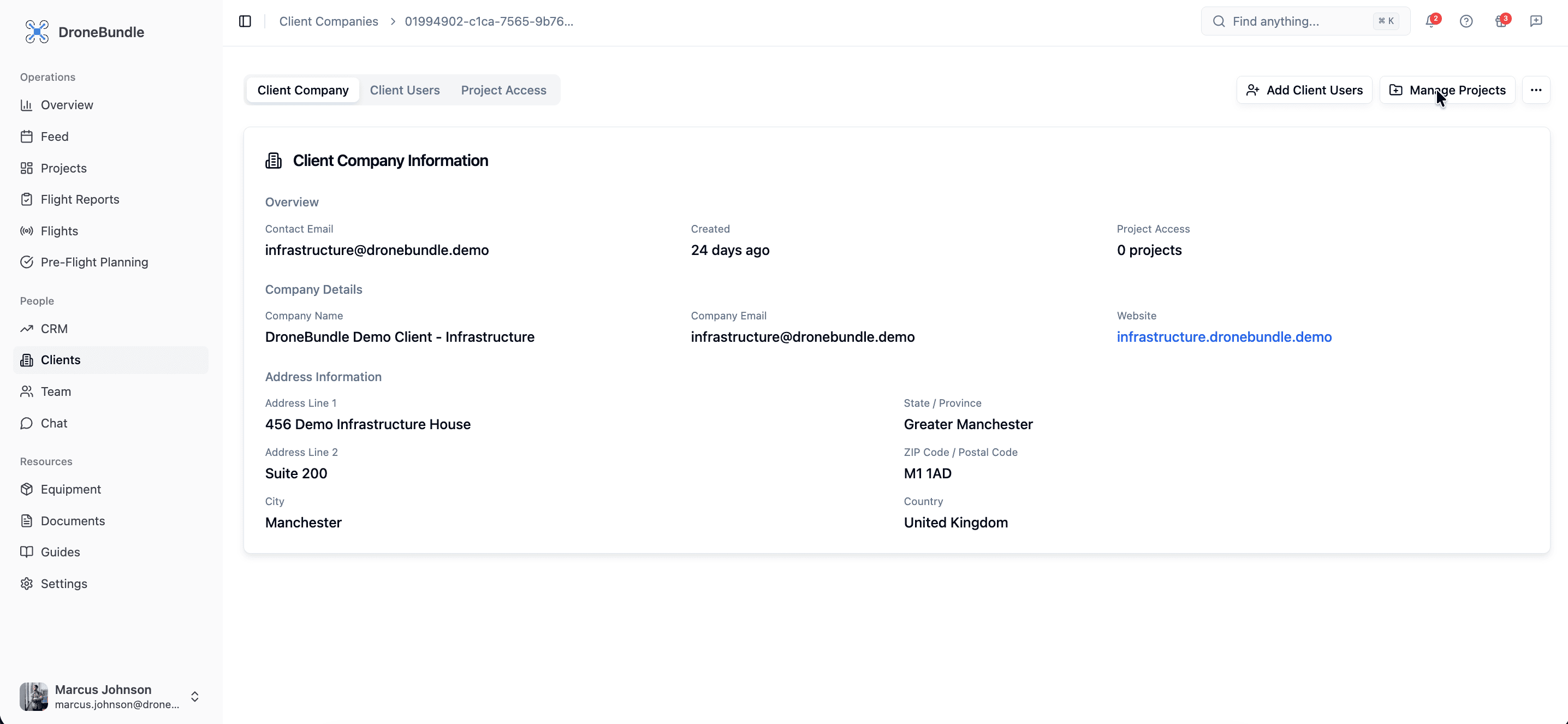
Drone Client Portal: How to Give Clients Real-Time Project Access
Stop emailing files and sending Dropbox links. Give your drone clients secure access to their projects, flight data, and deliverables through a professional client portal.

Real-Time Command Center: Launch of Live Tracking & Advanced Dashboard Analytics
DroneBundle unveils comprehensive live tracking capabilities with real-time telemetry monitoring, flight replay analytics, and a redesigned operations dashboard. Experience complete fleet visibility and data-driven insights.