
Upload a certificate. DroneBundle finds the date
Insurance certificates, waivers, aircraft registrations, and training records are read when you upload them. Every expiry date is tracked, and reminders arrive 30 days before, 7 days before, and on the day.

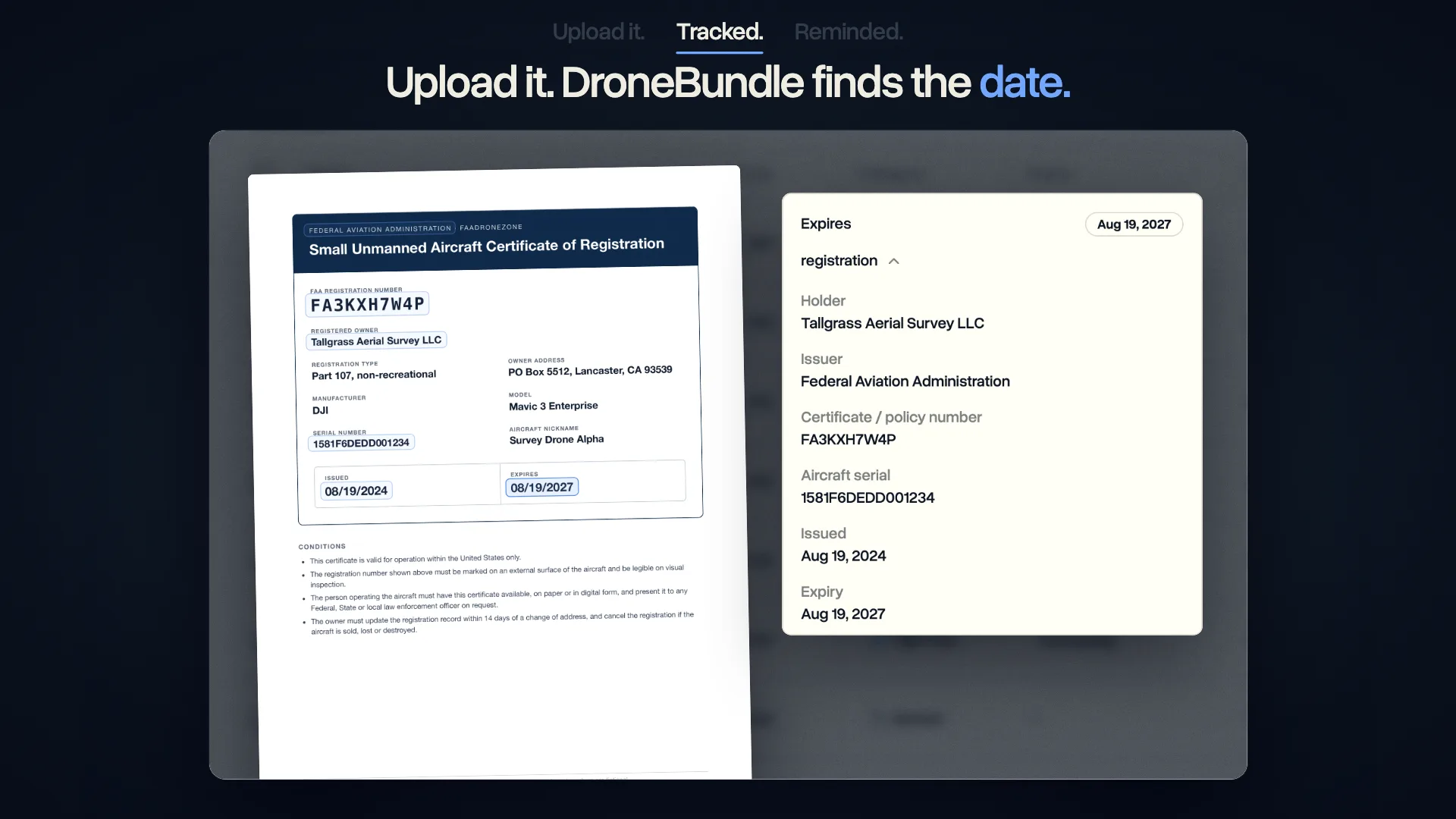
From the Page to a Reminder
The dates are already printed on your paperwork. DroneBundle reads them off the document and puts them where your team looks.

The Whole Document, Read for You
Each upload is read from the first page to the last. The record shows who holds it, who issued it, the certificate or policy number, and the dates, with the expiry date at the top.


One Document, Several Dates
A training record that lists three courses gets three expiry dates, each tracked on its own. The document shows the next one, and the rest sit underneath.

Every Expiry Date in One List
The Documents list has an Expiry column. What has expired shows in red, a document with no end date says so, and the sidebar counts what needs attention until someone marks it as checked.


Reminders at 30 Days, 7 Days, and on the Day
Workspace owners and project managers get a notification a month before a document expires, a week before, and on the day itself.


Ask About Your Paperwork
DroneBundle AI opens with what needs attention. Ask what expires in the next 90 days or whether your insurance is current, and the answer comes from your documents.

What Else It Does
A few more things worth knowing before you upload the first certificate.

Photos and Scans Too
PDF, JPG, PNG, and TIFF files are read, so a phone photo of a certificate works as well as the original file.
Up to 50 MB and 500 pages per document.

Only the Dates on the Page
A date is tracked when the document states it. A certificate with no end date shows "No expiry", and nothing is guessed.
Owners and project managers can set or correct a date by hand.

In the Weekly Report
The Monday report lists expired documents and the ones expiring within 30 days, next to maintenance and open incidents.
The dates reach you even in a week you never open Documents.

Renew by Uploading the New One
Upload the renewed certificate as a new version and it is read again. The old version stays in the history.
The expiry date updates on its own.
Why Keep Expiry Dates Here
A liability policy renews once a year, an aircraft registration lasts three years, and training cards run on their own clocks. Keeping those dates next to the documents means one place to look.
Nothing to Type
The dates come off the documents you already upload. There is no second list of renewals to keep up to date.

A Month of Notice
The first reminder arrives 30 days before the date, with time to renew before anything lapses.

Ready When Someone Asks
When a client or an auditor asks for a current certificate, the list shows which copy is in date.
Built on document storage with version history, and explained step by step in the launch post.
Questions
Stop keeping renewal dates by hand
Upload your certificates once and let DroneBundle watch the dates. Free for 14 days, no credit card required.