DroneBundle for DJI Controllers
Land, leave the drone switched on and open DroneBundle. The app copies the new photos off the drone, puts them on the right job, starts the 3D map and uploads the flight log. No pulling the SD card, no laptop.
Looking for the phone app? Get the mobile app. Want the dashboard? Sign in.
What the App Does

Photos Off the Drone
Copies new photos from the drone and uploads them. The drone’s card is only read, nothing on it is changed or deleted.

The Right Job
Finds the job by where the photos were taken. In a Jobs only workspace it adds the job for a mapping flight at a new address by itself.

Maps Start Themselves
After a mapping flight, the 3D map starts as soon as the last photo is uploaded.

Flight Logs Too
Uploads DJI flight logs from the controller, so every flight has its path, replay and record.
After Every Flight
From landing to a map on the job, without a computer
Fly as Usual
Fly with DJI Pilot 2, DJI Fly, Dronelink or any other flight app. Nothing changes in the air.
Leave the Drone On and Open DroneBundle
After landing, close the flight app and open DroneBundle. A notice on the controller reminds you when a flight has finished.
Photos Copy and Find Their Job
The app copies the new photos off the drone and finds the job at the place where they were taken. If more than one job fits, you tap the right one. The app tells you when you can switch off the drone.
The Upload and the Map Run by Themselves
The photos upload to the job. After a mapping flight, DroneBundle starts a 3D map from them. The flight log goes up too.
App Interface
Built for a controller screen in the field, in light and dark
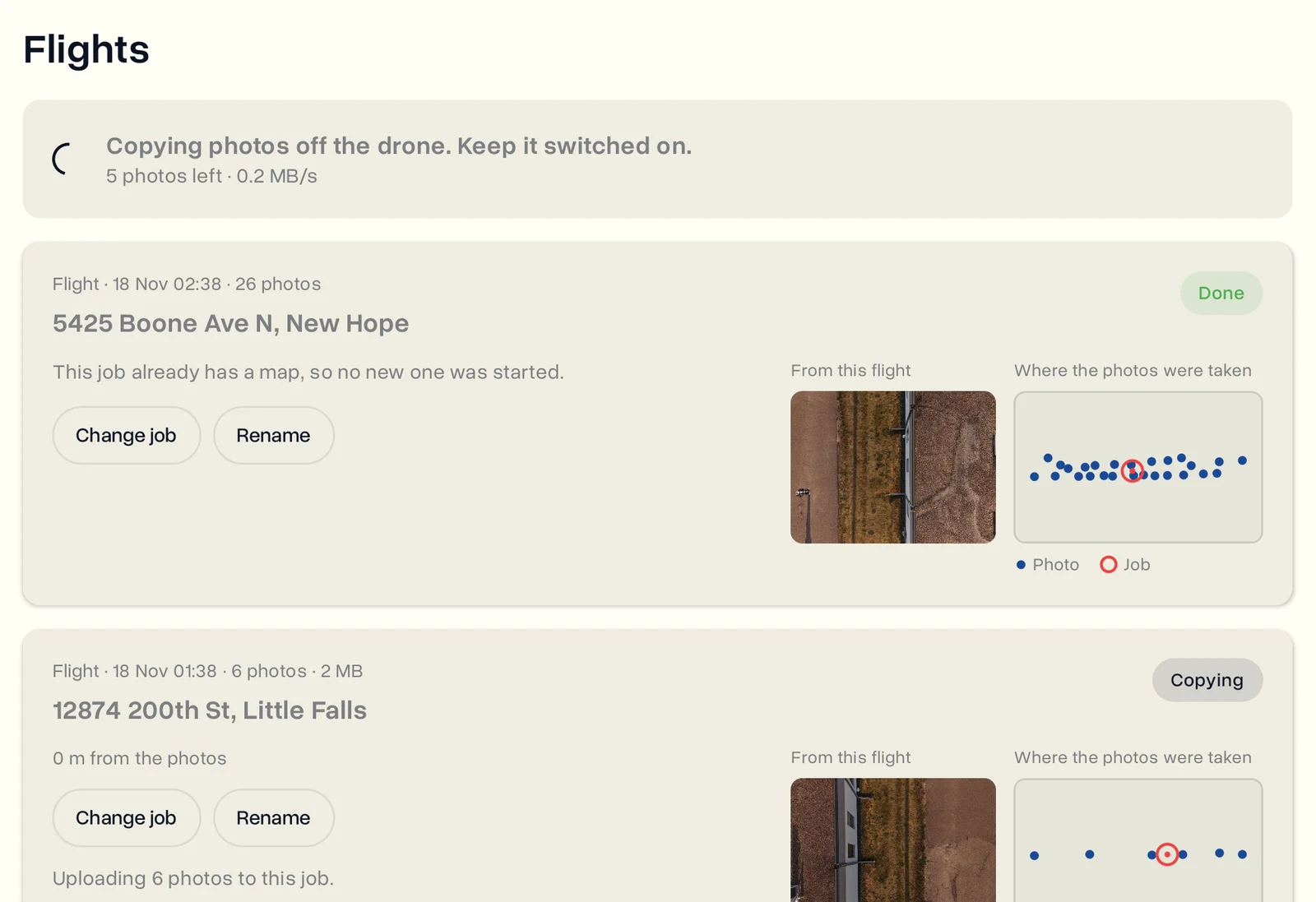
Photos Copy Off the Drone
See how many photos are left, how fast they copy and when you can switch off the drone
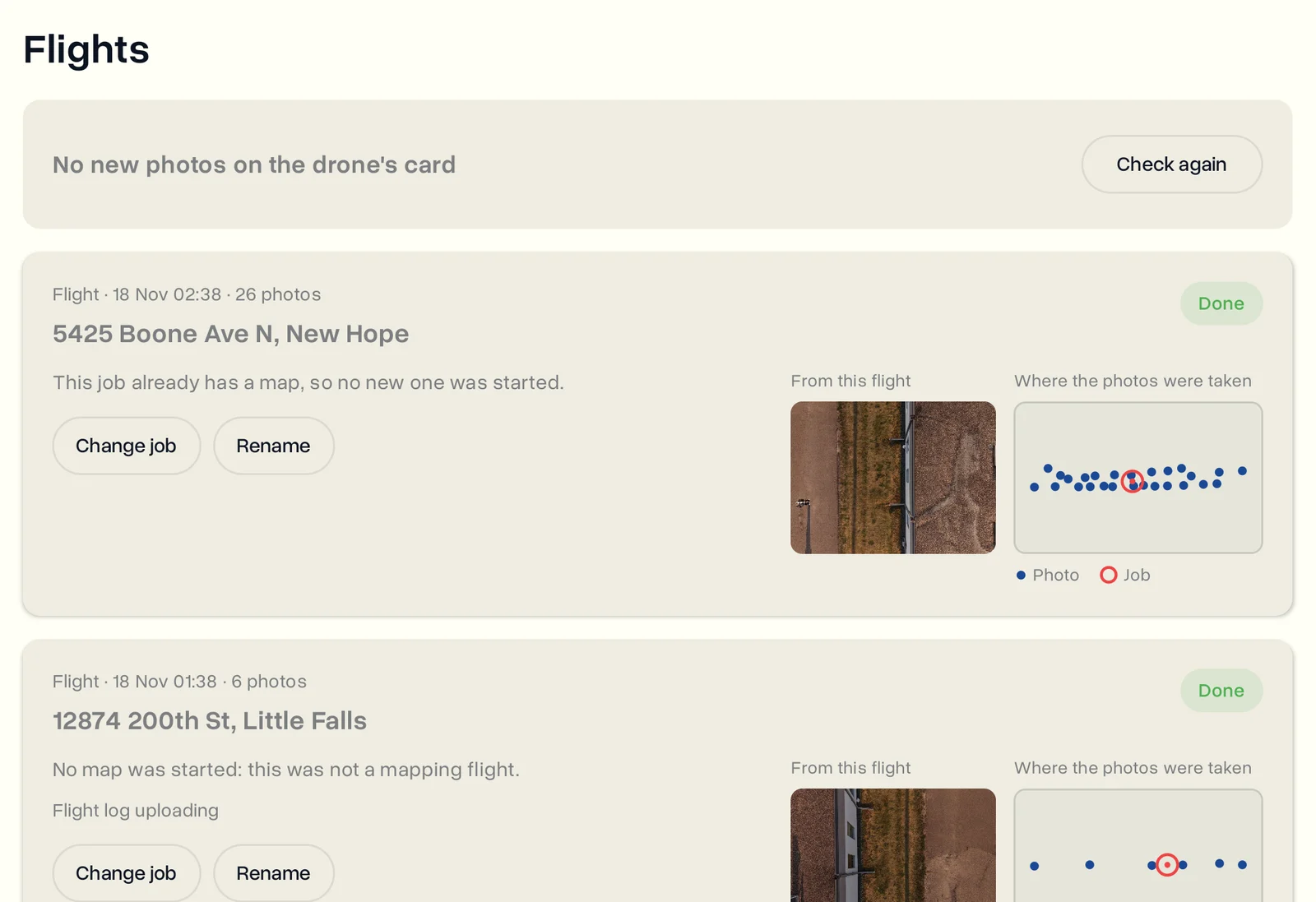
Every Flight on Its Job
Each flight shows its job, a photo and where the photos were taken. Change the job with a tap
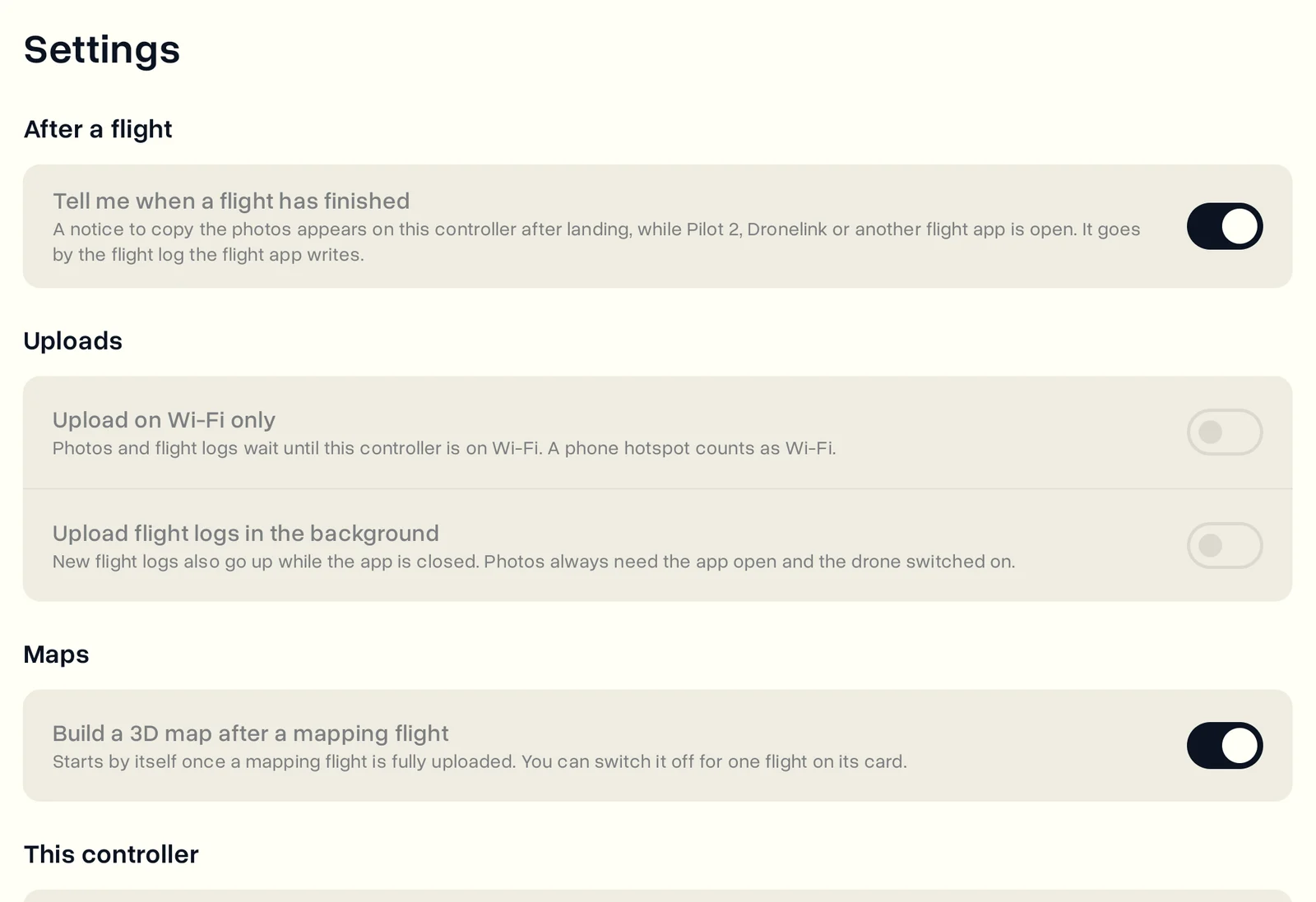
Settings
Upload on Wi-Fi only, send flight logs in the background and build the map after a mapping flight
Installation Instructions
Follow these steps on your DJI controller
Open the Browser
On your DJI controller, open the app list and start the web browser.
Go to the Download Page
Type dronebundle.com/app in the address bar and press 'GO'.
Download the App
Tap 'Download v2.0.0' and confirm the download.
Open the Downloaded File
Swipe down from the top to open the notification panel and tap the downloaded file.
Install the App
In the package installer, tap 'INSTALL'. If the controller asks, allow the browser to install apps.
Open and Sign In
Tap 'OPEN' and sign in with your DroneBundle login. If your account is in more than one workspace, choose the one this controller uploads to.
Allow File Access
Tap 'Grant Permission' and allow file access, so the app can find flight logs and keep photos on the controller while they upload.
Run the Drone Check
Switch on the drone, open 'Help & Support' in the app and tap 'Run the drone check'. It copies one photo to show that photo sync works with your drone.
Already have the app? Install the new version the same way, on top of the old one. You stay signed in and your settings are kept.
System Requirements
Compatible Devices
- •DJI RC Plus 2 and RC Plus
- •DJI RC Pro and RC Pro Enterprise
- •Other DJI controllers that allow other apps
- •Android phones and tablets connected to a DJI remote
- •Android 8.0 or later
Requirements
- •Active DroneBundle account
- •Internet connection, Wi-Fi or a phone hotspot
- •170 MB free storage, plus room for the photos of a flight until they are uploaded
- •File access permission
- •For photos: a DJI drone that DJI opens to other apps. The drone check in the app tells you
Version History
Photos, Jobs and Maps
Latest- •Copies new photos off the drone after landing and uploads them to the right job
- •Starts a 3D map by itself after a mapping flight
- •Adds the job at a new address: by itself in Jobs only workspaces, with a project pick in others
- •A notice when a flight has finished, so you know when to open the app
- •A workspace choice for accounts in more than one workspace, a drone check and Wi-Fi only uploads
Complete Flight Logs
Previous Release- •Logs sync once the flight has ended, so every flight is recorded in full
- •Empty log files are skipped
- •The app lets you know when a new version is ready
DroneDeploy Log Support
Previous Release- •Added DroneDeploy log scanning support
- •Extended third-party app compatibility
Initial Release
Previous Release- •Automatic flight log sync
- •DJI Smart Controller support
- •Secure cloud storage integration
- •Background sync capability
Need Help?
If you encounter any issues during installation or have questions about the app, our support team is here to help.