Running DJI Docks for clients? Every flight lands in the right job.
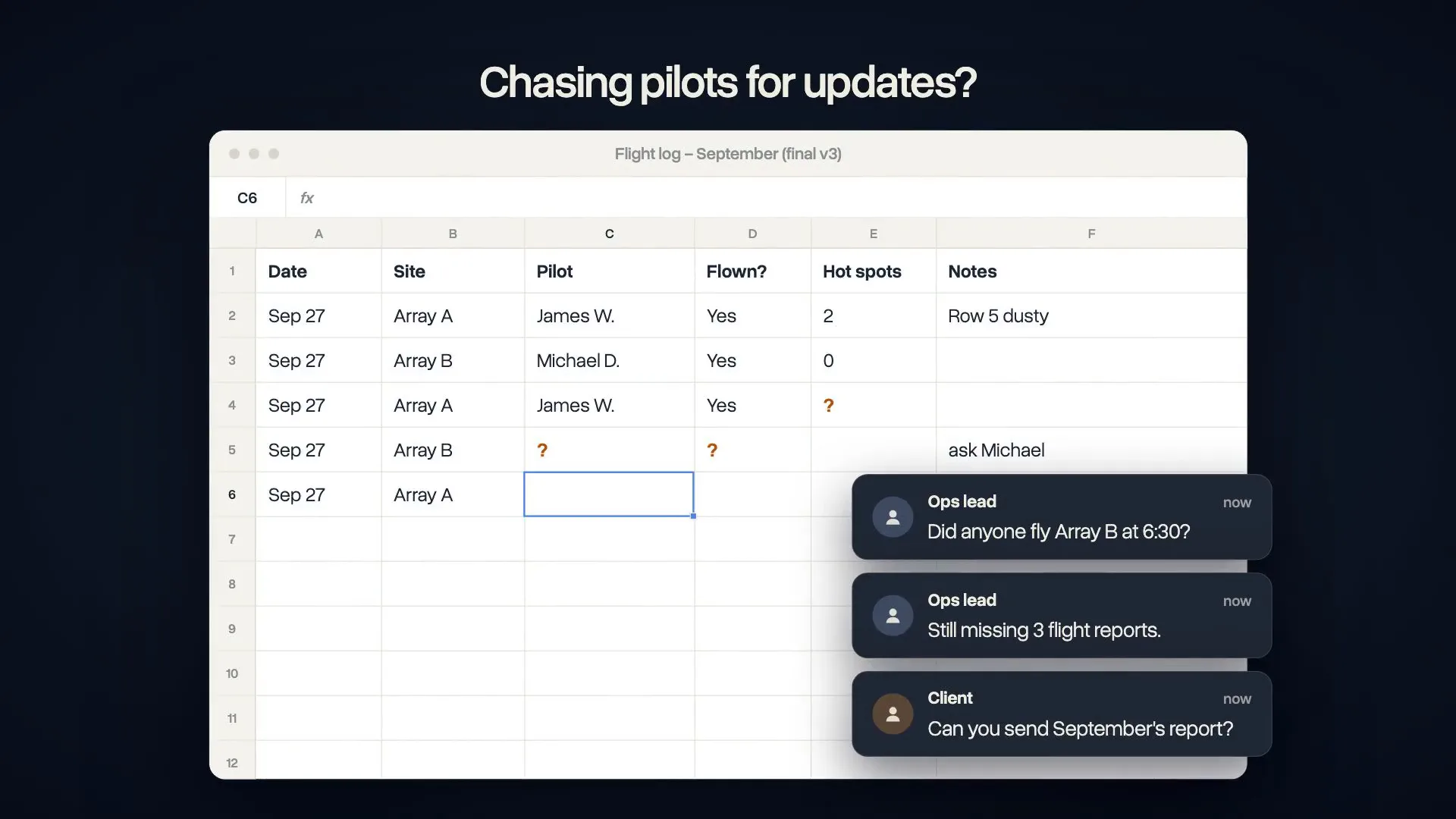
FlightHub flies the missions. DroneBundle runs everything around them: client jobs, reports, pilot shifts, maintenance hours and invoicing, fed by flight records that sync on their own.

“From an operations standpoint, DroneBundle has allowed us to scale our data collection in a much more organized and predictable way. When you're coordinating pilots, assets, and inspections across multiple properties, communication and visibility are everything.”
From the dock landing to the client invoice
The dock flies on its own. Everything after the landing, from the job record to the invoice, happens in DroneBundle.

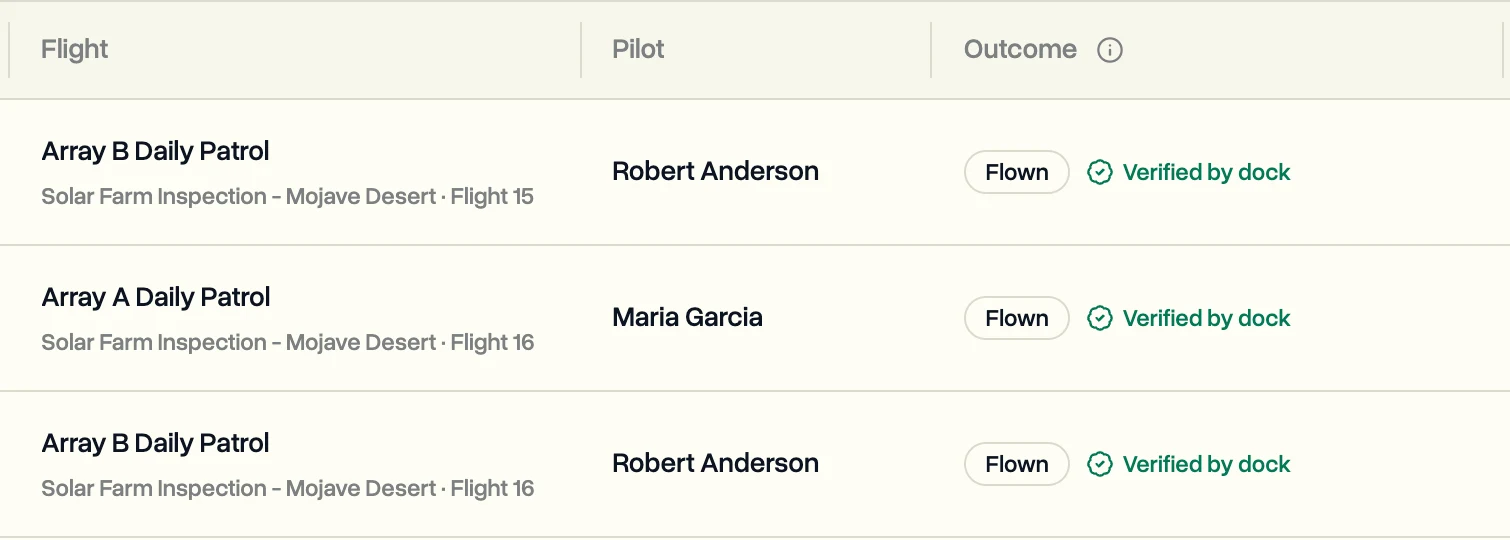
Every automated flight in the right client job
About ten minutes after landing, each flight files under the client and job it belongs to, marked flown and verified by the dock.
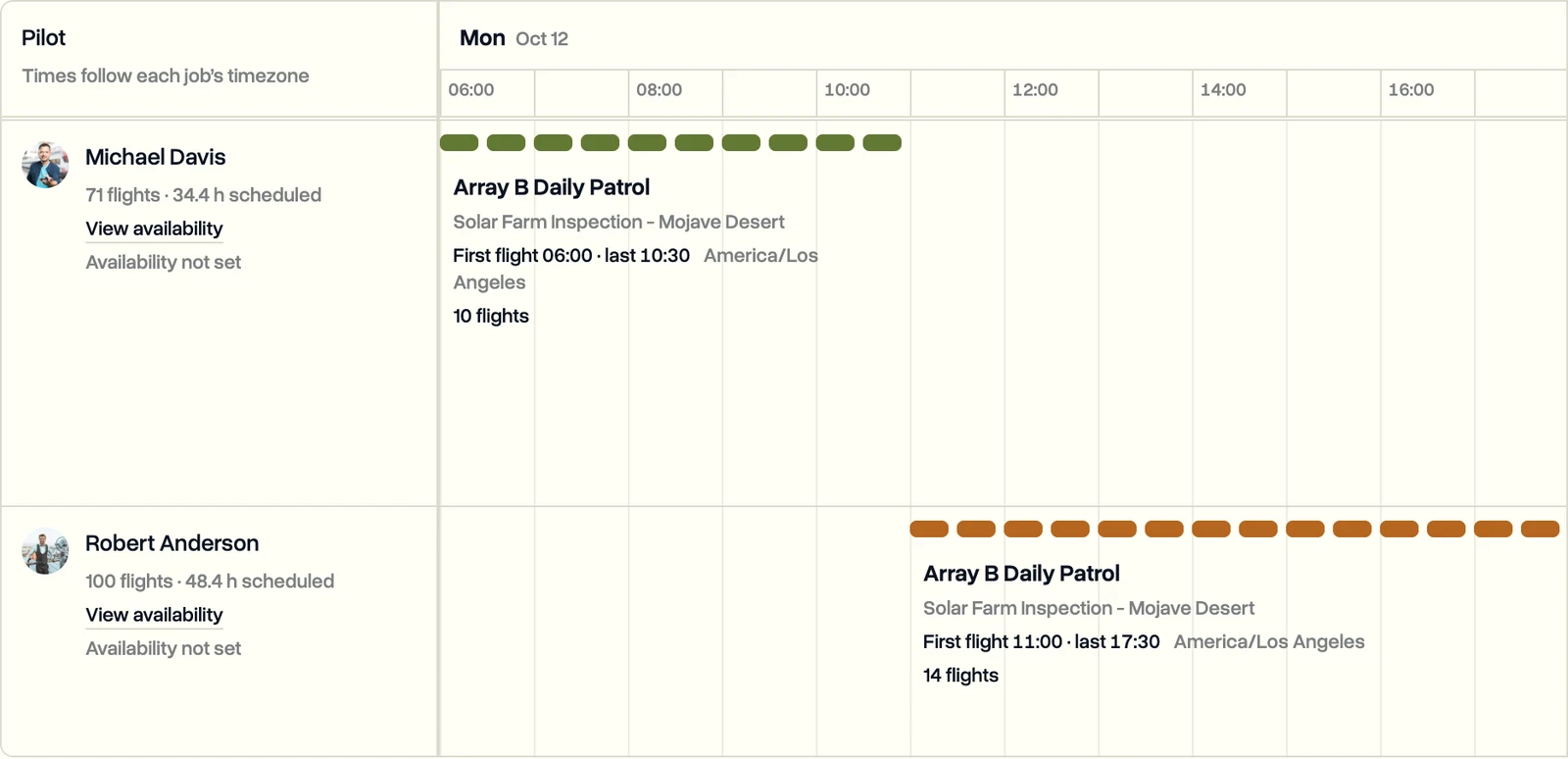
Remote pilots on shift across docks and sites
Plan shift windows for remote pilots, assign dock flights by shift or by day, and see open flights before they are missed.

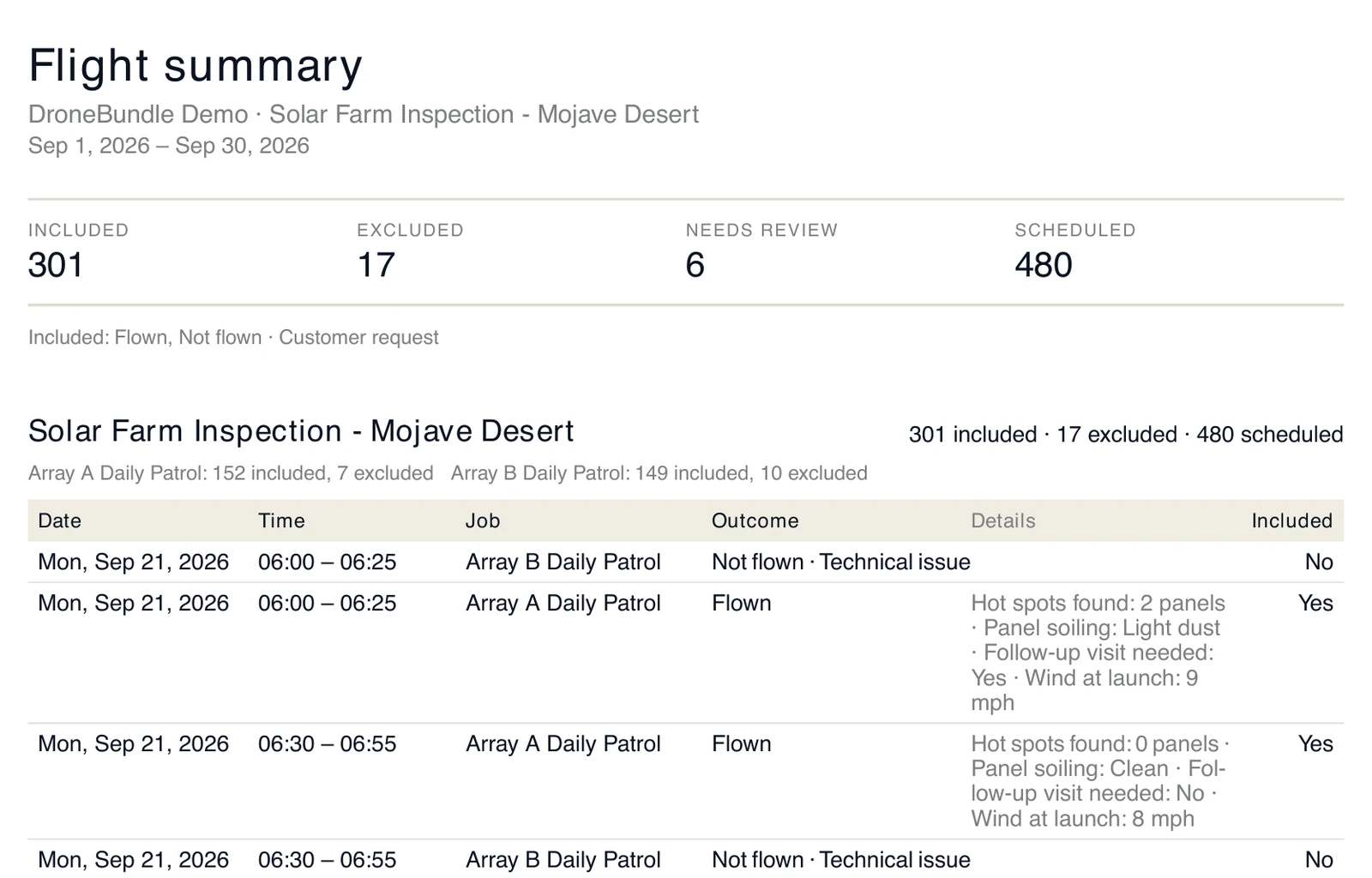
Proof of service for every patrol contract
Each month, show a client every flight you did for them, what did not fly and why, as a PDF or spreadsheet to attach to the invoice.
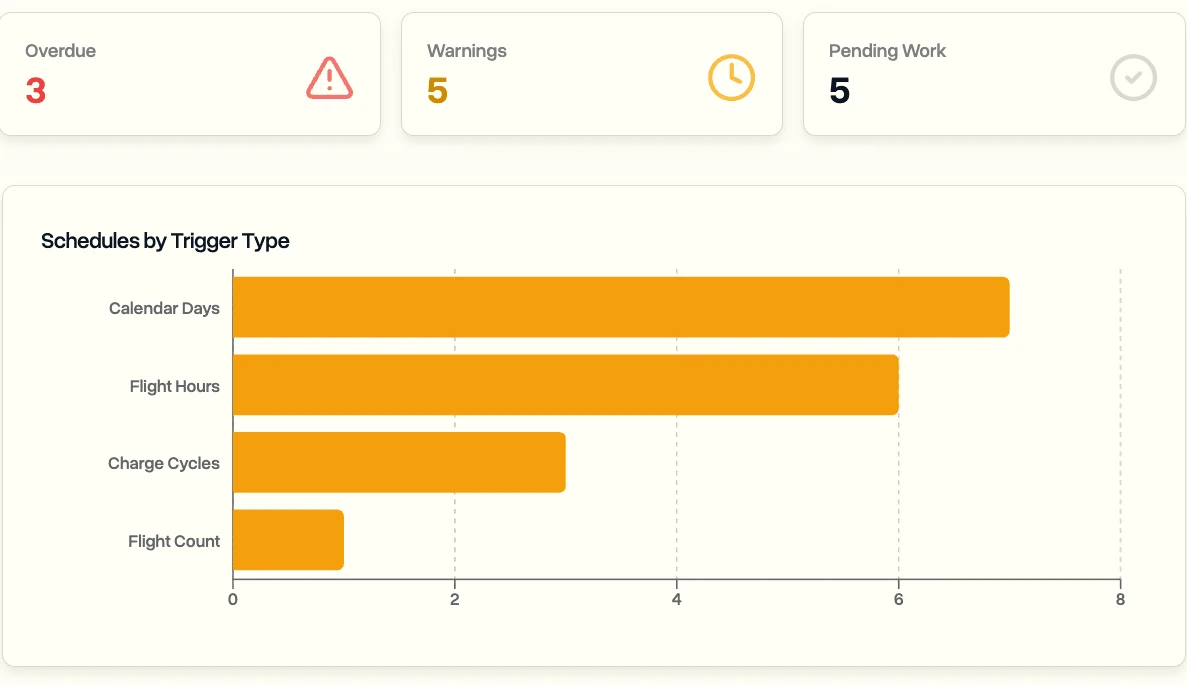
Maintenance by real flight hours
Dock flight hours count toward each aircraft maintenance schedule, next to calendar days, flight counts and battery charge cycles.
Built for drone-in-a-box operations
Everything around the automated flight, from the shift schedule to the invoice.

DJI Dock and FlightHub 2 sync
Connect FlightHub 2 once and dock flight records arrive by themselves, with no log files or uploads.
Flights filed under client jobs
Every automated flight lands under the right client and job, with its telemetry attached.
Pilot shift scheduling
Schedule pilot shifts and assign flights by shift window or date range.
Maintenance counters
Track maintenance by flight hours per aircraft, so service follows real use.

Client portal
Share projects with clients, without showing them anything from your other clients.

Invoicing for recurring work
Invoice recurring patrol and monitoring work next to the flight records behind it.
What dock teams aim for
If clients pay for flights a dock flies on its own, the record of each flight is what you sell. Keep it where the rest of the work lives.

One record of every automated flight
Dock flights, crewed flights, shifts and reports in one place, instead of FlightHub plus spreadsheets.
Reports from real flight records
Client reports come straight from what the docks flew, not from copy and paste.

More docks without more paperwork
Flights file themselves and the schedule shows the gaps, so each new dock adds flights, not admin.
See how the FlightHub 2 integration works, follow the step-by-step setup guide or read the DJI Dock 3 guide.