
FlightHub 2 flies your docks. DroneBundle runs the business around them.
Connect FlightHub 2 once. Every dock flight lands in the right client job with the pilot on shift, maintenance hours and a billing summary for each client.
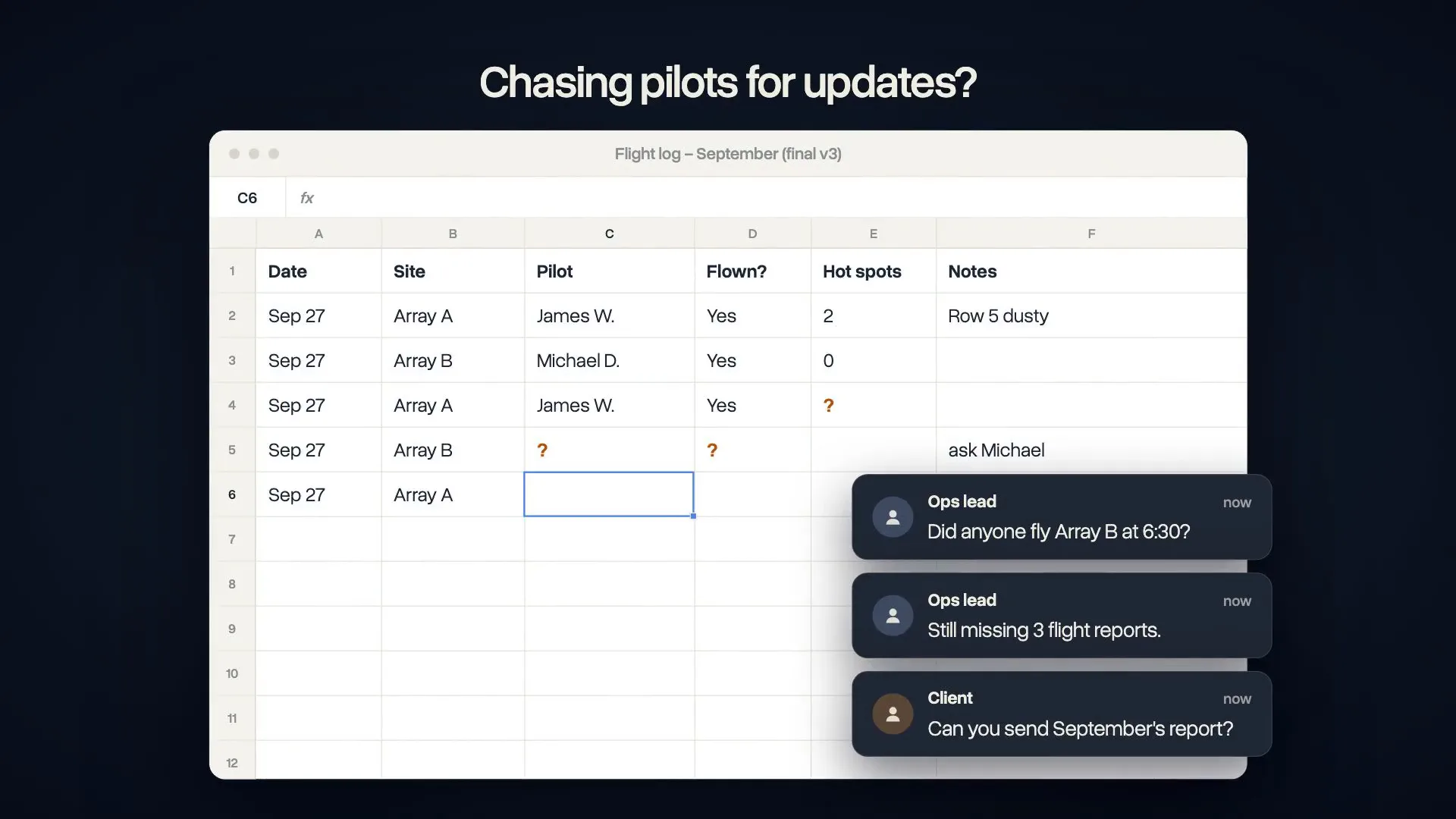

“From an operations standpoint, DroneBundle has allowed us to scale our data collection in a much more organized and predictable way. When you're coordinating pilots, assets, and inspections across multiple properties, communication and visibility are everything.”
What happens after the dock lands
FlightHub 2 flies the mission. DroneBundle files the flight, credits the pilot on shift and keeps the record your client pays for.

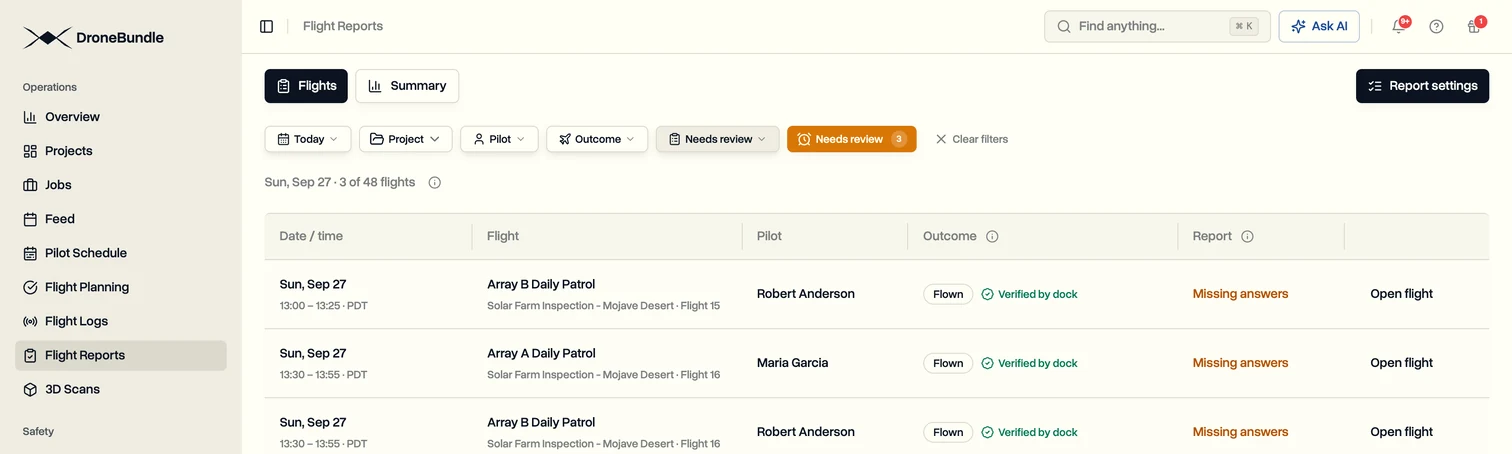
Every dock flight lands in the right client job
About ten minutes after landing, each flight appears under the job it belongs to, marked flown and verified by the dock, with the pilot who was on shift.

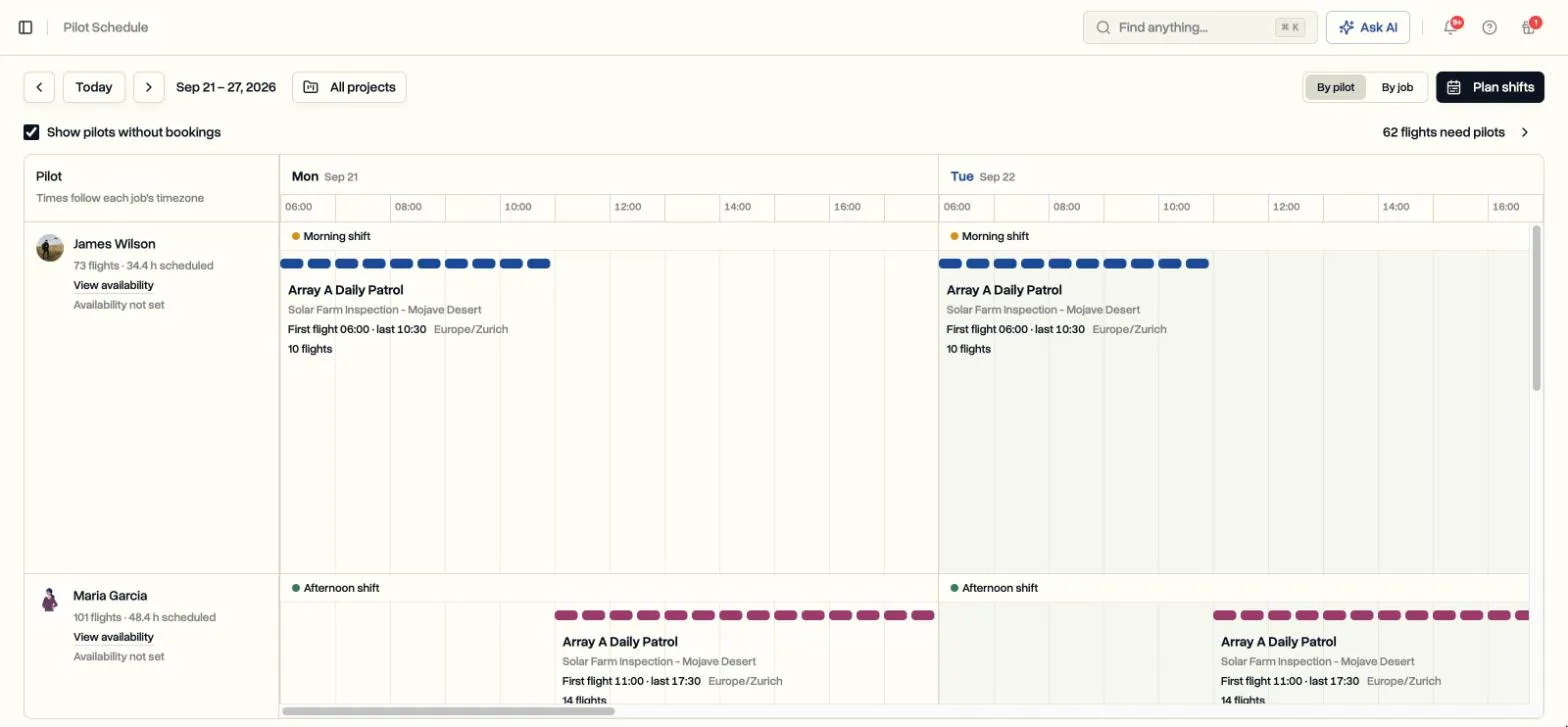
Pilots scheduled by shift, across docks and sites
Plan who covers which dock and when, then assign flights by shift or by day. Everyone sees their week, and open flights stand out before they are missed.

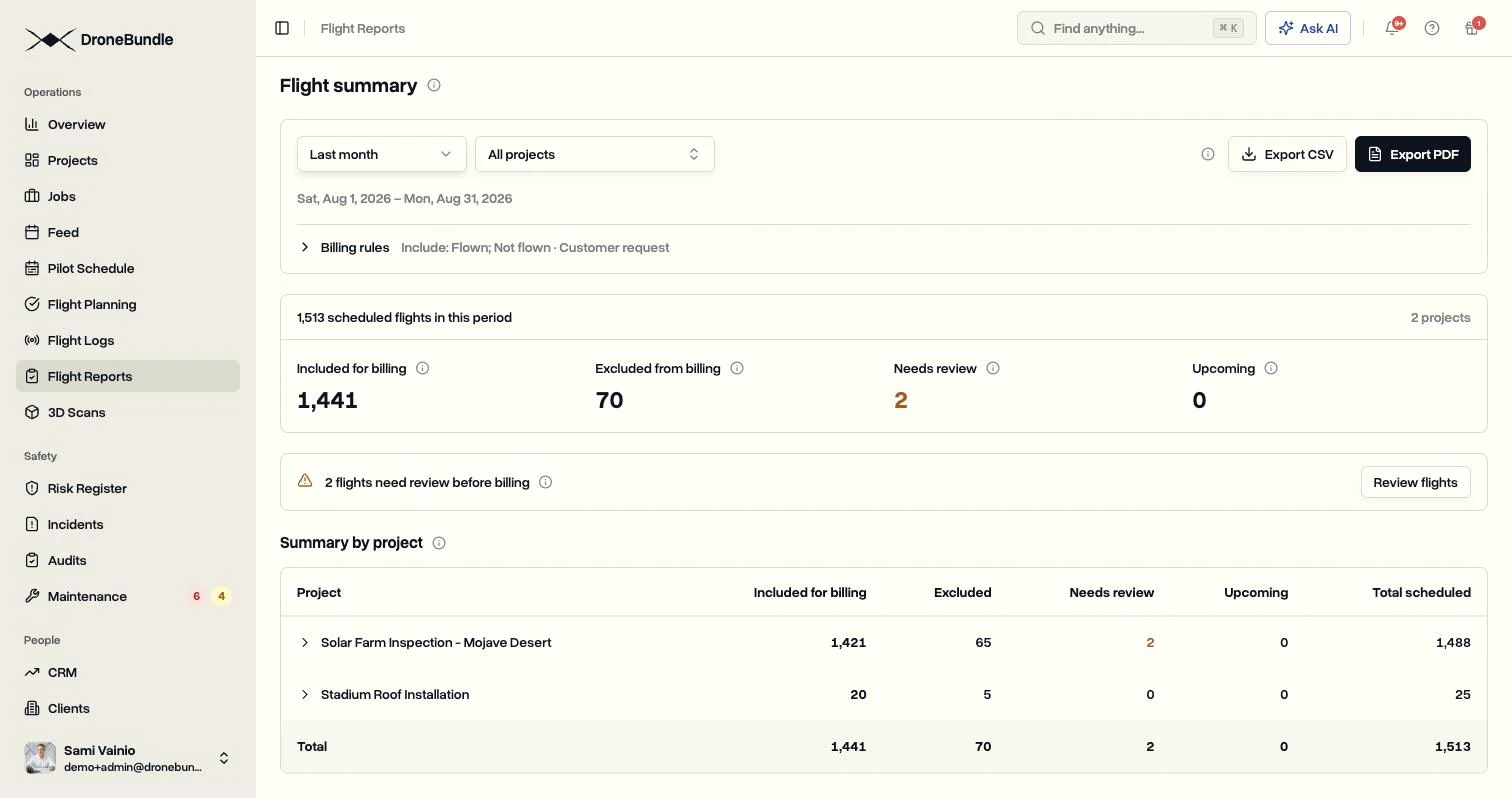
Show each client every flight you did for them
A monthly summary per client of what flew, what did not and why, ready to attach to the invoice as PDF or spreadsheet.
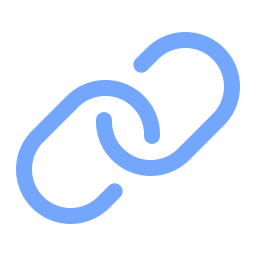
Connected in about five minutes
Four steps inside FlightHub 2, copied from one panel. No log files to export and nothing to upload after each flight.
What FlightHub 2 leaves to you
FlightHub 2 plans routes and flies the docks. The client work around those flights usually ends up in spreadsheets. This is where it goes instead.
Clients, projects and jobs
Each dock flight files under the client and job it belongs to, with its flight data attached.

Pilot shifts
Plan shifts for remote pilots, then assign flights by shift window or by day across every dock.

Flown or not flown, with the reason
Record why a flight did not happen, such as weather, other aircraft or a customer request, and decide which reasons still count for billing.
Maintenance by flight hours
Dock flight hours count toward each aircraft maintenance schedule, so service is due on real use.

Client portal and invoicing
Share projects and reports with clients, then invoice the recurring work from the same place.
Crewed flights too
Flights logged on DJI controllers or uploaded by pilots land in the same jobs, next to the dock flights.
Why dock operators connect it
If you bill clients for flights a dock flies on its own, the proof of each flight is the product. Keep it where the rest of the work lives.

One record of every flight
Dock flights and crewed flights in one place, filed by client and job, instead of spread across FlightHub and spreadsheets.
Billing you can back up
Every invoice can come with a list of the flights behind it, including the ones that did not fly and why.
More docks, same admin
Flights file themselves and the schedule shows the gaps, so adding docks does not mean adding office work.
See the full picture for dock operations or read the step-by-step setup guide.
Questions
See your dock flights in client jobs
A 30-minute call with our founder, built around your docks, pilots and clients.
Try DroneBundle Free for 14 Days
No credit card required. Start planning missions, running your jobs, and generating reports immediately.