
DroneBundle AI and daily updates, right in Slack
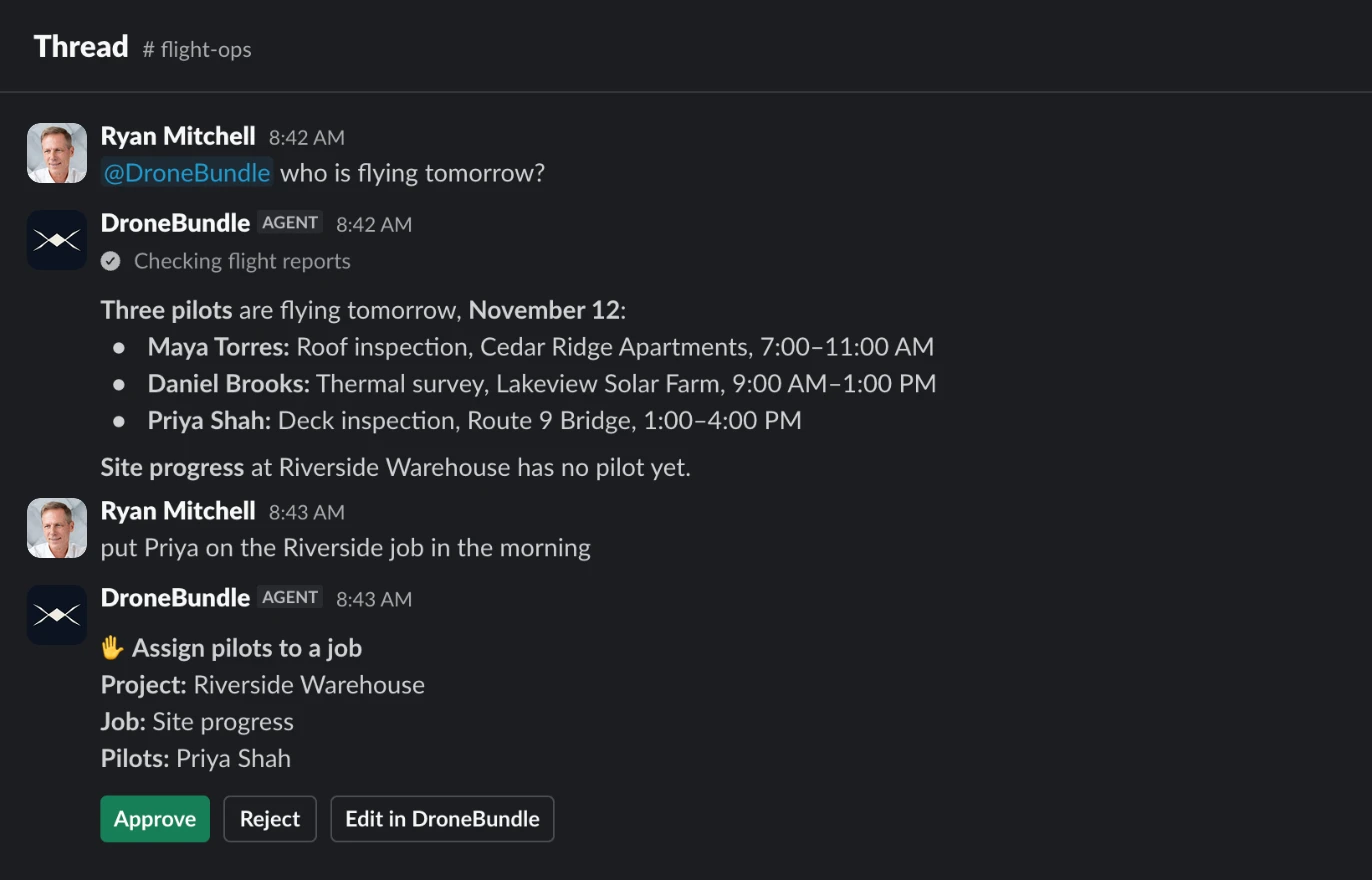
Your team already talks in Slack, so stop sending people to another tab for the schedule. Get daily posts in your channels and ask DroneBundle AI about your work right in the thread.

Daily posts, without anyone asking
Pick a channel, a time and the days. DroneBundle builds each post from your live schedule, so nobody has to put it together by hand.

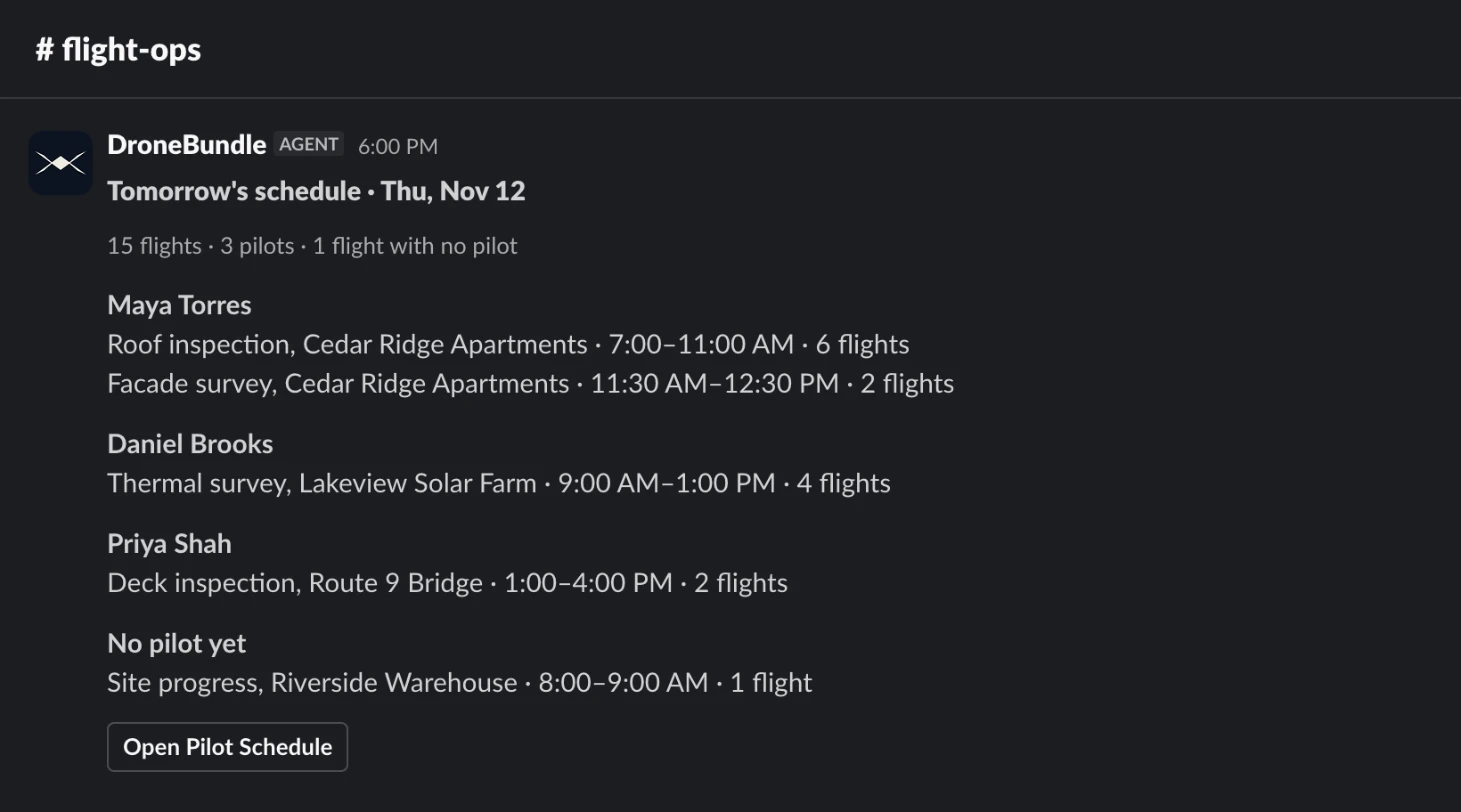
Tomorrow's schedule
Every pilot's jobs, times and flight counts, plus any flight still missing a pilot. Narrow it to certain projects when a channel only needs that work.

Yesterday's flights and what is due soon
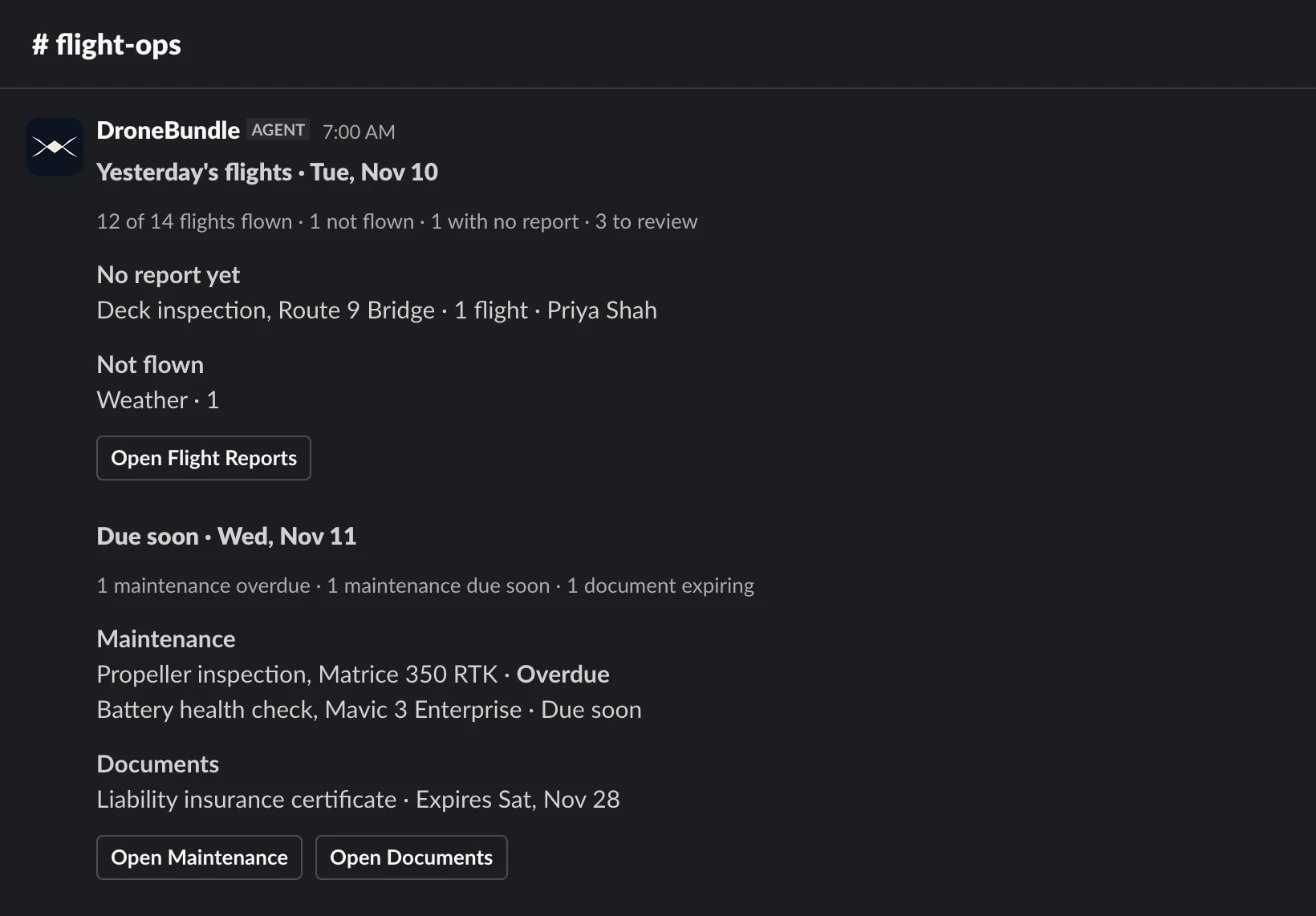
See how many flights were flown, which still have no report and why others did not fly. Then the maintenance and documents coming due, each a click from the record.

Tomorrow's weather for each job
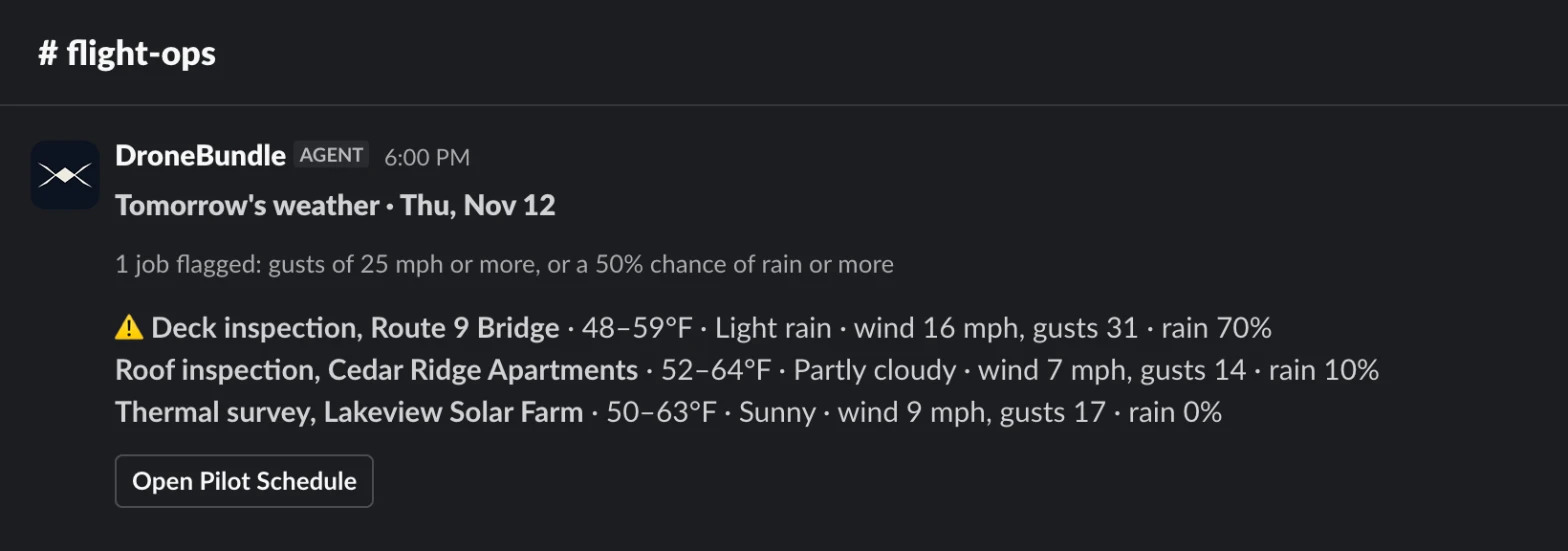
Temperature, wind, gusts and chance of rain at each job, in the units you chose. Windy or wet jobs are flagged and move to the top.
Add it in a few minutes
Connect your Slack workspace once. There is nothing to install for the rest of the team.

1. Open Slack in DroneBundle
Sign in to DroneBundle, go to Integrations and choose Slack. An admin or project manager only needs to do this once.

2. Add to Slack and allow it
Slack shows what DroneBundle is asking for. Click Allow and your Slack workspace is connected, with no password to share.

3. Ask @DroneBundle
Mention it in a channel or send it a direct message. For a private channel, type /invite @DroneBundle in the channel first.
4. Set up your daily posts
Choose what to post, which channel, what time and which days. You can send a test post right away to see how it looks.
Useful in the channel, careful with your data
DroneBundle AI works from the same records and the same permissions as your dashboard, and every conversation can be picked up there.

Answers in the conversation
Ask about projects, jobs, pilots and flights, or have it create jobs and assign pilots. Reply in the thread to keep going, no mention needed.
Every change waits for your click
Before anything changes, you get a card with the details. Only the person who asked can approve it, and they can edit it in DroneBundle first.

Only what it should see
It acts only on mentions, direct messages and replies in its own threads, sees only what your account can see, and stays out of channels shared with other companies.
DroneBundle AI can make mistakes, so check important answers. Slack's agent view needs a paid Slack plan; mentions, direct messages and daily posts work without it. Read our Privacy Policy or contact support.
