Set maintenance schedules by flight hours, flight count, battery cycles, or calendar days. Watch progress update on its own as flights are logged. Record every service and reset the clock.
Drone equipment wears on more than one clock at the same time. An airframe accumulates flight hours, a battery counts charge cycles, propellers age by the number of flights, and some inspections come due on the calendar no matter how much an aircraft flew. A single drone might have a service item ticking on each of those clocks at once. Across a fleet of twenty or fifty, keeping track of all of them by hand is where records start to slip.
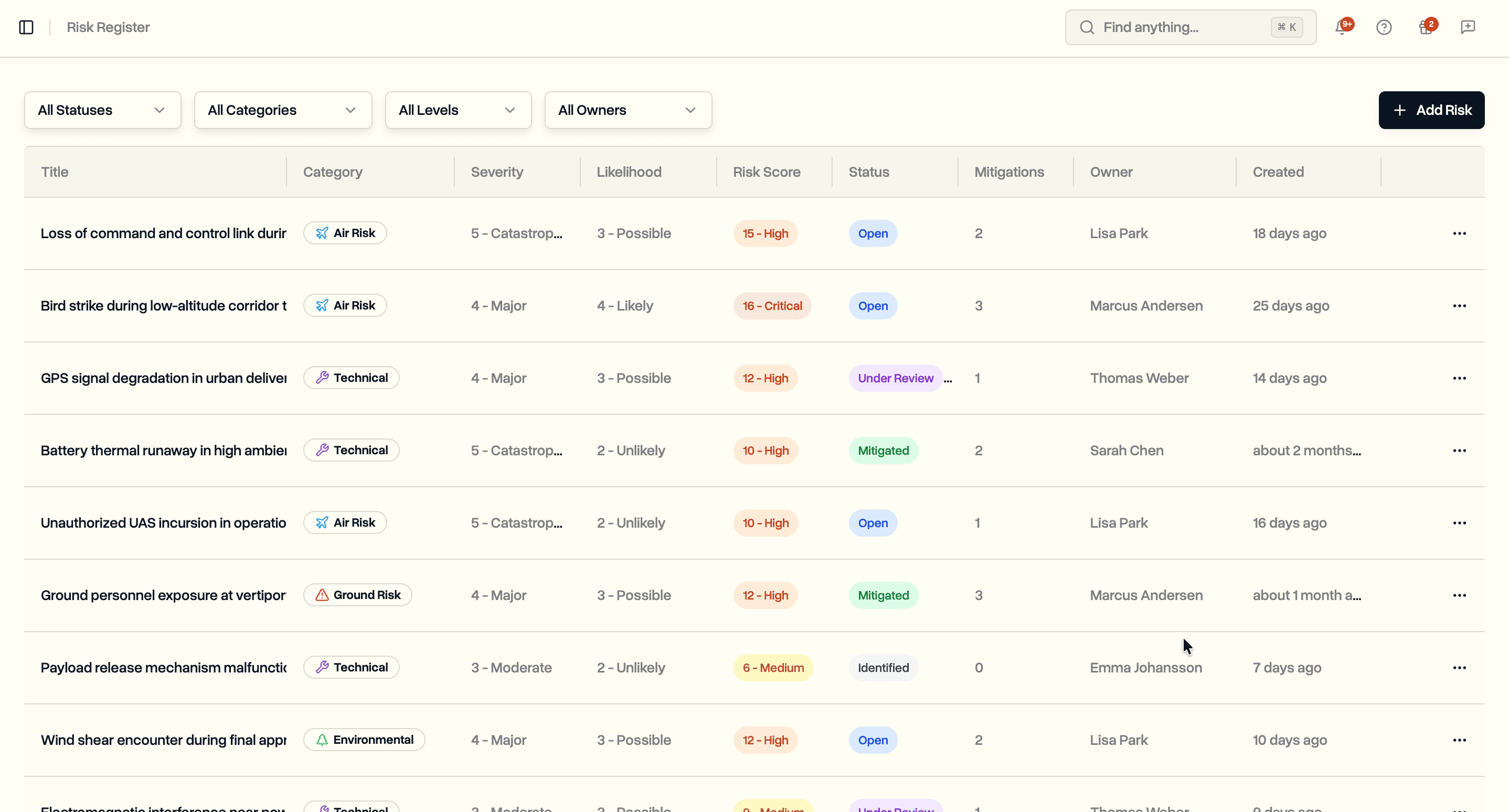
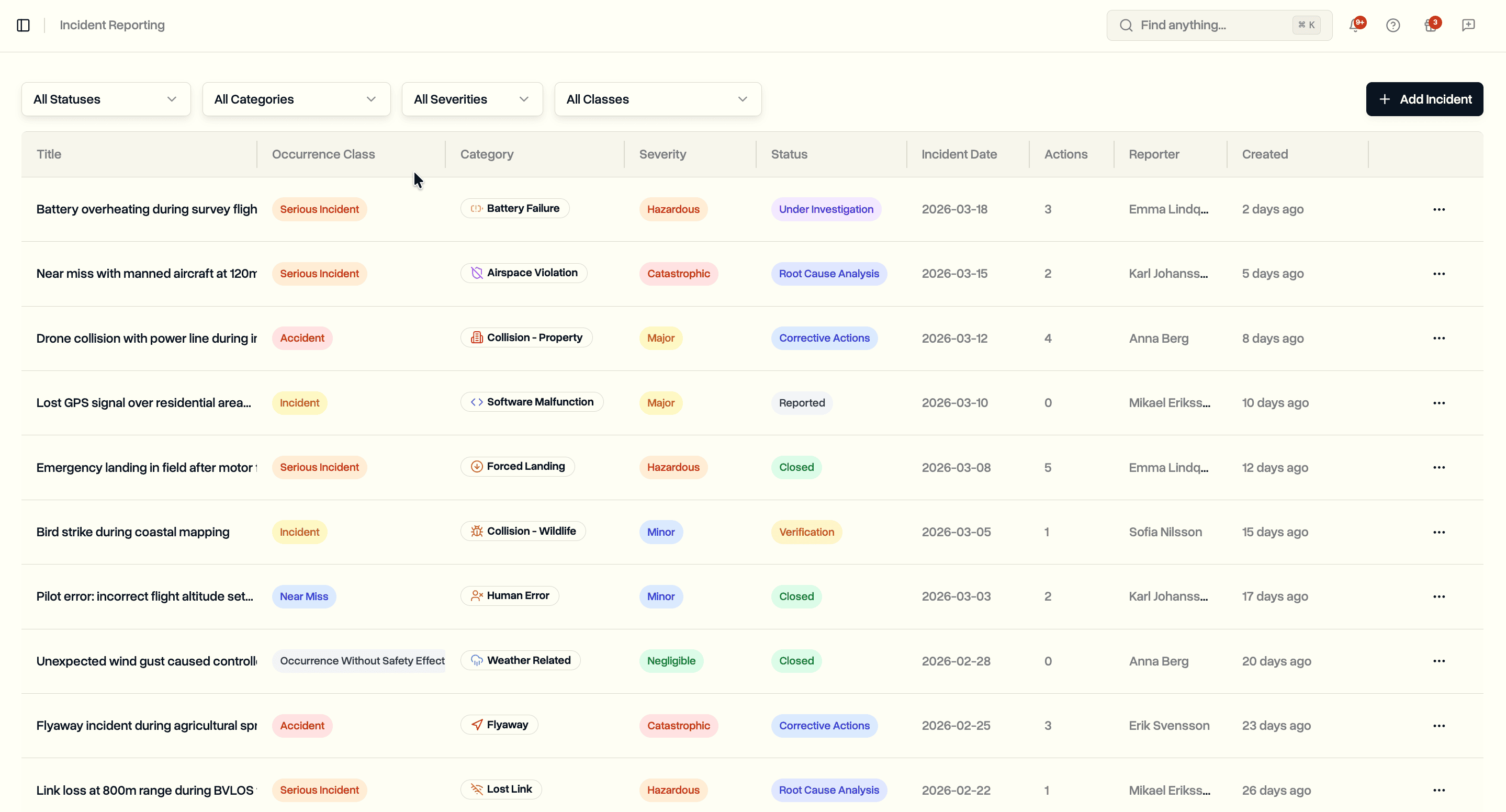
The stakes for getting this right are rising. FAA Part 108, the proposed rule for routine flights beyond visual line of sight, would require maintenance to the manufacturer's instructions and detailed maintenance records if it is finalized. Under EASA's Specific Category, a maintenance programme and complete logs already belong in the operations manual. Insurers covering commercial fleets increasingly ask for documented maintenance history, both before they write a policy and after an incident. Records that live in a spreadsheet are hard to produce on demand and easy to fall behind on.
DroneBundle already tracks your equipment and reads your DJI flight logs. Maintenance connects the two. It now includes maintenance scheduling, automatic progress tracking against your flight data, a service log tied to each piece of equipment, reusable templates, a calendar view, and alerts that escalate as a service item comes due. Everything sits inside the same workspace as your fleet, your flights, and your safety records.
Maintenance Dashboard
The maintenance dashboard gives you the state of your whole programme in one view. It counts your active schedules, logged records, and templates, then surfaces the numbers that need attention: how many schedules are overdue, how many are due soon, and how many maintenance records are still pending completion.
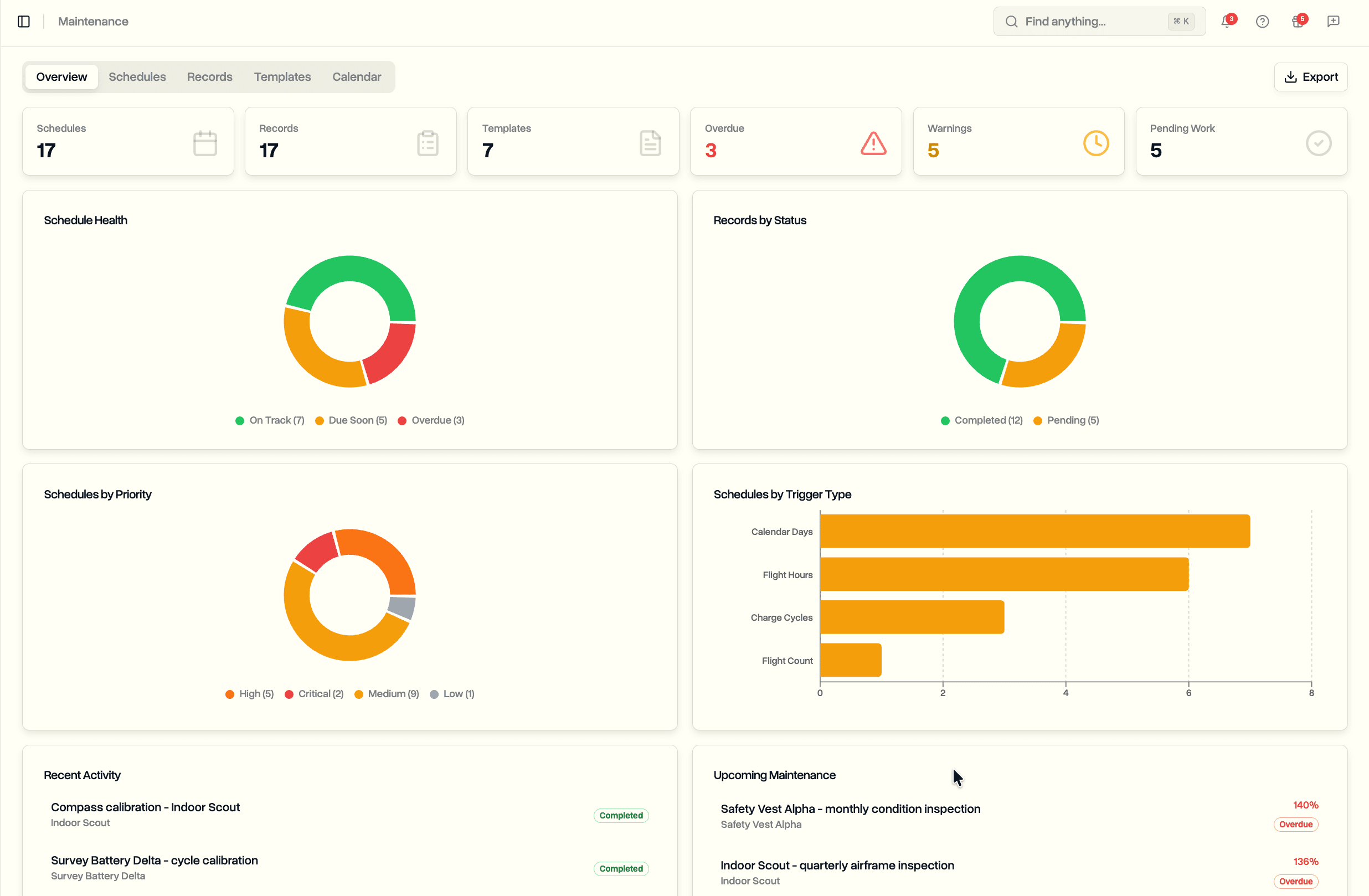
Underneath the headline counts, the dashboard breaks your schedules down by priority and by trigger type, so you can see at a glance whether your overdue work is concentrated in critical items or routine ones. A list of upcoming schedules shows what is coming due next with its progress, and a recent records feed shows the last maintenance that was logged across the fleet.
Maintenance Schedules
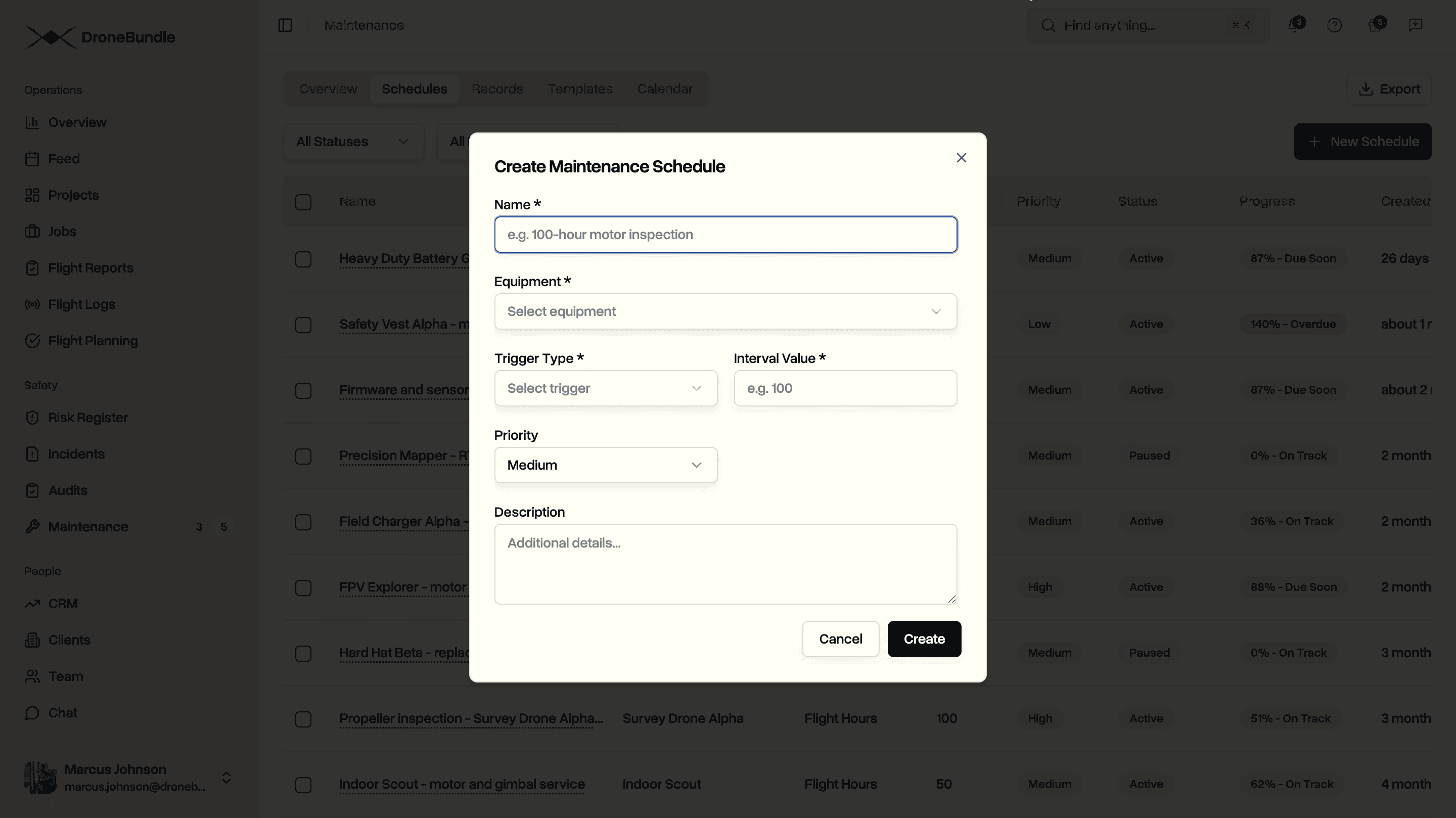
A schedule is a recurring maintenance rule attached to one piece of equipment. You give it a name, choose what it tracks, and set the interval. The four trigger types cover the ways drone hardware actually wears:
- Flight hours. Service every set number of hours in the air. Hours come straight from the flight time in your logs.
- Flight count. Service every set number of flights, useful for items that age per takeoff and landing.
- Calendar days. Service every set number of days regardless of use, for time-based inspections and firmware reviews.
- Charge cycles. Service a battery every set number of charge cycles, counted from the charge data in your DJI logs.
Each schedule carries a priority (low, medium, high, or critical) and a status of active or paused. Pause a schedule when an aircraft is out of service and you do not want it accumulating progress or firing alerts. The schedule form only offers trigger types that make sense for the equipment category, so you will not see charge cycles on an airframe or flight hours on a charger.
Automatic Progress Tracking
This is the part that replaces manual counter entry. DroneBundle keeps a running total per piece of equipment for total flight time, number of flights, and battery charge cycles. Those totals update on their own every time a flight log is processed, with no one typing in a "current hours" figure.
If you fly DJI, you can close the loop completely. The DroneBundle Log Sync app installs on a DJI Smart Controller or RC Pro and uploads each flight log on its own once you land. The flight hours, flight count, and battery cycles on your schedules then move forward without anyone transferring a file or entering a number, so a drone is always measured against what it actually flew.
Each schedule shows its progress as a percentage against the interval you set. A schedule due every 50 flight hours that has accumulated 40 since its last service reads 80 percent. The progress badge follows three plain states:
- On track while a schedule sits below 80 percent of its interval.
- Due soon once it reaches 80 percent, the point to start planning the work.
- Overdue once it passes 100 percent.
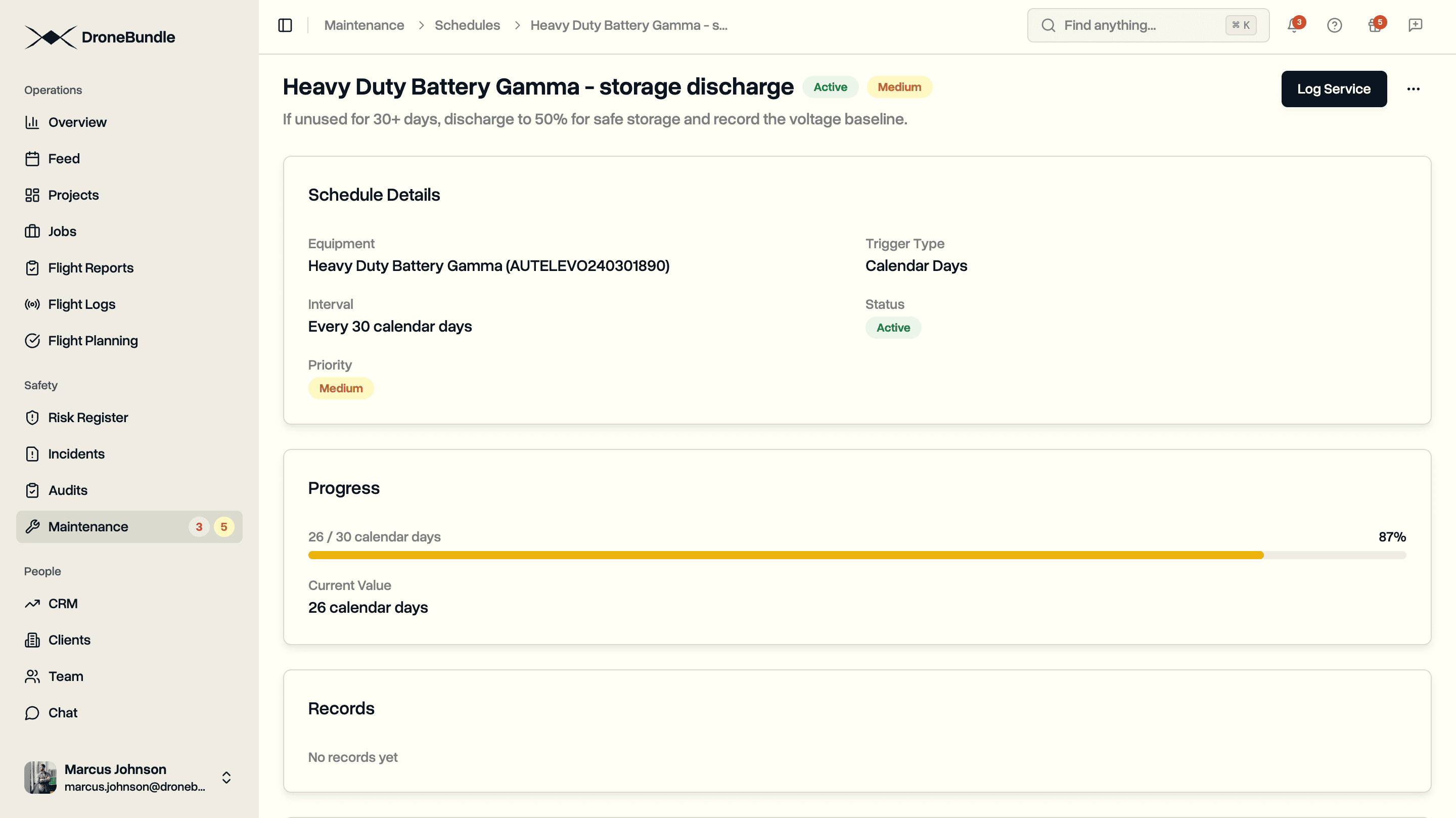
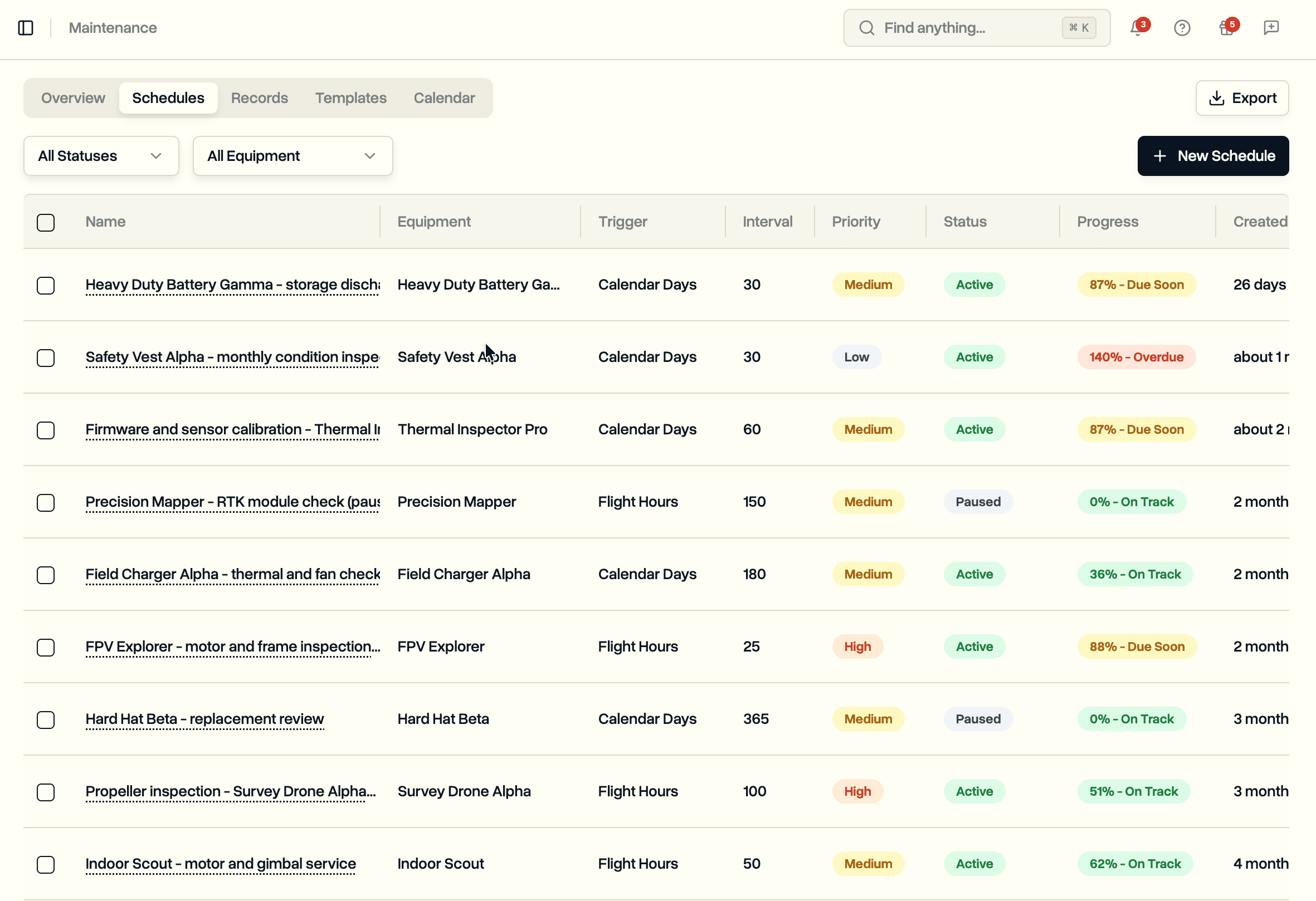
Because the totals come from real flight data, the progress is honest. A drone that flew hard last week moves toward its next service faster than one that sat in the case, and you see that without checking anyone's notes. Schedules with no flight data yet, or a brand new battery with no recorded cycles, show as having no data rather than guessing.
Recording Maintenance
When the work gets done, you record it against the schedule. Open the schedule and use Log Service to record the work. You can mark it completed straight away, or save it as pending if the work is assigned and still in progress.
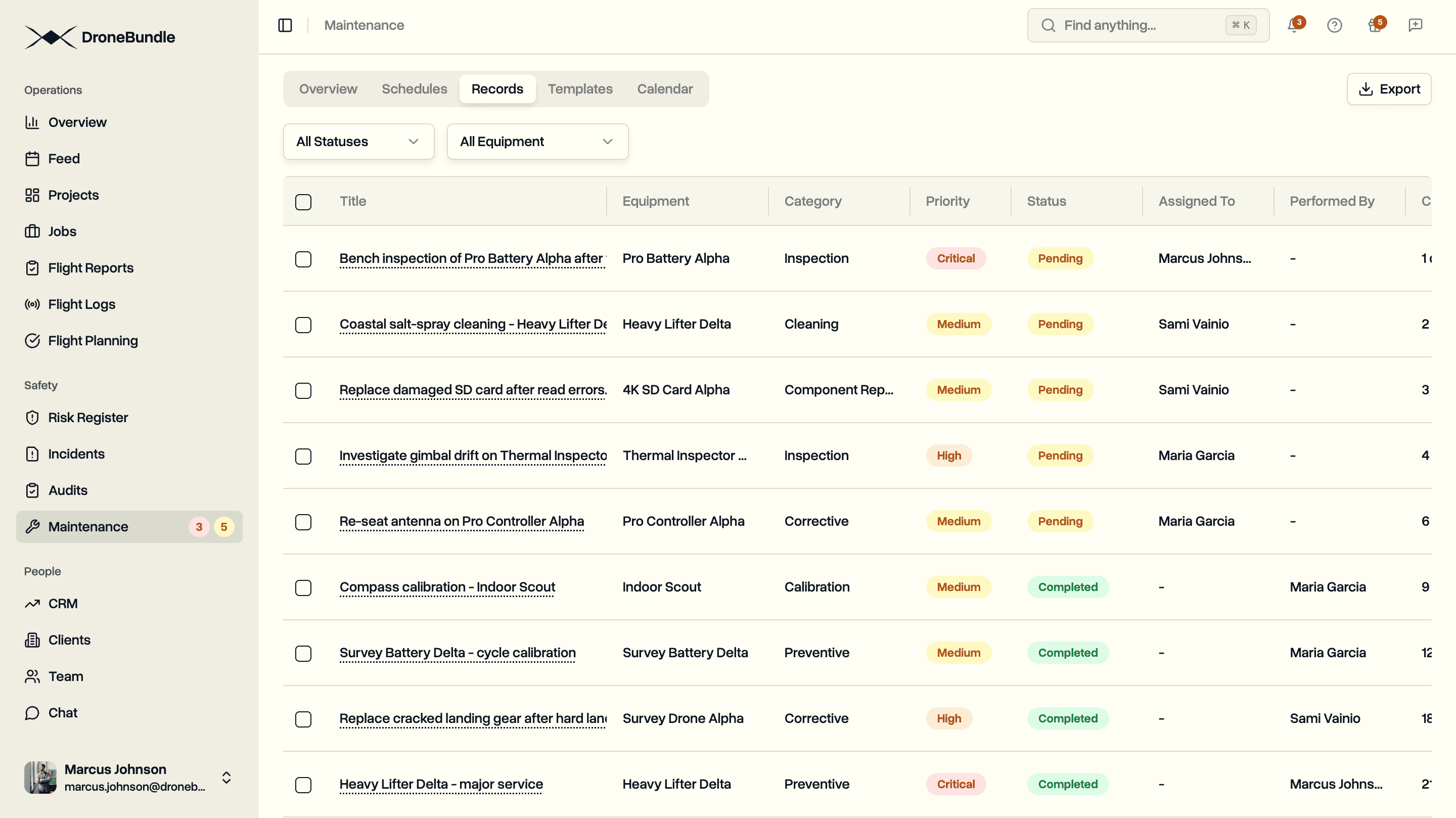
Each record captures what kind of work it was, who performed it, when, and the supporting evidence:
- Category. Preventive, corrective, inspection, calibration, firmware update, component replacement, cleaning, or other.
- Priority. Low, medium, high, or critical.
- People. Assign the work to a team member and record who performed it.
- Notes and attachments. Add photos, receipts, or inspection reports straight onto the record.
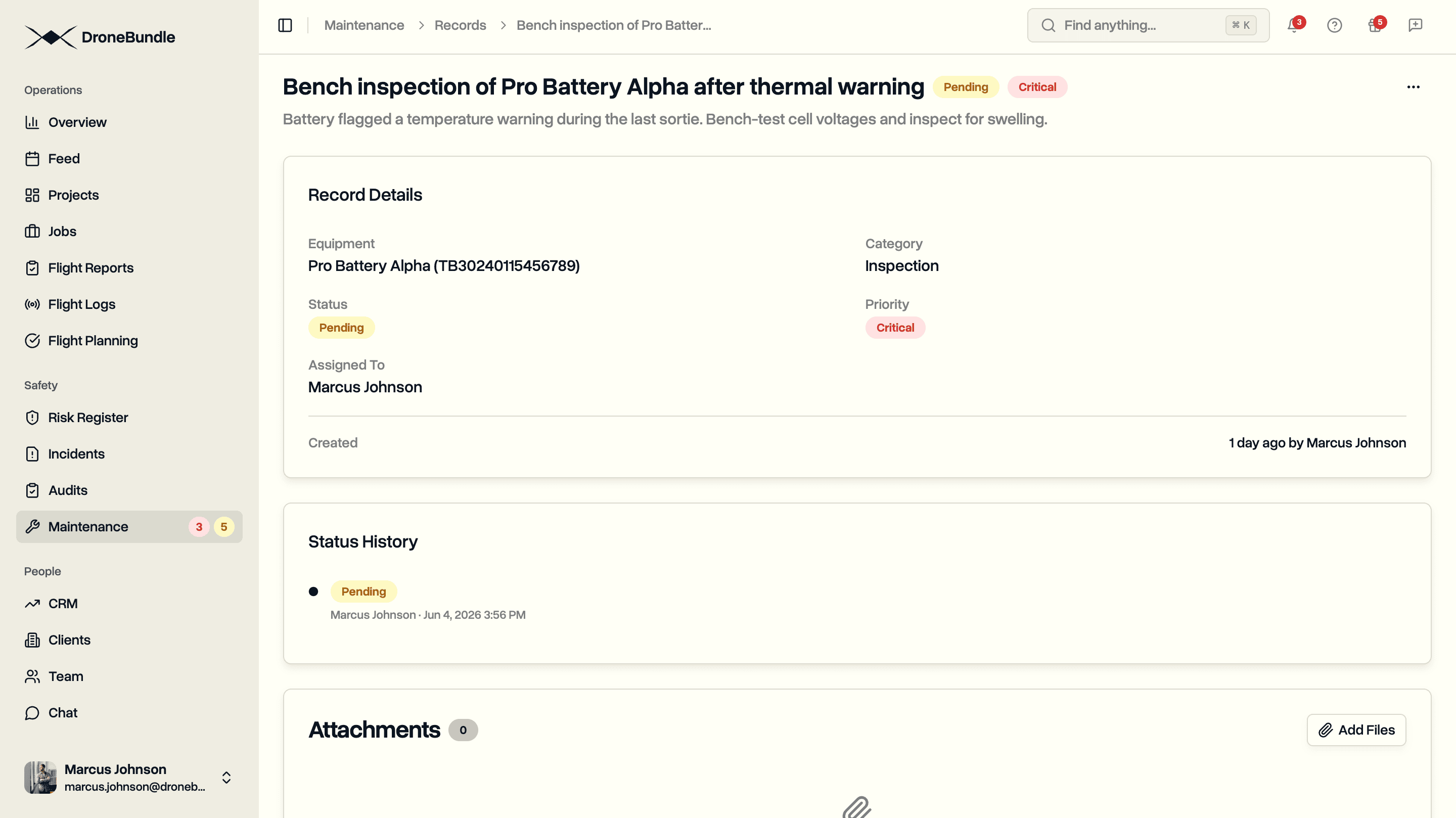
Completing a record linked to a schedule does one more important thing: it resets the schedule. The current reading is snapshotted as the new baseline, progress drops back to zero, and the schedule starts counting toward its next service from that point. That is the recurrence that keeps a maintenance programme running without anyone resetting a counter by hand. Every record also keeps a status history, so you can see when a pending job was completed and by whom.
The Records tab is a read-only history of everything that has been logged across the fleet, filterable by equipment and status. Each record links back to the equipment it belongs to, which builds the service trail that EASA expects today and that the proposed Part 108 rule would require for BVLOS operations.
Maintenance Templates
Setting up the same schedules every time you add a drone gets repetitive. Templates let you define a set of schedules once and apply it to equipment in one step. A template for a particular airframe might bundle a 50-hour inspection, a 200-hour service, and an annual calendar check, all in one reusable definition.
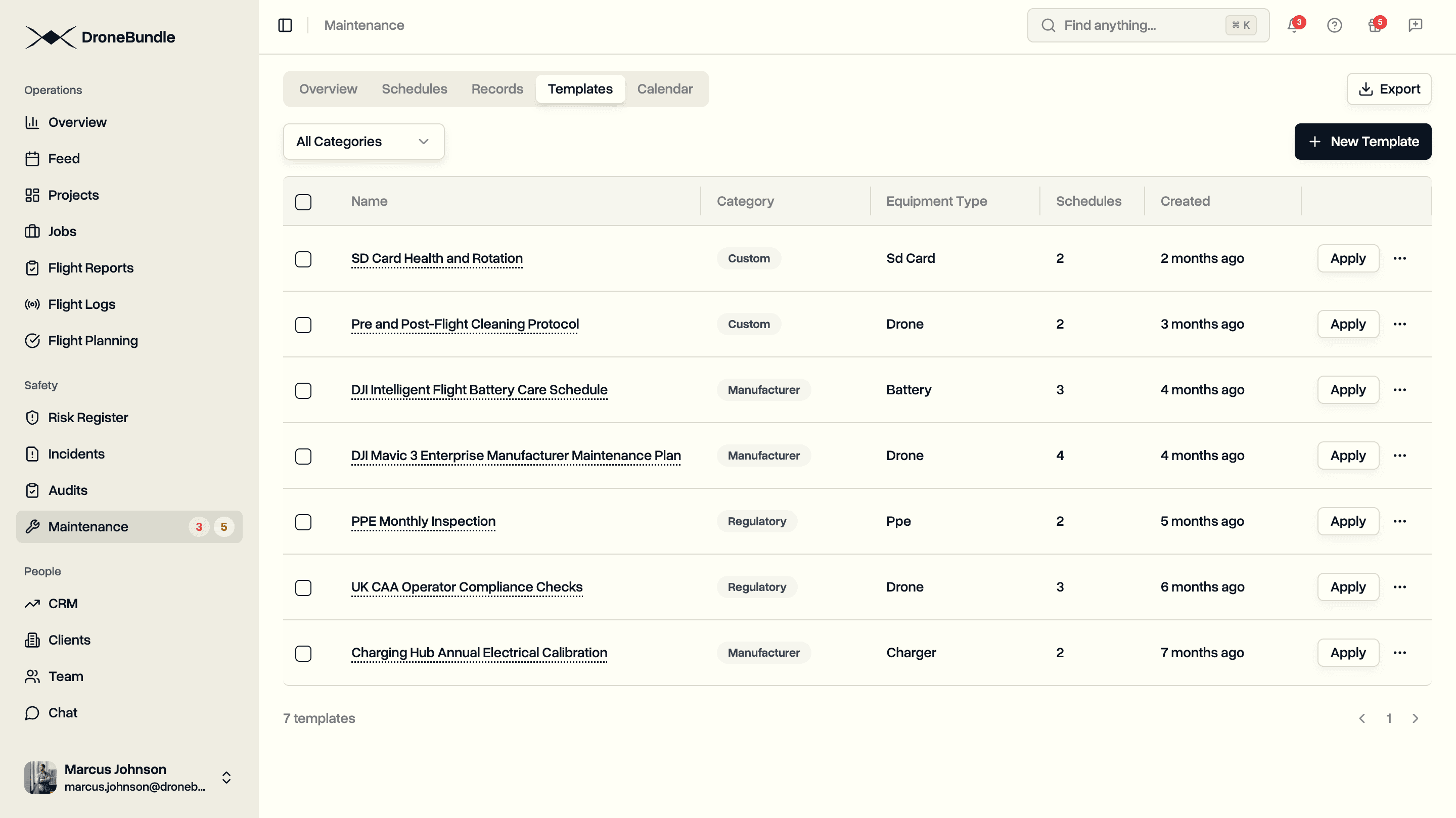
Templates are organised into three categories: manufacturer programmes, regulatory programmes, and your own custom sets. Each template is tied to an equipment category so it only applies where it fits. You can duplicate any template to use it as a starting point for a variation, and templates carry a version number so you can tell an updated programme from an older one. Predefined templates are locked from editing to keep a known-good programme intact; duplicate one to build your own customised copy.
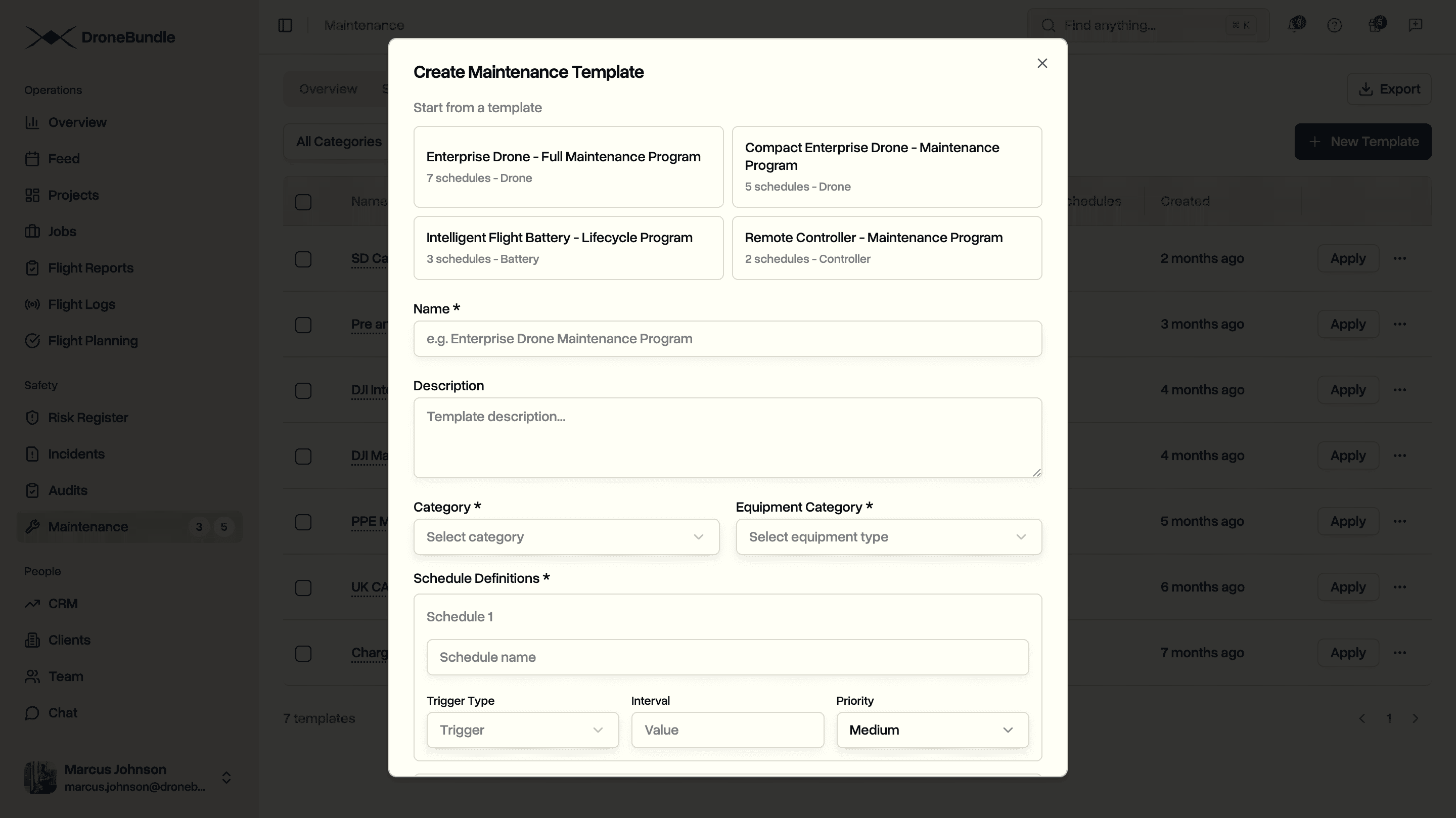
If you want the deeper background on building a maintenance programme this way, the guide on automated maintenance scheduling walks through the approach in more detail.
Maintenance Calendar
The calendar plots your schedules onto the month by their projected due date. Each event shows which schedule it belongs to, its priority, and whether it is on track, due soon, or overdue. It turns a list of percentages into something you can plan a week around.
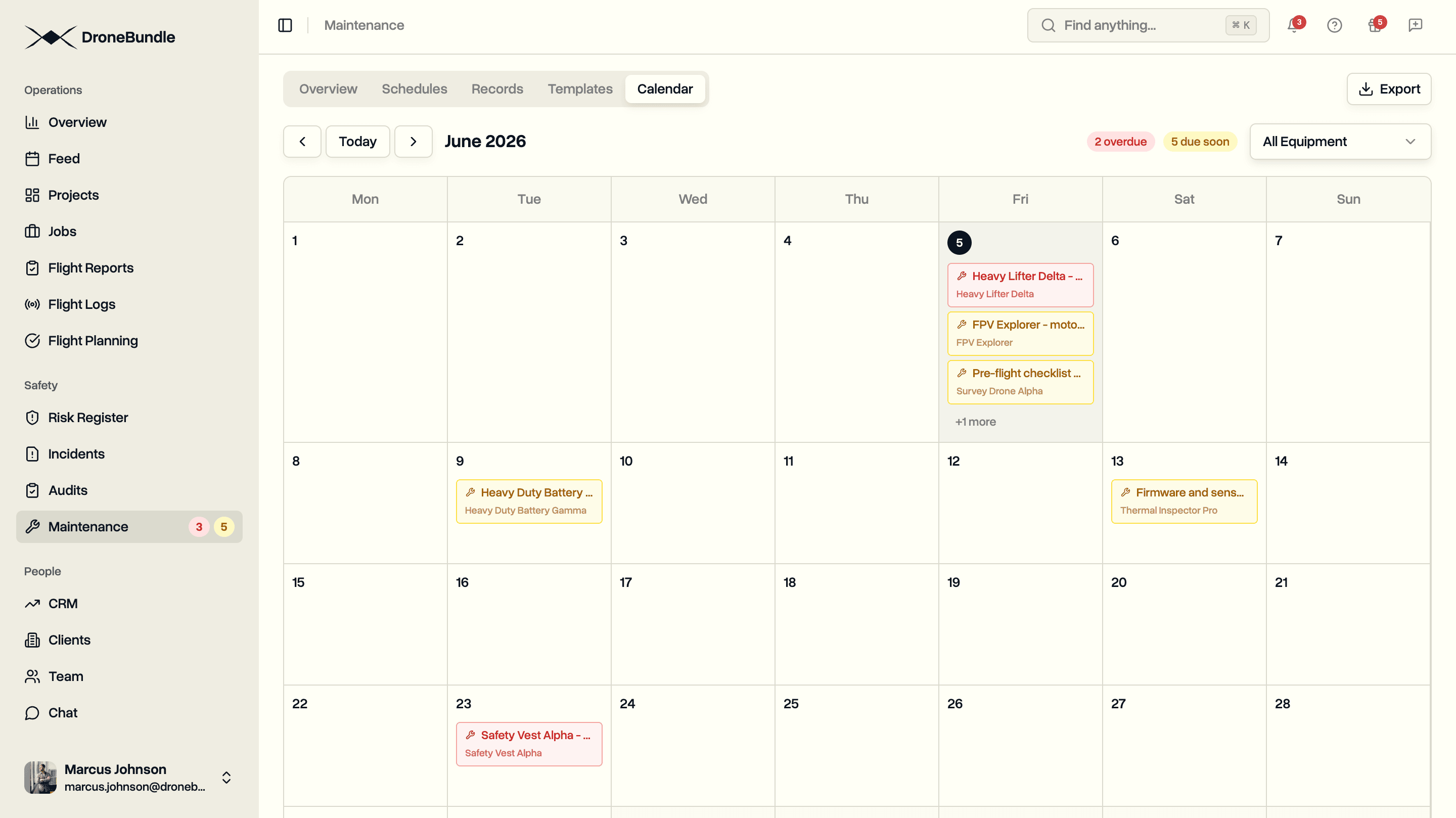
For calendar-day schedules the due date is exact. For usage-based schedules it is a projection from current progress, so a heavily flown drone will show its next service creeping earlier as the month goes on. Filter the calendar to a single piece of equipment when you want to focus on one aircraft's programme.
Alerts That Escalate
Progress tracking only helps if someone notices. A scheduled job runs every night, checks every active schedule against its current reading, and sends an alert when a service item crosses a threshold. The alerts escalate in three steps:
- Warning at 80 percent, when it is time to plan the work.
- Urgent at 90 percent, when the window is closing.
- Overdue at 100 percent and beyond.
You are notified when a schedule moves up to a new level, not every single night, so the alerts stay meaningful instead of becoming noise you learn to ignore. Assign a maintenance record to a team member and they get notified of the assignment too, the same way incident and audit assignments already work across the platform.
Where Maintenance Connects
Maintenance is the piece that ties the rest of the operation together. Every schedule and record points at an item in your equipment register, and each piece of equipment carries its own maintenance history so you can see a drone's full service record in one place. The progress totals are fed by the same flight logs that already power your fleet statistics, which is why nobody has to enter hours by hand.
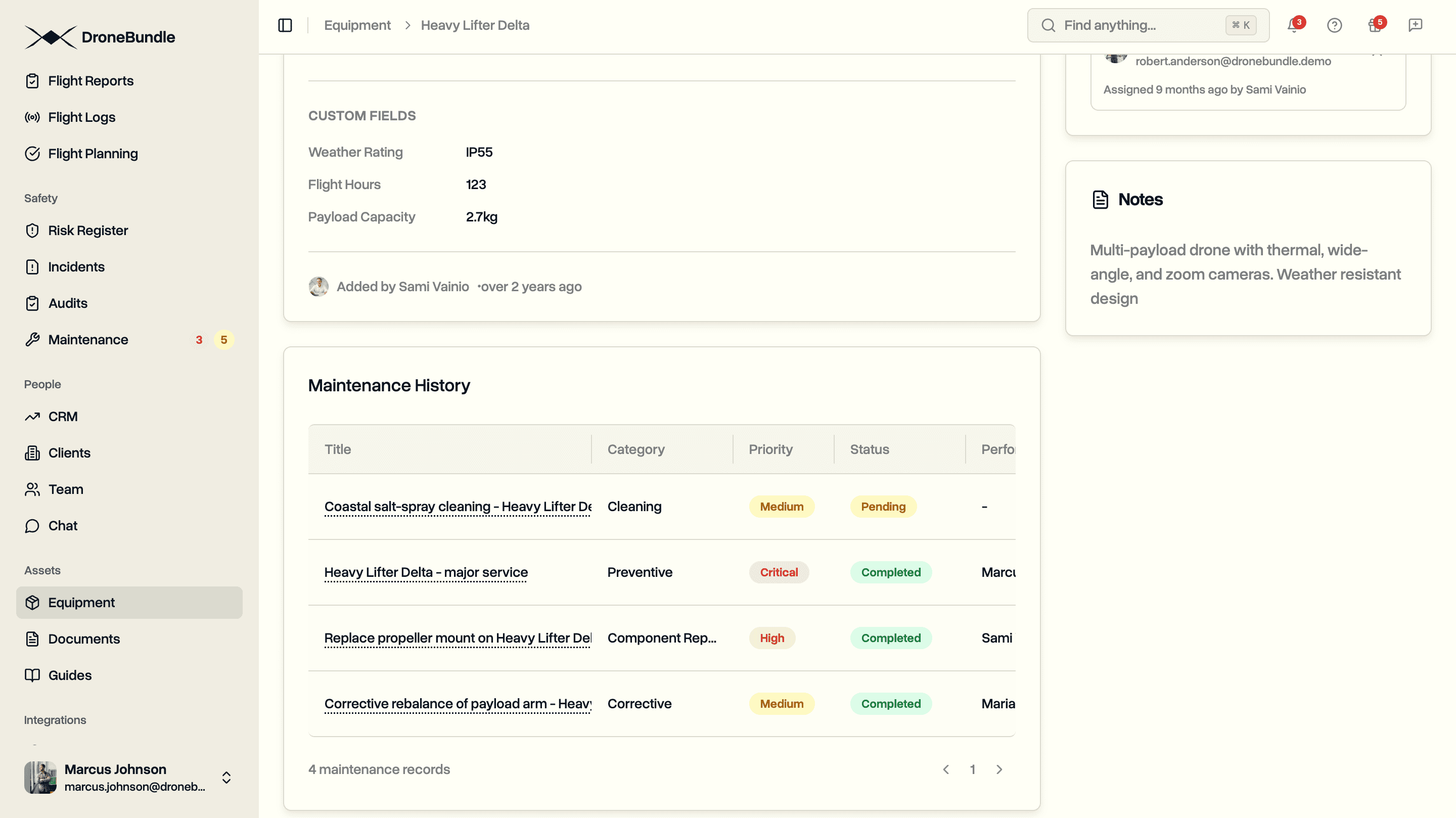
It also sits alongside the rest of the safety module. The maintenance trail lines up with your risk register, your audit programme, and your document records, so when a regulator or an insurer asks for evidence, it all comes from one system rather than four. For more on running this at fleet scale, see the guides on fleet maintenance and tracking maintenance as recurring work.
Exporting Records for Audits and Insurers
When an insurer reviews your fleet or a regulator asks for maintenance history, you can hand over a clean document instead of screenshots. Export your maintenance data as a spreadsheet or a PDF, and choose what goes in: your schedules, the work that has been logged, and the running hours and cycles on each piece of equipment.
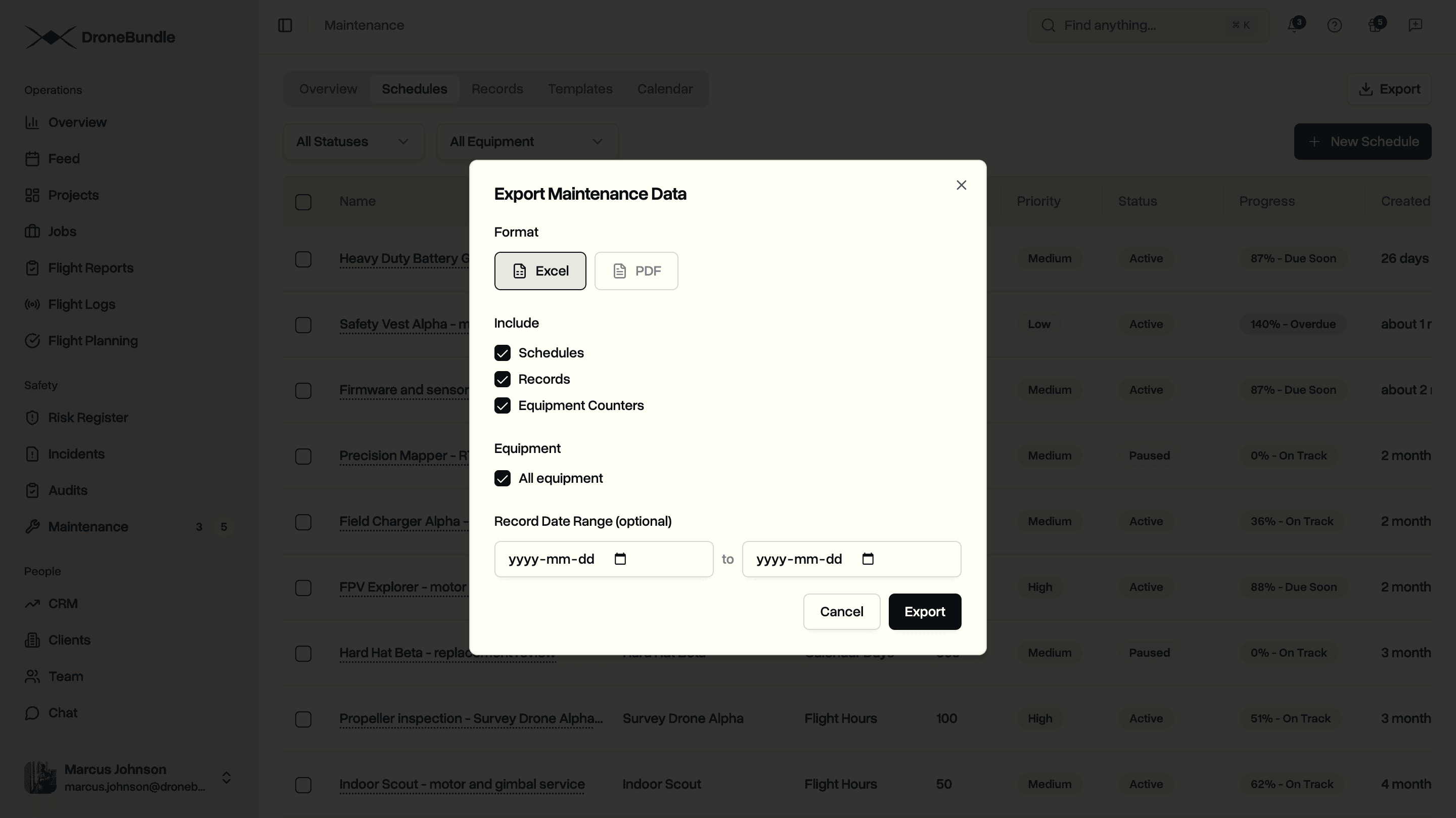
Narrow the records to a date range when you only need a particular period, or pull everything for a full history. The PDF carries your own logo, so a report you send to a client or an underwriter looks like it came from your operation rather than a generic tool.
Use Cases
Fleet managers running mixed fleets can set the right trigger for each item: flight hours on airframes, charge cycles on batteries, calendar days on annual inspections. Progress updates from flight data, so the picture stays current without manual upkeep.
Compliance leads preparing for the proposed Part 108 rule or an EASA authorisation can keep a complete, dated service log against every aircraft. When oversight asks for maintenance history, the records are already in the same place as the flight logs and safety files.
Maintenance technicians logging work in the field can record what was done, attach photos and receipts, and mark the job complete. The schedule resets itself, so the next service interval starts from the right point.
Operations leads managing day-to-day readiness can watch the calendar and the due-soon counts to plan service before anything goes overdue, and pause schedules for aircraft that are out of action so the numbers stay accurate. If that is how your team runs, the maintenance guide covers the broader workflow.
Availability
Maintenance is available now on the Enterprise plan, and during the 14-day trial with full Enterprise features. Workspace members with the right permissions can create schedules, record maintenance, and manage templates, while other members can view the maintenance history.
Start your free trial to set up maintenance schedules and watch progress track against your own flight logs.
Book a demo to see how DroneBundle handles fleet maintenance for drone operations.