Report safety events with structured classification. Investigate root causes. Assign and track corrective actions through to verified completion.
When something goes wrong during a drone operation, the details matter. What happened, where, under what conditions, and what was done about it. Regulators expect documented incident records with clear investigation trails and evidence that corrective actions were taken. As teams grow and operations expand, keeping this process organized becomes harder.
Most teams track incidents in spreadsheets or email threads. The report sits in one place, the investigation notes in another, and follow-up actions get lost in task lists that nobody checks. There is no connection between the incident and the operational data that could explain what went wrong.
DroneBundle now includes built-in incident reporting with full investigation and corrective action tracking. Log incidents, classify them by occurrence type and severity, record environmental conditions, document root causes, and track every corrective action from creation to verified completion.
Incident Register
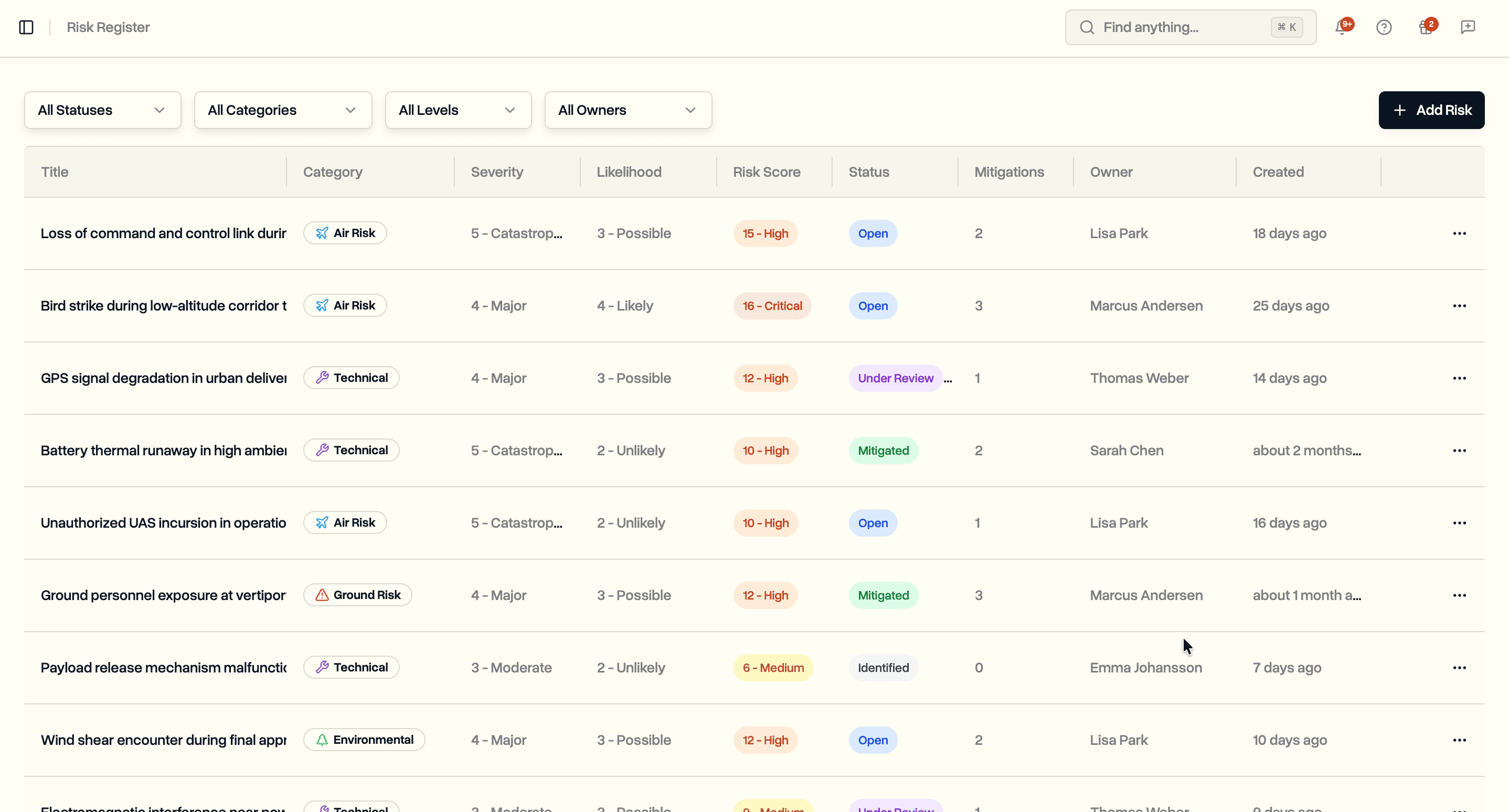
The incident register shows all reported incidents in a filterable table. Filter by status, category, severity, or occurrence class to find what you need.
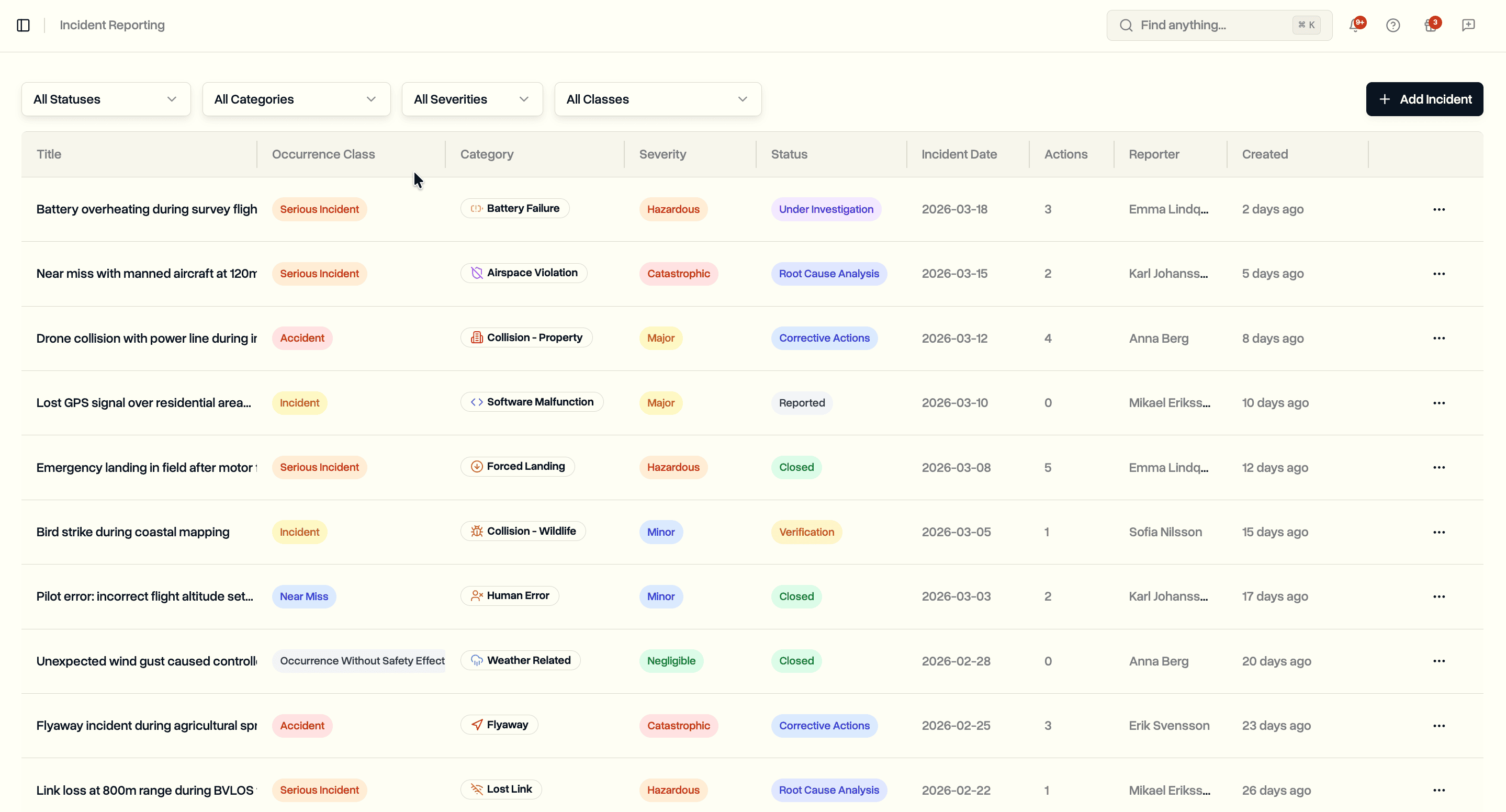
Each row shows the incident title, occurrence class, category, severity, status, incident date, number of corrective actions, reporter name, and creation time. Click any incident to open its full detail page with investigation data and corrective action timeline.
Eighteen incident categories cover the range of events that occur in drone operations:
- Collisions. Person, Property, Aircraft, Wildlife
- Equipment. Equipment Failure, Battery Failure, Software Malfunction
- Flight events. Flyaway, Forced Landing, Lost Link
- Airspace and compliance. Airspace Violation, Third Party Interference
- Environmental. Weather Related
- Human factors. Human Error, Near Miss
- Outcomes. Property Damage, Personal Injury
- Other. Uncategorized events
Five occurrence classes follow standard aviation terminology: Accident, Serious Incident, Incident, Near Miss, and Occurrence Without Safety Effect.
Six status options track progression from initial report through resolution: Reported, Under Investigation, Root Cause Analysis, Corrective Actions, Verification, and Closed.
Reporting an Incident
Click Add Incident to open the report form. Required fields are title, incident date, occurrence class, category, and severity. The status defaults to Reported.
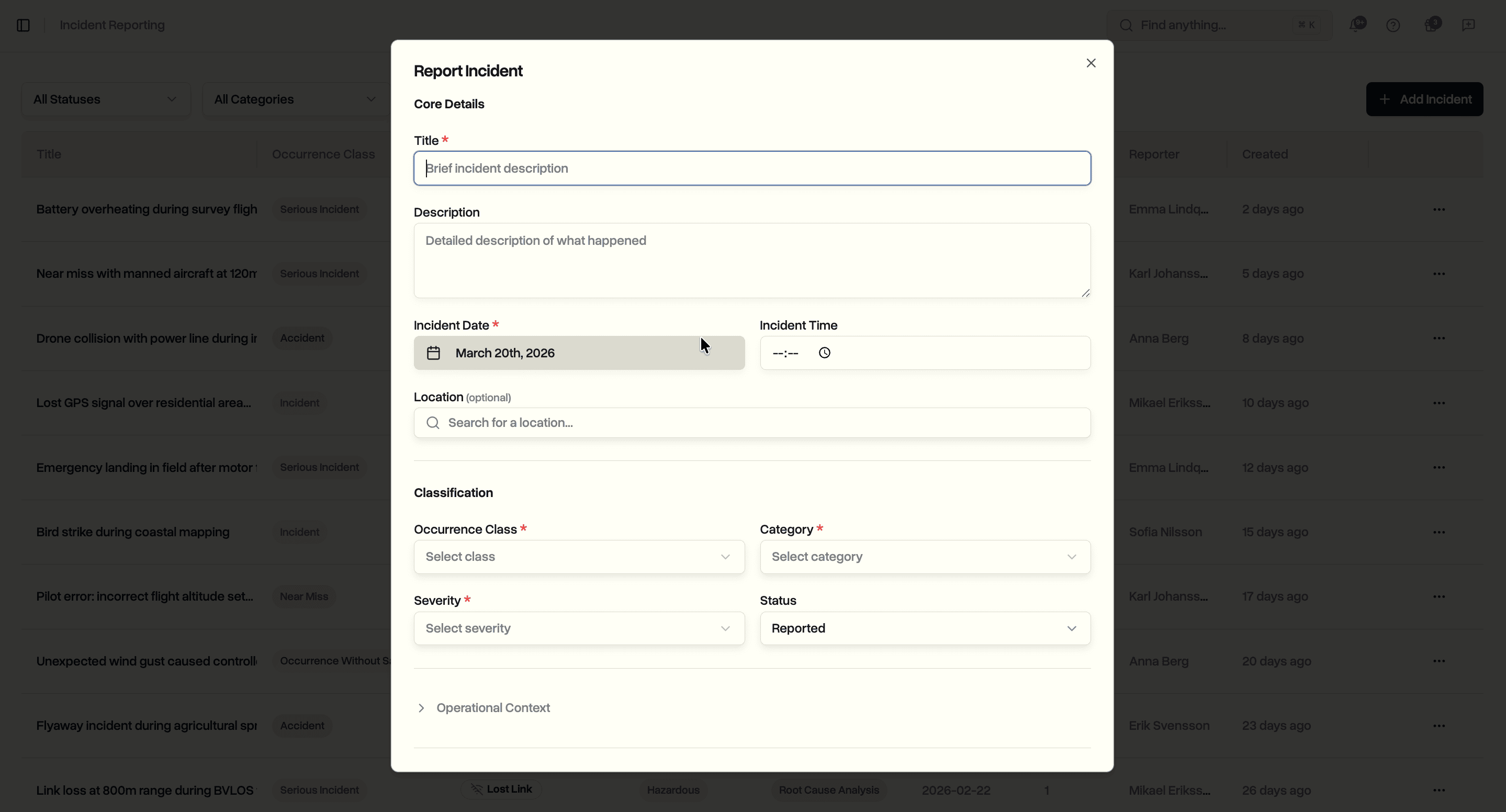
Core fields capture the essential details: title, description, incident date and time, location with search, occurrence class, category, severity, and status.
Collapsible sections provide structured fields for additional context when you have it.
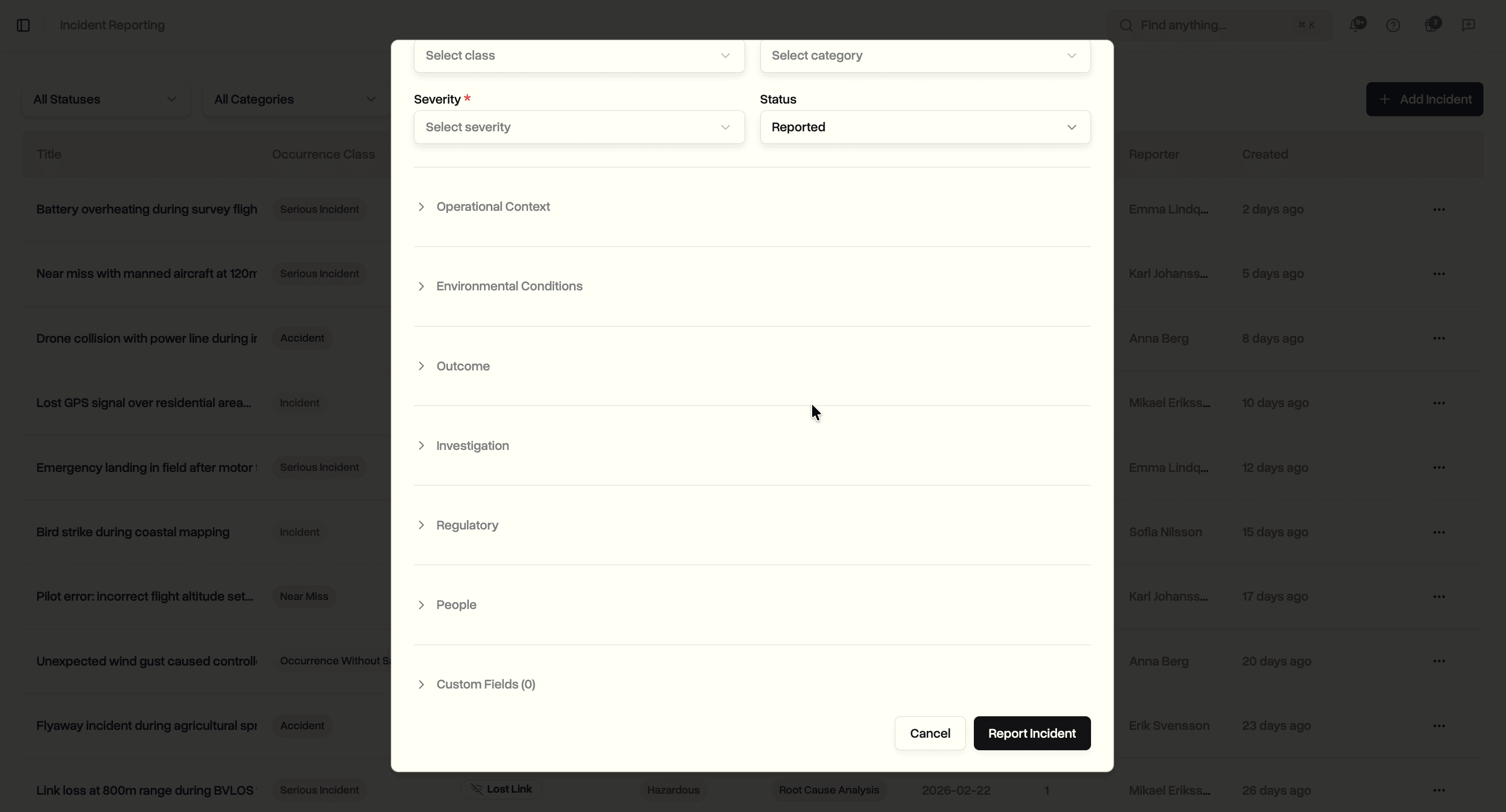
Additional sections include:
- Operational Context. Operation type (VLOS, EVLOS, BVLOS)
- Environmental Conditions. Weather, visibility, wind conditions, and lighting at the time of the incident
- Outcome. Injury level and count, aircraft damage assessment, property damage level and cost estimate
- Investigation. Root cause description, root cause category, contributing factors, and lessons learned
- Regulatory. Whether the incident was reported to an authority, authority name, and reference number
- People. Reporter, investigator, and involved personnel selected from your team
- Custom Fields. Up to 50 key-value pairs for anything the standard fields do not cover
Incident Detail Page
Click any incident to open its detail page. The page shows all recorded information organized into cards: incident details, outcome, environmental context, regulatory data, investigation findings, and corrective actions.
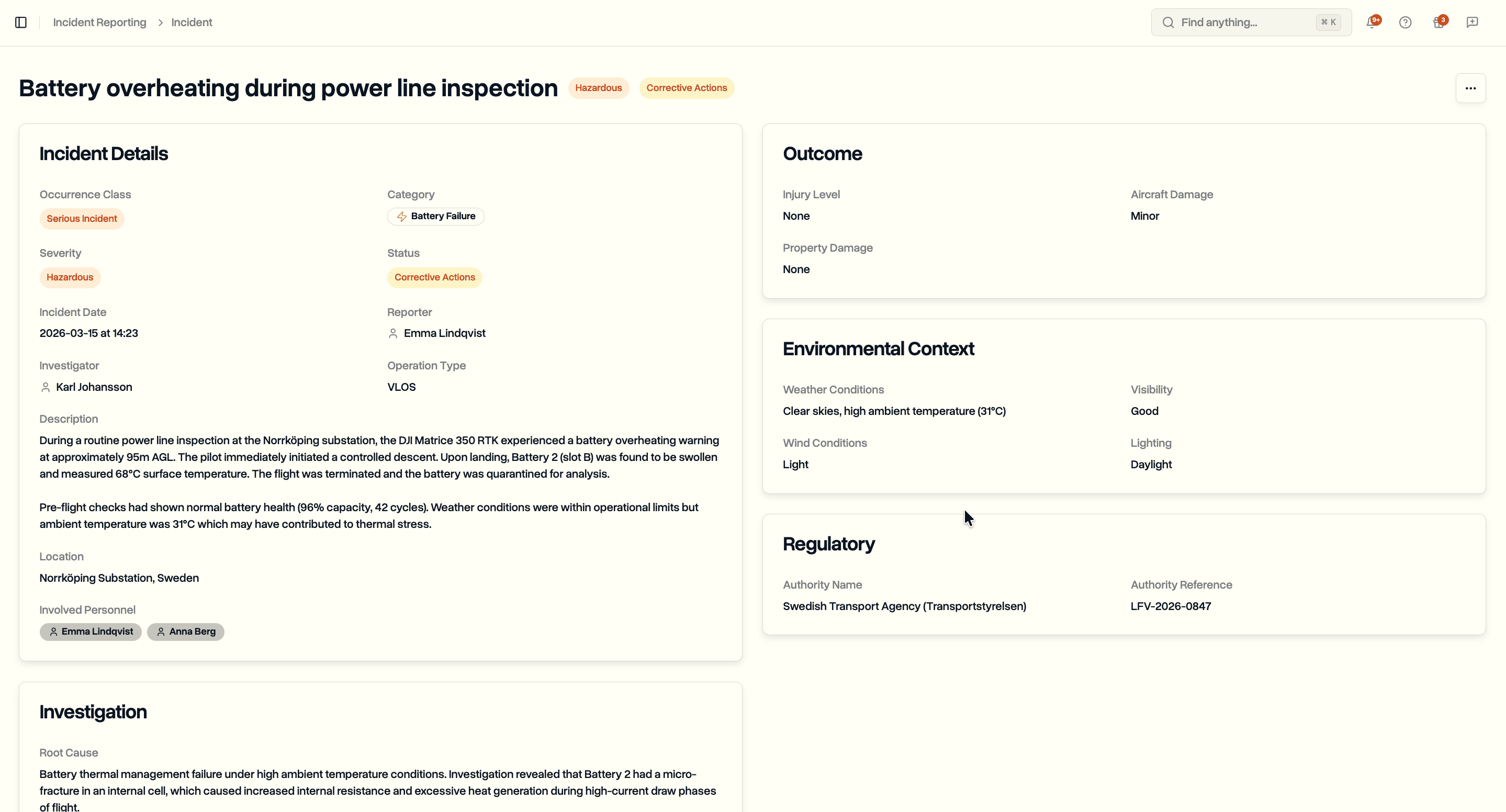
The incident details card displays occurrence class, category, severity, status, date and time, reporter, investigator, operation type, description, location, and involved personnel. Outcome shows injury and damage assessments. Environmental context records the conditions at the time of the event. Regulatory information tracks authority reporting status with reference numbers.
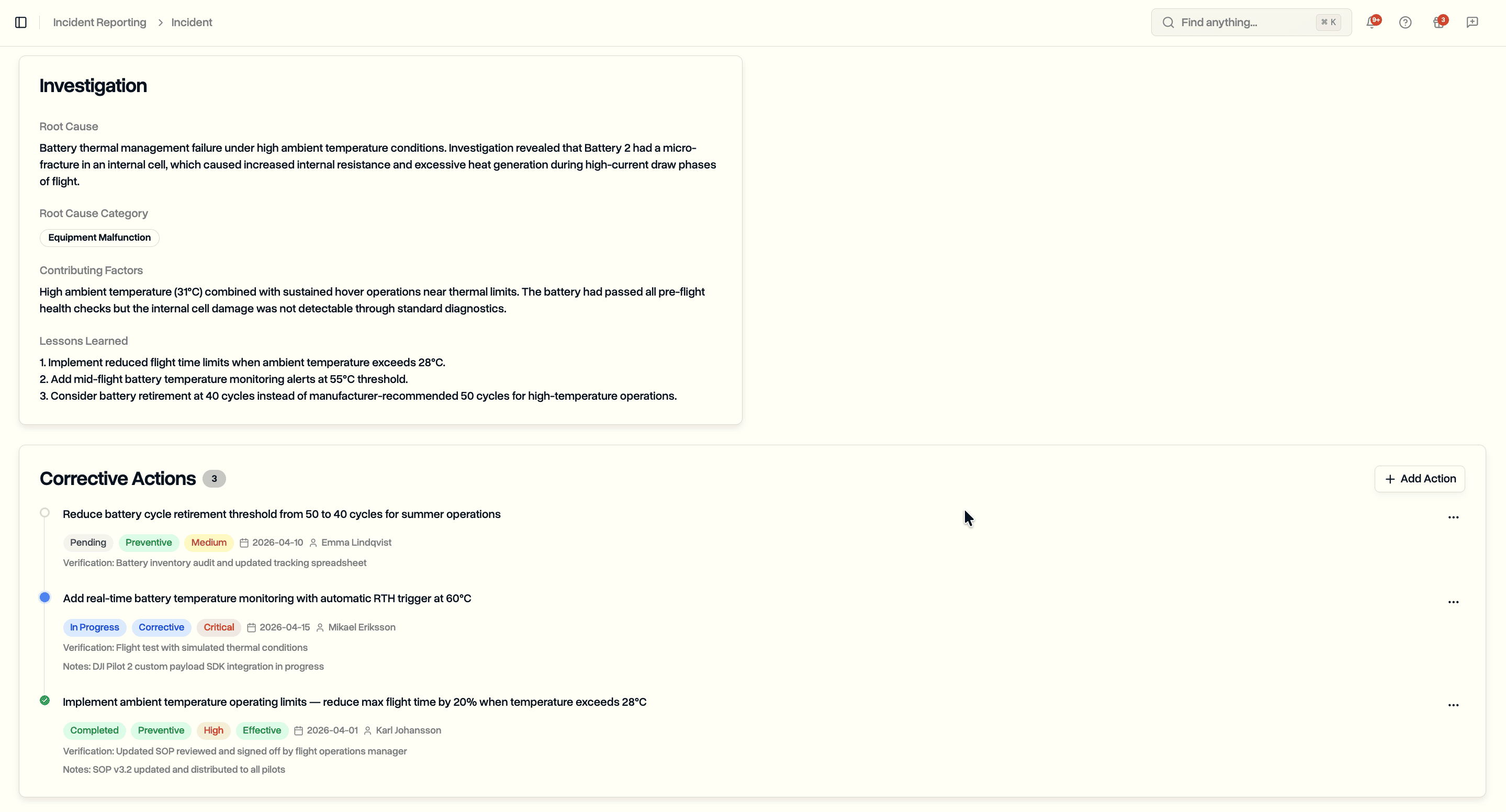
The investigation section captures root cause analysis, root cause category, contributing factors, and lessons learned. Below that, the corrective actions timeline shows all assigned actions sorted by status, with pending and in-progress items first.
Corrective Action Tracking
Click Add Action on the incident detail page to create a corrective action. Each action tracks the full lifecycle from assignment to verified effectiveness.
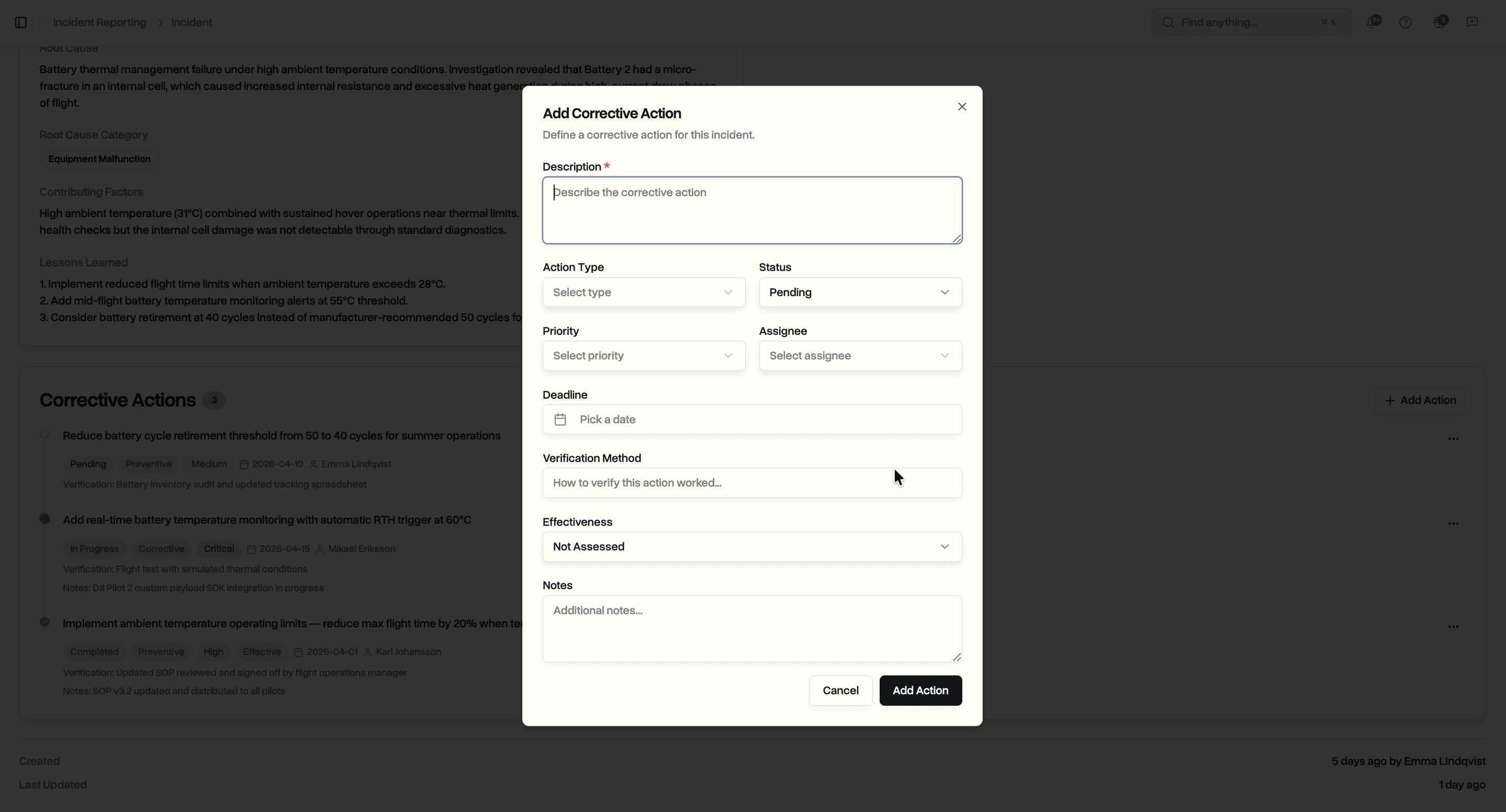
Each corrective action supports:
- Description. What needs to be done
- Action type. Corrective, Preventive, or Detective
- Status. Pending, In Progress, or Completed
- Priority. Low, Medium, High, or Critical
- Assignee. Team member responsible for completing the action
- Deadline. Target completion date
- Verification method. How to confirm the action was carried out correctly
- Effectiveness. Not Assessed, Effective, Partially Effective, or Not Effective
- Notes. Progress updates or additional context
Actions display on the incident page as a timeline with status badges, priority indicators, deadlines, and assignee names. Update status and effectiveness as actions progress through completion and verification.
Use Cases
Safety managers building an occurrence database. Classify incidents consistently using standard aviation categories and occurrence classes. Track which corrective actions are overdue, which are in progress, and which have been verified as effective.
Compliance officers preparing for audits. Incident records include authority reporting status, reference numbers, investigation documentation, and corrective action history. All of this sits alongside your operational data in one system.
Operations leads running BVLOS or Specific Category operations. Document incidents with the environmental and operational context regulators expect. Record weather conditions, visibility, wind, lighting, and operation type alongside the event details.
Flight teams reporting events in the field. Log incidents with the required classification fields and let the investigation and corrective action workflow handle the follow-up. No separate tools or spreadsheets needed.
Availability
Incident reporting is available now on the Enterprise plan. All workspace members with the appropriate permissions can report incidents, manage investigations, and track corrective actions.
Start your free trial to try incident reporting with full Enterprise features for 14 days.
Book a demo to see how DroneBundle handles incident reporting for drone operations.