Log operational risks with severity and likelihood scoring. Assign owners. Track mitigation actions through to completion. See everything in one place.
Drone operations under BVLOS and Specific Category approvals require a formal risk assessment process. Regulators expect a maintained risk register with scored hazards, documented mitigations, and assigned owners. As operations scale, so does the number of risks to track and the evidence needed to show they are being managed.
Most teams handle this outside their operations platform. Spreadsheets, shared documents, or standalone safety tools that sit disconnected from flight data, team assignments, and project context. The risk register exists somewhere, but it is not part of the operational workflow.
DroneBundle now includes a built-in risk register with mitigation tracking. Log risks, score them on a 5x5 matrix, assign owners, and track every mitigation action from identification through to verified completion.
Risk Register Overview
The risk register shows all identified risks in a filterable table. Filter by status, category, risk level, or owner to focus on what matters.
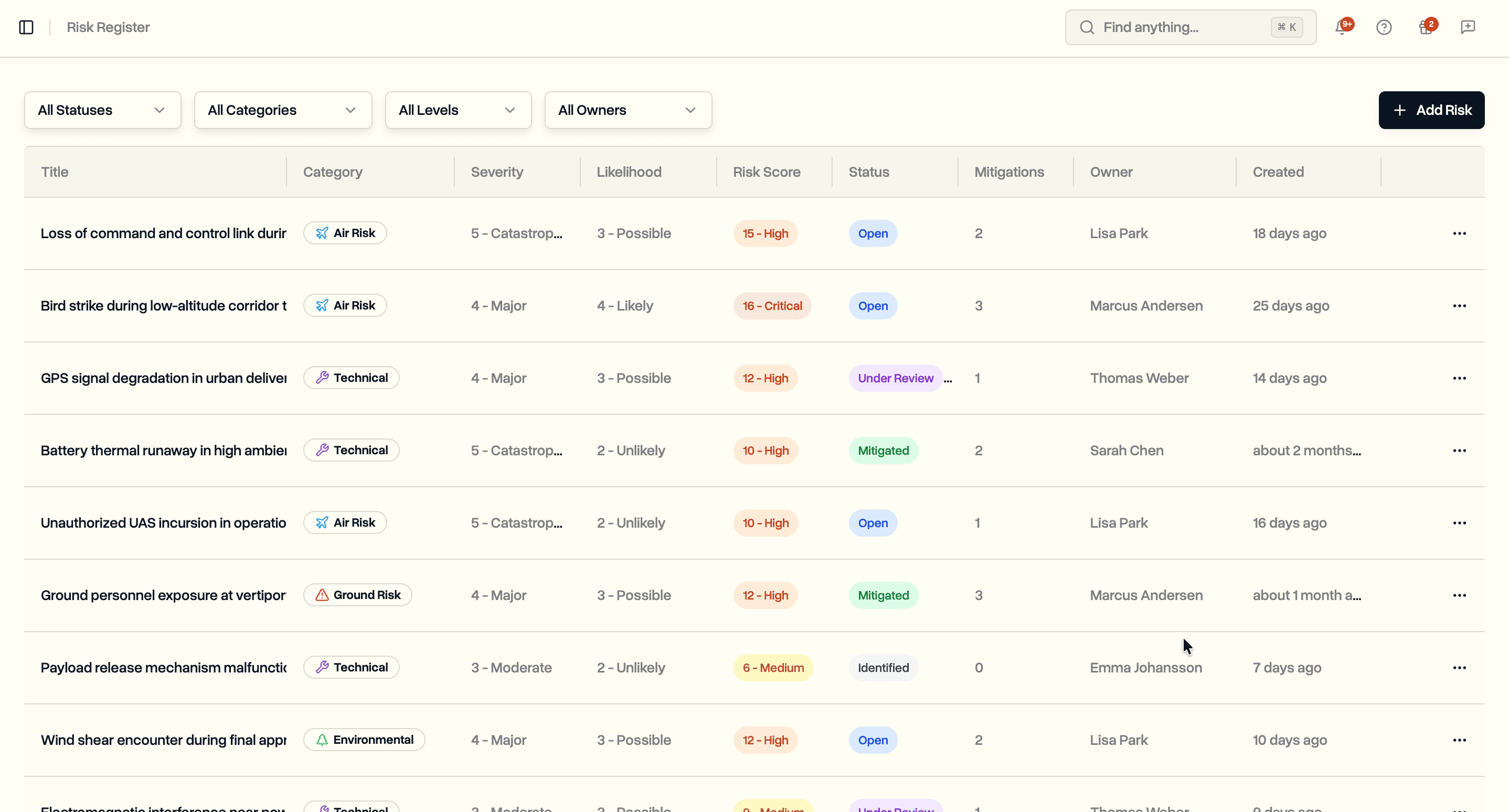
Each row shows the risk title, category, severity, likelihood, calculated risk score with level indicator, current status, number of mitigation actions, owner, and when it was created. Click any risk to see its full details and mitigation timeline.
Nine risk categories cover the range of operational concerns: Ground Risk, Air Risk, Technical, Human Factors, Environmental, Operational, Regulatory, Privacy/Data, and Other. Six status options track progression: Identified, Under Review, Open, Mitigated, Accepted, and Closed.
Adding a Risk
Click Add Risk to open the risk form. Required fields are title, category, severity, and likelihood. Everything else is optional but available when you need it.
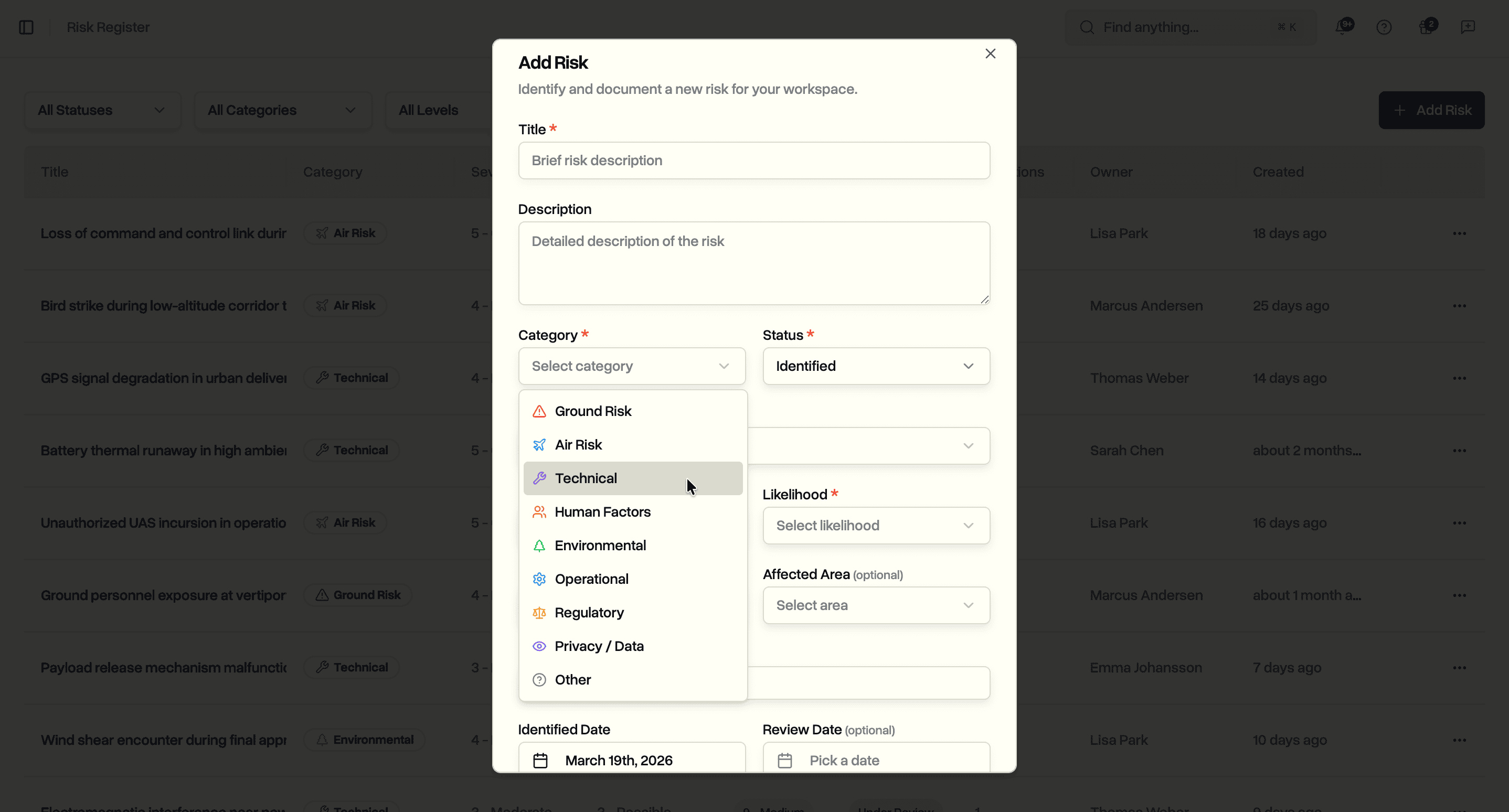
Severity and likelihood each use a 1-5 scale. Severity ranges from Negligible (1) to Catastrophic (5). Likelihood ranges from Rare (1) to Almost Certain (5). The risk score calculates automatically as severity multiplied by likelihood, with the level determined by thresholds: Low (1-4), Medium (5-9), High (10-15), Critical (16-25).
Additional fields support structured risk documentation:
- Risk type. Hazard, Threat, or Vulnerability
- Affected area. People on Ground, Crew, Third Party Aircraft, Property, Critical Infrastructure, Airspace, Environment, or Operations
- Location. Searchable location field with coordinates
- Identified date and review date. For scheduling periodic reassessment
- Reference. Link to regulatory frameworks (e.g. SORA GRC-4, OSO #05, EU 2019/947)
- Custom fields. Add up to 50 key-value pairs for anything the standard fields do not cover
Risk Detail and Mitigation Actions
Click any risk to open its detail page. The layout splits into two cards: risk details on the left and mitigation actions on the right.
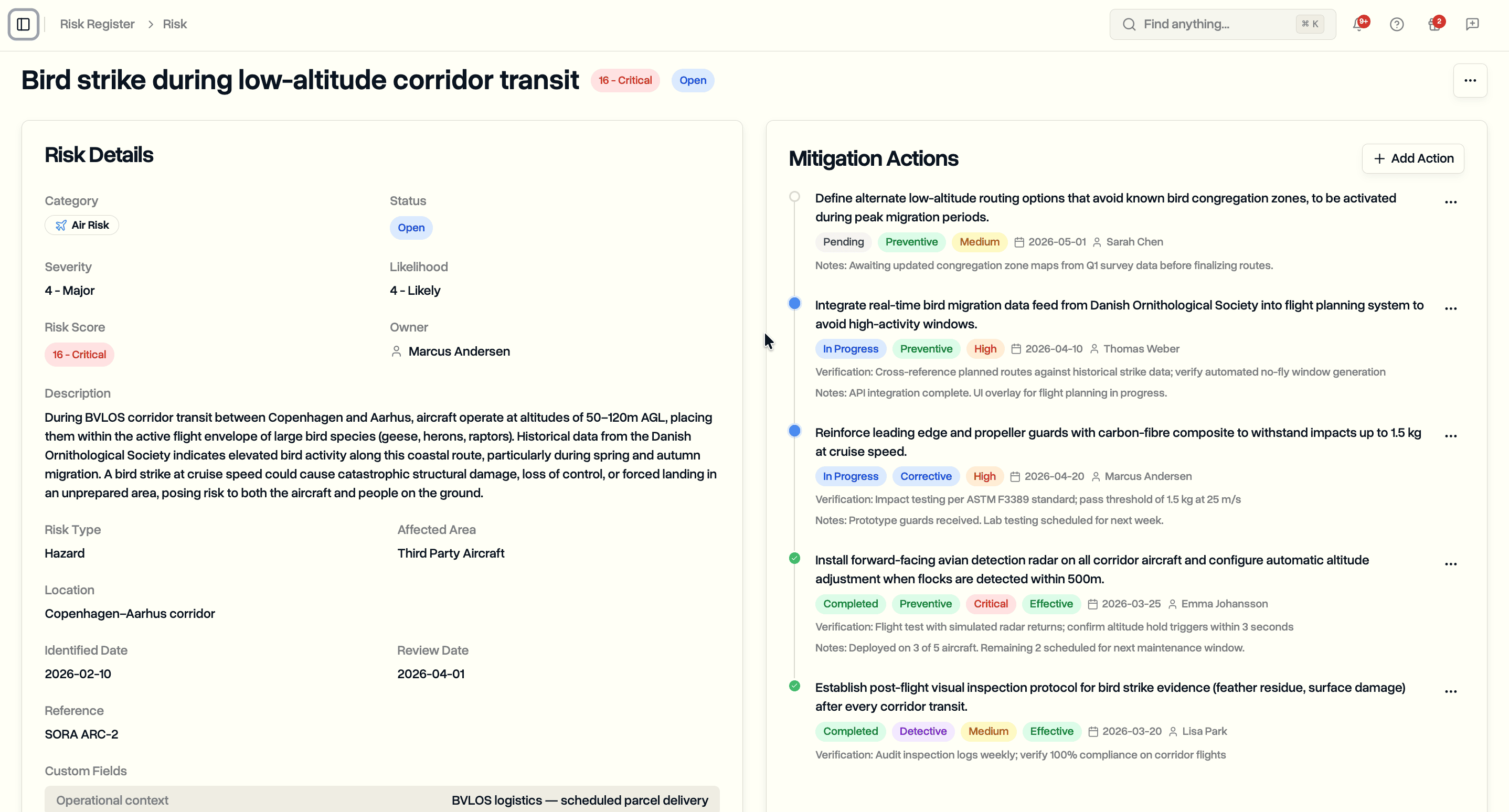
The risk details card shows category, status, severity, likelihood, risk score, owner, description, SORA-specific fields, location, dates, regulatory references, and custom fields. Created and last updated timestamps with user attribution appear at the bottom.
Mitigation Tracking
The mitigation actions card displays all actions as a timeline, sorted by status. Pending actions appear first, then in-progress, then completed. Each action shows its status, type, priority, effectiveness, deadline, and assignee.
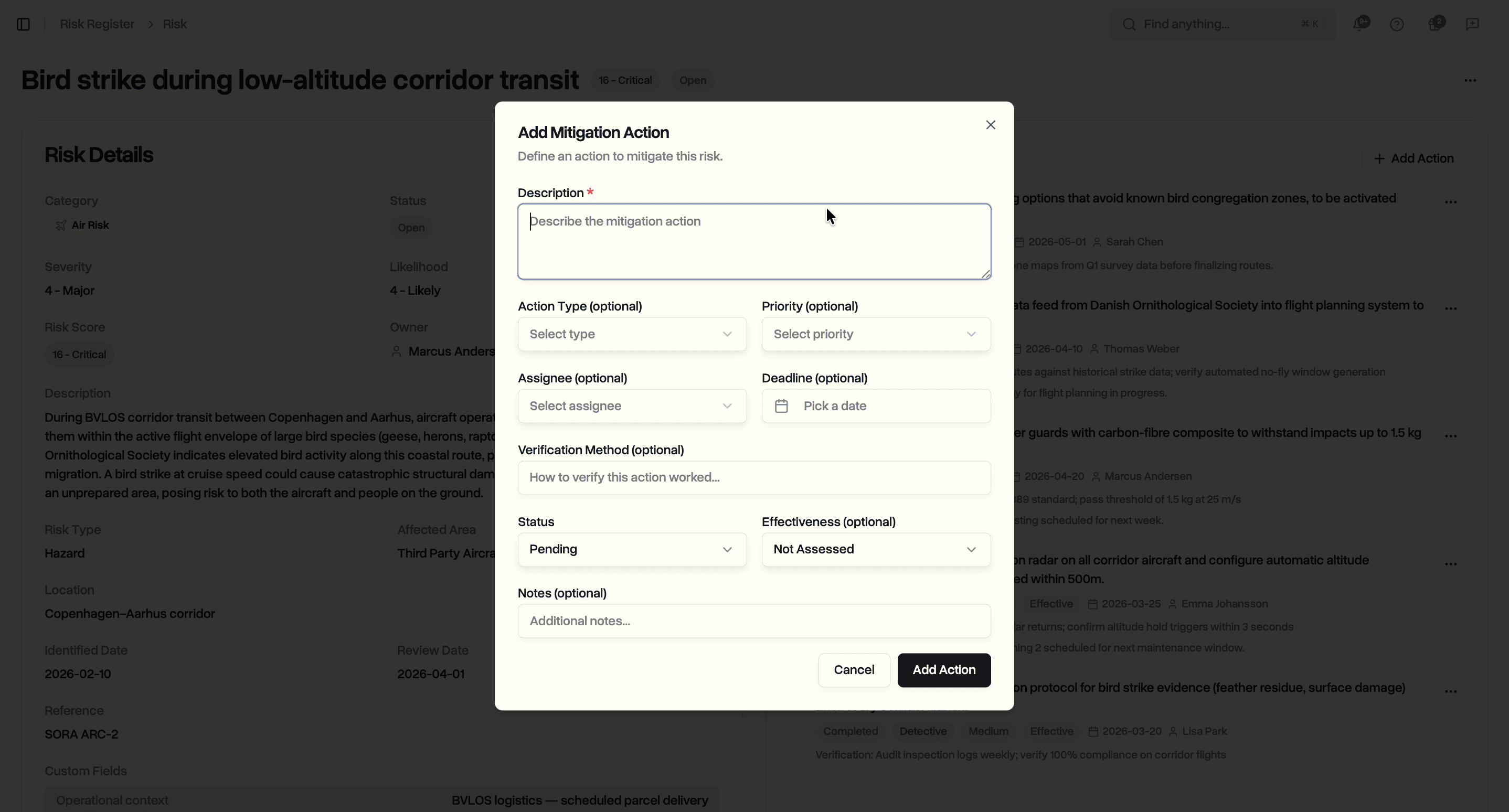
Click Add Action to define a mitigation. Each action supports:
- Description. What needs to be done
- Action type. Corrective, Preventive, or Detective
- Priority. Low, Medium, High, or Critical
- Assignee. Team member responsible for completing the action
- Deadline. Target completion date
- Status. Pending, In Progress, or Completed
- Verification method. How to confirm the action was effective
- Effectiveness. Not Assessed, Effective, Partially Effective, or Not Effective
- Notes. Additional context or progress updates
This structure supports both simple mitigations ("install prop guards") and detailed safety processes with verification and effectiveness tracking required by frameworks like SORA.
Use Cases
Safety managers maintaining a centralized hazard log. Score risks consistently using the 5x5 matrix. Track which mitigations are overdue and which have been verified as effective.
Compliance officers preparing for audits. The risk register keeps regulatory references, owner accountability, and mitigation history in one place alongside the rest of your operations data.
Operations leads managing BVLOS corridor risks. Document air risks, ground risks, and technical hazards with SORA-aligned fields. Assign mitigations to specific team members with deadlines.
Flight operations teams tracking day-to-day risks. Log environmental risks, equipment issues, or procedural gaps as they arise. Assign owners and monitor resolution through the timeline view.
Availability
The risk register is available now on the Enterprise plan. All workspace members with the appropriate permissions can create, edit, and manage risks and mitigation actions.
Start your free trial to try the risk register with full Enterprise features for 14 days.
Book a demo to see how DroneBundle handles risk management for drone operations.