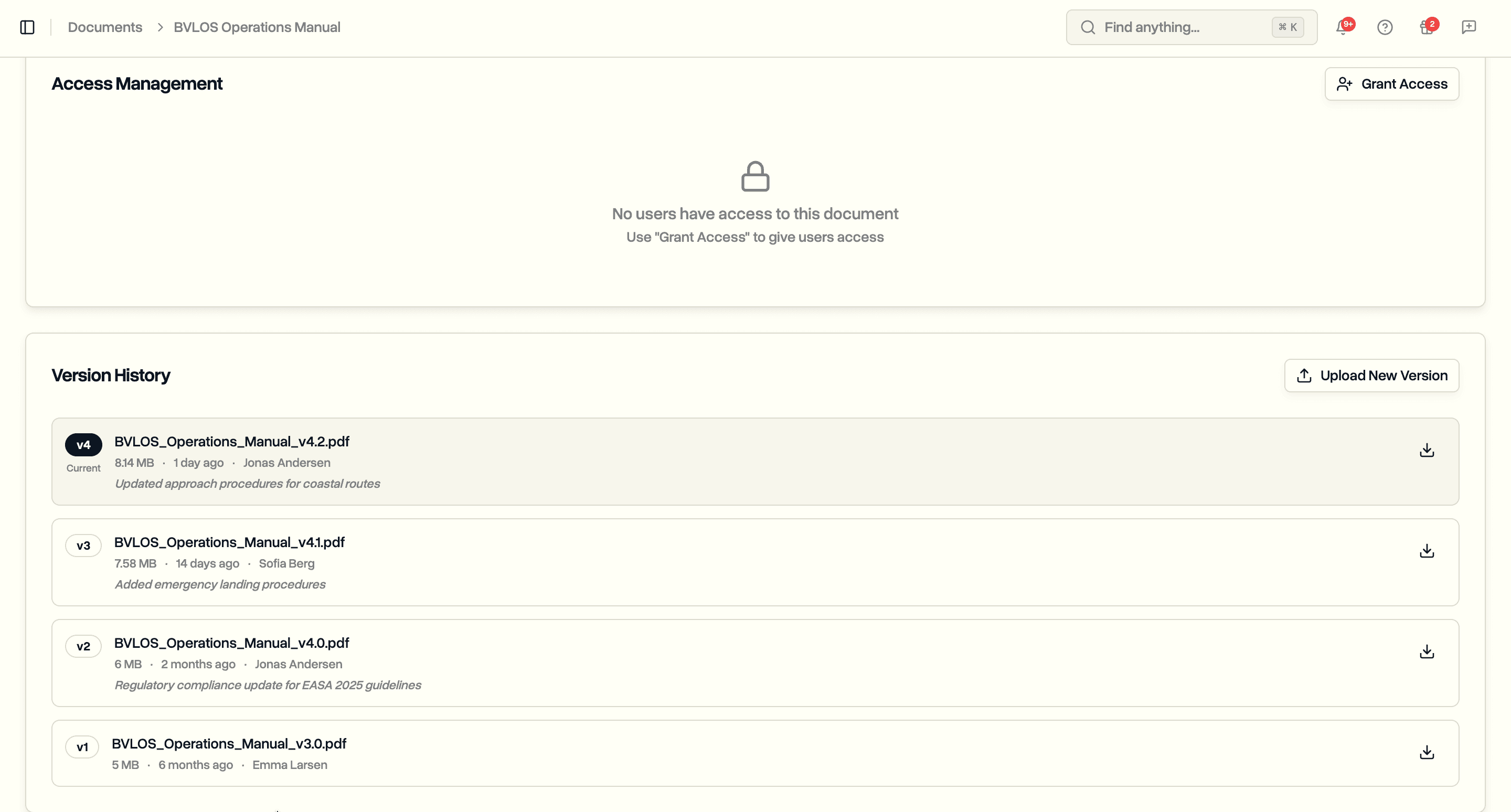
Upload new versions of any document. See the full revision history. Download previous versions. Know who changed what and when.
Your insurance certificate expires and you upload the renewed one. The old version is gone. Your operations manual gets updated quarterly and nobody can tell what changed between versions. An auditor asks what version of your risk assessment was in effect six months ago and you have no way to answer.
This is what happens when document management has no version history. Files get overwritten. Context disappears. Compliance teams spend time recreating audit trails that should exist automatically.
DroneBundle now supports document version control. Upload a new revision of any document and the previous versions are preserved. Every version tracks who uploaded it, when, and what changed.
How It Works
Open any document and click Upload New Version. Select the new file, add optional change notes describing what changed, and upload. The document updates to the new version while all previous versions remain accessible.
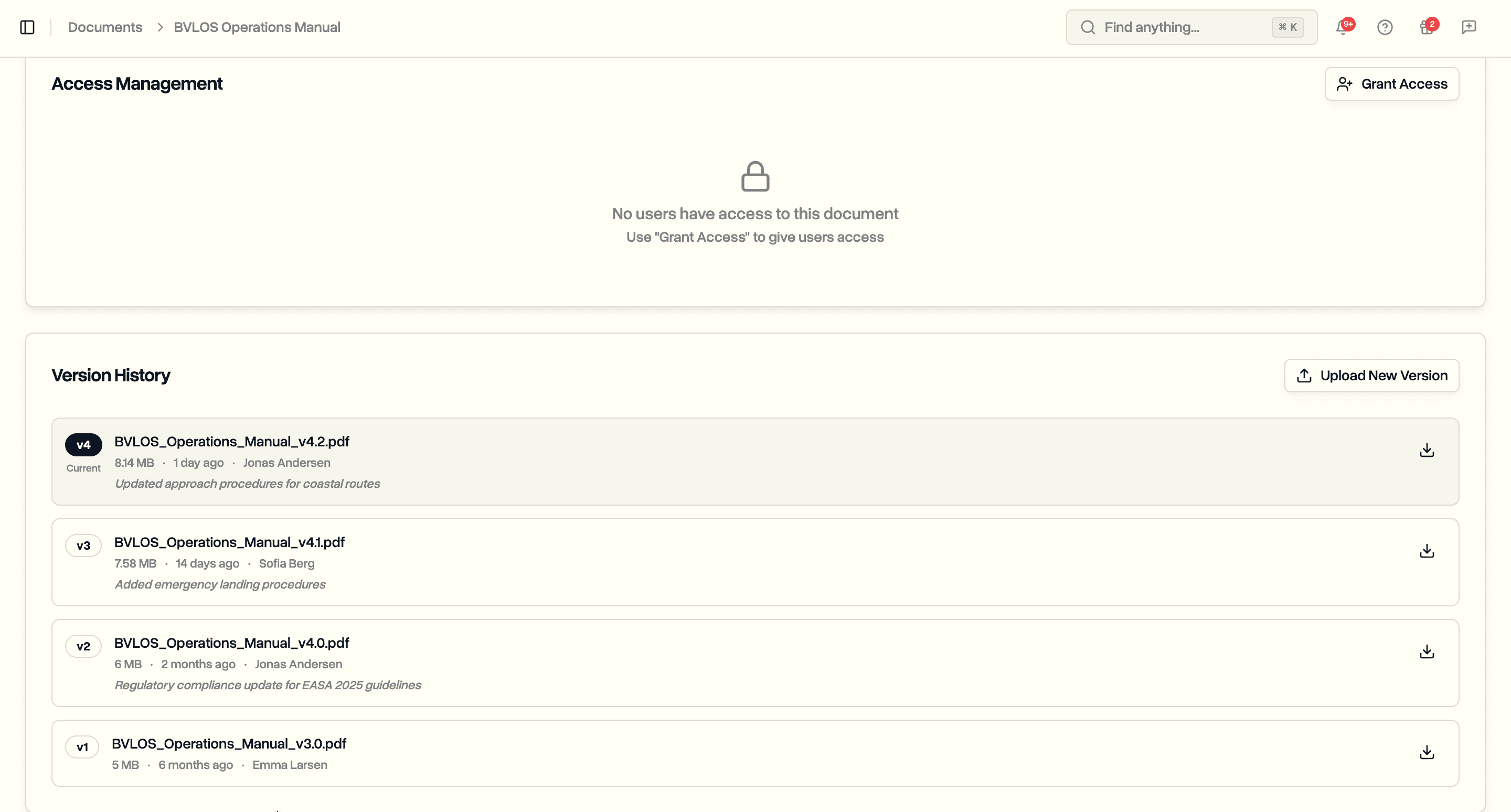
The version history shows every revision in reverse chronological order. Each entry displays the version number, filename, file size, who uploaded it, when, and any change notes. The current version is clearly marked.
Download any previous version directly from the history. Need to see what the operations manual looked like before the last update? Click the download icon on that version.
Version Tracking in Document Lists
The documents table now shows a version column for every document. At a glance, you can see which documents have been revised and how many times.
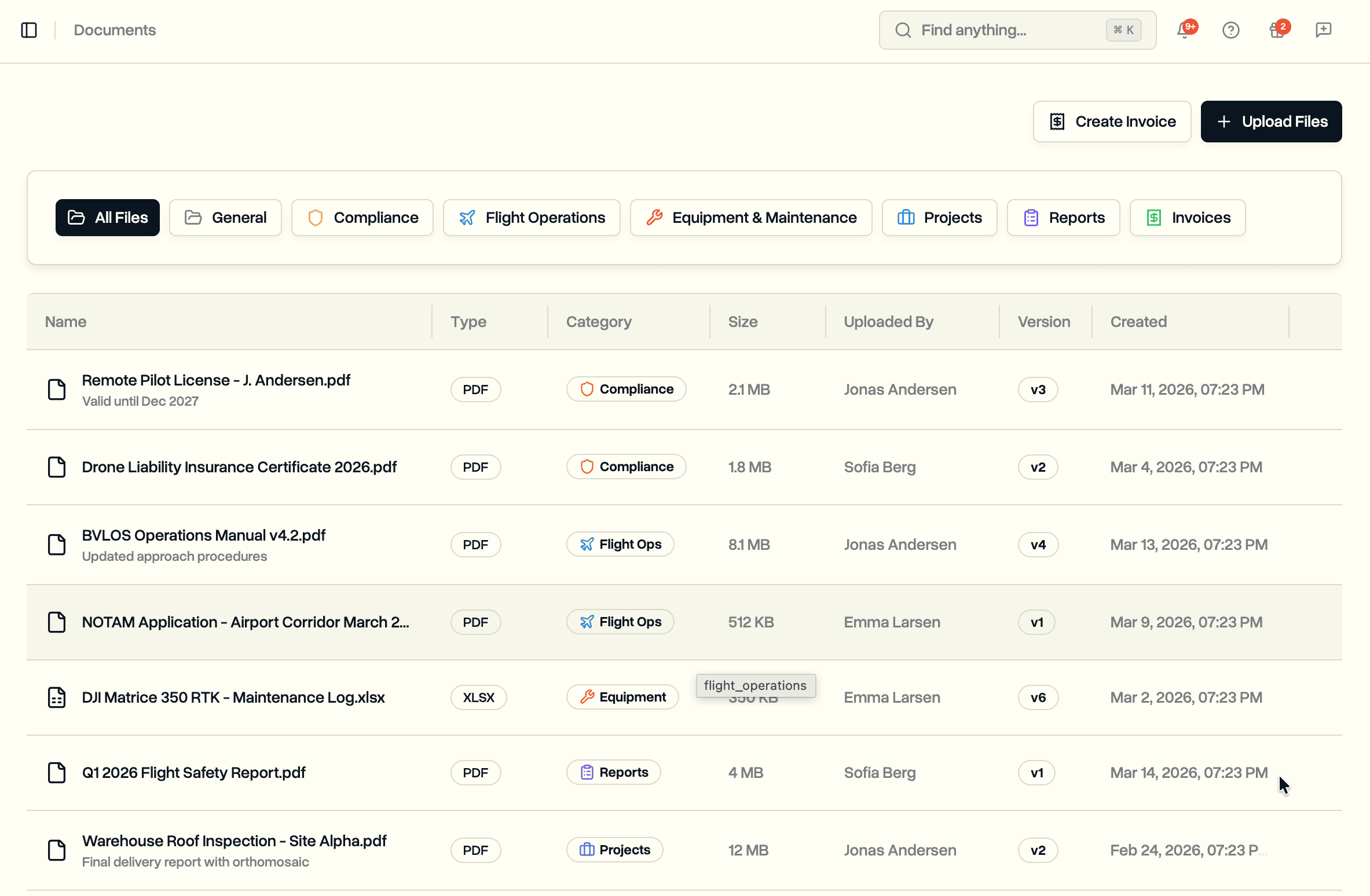
A document that has never been revised shows v1. A document that has been updated three times shows v4. Click any document to see its full revision history.
Uploading New Versions
Click Upload New Version on any document's detail page. A dialog opens where you select the new file and optionally describe what changed.
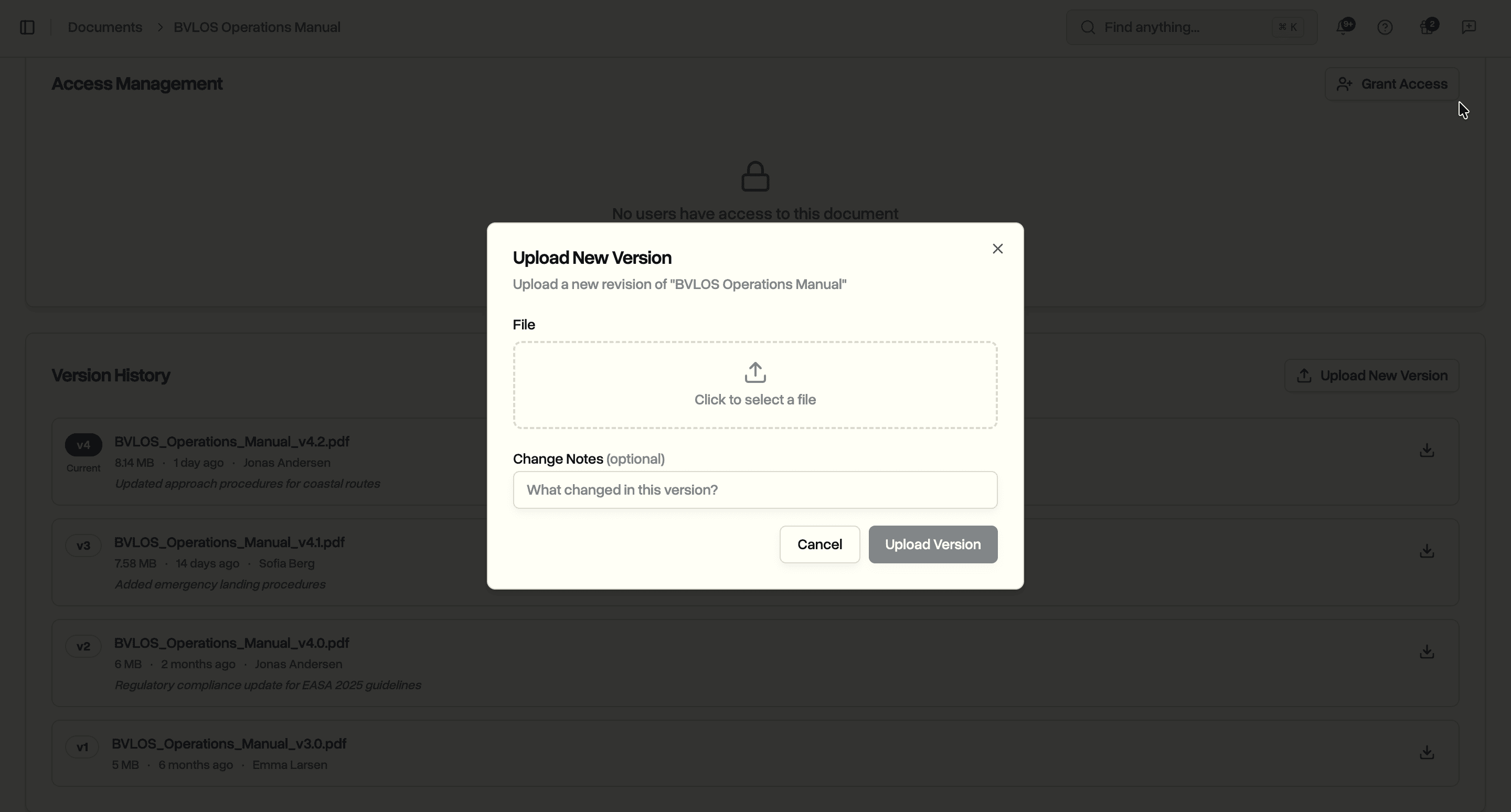
Change notes are optional but recommended. They show up in the version history alongside each revision. Notes like "Updated coverage limits" or "Annual renewal" make it clear why a version was created without opening the files.
The first time you upload a new version, the system automatically preserves the original upload as version 1. No setup required. Versioning activates the moment you upload a second file.
What Gets Preserved
Every version keeps its own file in storage. Uploading a new version does not modify or delete previous files. Each version record stores:
- The uploaded file (separate from all other versions)
- Original filename and file type
- File size
- Who uploaded it
- When it was uploaded
- Change notes (if provided)
Deleting a document removes all versions and their files. The delete confirmation warns you when a document has multiple versions.
Use Cases
Compliance teams maintaining regulatory documents. Insurance certificates, pilot licenses, and risk assessments get updated regularly. Version history provides the audit trail showing what was in effect at any point in time.
Operations managers updating standard procedures. Operations manuals, emergency procedures, and safety checklists evolve over time. Previous versions remain accessible for reference or rollback.
Project managers tracking project deliverables. Inspection reports, survey results, and client deliverables go through revisions. Version history shows the progression from draft to final delivery.
Quality assurance reviewing document changes. See exactly who made changes, when, and what their notes say. No more asking around to figure out who updated the manual.
Availability
Document version control is available now on the Enterprise plan. All other plans can view the feature preview on document detail pages.
Start your free trial to try document version control with full Enterprise features for 14 days.
Book a demo to see how DroneBundle handles document management for drone operations.