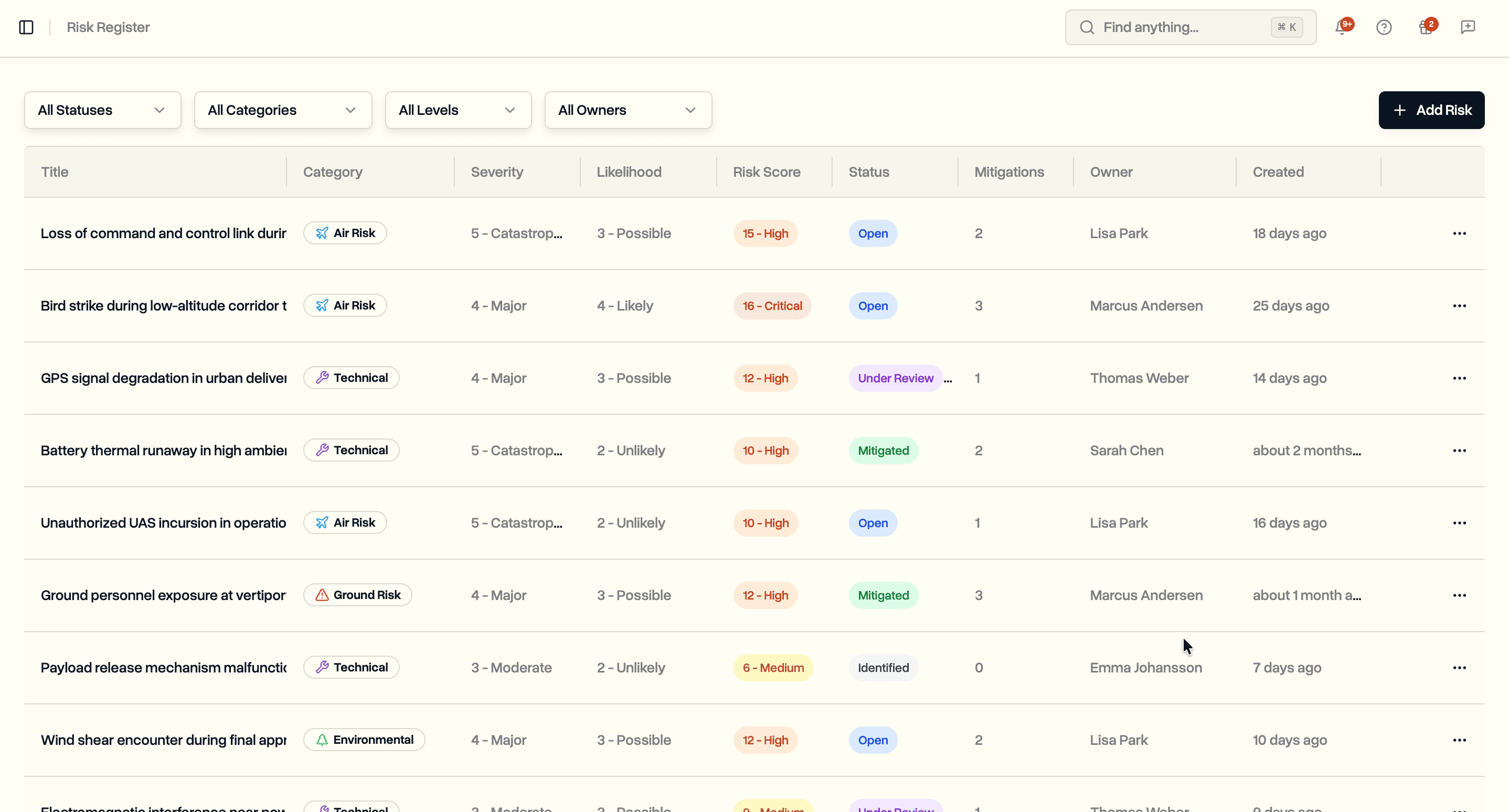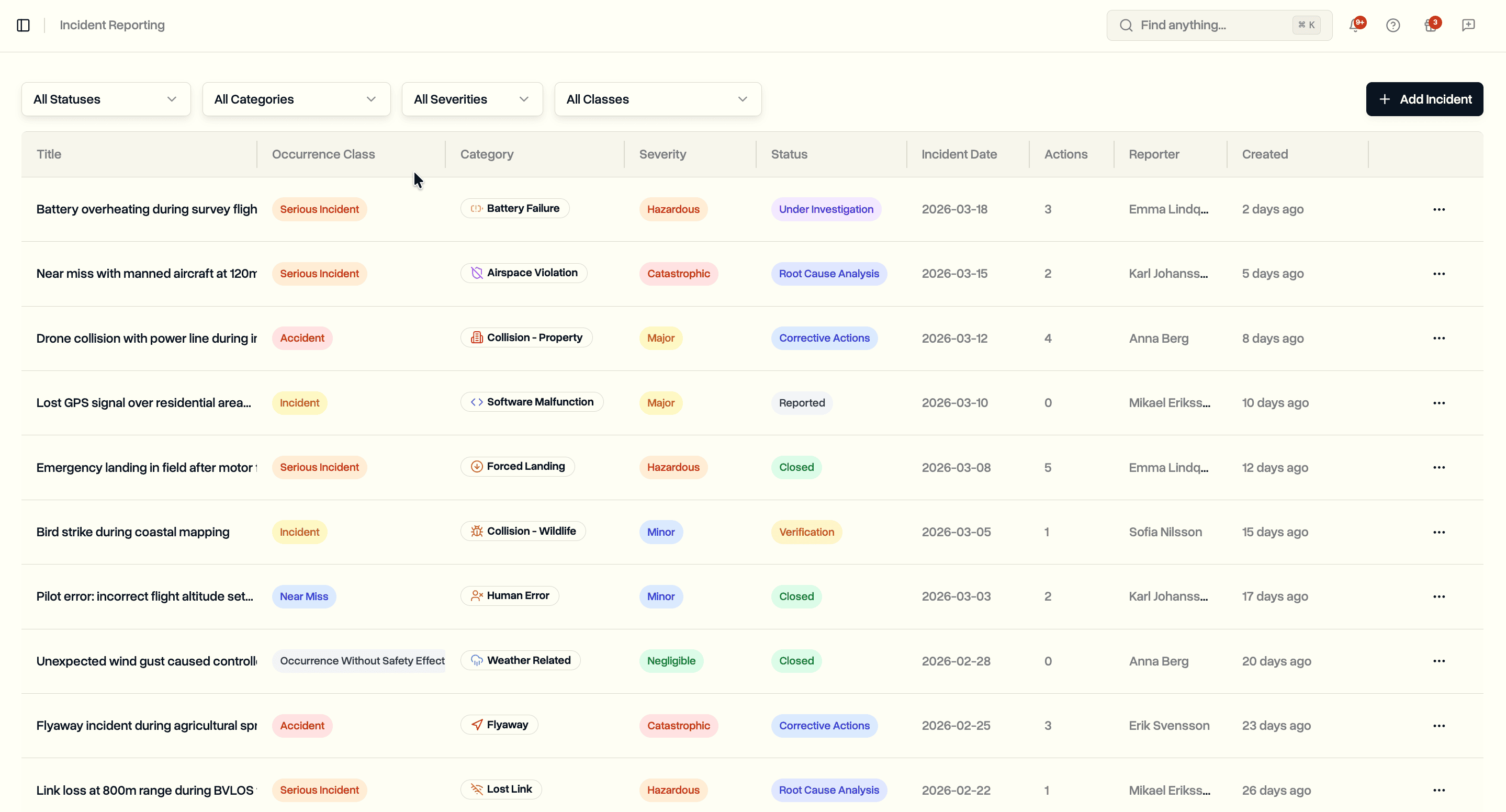
Schedule audits with reusable checklist templates. Run compliance assessments in the field. Log findings with root cause analysis and corrective actions. Track compliance scores over time.
Operators flying under EASA Specific Category or national CAA authorizations are expected to run internal audits. The Safety Management System requires periodic checks across crew competence, airworthiness, operational procedures, emergency readiness, and SORA compliance. Regulators want to see that you are auditing yourself before they audit you.
Most teams manage this outside their operations platform. Audit checklists live in Word documents. Findings get tracked in spreadsheets. Corrective actions end up in email threads. When the CAA asks for your audit history, you spend hours pulling together evidence from different systems that were never designed to work together.
DroneBundle now includes audit scheduling with reusable templates, compliance checklists, findings tracking, and corrective action management. Plan audits, run them with structured checklists, record findings, assign corrective actions, and monitor compliance scores from a single dashboard.
Dashboard
The audit scheduling dashboard shows a summary of your audit programme at a glance. Overall statistics, compliance trends, finding breakdowns, and upcoming audits all appear in one view.
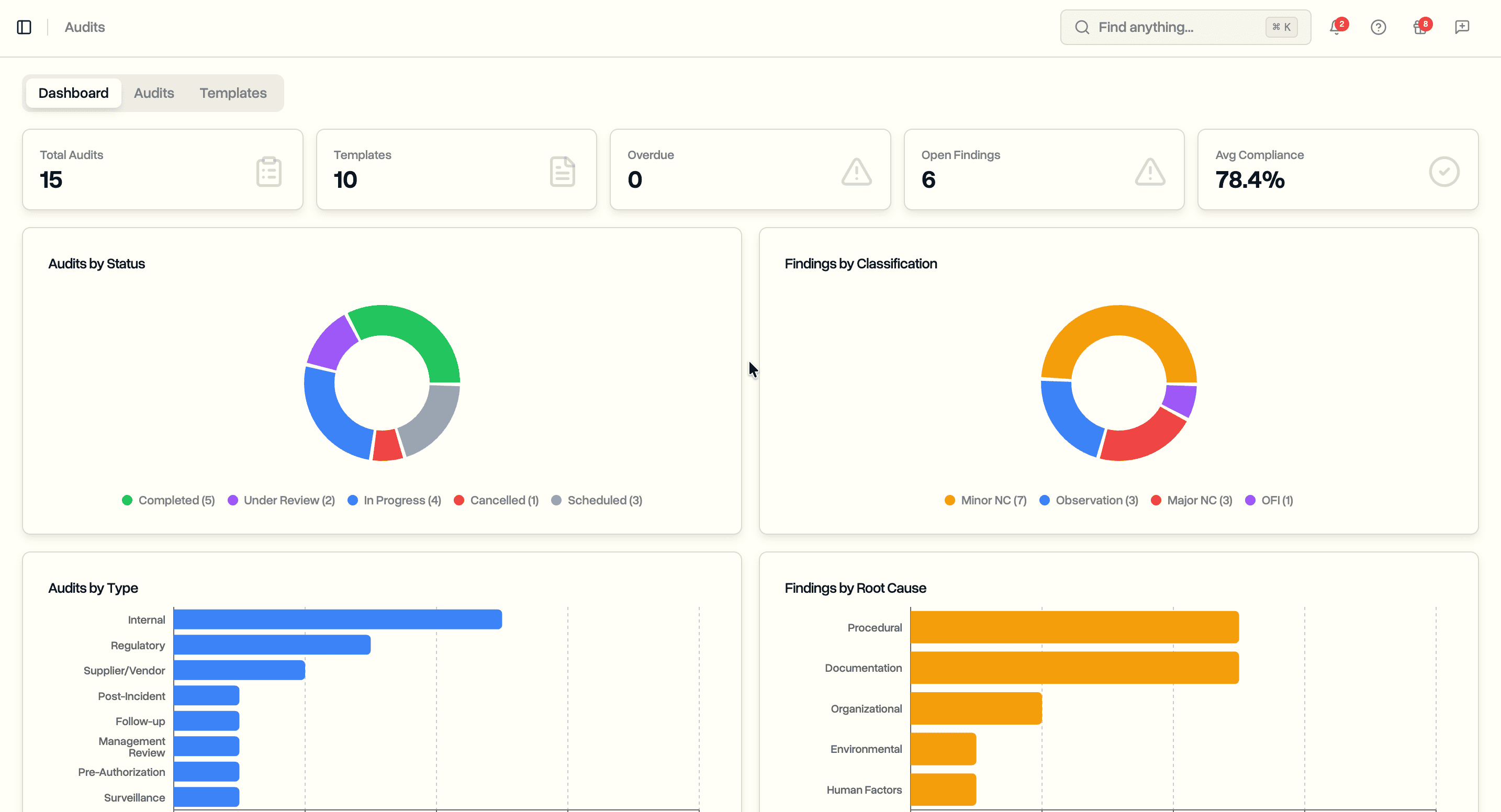
The dashboard tracks total audits, templates, overdue audits, open findings, overdue corrective actions, and average compliance score. A compliance trend chart plots scores from completed audits over time so you can see whether your operation is improving or slipping. Finding breakdowns show the distribution across classifications and root cause categories, giving safety managers a quick read on where problems concentrate.
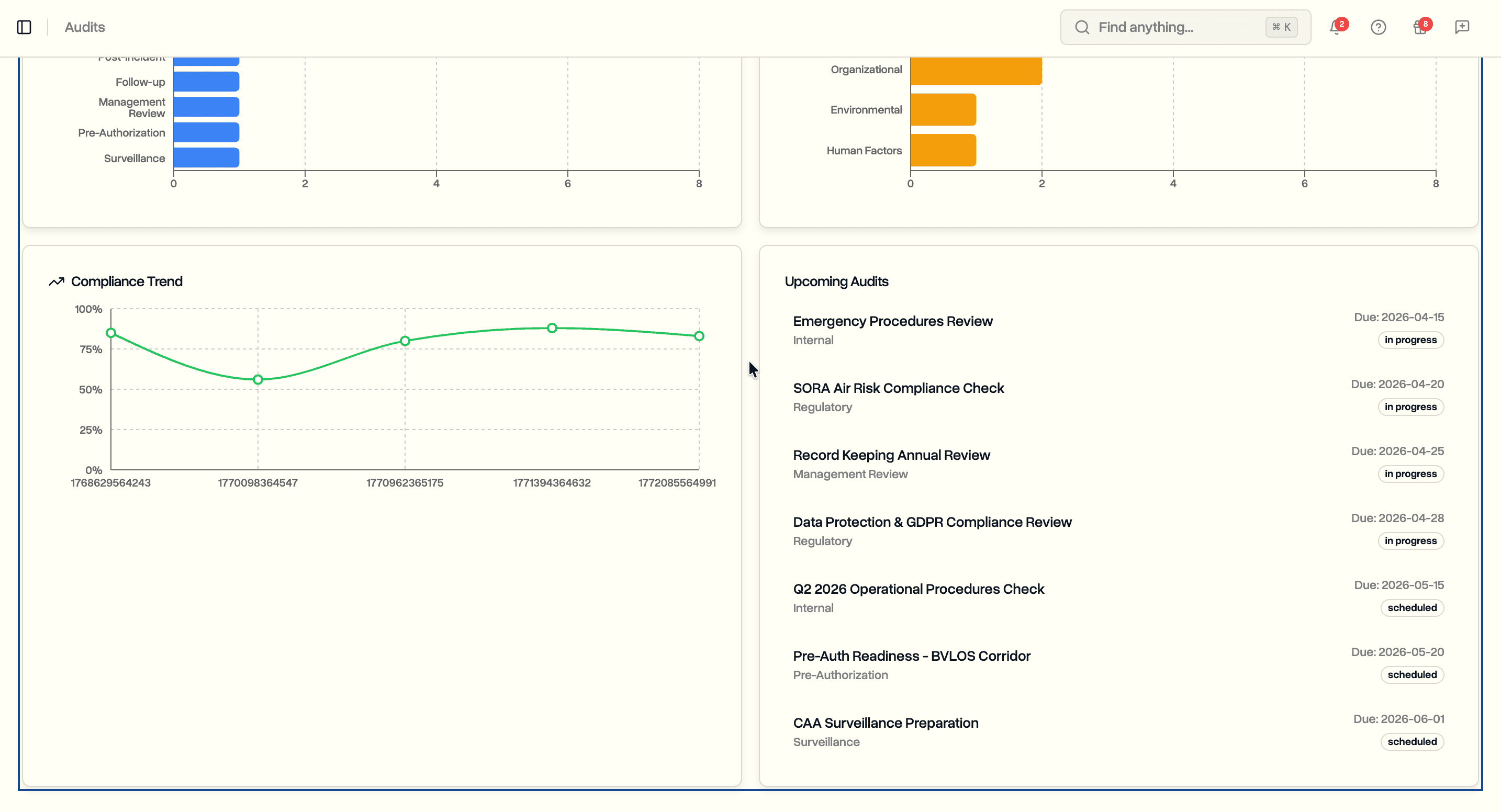
An upcoming audits section lists the next scheduled audits with due dates, types, and assigned lead auditors. Overdue audits are flagged so nothing falls through the cracks.
Audit Templates
Templates define reusable checklists that you apply when scheduling an audit. Create a template once, then use it across multiple audits without rebuilding the checklist each time.
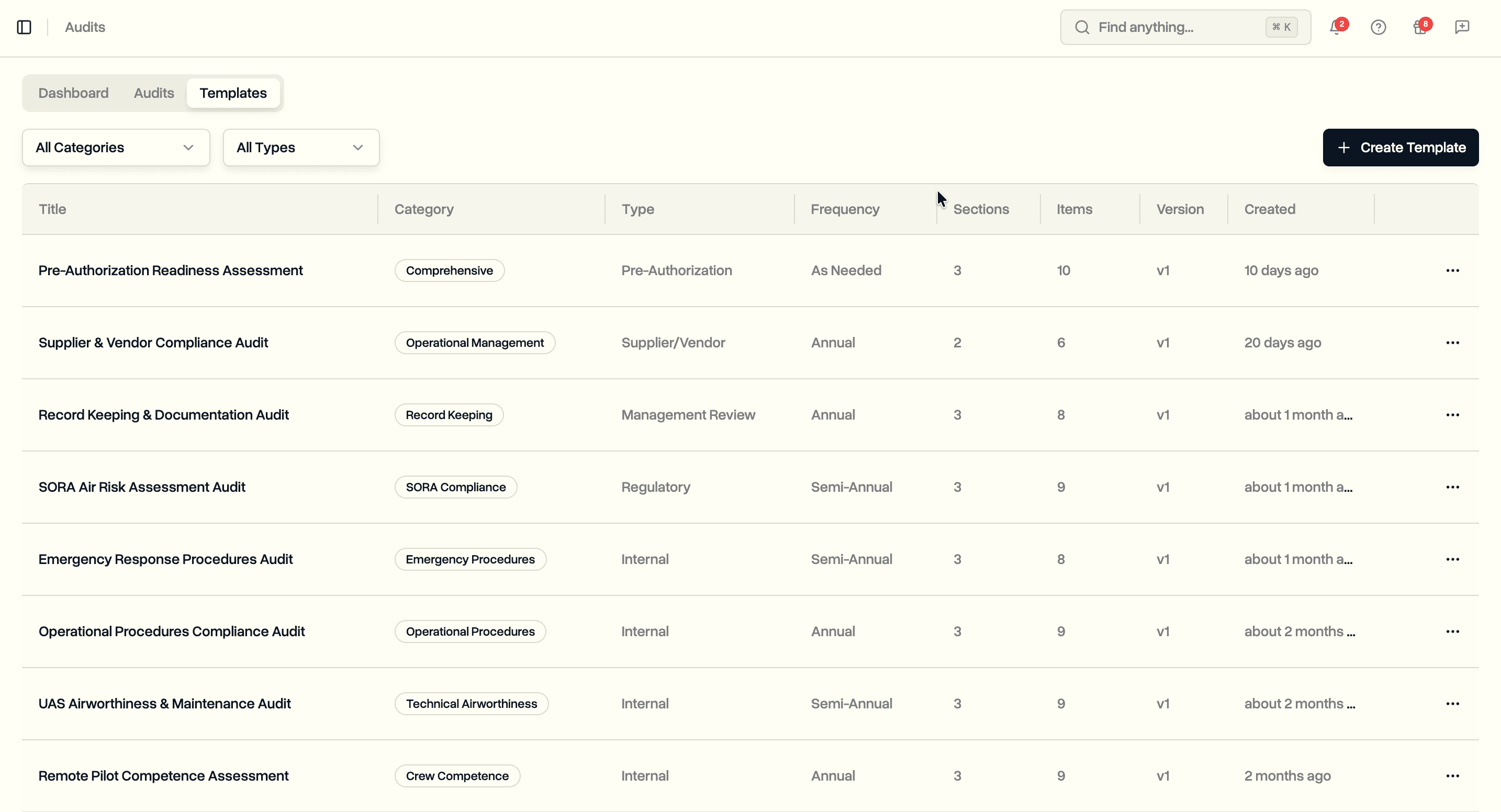
Each template belongs to one of ten categories covering the scope of a UAS operator's obligations:
- Safety Management. SMS policy, hazard identification, risk assessment, safety promotion
- SORA Compliance. Ground risk class, air risk class, SAIL/OSO determination, mitigations
- Crew Competence. Pilot certificates, type training, recency, medical fitness
- Technical Airworthiness. Maintenance programme, pre-flight inspections, firmware management
- Operational Procedures. Flight planning, airspace authorization, NOTAMs, weather limits
- Emergency Procedures. Lost link, fly-away, FTS activation, emergency coordination
- Record Keeping. Document control, flight log retention, data management
- Data Protection. GDPR compliance, access controls, data breach procedures
- Operational Management. Supplier qualification, contractual safety requirements
- Comprehensive. Full-scope pre-authorization readiness assessments
Templates also carry an audit type (Internal, Regulatory, Post-Incident, Supplier/Vendor, Pre-Authorization, Follow-up, Management Review, or Surveillance) and a recommended frequency (Monthly through Biennial, or As Needed). These fields help you plan your annual audit programme and filter templates when scheduling.
Building a Template Checklist
Click Create Template to open the template builder. Define sections and add checklist items to each section. Sections group related questions, making the audit easier to follow in the field.
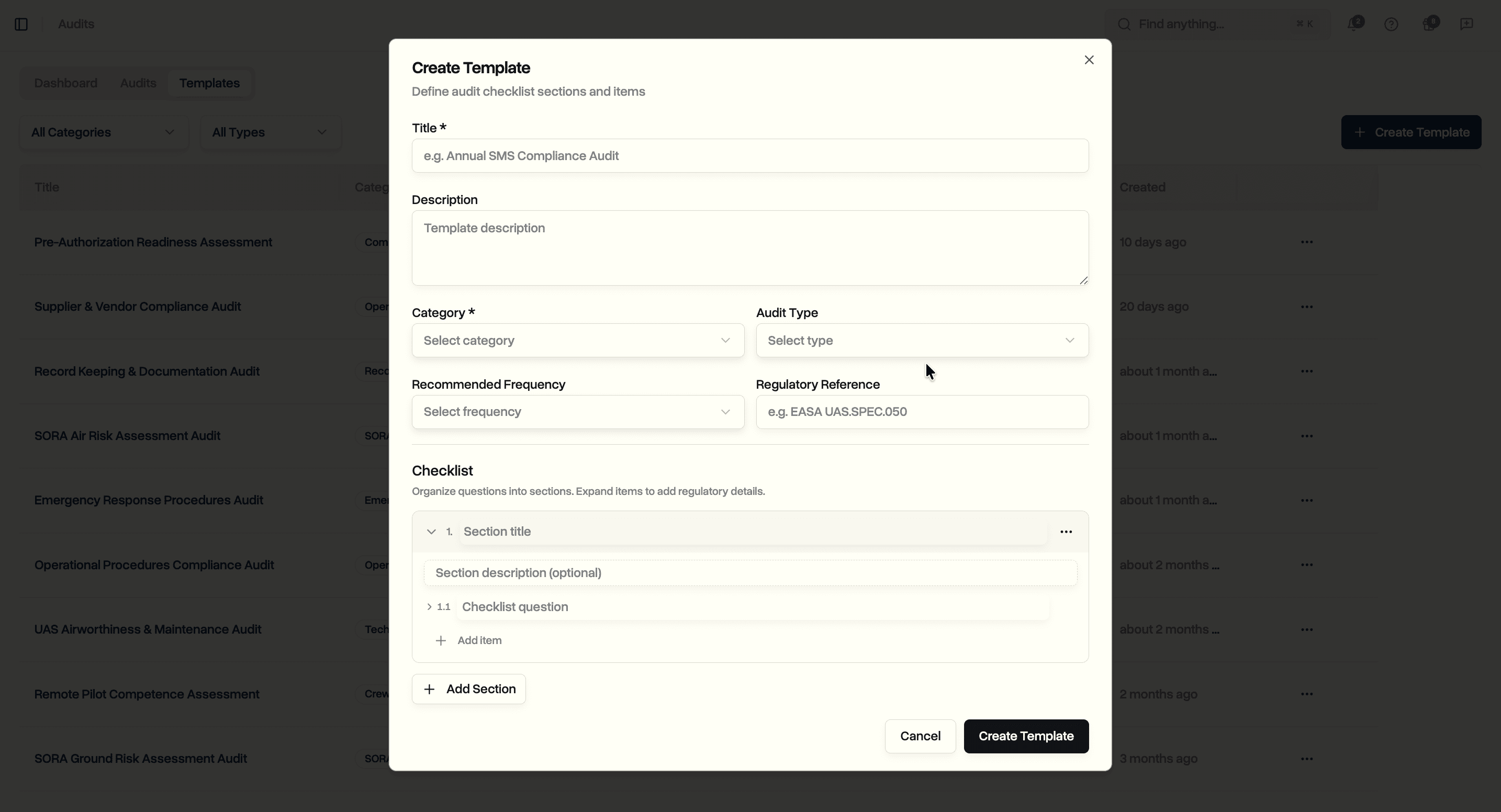
Each checklist item supports:
- Question. The audit question to assess
- Regulatory clause. The specific regulation the question maps to (e.g. AMC1 UAS.SPEC.050(1)(a))
- Expected evidence. What documentation or records the auditor should look for
- Guidance notes. Instructions for the auditor on how to assess the item
- Critical flag. Marks items where a non-conformity should trigger a major finding
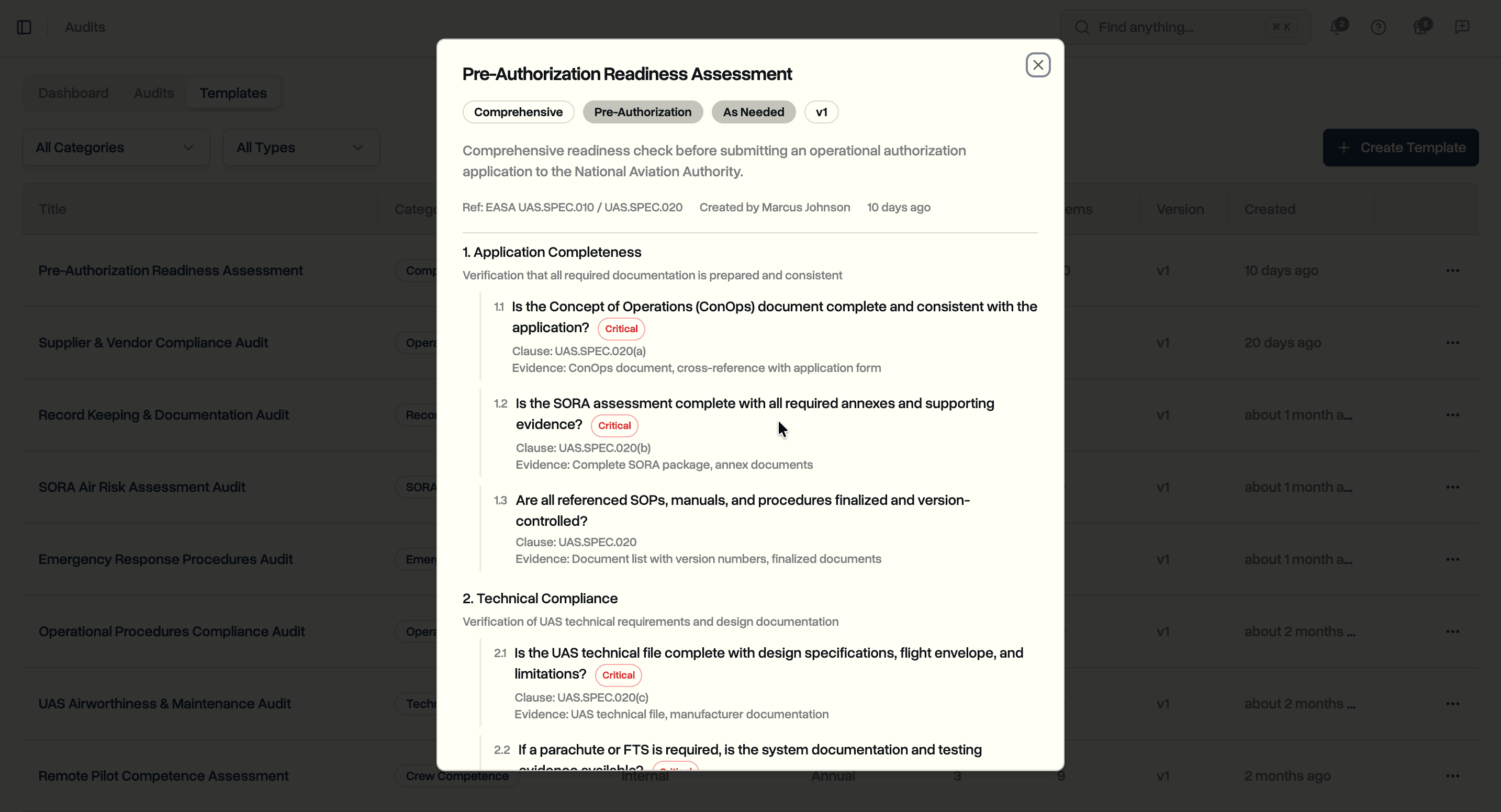
Expand any item to fill in regulatory details, or leave them collapsed for a quick checklist build. Sections and items can be reordered with drag handles. The template preview shows the complete checklist as the auditor will see it during the audit.
Scheduling Audits
The audits tab lists all scheduled, in-progress, under-review, completed, and cancelled audits. Filter by status or audit type to focus on what needs attention.
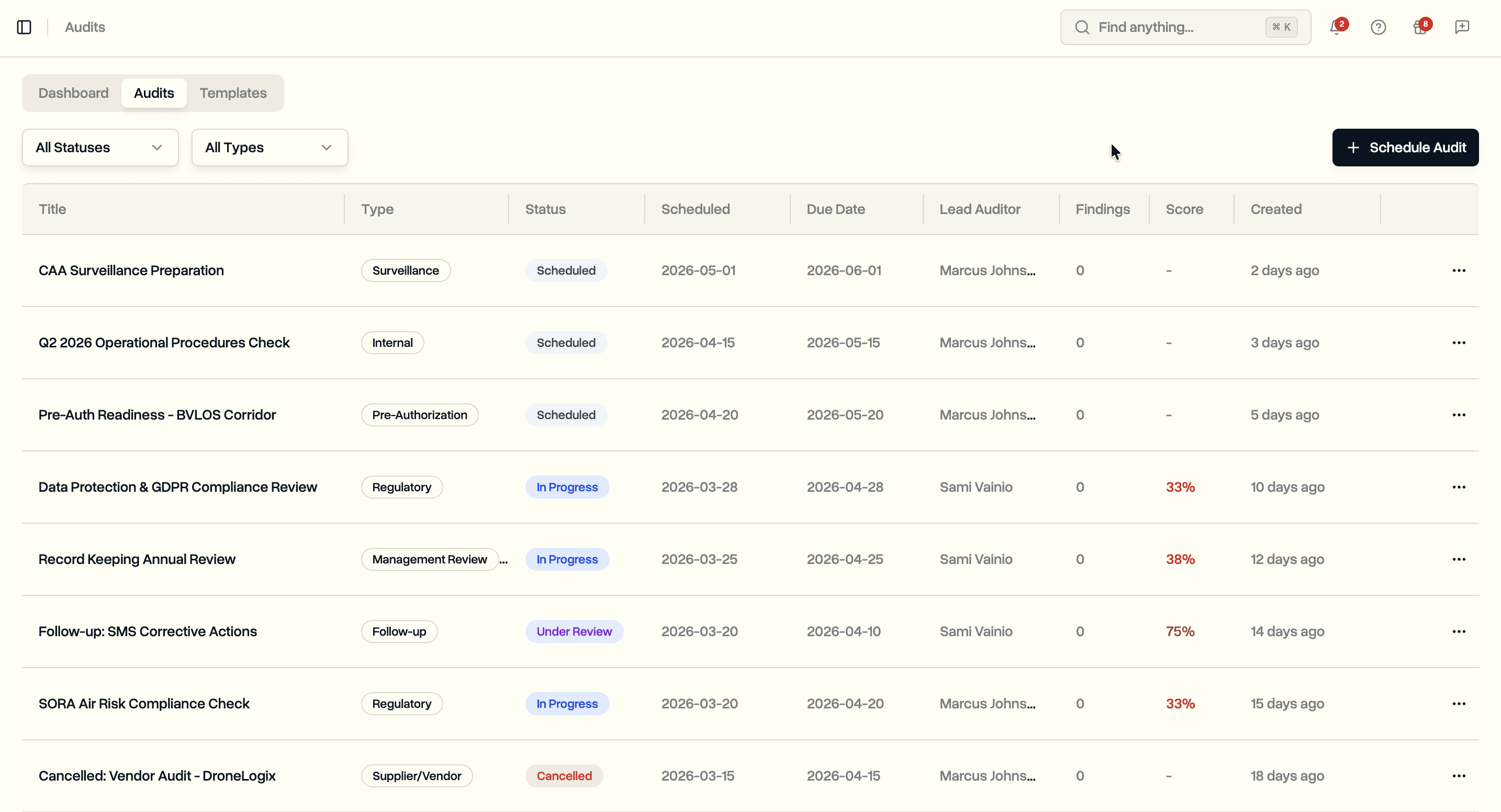
Each row shows the audit title, type, status, scheduled and due dates, lead auditor, number of findings, and compliance score. Overdue audits (past due date and not completed) display the due date in red.
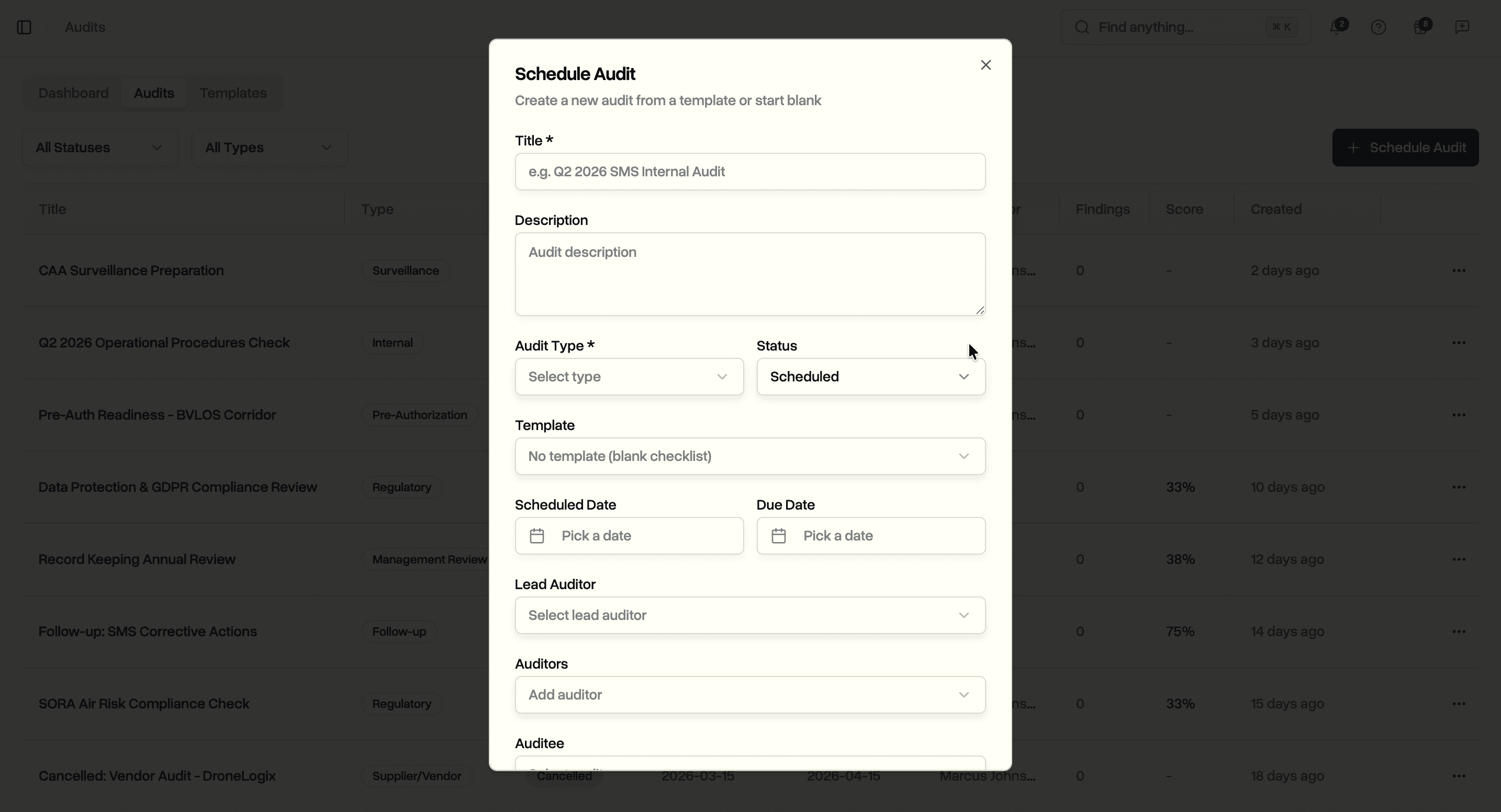
Click Schedule Audit to create a new audit. Select a template to pre-populate the checklist, or build a custom audit from scratch. Assign a lead auditor, additional auditors, and an auditee from your team members. Set the scheduled date, due date, scope, and optionally link the audit to a project or incident.
Running an Audit
Open an audit to see its detail page. The page is organized into audit details, auditor assignments, linked resources, the compliance checklist, and findings.
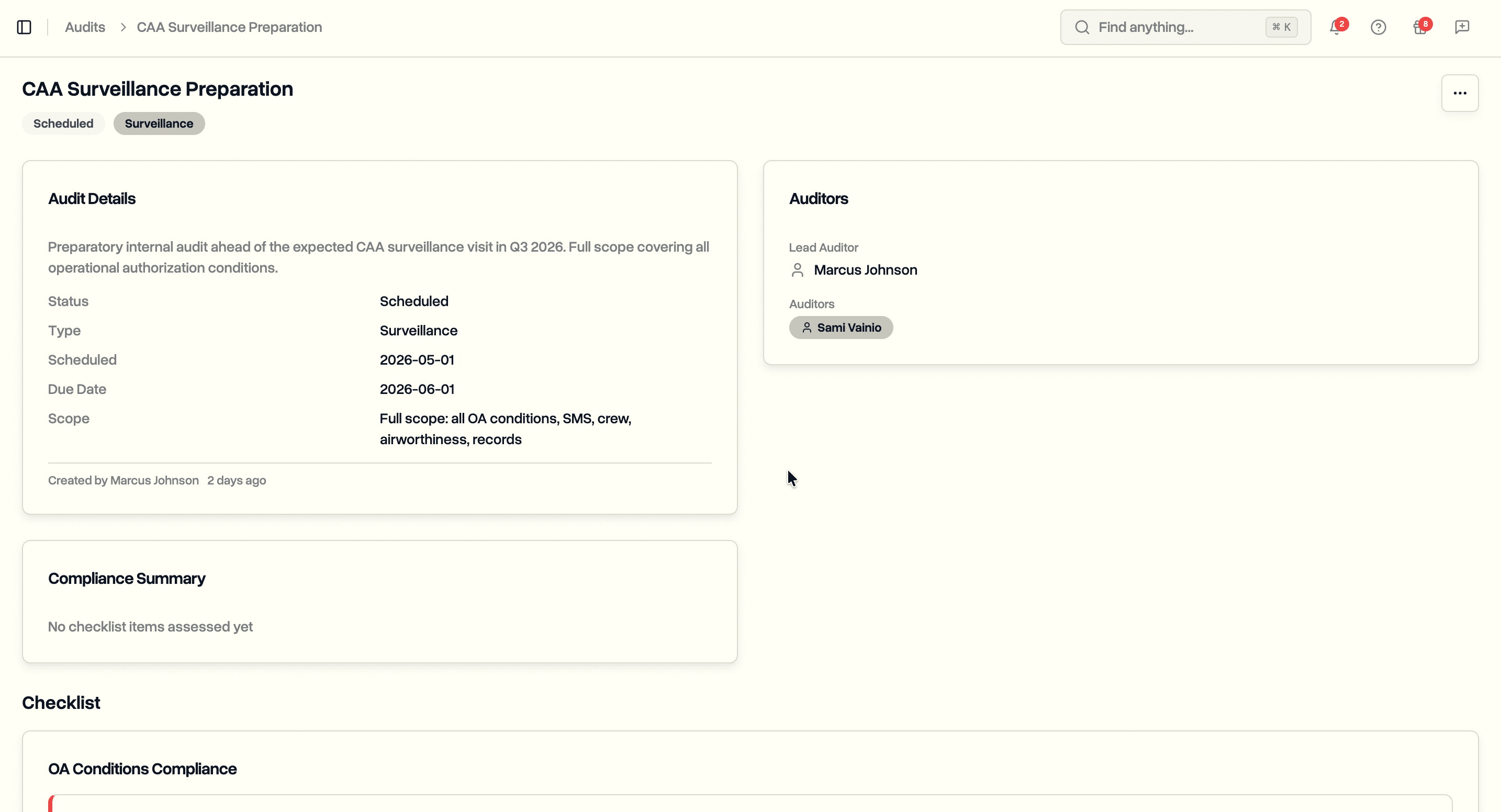
The audit details card shows status, type, scheduled and due dates, scope, description, and creation metadata. A compliance score badge updates in real time as checklist items are assessed. The auditors card lists the lead auditor, additional auditors, and auditee.
Compliance Checklist
The checklist section displays all sections and items from the template. During an in-progress audit, auditors assess each item by selecting a response.
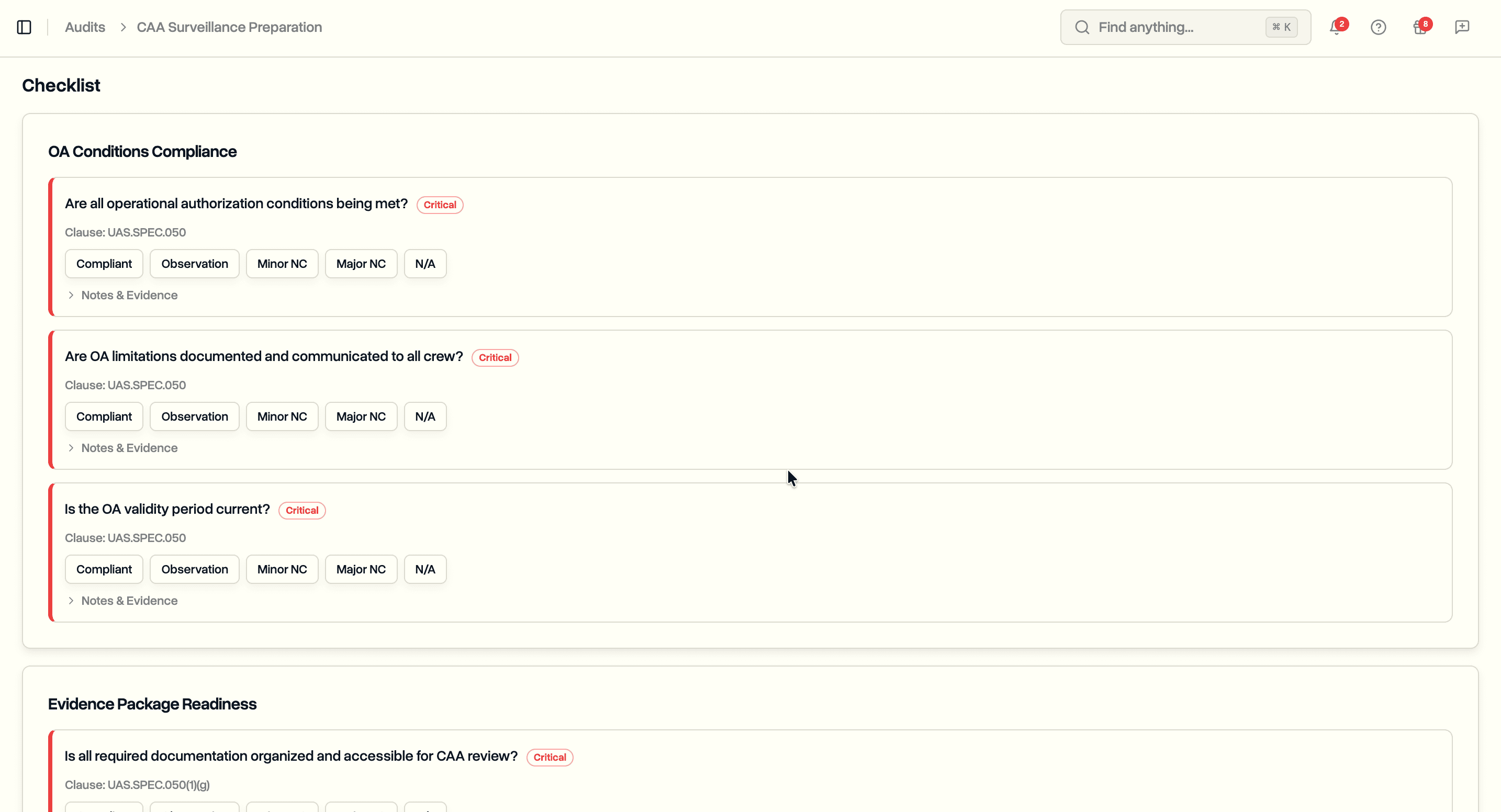
Five response options follow standard audit terminology:
- Compliant. Requirement is fully met
- Observation. Minor gap that does not constitute a non-conformity
- Minor Non-Conformity. Requirement partially met or documentation gap
- Major Non-Conformity. Requirement not met, posing a safety concern
- Not Applicable. Item does not apply to this operation
Each item also has fields for auditor notes and evidence notes. The regulatory clause from the template appears alongside each question for reference. Critical items are flagged so auditors know which non-conformities should be escalated.
Findings and Corrective Actions
When a checklist item reveals a problem, log it as a finding. Findings capture the issue, classify it, trace it to a root cause, and track resolution through corrective actions.
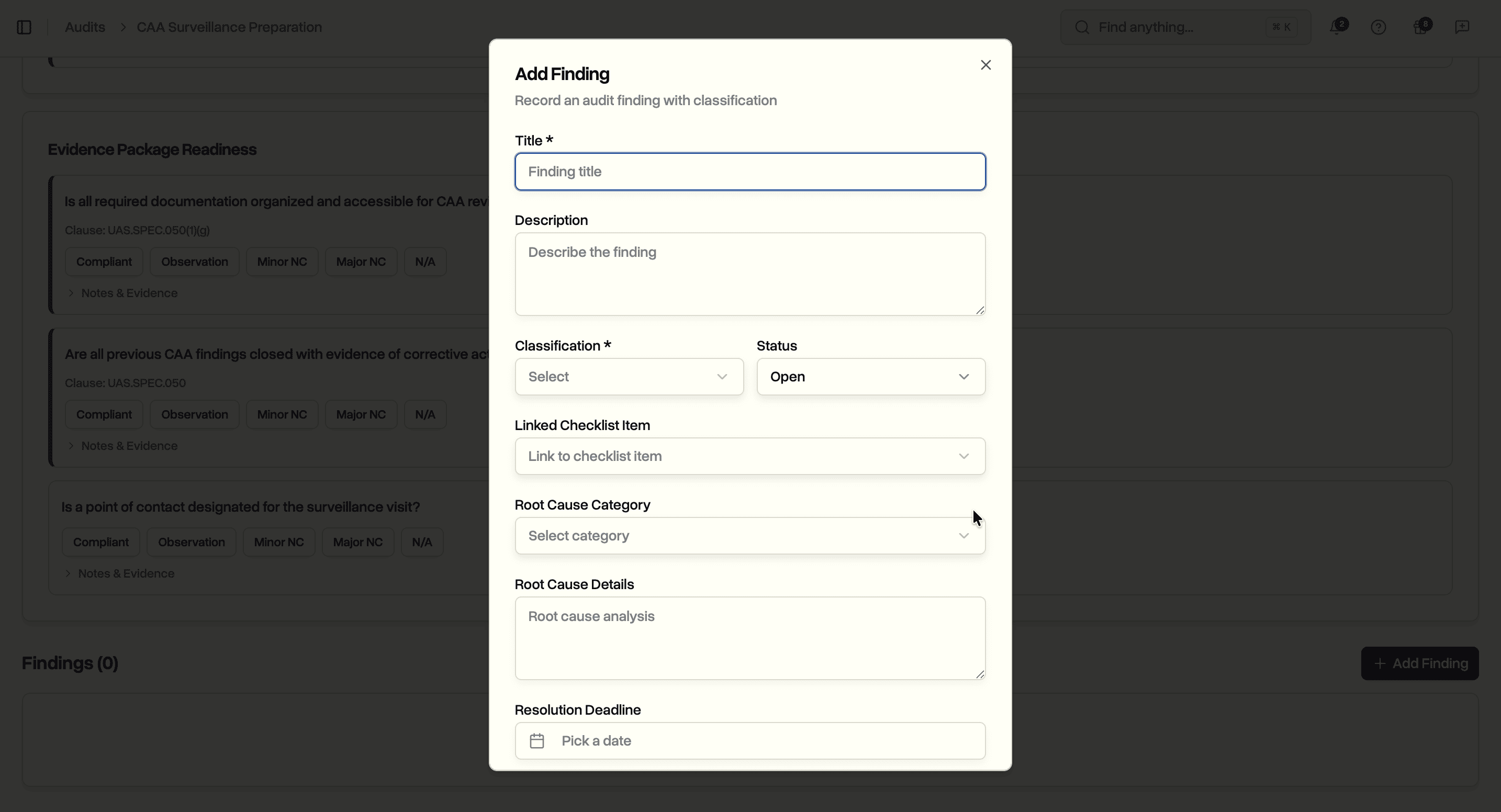
Click Add Finding to create a finding linked to the audit. Each finding includes:
- Title and description. What was found
- Classification. Major Non-Conformity, Minor Non-Conformity, Observation, or Opportunity for Improvement
- Root cause and category. Why it happened (Human Factors, Equipment Malfunction, Environmental, Organizational, Procedural, Software, External, Documentation, Training, or Unknown)
- Status. Open, In Progress, Resolved, Verified, or Closed
- Resolution deadline. Target date for resolution
- Checklist item link. Which checklist question triggered the finding
- Risk and incident links. Connect findings to entries in your risk register or incident reports
Corrective Actions
Each finding can have multiple corrective actions. The structure matches the corrective action tracking used in incident reporting and risk mitigation, so the workflow is consistent across all safety modules.
Each corrective action tracks:
- Description. What needs to be done
- Action type. Corrective, Preventive, Detective, or Containment
- Priority. Low, Medium, High, or Critical
- Assignee. Team member responsible
- Deadline. Target completion date
- Status. Pending, In Progress, or Completed
- Verification method. How to confirm the action was effective
- Effectiveness. Not Assessed, Effective, Partially Effective, or Ineffective
- Notes. Progress updates
Actions appear on the finding card as a timeline sorted by status. The dashboard counts overdue actions so nothing gets forgotten.
Compliance Scoring
As auditors work through the checklist, the compliance score calculates automatically. The formula counts compliant items as a percentage of all assessable items (total items minus those marked Not Applicable).
An audit with 20 checklist items where 15 are compliant, 2 are observations, 1 is a minor non-conformity, and 2 are not applicable scores 83% (15 out of 18 assessable items). The score updates live as responses are recorded.
Completed audits feed into the dashboard's compliance trend chart. Over multiple audit cycles, you build a documented history of your compliance posture. This is exactly the kind of evidence CAA surveillance visits look for: a pattern of self-assessment, identified issues, and corrective action.
Use Cases
Safety managers running a formal SMS audit programme. Build templates for each SMS element. Schedule audits at the recommended frequency. Track compliance scores over time and demonstrate continuous improvement to regulators.
Compliance officers preparing for CAA or EASA oversight. Run a pre-authorization readiness assessment before submitting an operational authorization application. Use the checklist to verify every requirement is met and every document is in place.
Operations leads managing BVLOS operations. Schedule SORA compliance audits to verify ground risk and air risk assessments remain valid. Flag stale population density data or outdated aircraft parameters before they become regulatory findings.
Quality managers auditing suppliers and vendors. Use supplier audit templates to verify subcontractor authorizations, insurance, and safety performance. Document contractual compliance with structured checklists.
Post-incident investigators conducting follow-up audits. After an incident, schedule a targeted audit to verify that procedures were followed and preventive measures are in place. Link audit findings directly to the incident record and risk register entries.
Availability
Audit scheduling is available now on the Enterprise plan. All workspace members with the appropriate permissions can create templates, schedule audits, run checklists, and manage findings and corrective actions.
Start your free trial to try audit scheduling with full Enterprise features for 14 days.
Book a demo to see how DroneBundle handles internal audit management for drone operations.