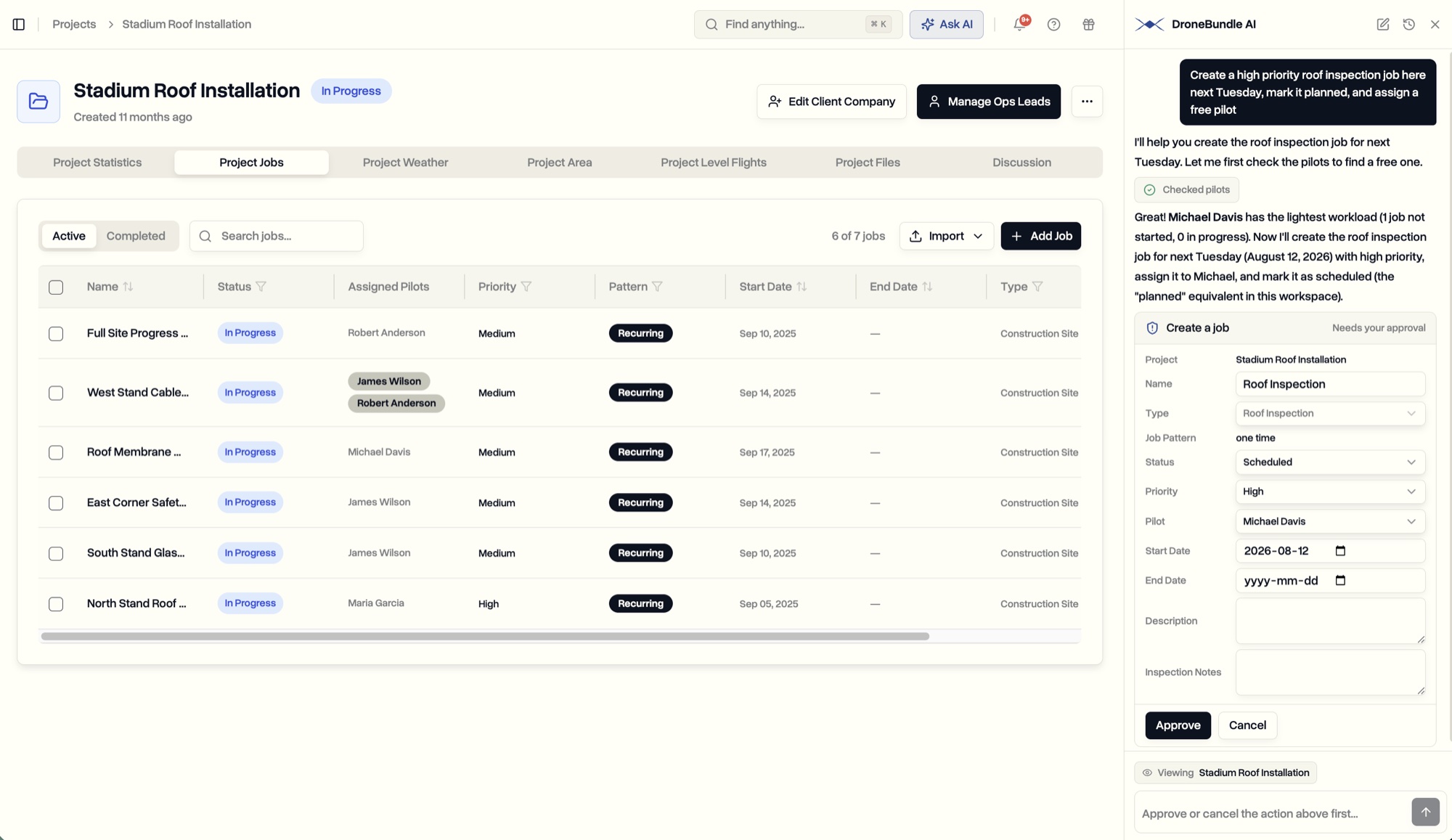
Open the assistant from any page and ask. It reads your whole workspace to answer, and when there is work to do, it proposes it as a card you approve, edit, or cancel. Create a job, assign a pilot, move a status, without leaving the page you were on.
DroneBundle already connects to Claude and ChatGPT, so you can ask about your operation from an assistant you use elsewhere. That connection reads and nothing more, and it lives in another window. It answers a question well. It cannot do anything about the answer.
DroneBundle AI is the other half of that idea. It sits inside the dashboard, one keystroke away on every page, and it reads the same workspace you do. So any question about jobs, pilots, equipment, or safety has an answer. And when the answer is that somebody needs to create that job, book that pilot, or move that project along, it does the work and hands you a card to approve.
Ask From Any Page
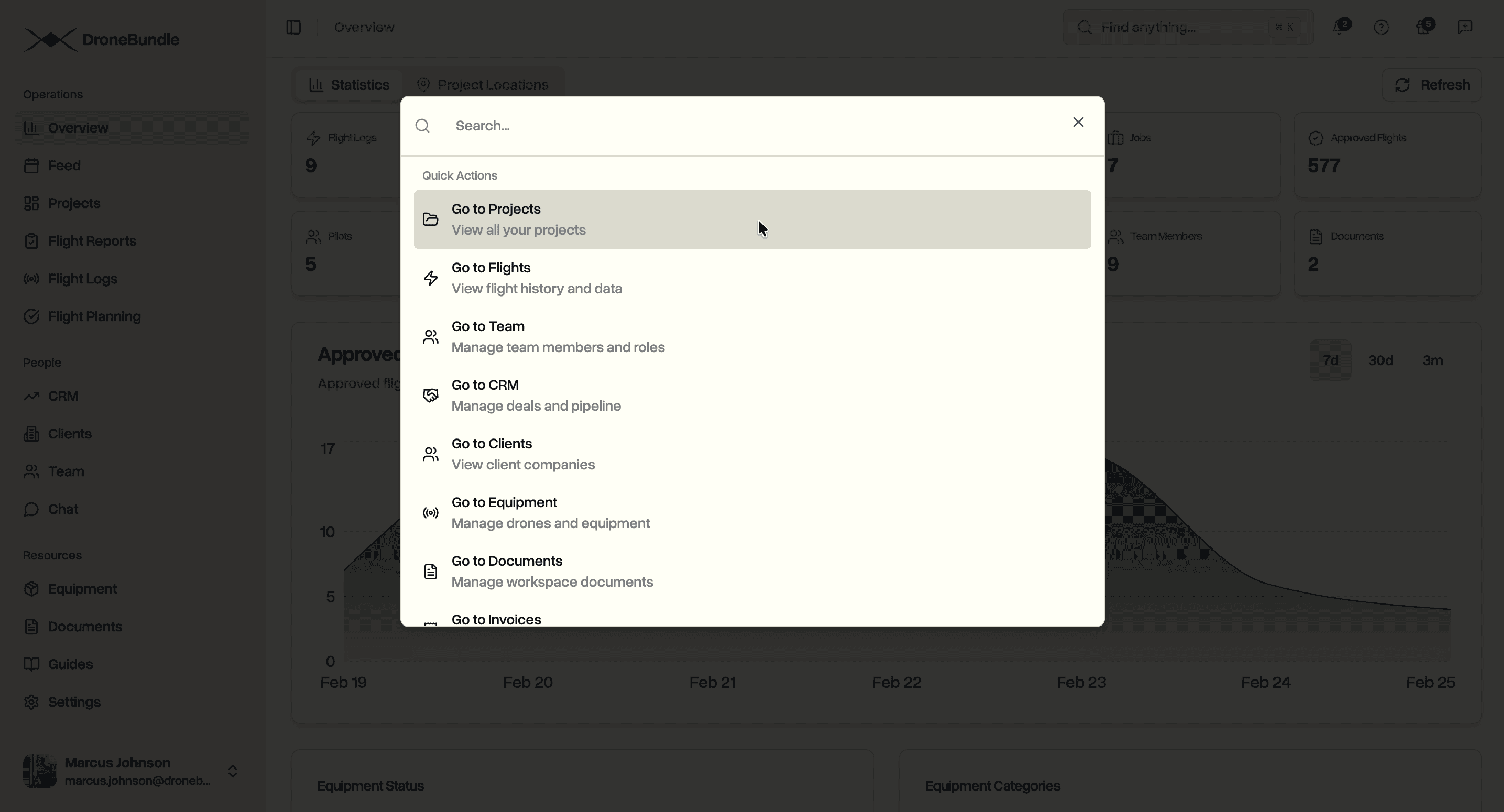
Press ⌘J, or Ctrl+J on Windows, and a panel opens beside whatever you were doing. The page you were on stays exactly where it is. There is also an Ask AI button in the top bar if you would rather click.
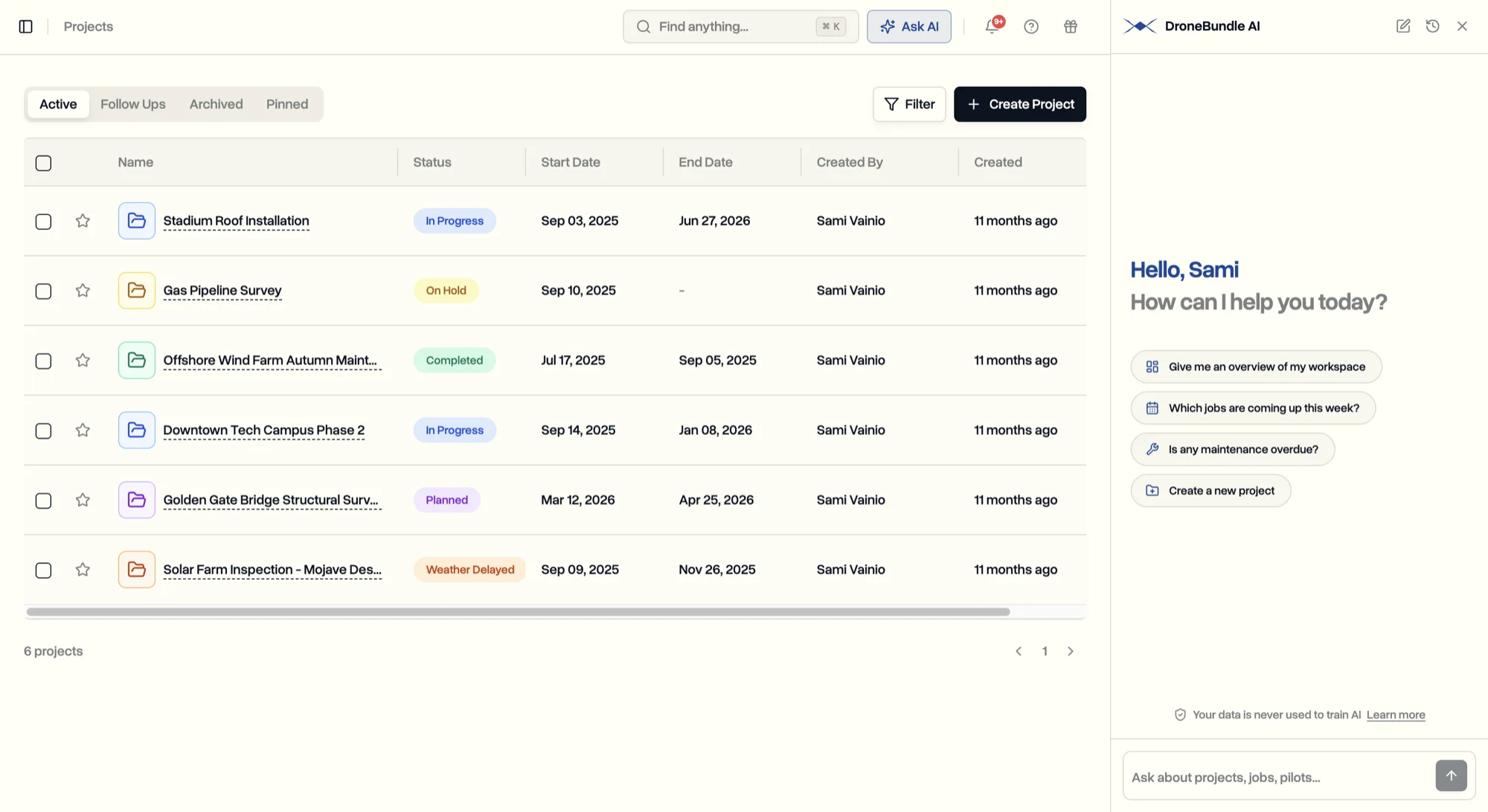
It can look across projects and jobs, flights and the ones waiting for approval, project discussions, pilots and what they are assigned to, clients, equipment and who is holding it, maintenance, your risk register, incidents and audits, invoices, documents and their expiry dates, the files attached to projects and jobs, the weather at a job site, and your sales pipeline. Because it can pull from several of those at once, one question can span the whole operation:
- "Which jobs are overdue, and who is assigned to them?"
- "Which jobs next week still need a pilot?"
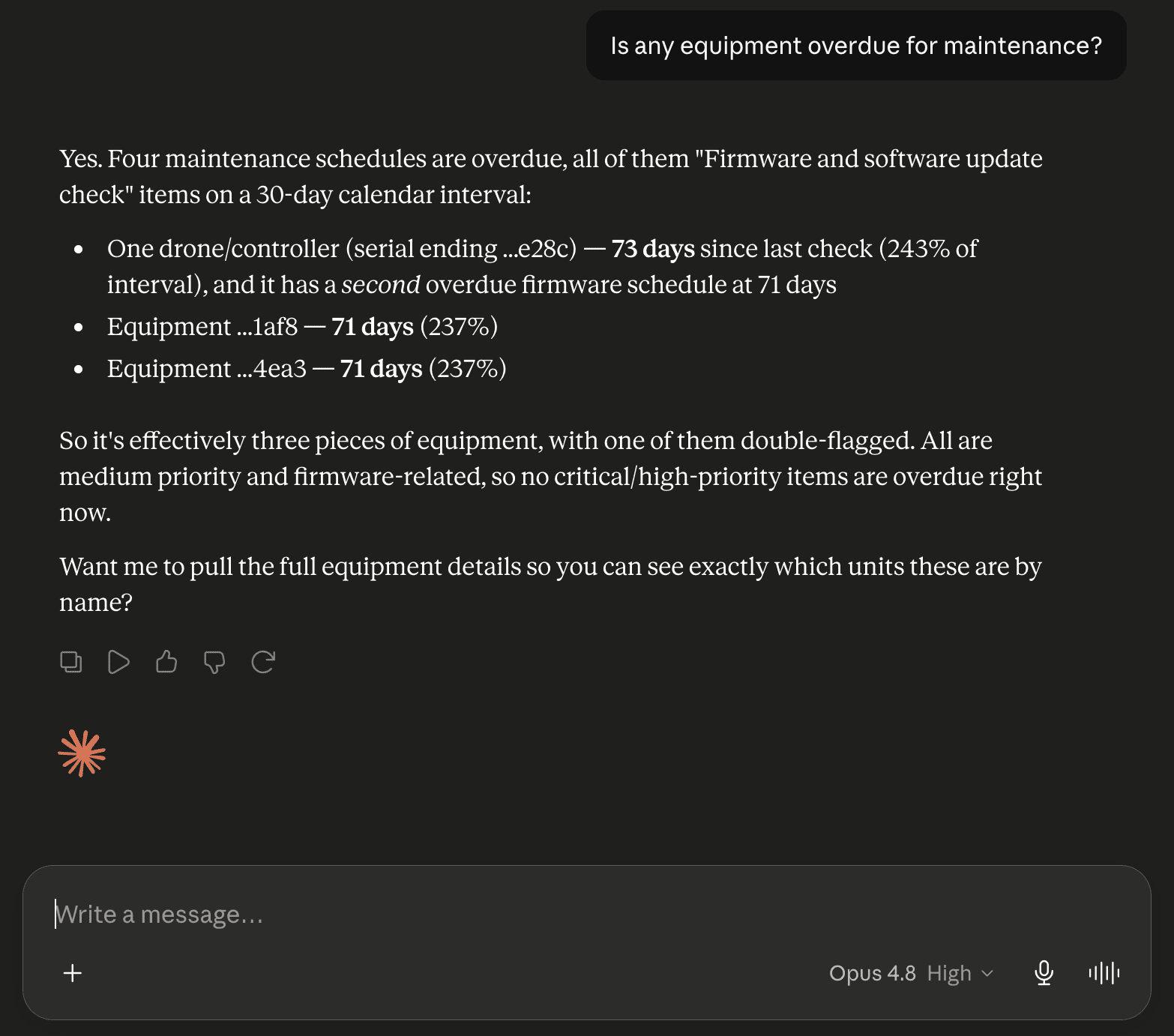
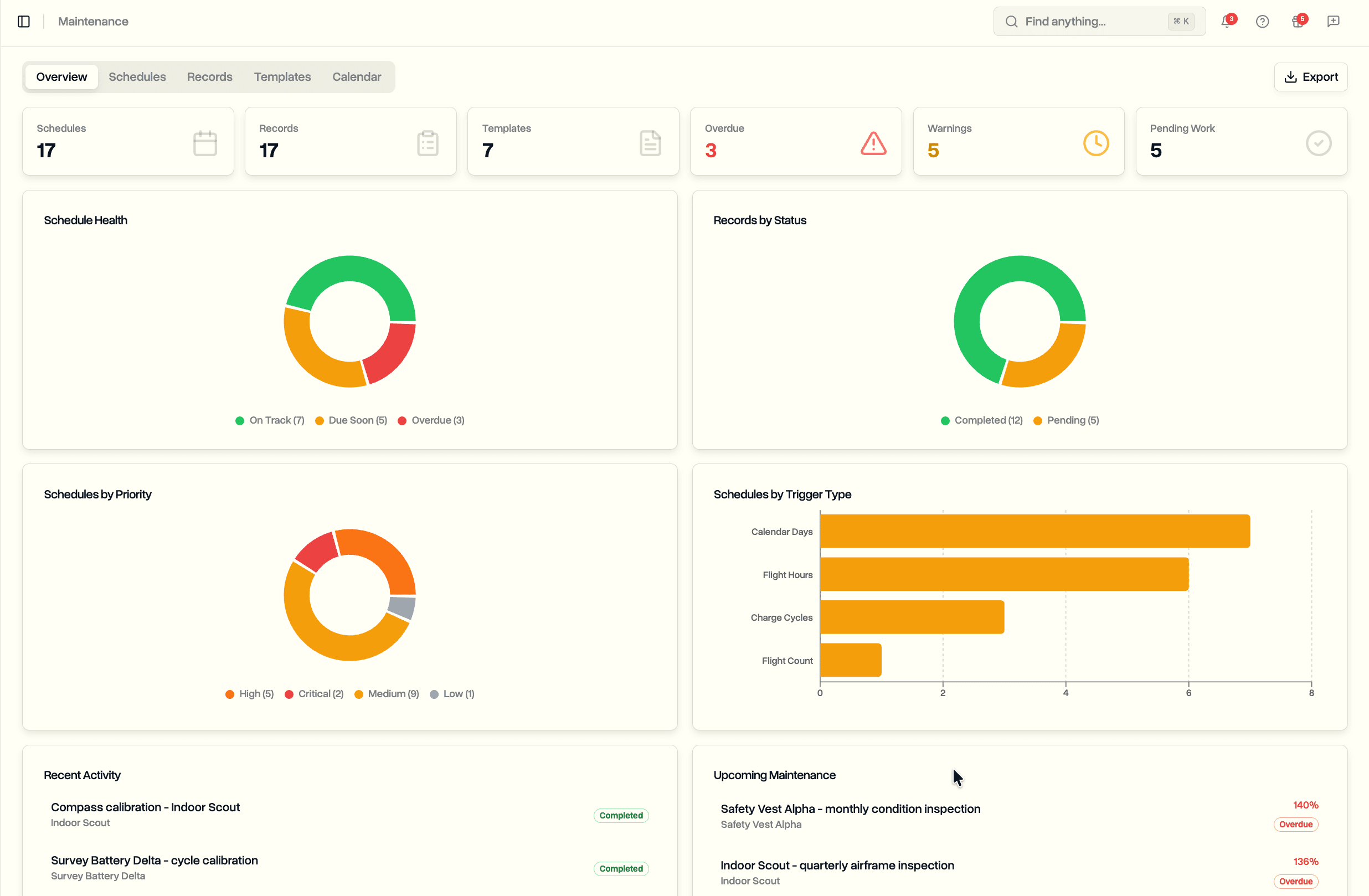
- "Is any equipment overdue for service?"
- "Which documents have expired, and what runs out in the next 90 days?"
- "What is the weather looking like for Thursday's survey?"
- "Summarize this project for me."
Answers come back as plain sentences and tables, not a wall of records. Ask for something with fifty results and you get the count and the ones that matter, then you narrow it down the way you would in any conversation.
It Knows What You Are Looking At
Most questions you have while working are about the thing on your screen. So the assistant reads the page you have open. A small "Viewing" tag above the message box tells you which one, by name, so there is never a guess about what "this" refers to.
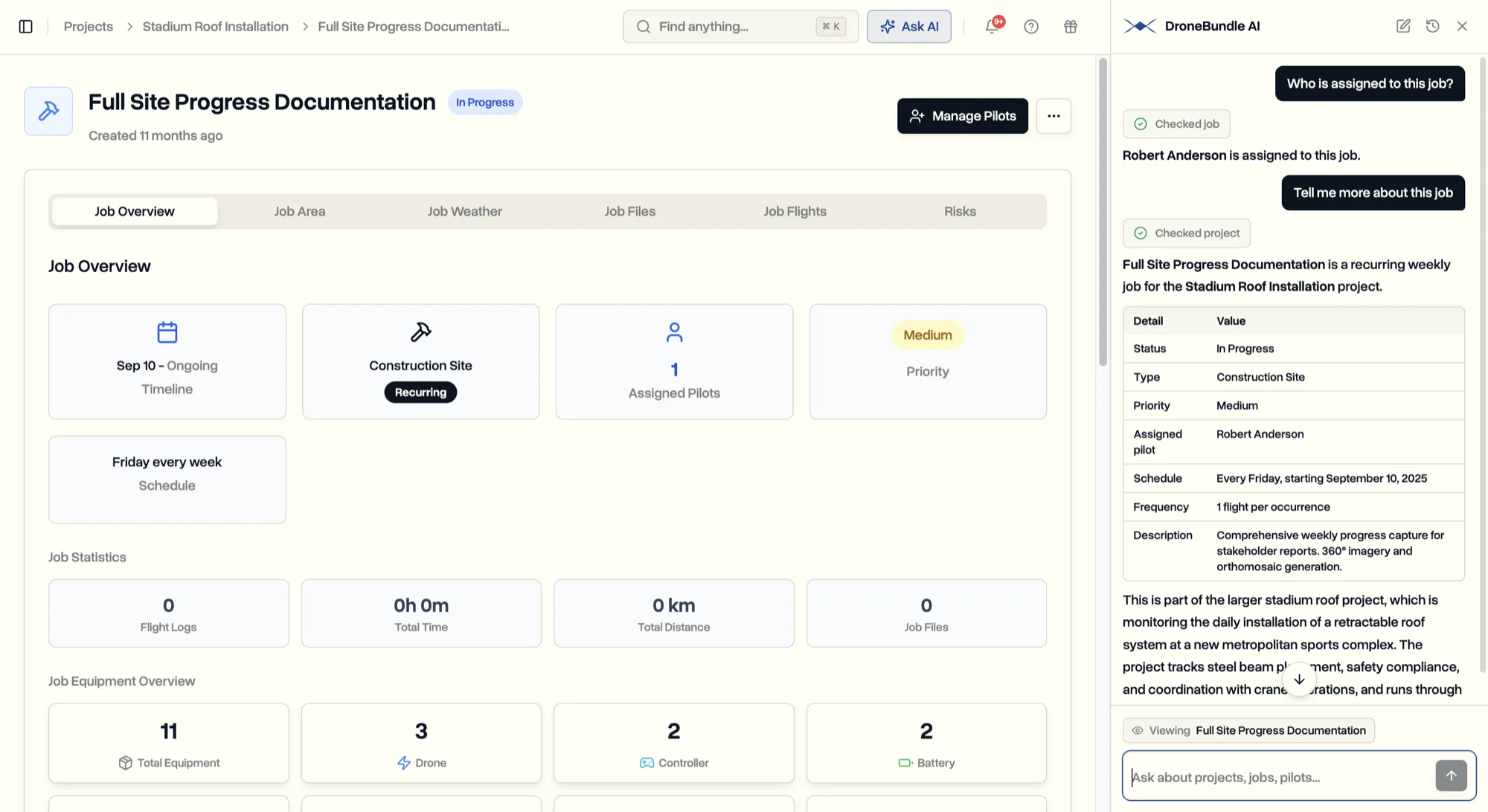
Open a job and ask "who is on this?" and it answers about that job. Open a project and say "create a job here next Tuesday" and it knows the project without you naming it. The suggestions in an empty chat change with the page too: on an equipment page it offers to check whether service is due, on the flight approvals queue it offers to show what is waiting.
When you are on a list page, it says so rather than picking an item for you. A page full of jobs does not point at one job, and inventing which one you meant would be worse than asking.
Work Gets Proposed, Not Discussed
Here is the part that separates this from a chat window. When you ask for something to be done, the assistant does not reply with a list of questions. It works out what it can from what you said, from the page you are on, and from your workspace, then proposes the finished thing.
Ask for a high priority roof inspection in a project next Tuesday and it comes back with a card: the project, a job name, the job type, the status, the priority, the pilot, the dates. It picked that pilot by checking who had the lightest workload. Nothing has happened yet. The card is the moment where it becomes real.
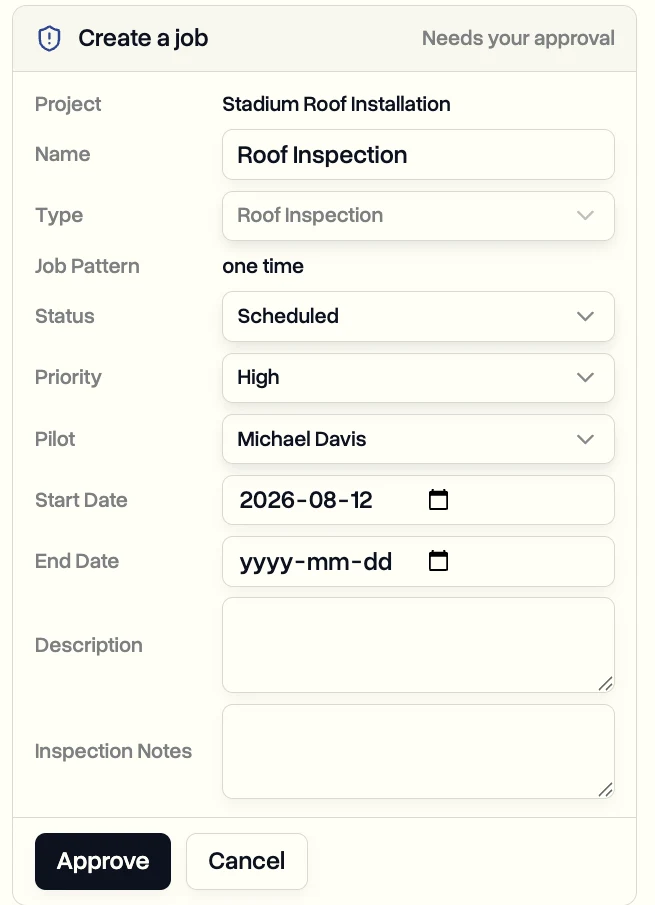
Every field on it is yours to change before you agree. Wrong job type, wrong pilot, a date a day out, a name you would rather write yourself: fix it on the card and approve. Cancel and nothing is written at all. A guess it got wrong costs you one click, which is why proposing beats asking, and why you will never see it reply with "shall I go ahead?".
Once you approve, it runs and confirms in a sentence, with a link straight to what it made. What it can do for you:
- Create a project, or a job inside one, including recurring jobs
- Assign pilots to a job
- Change a project's or a job's status
- Edit a job's details, dates, priority, and the notes the pilot sees
- Approve or reject a flight waiting in the review queue
- Report a safety incident
- Add a risk to the register
Everything else it does is reading. There is no action it can take that you did not see on a card first, and there is no way for a question to change your records by accident.
It Speaks Your Workspace, Not the Database
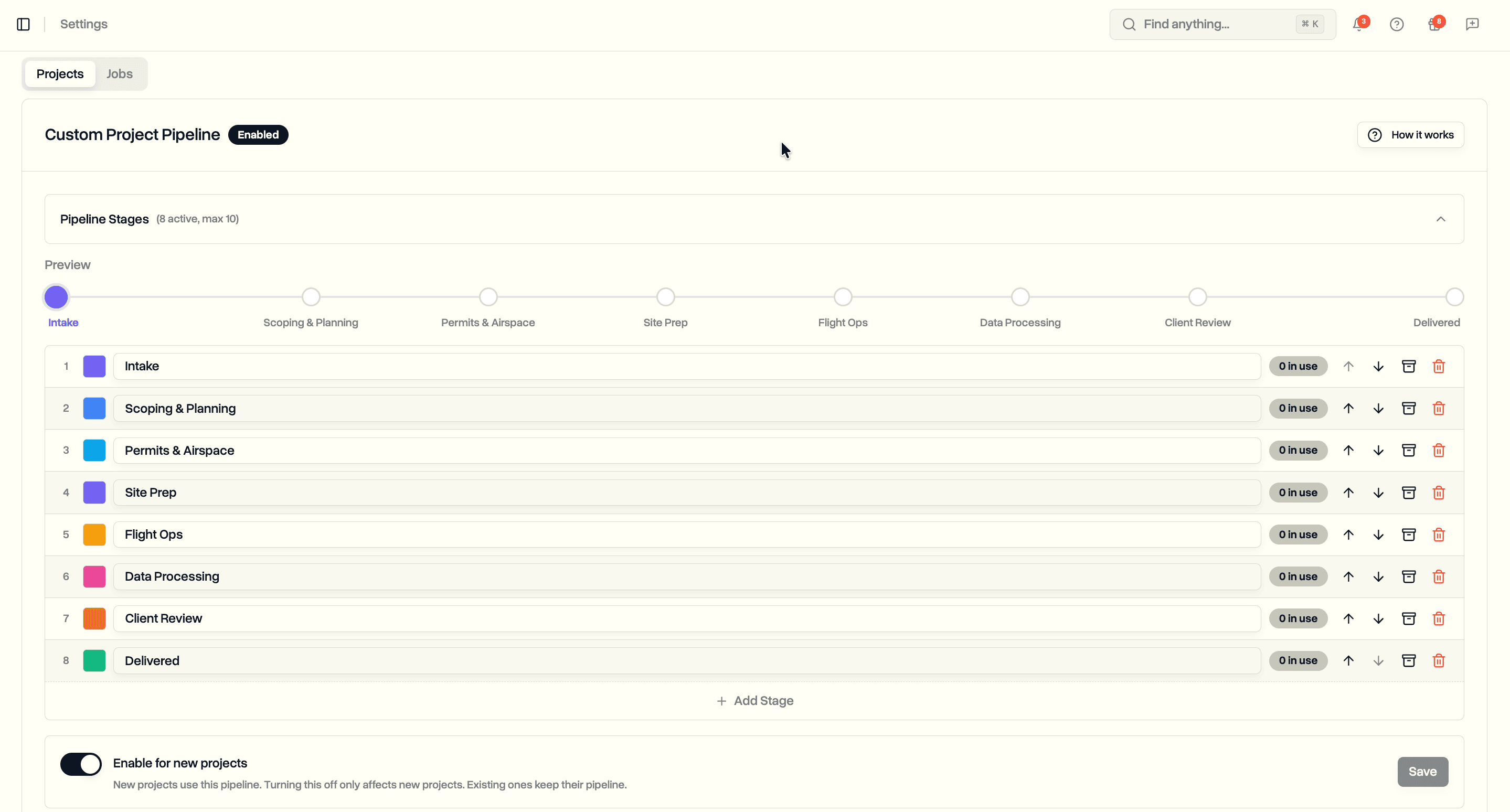
If you have set up your own status pipeline, the assistant uses your stage names, both when it talks to you and when it fills a card. Same for your job types and your team's names. It will not show you an internal code or a long reference number, and it will not offer you a status your workspace does not have.
It also understands the parts of DroneBundle that are not obvious from a list. Work you have moved into follow ups is on hold rather than gone, so it looks there when something seems missing. A flight sitting in the review queue is waiting on a person, not stuck. That context is the difference between an assistant that reads your data and one that understands how you run.
Conversations Keep Their Place
Every chat is saved. The history menu at the top of the panel holds your previous conversations, named after what you asked, so you can reopen the one from Tuesday about the overdue jobs and carry on. Start a fresh one whenever the subject changes, and delete any you no longer want.
Close the panel and the conversation waits. Move to another page, come back, and it is still there, now reading the new page you are on.
Where Your Data Goes
The assistant runs on European servers, in the same place your DroneBundle data already lives. Your questions and your records never leave the EU to be answered, so DroneBundle AI is GDPR compliant on the same terms as the rest of the platform. Adding an assistant does not open a new front for your security team to review.
Nothing you type, and nothing stored in your workspace, is used to train AI, and nothing is shared with anyone else. It reads only what it needs to answer the question in front of it, and it asks before it changes anything. Alongside Data Ownership, which keeps a copy of your files in storage you control, that is the same principle applied to the AI layer: your operation's data stays your operation's data.
Use Cases
The Monday morning rundown. Open the assistant and ask what is coming up this week, what is overdue, and what still needs a pilot. Three questions and you have the shape of the week, without opening four pages and setting filters on each.
Booking work as it lands. A client rings with a job for next Thursday. Say it in the panel while you are still on the phone, check the card, approve. The job exists, the pilot is on it, and you never opened a form.
Clearing the approvals queue. Ask which flights are waiting, look at the ones you care about, and approve or reject them from the same conversation, instead of moving between the queue and each flight's page.
Capturing something before it is forgotten. A pilot mentions a near miss at the end of a call. Report it as an incident in one sentence while it is fresh, and it lands in your safety records properly filled in rather than as a note to yourself.
Availability
DroneBundle AI is available now on every plan. There is nothing to switch on, no key to paste, and no setup: open any page and press ⌘J.
Because the assistant can see across the whole workspace and act on it, it is limited to workspace owners and project managers, the same people who already have that view and that authority inside DroneBundle. Everyone else keeps working exactly as before. If you would rather ask from an assistant you already use elsewhere, the read-only Claude and ChatGPT connection is still there, and both can be used side by side.
Start your free trial to open the assistant on your own workspace and create your first job by asking for it.
Book a demo to see how DroneBundle AI runs the routine work of a drone operation with you.