Install our Android app on your DJI Smart Controller and stop manually transferring flight logs. Everything syncs automatically to DroneBundle.
In June 2024, DJI disabled flight record sync for all US operators. The DJI Fly and DJI Pilot 2 apps no longer upload flight logs to DJI's cloud servers for users in the United States. Previously synced data was deleted. US pilots lost automatic backup capability entirely.
Manual flight log transfers create operational bottlenecks for professional drone operations. SD cards need to be physically pulled from controllers, files copied to workstations, and data manually uploaded to management systems. For multi-controller fleets, this process multiplies across every device.
The result: incomplete flight records, compliance gaps, and logs stuck on controllers for days or weeks before they reach your operations system. Controllers get lost or damaged before data extraction, creating permanent gaps in flight documentation.
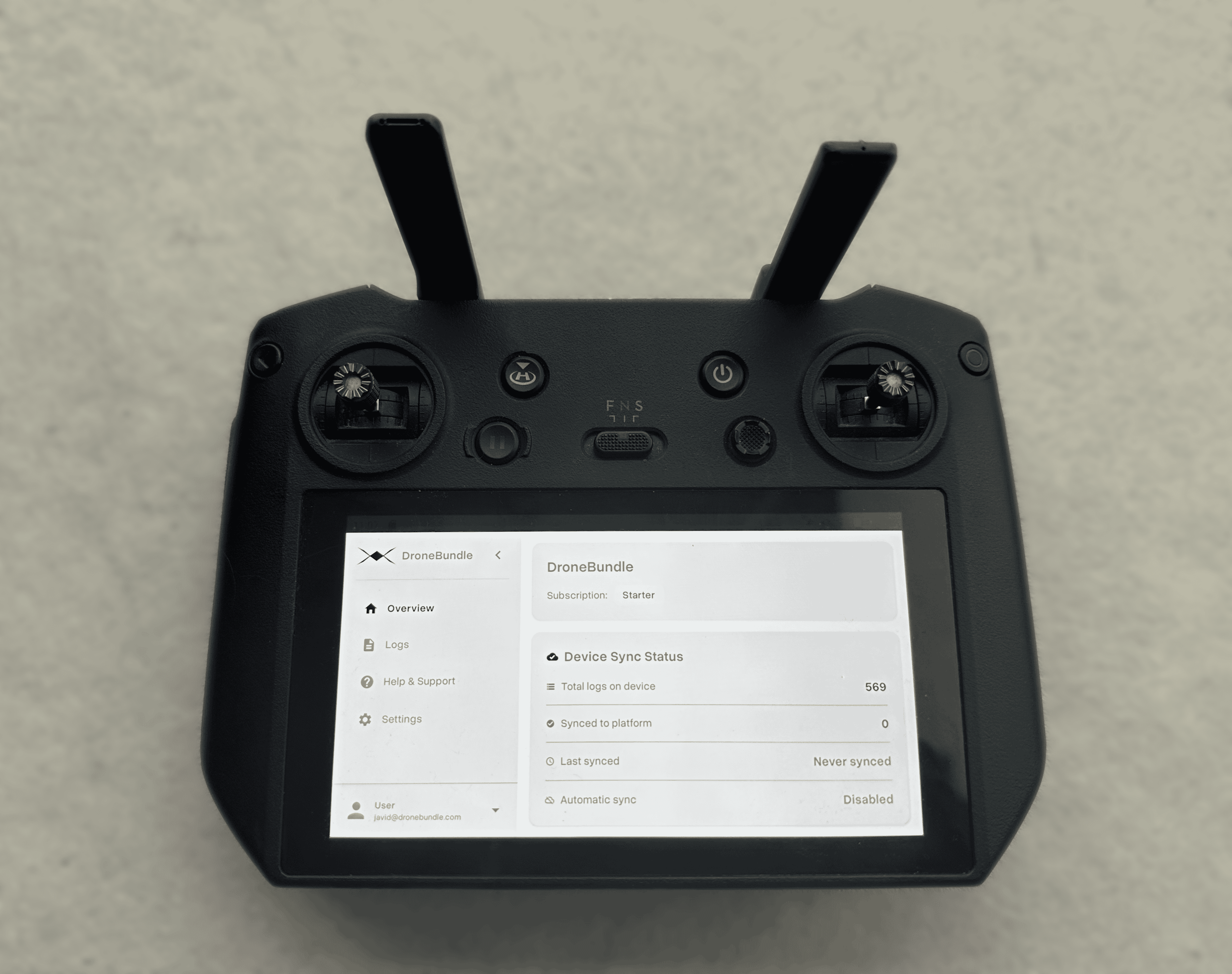
DroneBundle's Android app eliminates manual log transfers entirely and bypasses DJI's servers completely. The app runs directly on DJI Smart Controllers and automatically syncs flight logs to your DroneBundle workspace after every flight.
Available now at dronebundle.com/app.
Why Automatic Log Sync Matters
Traditional flight log management requires physical access to each controller. Operators must navigate device file systems to locate log directories, copy files manually, and upload them to management platforms. This creates several operational problems:
Data fragmentation. Logs remain scattered across multiple controllers until manually consolidated. For multi-controller operations, this multiplies the administrative overhead.
Compliance gaps. Incomplete flight records create issues for compliance tracking and pilot hour logging. Missing logs mean missing proof of flight operations.
Time waste. Manual log transfer consumes operational hours that could be spent on billable work. The process scales poorly as fleet size increases.
How It Works
The DroneBundle Android app runs as a background service on DJI Smart Controllers. After each flight, when the controller connects to a network, the app automatically uploads flight logs directly to your DroneBundle workspace. No DJI servers involved.
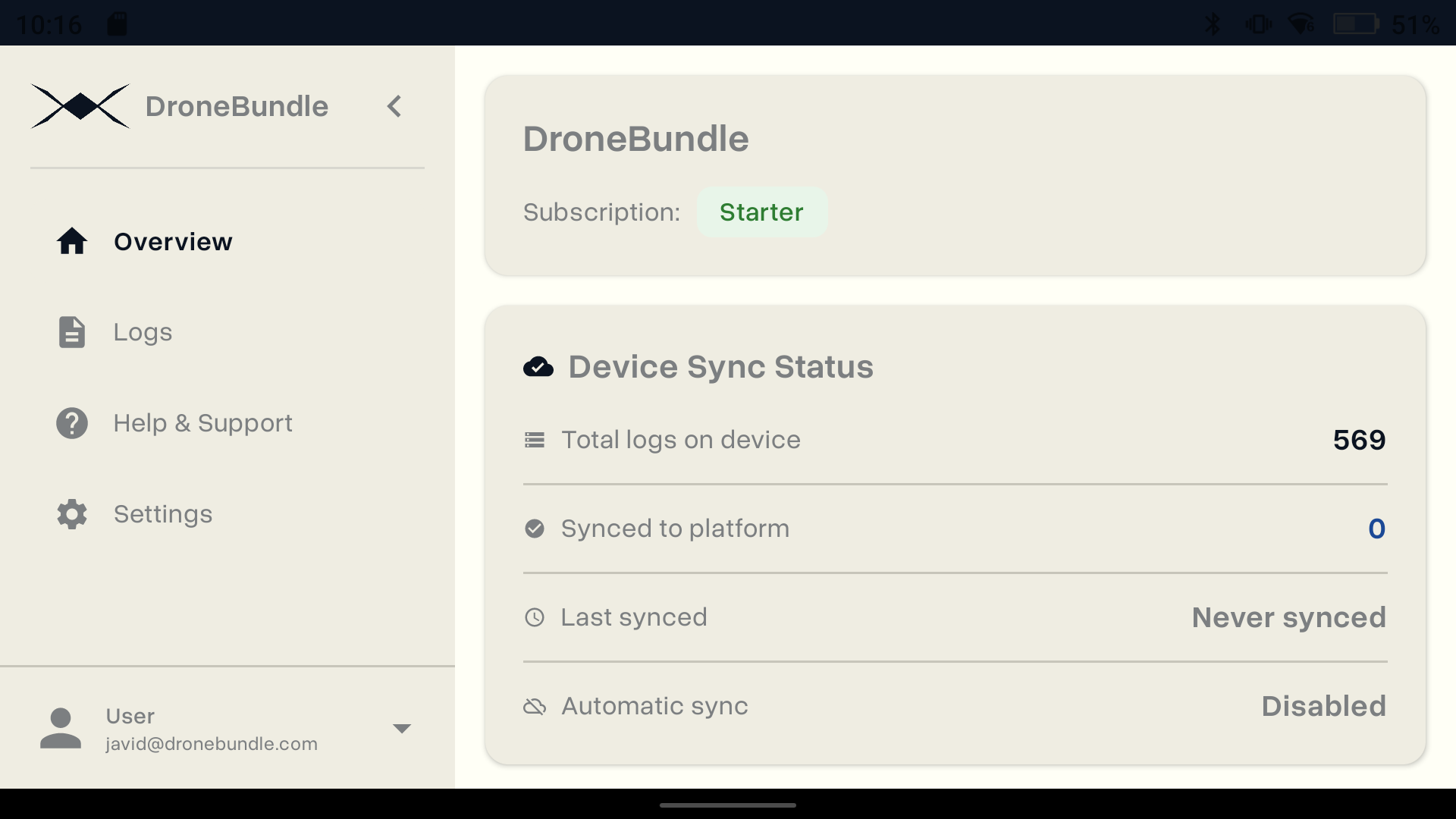
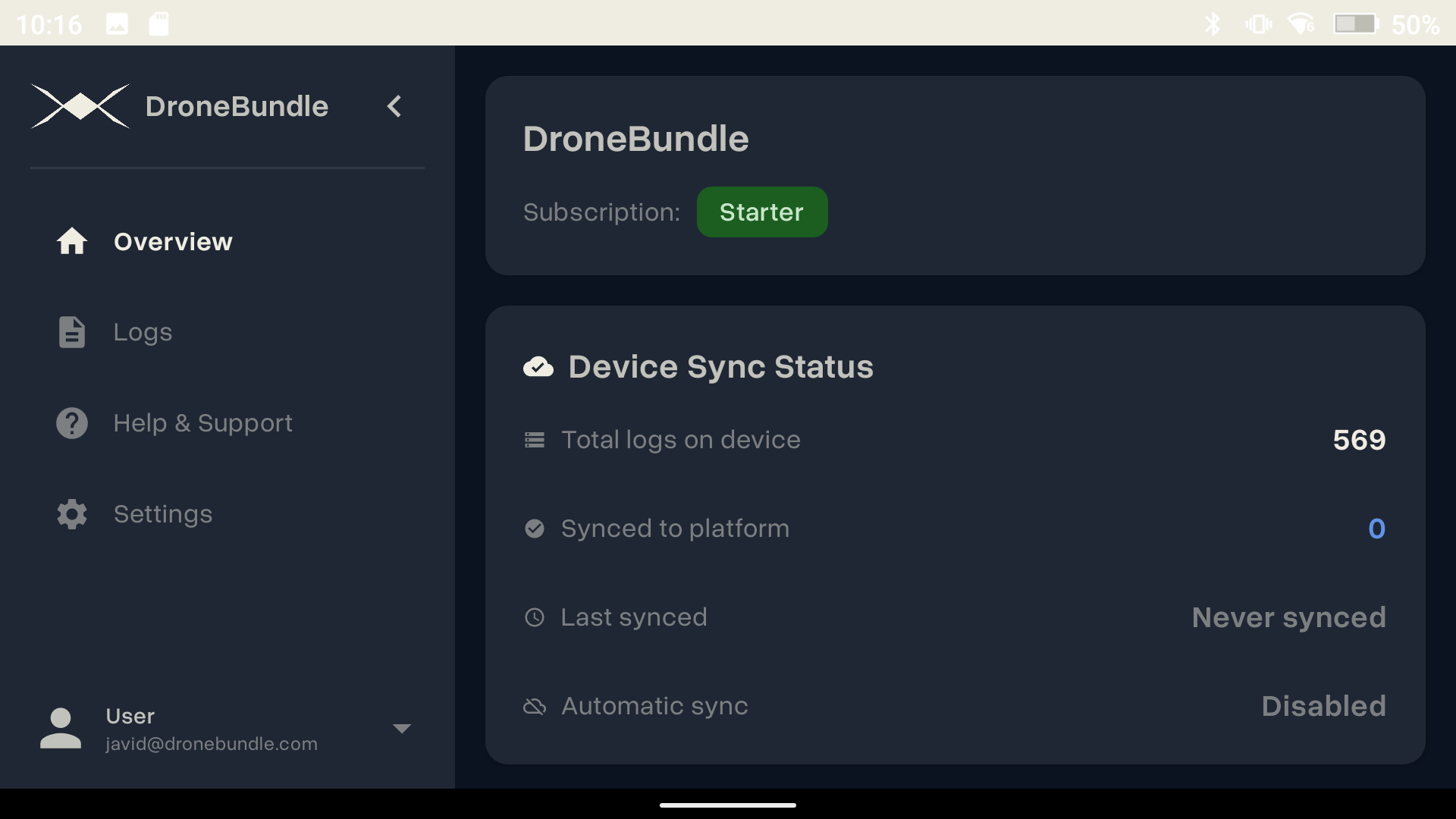
The app includes both light and dark themes that automatically adjust to your device settings.
Automatic Path Discovery. The app scans more than 60 different file system paths across DJI consumer, enterprise, and agricultural controller variants. It locates logs from DJI Pilot, DJI Fly, DJI GO 4, DroneDeploy, and other DJI-compatible applications without manual configuration.
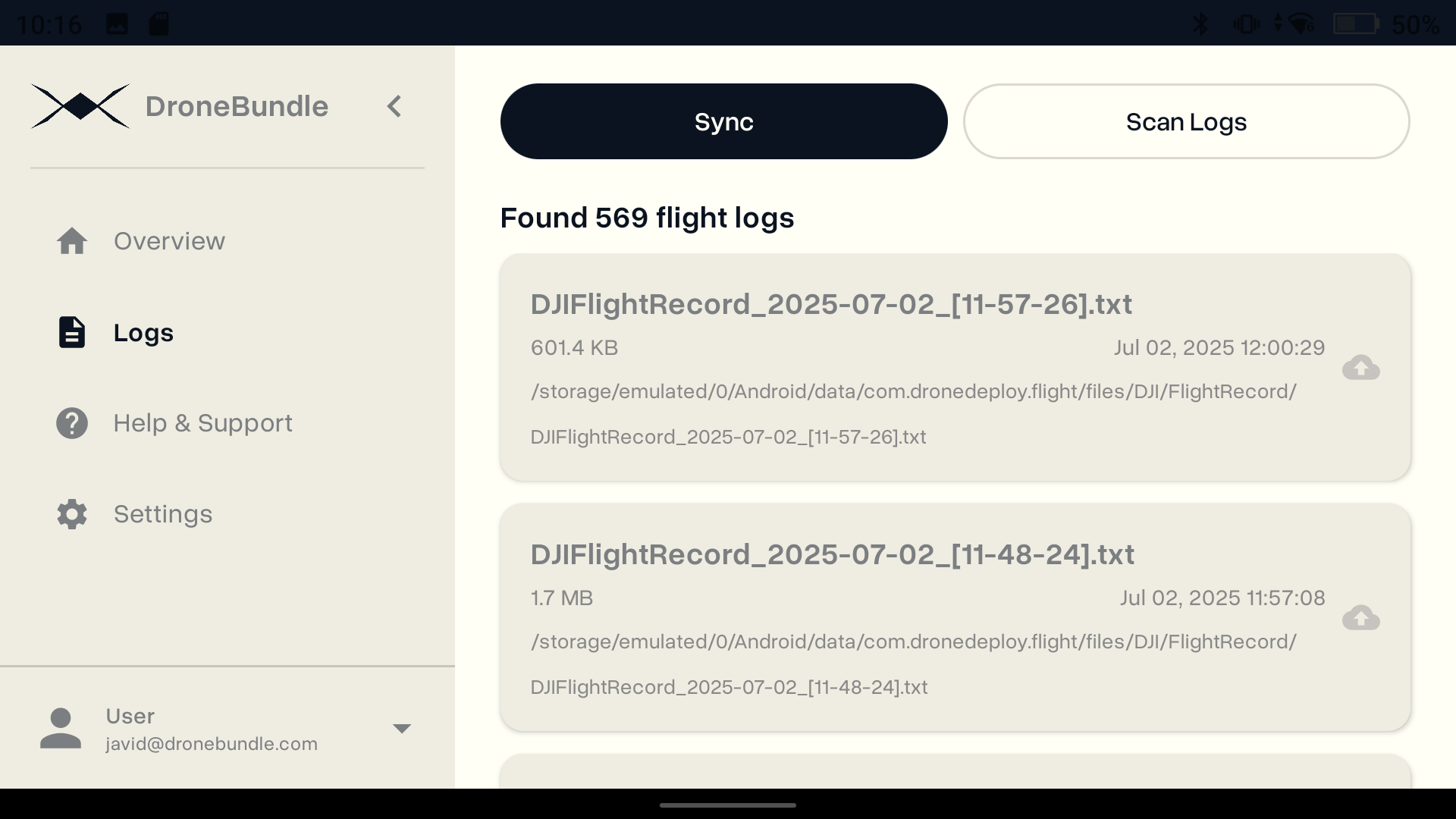
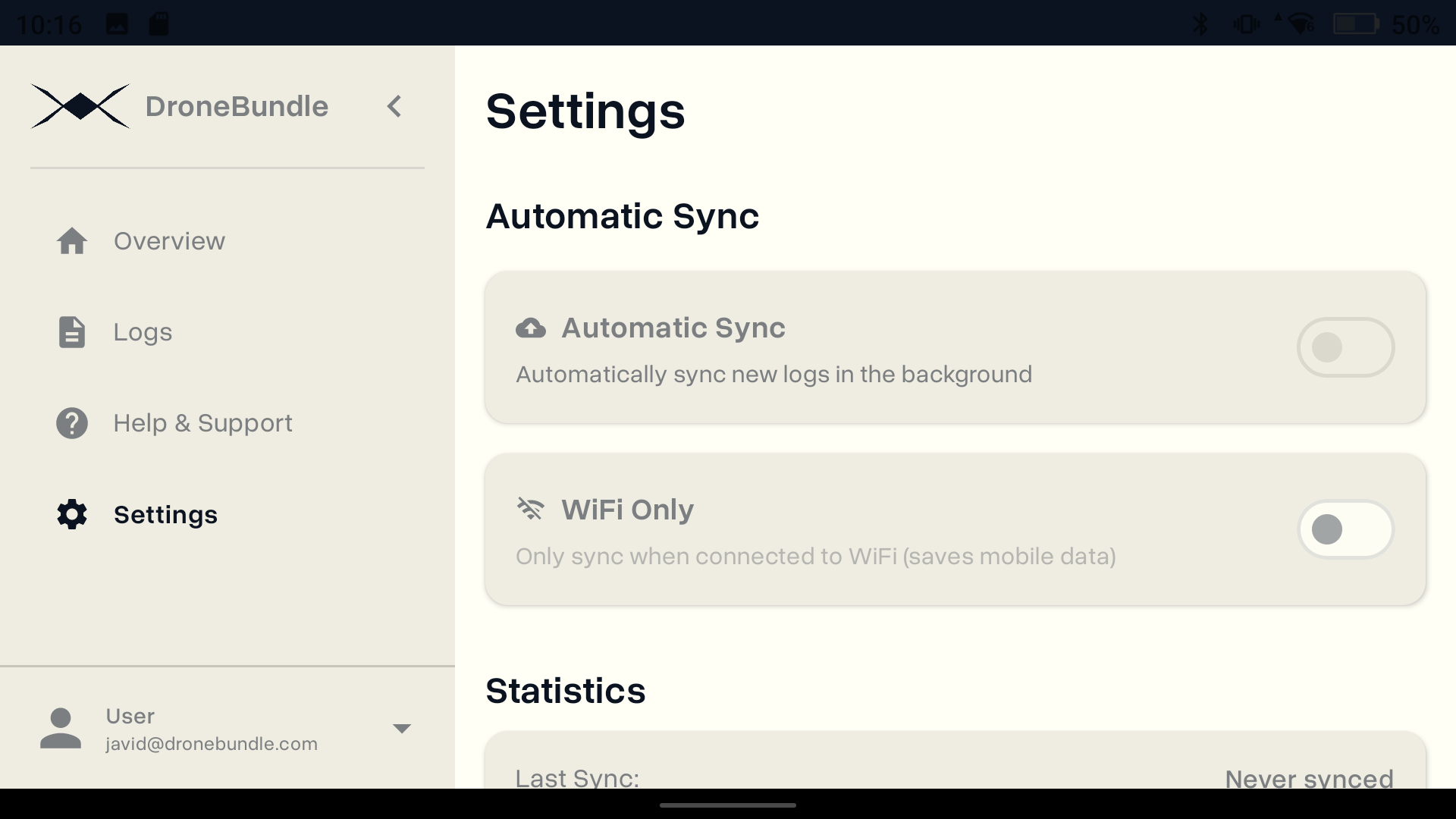
Background Synchronization. The app performs automatic sync checks every 15 minutes. Operators can also trigger manual synchronization for immediate log upload requirements.
Intelligent Upload Management. Files are compressed using gzip before transmission (reducing file sizes by approximately 90%). The app maintains upload state to prevent duplicate transfers and implements automatic retry logic for failed uploads.
Network Controls. WiFi-only mode restricts synchronization to WiFi connections, preventing cellular data usage during field operations.
Synchronized flight data appears immediately in DroneBundle's platform interface, where it can be viewed, shared with clients through the client portal, or exported for compliance documentation.
Installation
The app installs directly on DJI Smart Controllers via APK sideloading:
- Navigate to dronebundle.com/app using the controller's browser
- Download the APK installation file
- Install the application (requires allowing installation from browser sources)
- Launch the app and authenticate with DroneBundle credentials
- Grant storage access permissions when prompted
Once configured, the app begins automatic synchronization. Sync status can be monitored from the overview screen, with manual sync triggers available from the logs interface.
Complete installation instructions with screenshots are available at dronebundle.com/app.
System Requirements
Compatible Hardware:
- DJI Smart Controller
- DJI Smart Controller Enterprise
- DJI RC Pro
- Android 7.0+ devices with DJI applications
Supported Log Sources:
- DJI Pilot
- DJI Fly
- DJI GO 4
- DroneDeploy
- Other DJI-compatible flight applications
The app supports log formats across operation types including construction inspections, surveying, and infrastructure monitoring.
Operational Impact
Complete flight record management is essential for commercial drone operations. Incomplete logs create compliance gaps affecting pilot certification tracking, insurance documentation, and client reporting requirements.
Manual transfer processes introduce data loss risks. Controllers are lost or damaged before log extraction. Storage media fails. Flights remain undocumented.
Automatic synchronization eliminates these failure points. Every flight generates a log. Every log reaches the operations platform. Record completeness is maintained without manual intervention.
Availability
The DroneBundle Android app is available at no additional cost for all DroneBundle platform users. Download the application at dronebundle.com/app.
New users can access the platform through a 14-day free trial. DroneBundle provides comprehensive drone operations management from mission planning through client delivery, with automatic log synchronization integrated into the core platform.
Schedule a demonstration to see the complete operations workflow.