Create an API key
Create a key so your own systems, like a CRM or an ERP, can read and update projects, jobs and job types in your workspace through the DroneBundle API.
This is only available on the Enterprise plan and during the free trial.
Create the key
- In the sidebar, click API Keys.
- Click Create API Key.
- Give it a name that says what uses it, for example "CRM connector".
- Pick the access:
- Read Only: can only read.
- Full Access: can also create and update.
- Create it, copy the key and store it somewhere safe. It is shown only once. Click I've saved the key when you have.
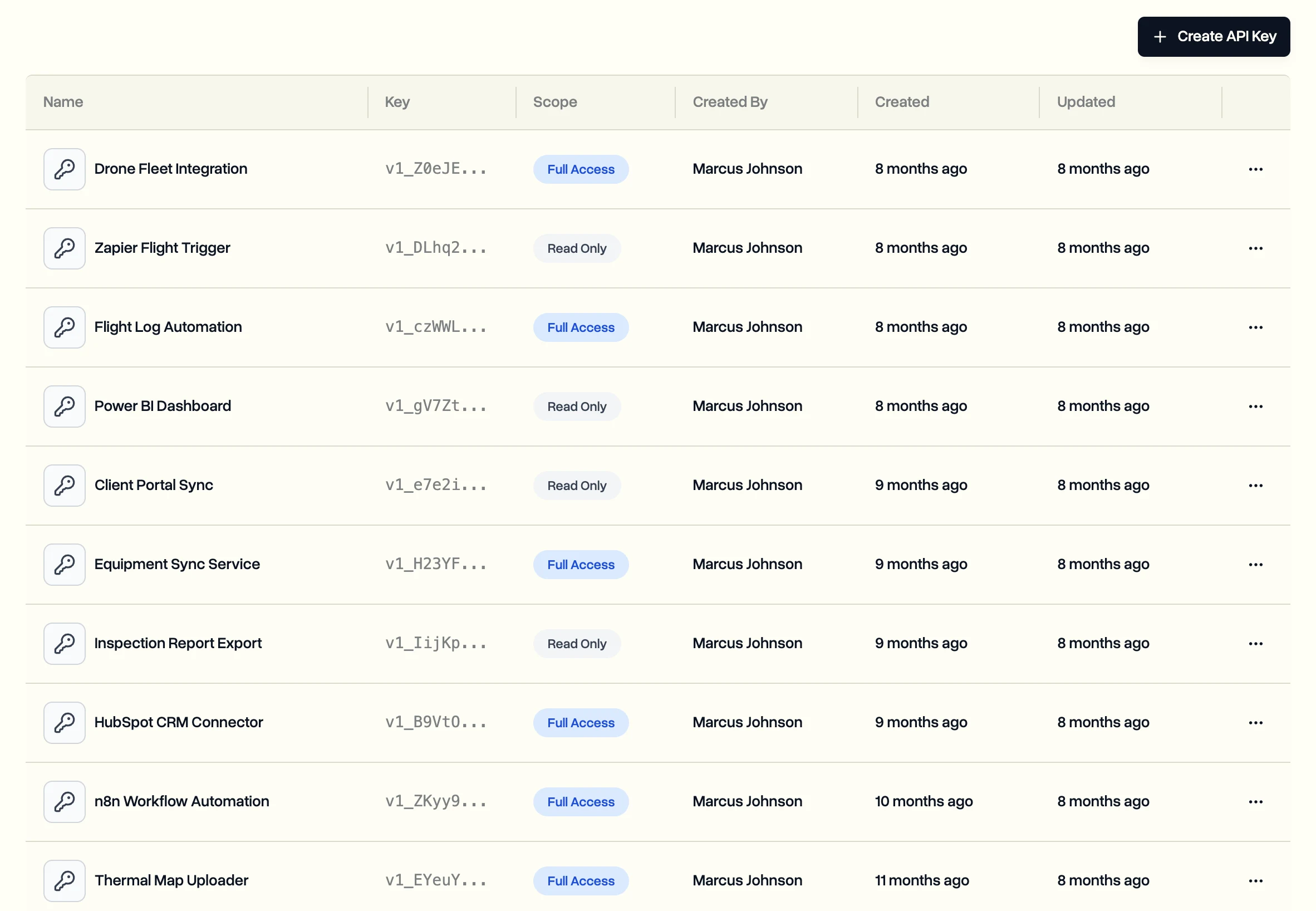
Each key works for one workspace. Changes made with a key show it as the author, so you can tell them apart from changes made by people.
Use it
Send the key as a Bearer token in the Authorization header. The API reference lists every request, and a sandbox lets you test without touching real data.
Tools like Make and n8n connect the same way. For Zapier there is a ready-made app, see Connect Zapier.
A key leaked or isn't needed any more? Delete it on the API Keys page. Anything using it stops working straight away.
Last updated Nov 17, 2026
Did this answer your question?
Still stuck?
Ask DroneBundle AI in the app, or email us and a person will answer.