Ask ChatGPT or Claude about your workspace
Connect DroneBundle to ChatGPT, Claude or another AI assistant and ask about your flights, jobs, pilots and maintenance in plain words. The connection can read, but never change anything.
You sign in with your own DroneBundle account, so the assistant sees only what you can see. It cannot create, edit or delete anything.
ChatGPT
- In DroneBundle, click Integrations in the sidebar, then ChatGPT.
- Click Connect ChatGPT. This opens the DroneBundle app in ChatGPT.
- Connect it and sign in with your DroneBundle account.
- Start a chat and ask away.
Claude
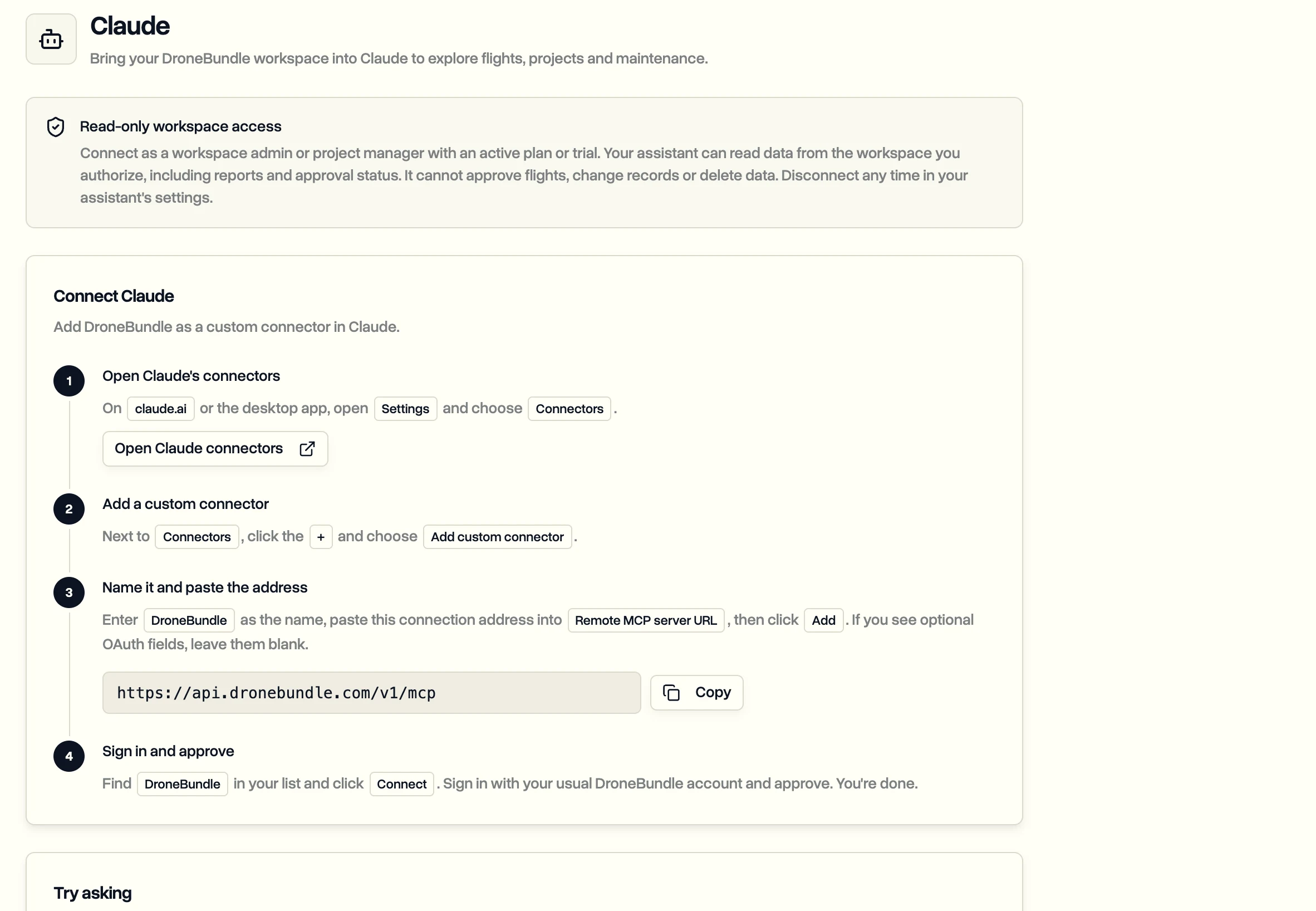
- In DroneBundle, click Integrations, then Claude, and copy the connection address.
- In Claude, open Settings, then Connectors, and click Add custom connector.
- Name it DroneBundle, paste the address as the Remote MCP server URL, and click Add.
- Click Connect, sign in to DroneBundle and approve.
Any other assistant
Assistants that support remote MCP servers with OAuth sign-in work too. Click Integrations, then Other AI assistants, copy the address, and add it in your assistant's connector settings.
Things to ask
- Summarize last month's flight reports by job.
- Which flights still need a pilot this week?
- Which jobs are overdue, and who's assigned to them?
- Is any equipment overdue for maintenance?
- How do I share a project with a client in DroneBundle? It answers from this Help Center and links the article.
Want an assistant that can make changes? DroneBundle AI inside the dashboard and in Slack can create jobs, assign pilots and update statuses, with every change waiting for your approval.
Last updated Nov 18, 2026
Did this answer your question?
Still stuck?
Ask DroneBundle AI in the app, or email us and a person will answer.