Schedule and run an internal audit
Build a checklist once, schedule audits from it, score each item during the audit, and track findings and their fixes to the end.
Operations leads can view audits. Admins and project managers schedule and run them.
This is only available on the Enterprise plan and during the free trial.
Build the checklist once
- In the sidebar, click Audits, then Templates.
- Click Create Template and pick its category, like safety management, crew competence or record keeping.
- Add sections and questions. Each question can carry a regulatory reference, the evidence you expect and guidance for the auditor, and can be marked critical.
- Save. Templates keep a version history, so you can see what changed.
Schedule an audit
- Click Schedule Audit.
- Pick the type, like internal, regulatory or post-incident, and the template to use.
- Set the date and the Lead Auditor, and save.
Run it
- Open the audit and click Start audit.
- For each question, answer Compliant, Observation, Minor Non-Conformity, Major Non-Conformity or not applicable, and add notes and evidence.
DroneBundle works out the compliance score as you go: compliant items as a share of the items that apply.
Record and close findings
- Click Add Finding for anything that needs fixing.
- Classify it, record the root cause, and add corrective actions with an owner and a deadline.
- Move the finding from open to resolved, verified and closed as the fixes are done.
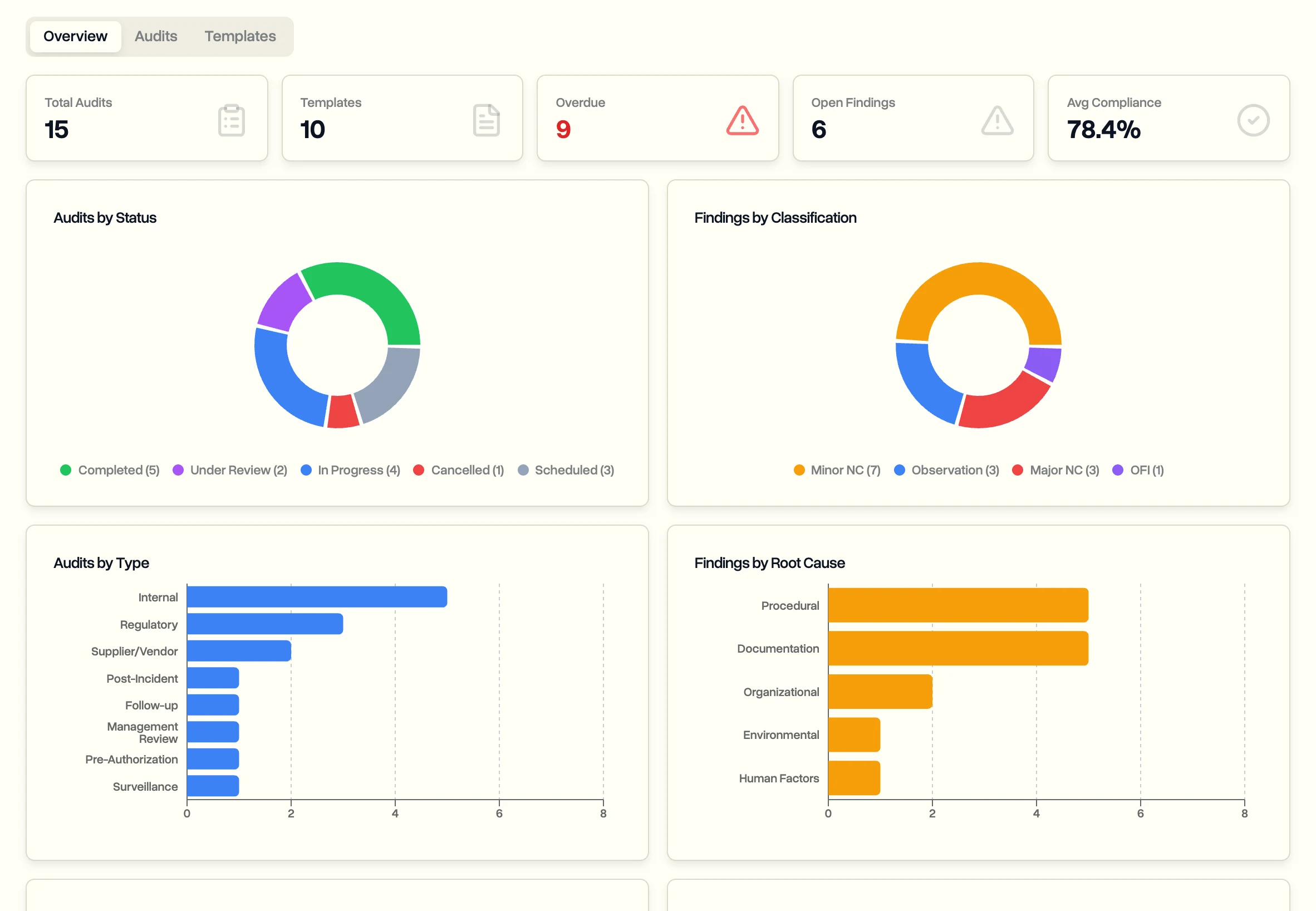
The Audits overview shows compliance over time, overdue audits and actions, and what's coming up.
Last updated Nov 17, 2026
Did this answer your question?
Still stuck?
Ask DroneBundle AI in the app, or email us and a person will answer.