Log and manage risks in the Risk Register
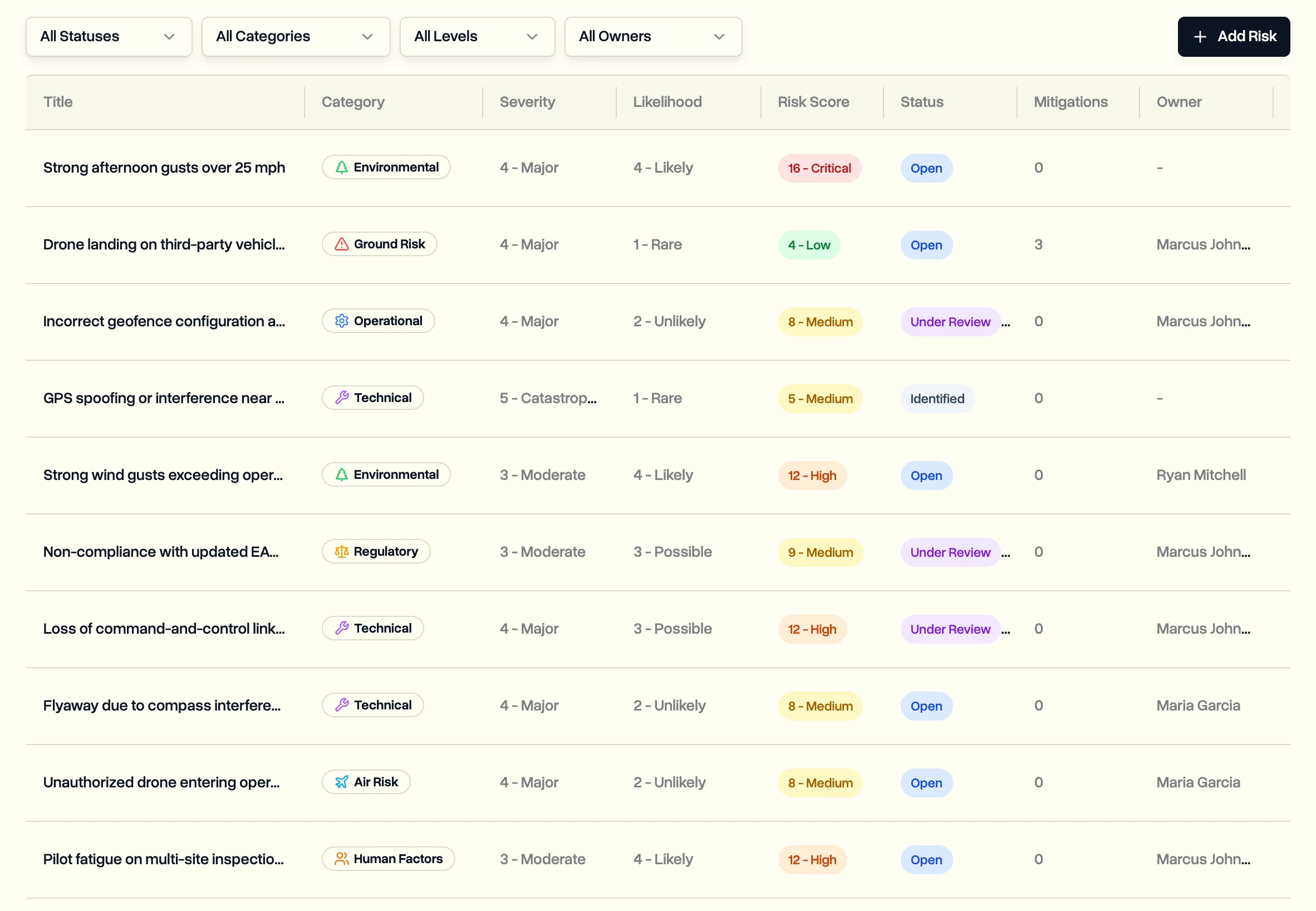
Record operational risks, score them by severity and likelihood, and track the actions taken to reduce them. Risks can be linked to the job they belong to.
Operations leads can view risks. Admins and project managers add and update them.
This is only available on the Enterprise plan and during the free trial.
Add a risk
- In the sidebar, click Risk Register.
- Click Add Risk.
- Give it a title and a category, like ground risk, air risk, technical or regulatory.
- Pick the Severity and Likelihood from 1 to 5. DroneBundle works out the Risk Score and its level: low, medium, high or critical.
- Optionally assign an owner, link a project and job, add the location and set a review date.
- Click Create Risk.
Working on a job already? Open the job's Risks tab and add the risk there. The project, job, location and today's date are filled in for you.
Track what's being done about it
- Open the risk.
- Under Mitigation Actions, click Add Mitigation Action.
- Describe the action, pick the type and priority, assign someone and set a deadline.
Move each action from pending to in progress to completed, and record how it was checked and how well it worked. Update the risk's status as it goes from identified to mitigated, accepted or closed.
Filter the register by status, category, risk level or owner to see what needs attention.
Last updated Nov 17, 2026
Did this answer your question?
Still stuck?
Ask DroneBundle AI in the app, or email us and a person will answer.