Review a flight: replay, 3D view and charts
Open any flight to see its path, replay it, fly it again in 3D, read every reading as a chart and export a report.
You see the flights your role gives you access to.
Every flight opens on the same page with six tabs. They all read the same flight log, and every number follows your workspace's unit setting.
Open a flight
- In the sidebar, click Flight Logs.
- Click a flight in the list. You can also open flights from a job or a project.
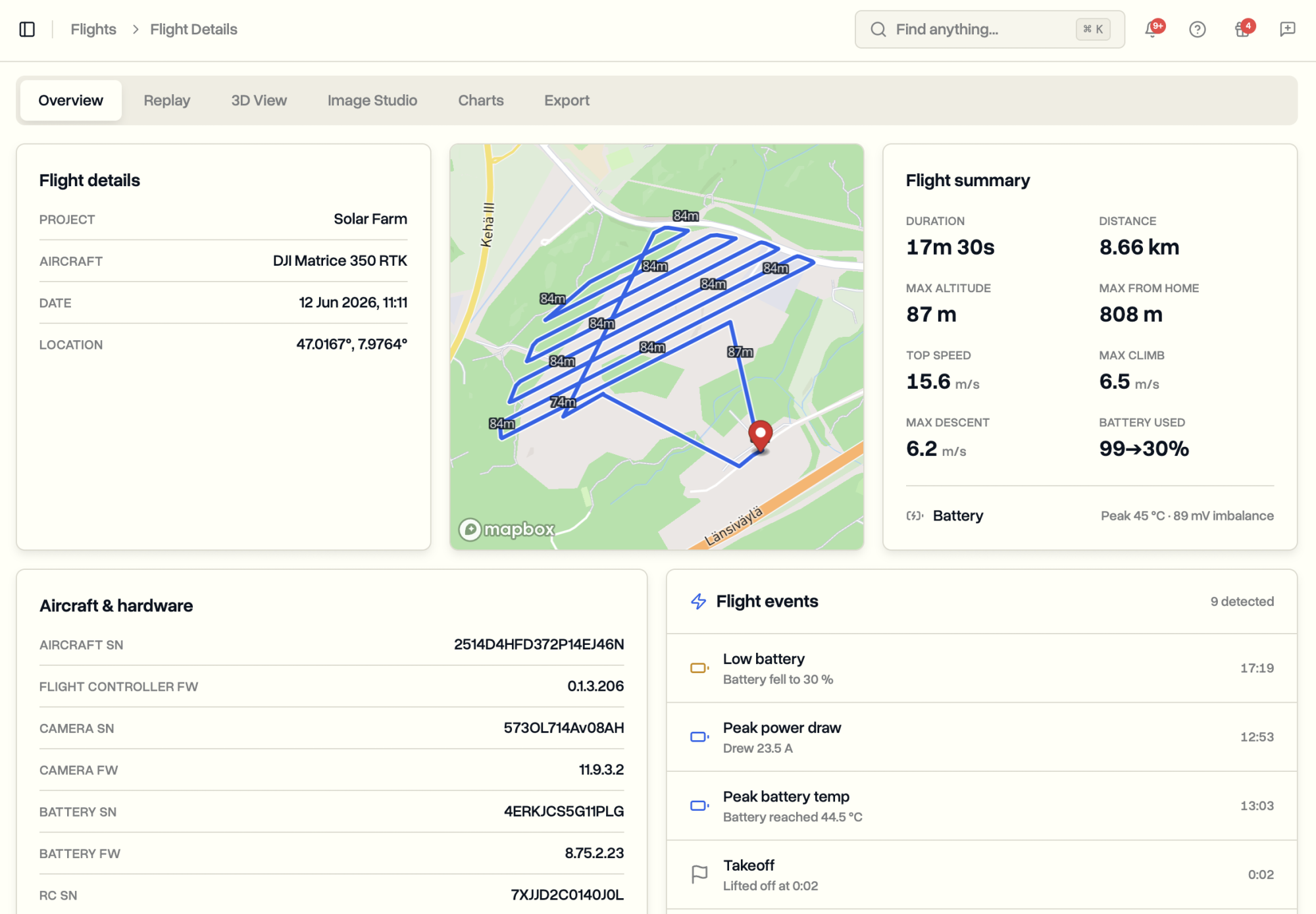
What each tab shows
- Overview: the flight details, the path on a map, duration, distance, height, top speed and battery, plus the notable moments: takeoff, landing, peak height, lowest battery, a return-to-home.
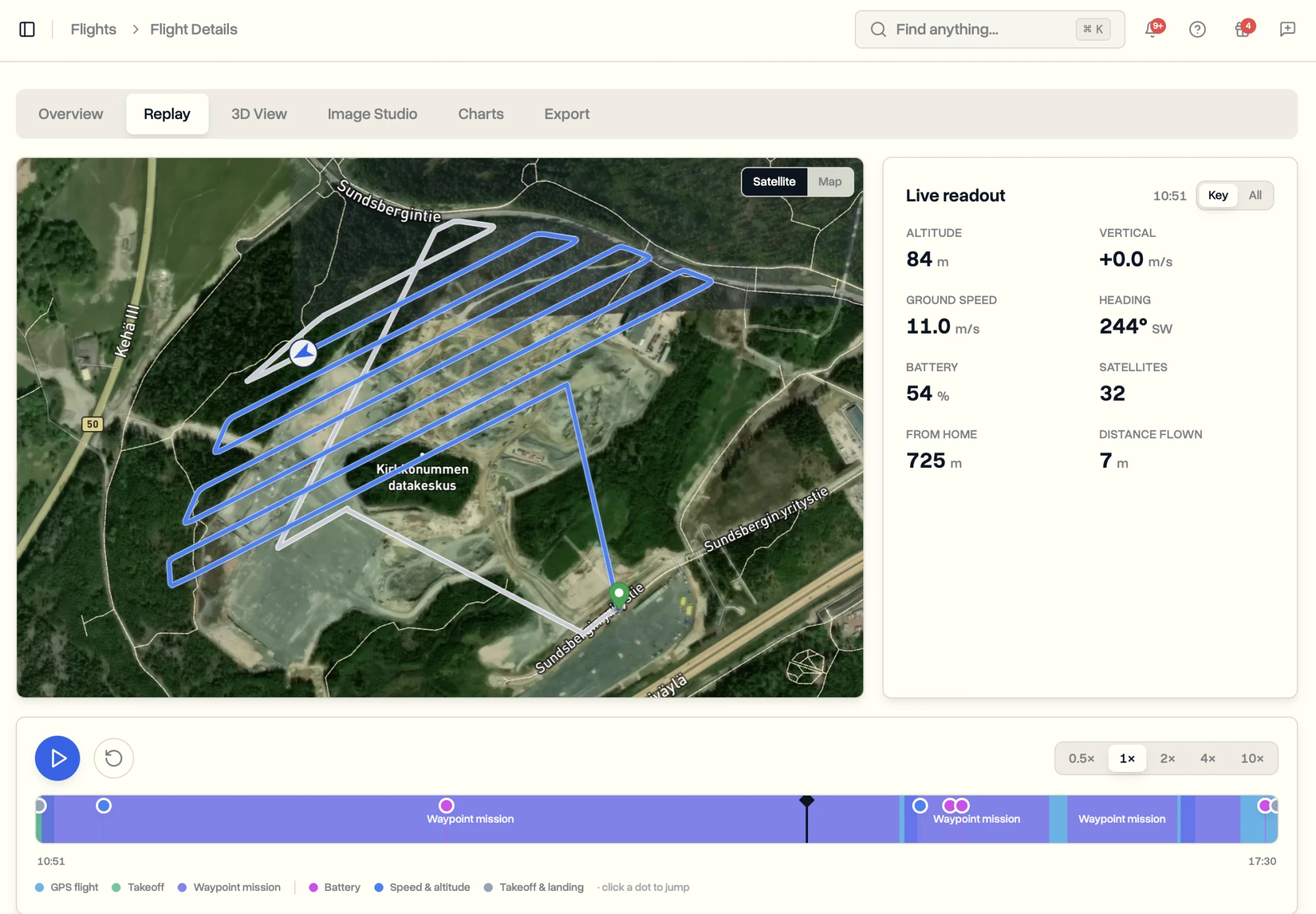
- Replay: press play and the aircraft retraces its path with height, speed, battery and satellites at each moment. Drag the timeline or click a marked moment to jump there.
- 3D View: the flight over real terrain at the height it was flown. Switch the camera between Follow, Orbit, Cockpit and free.
- Image Studio: make one image of the flight path to share, with your choice of shape, map style and an info card.
- Charts: height, speed, battery, satellites and more, with reference lines for low battery and weak signal. Anything the aircraft never recorded is labelled as not recorded.
- Export: download the flight as a report, with a preview first.
Check that scheduled flights were flown
When a flight log matches a scheduled flight on a job, DroneBundle marks that flight as flown and shows what backs it: the dock, the controller app or an upload. Flights that still need a person show under Flight Reports.
Flight not linked to a job? It shows as Unmatched on Flight Logs. Open it and link it by hand. See How flights find their job.
Last updated Nov 17, 2026
Did this answer your question?
Still stuck?
Ask DroneBundle AI in the app, or email us and a person will answer.