Create a project
A project holds one client site or one piece of work. Create it with a name, a start date and a status, or start from a template with its jobs already filled in.
A project is one site or one piece of work for a client, like a solar farm you inspect every month or a roof survey. Jobs, flights, files and the client's access all sit inside it.
Create the project
- In the sidebar, click Projects.
- Click Create Project.
- Enter the Project Name and pick the Start Date. Description and end date are optional.
- Pick a Status.
- Click Create Project.
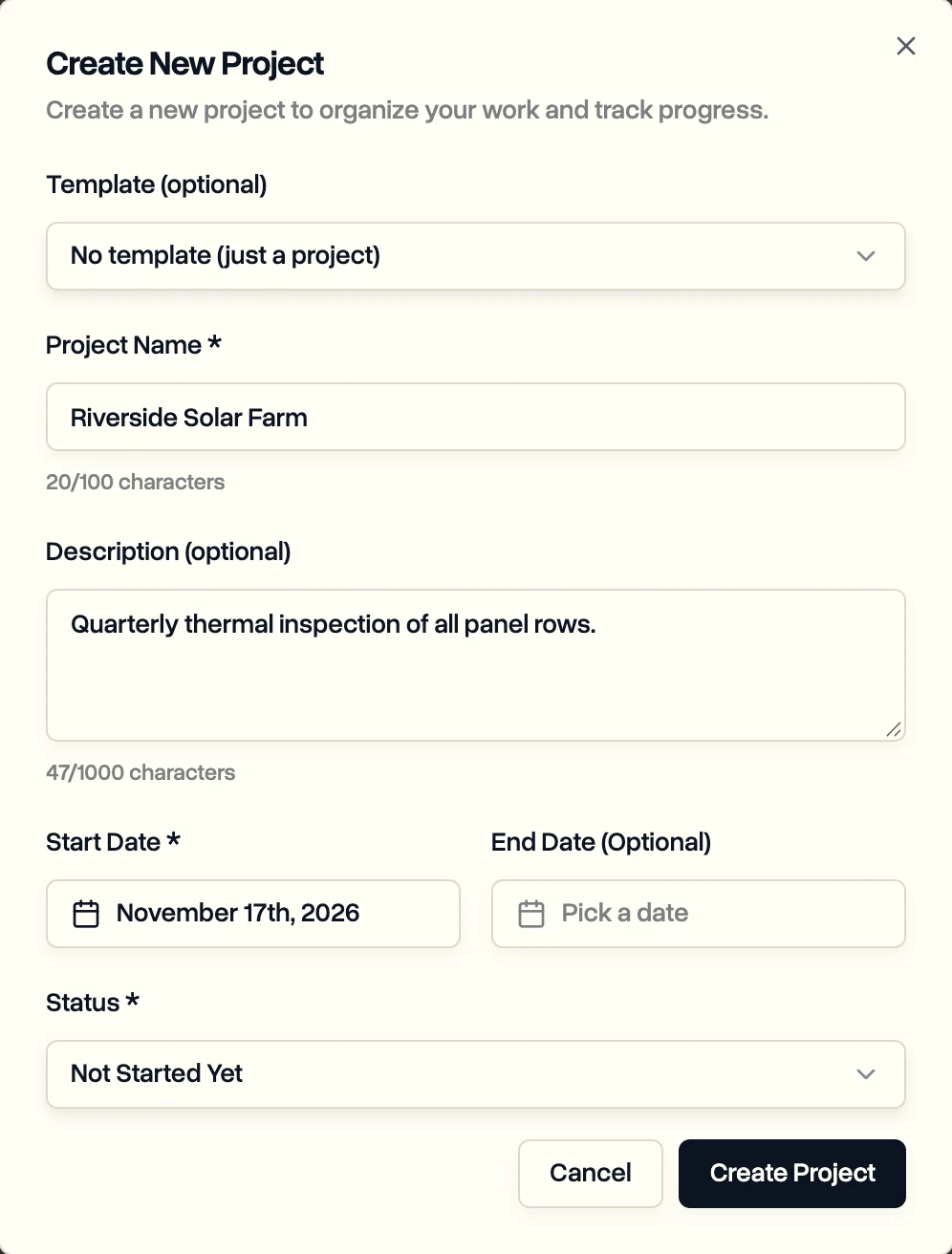
Doing the same kind of work again? Pick a saved layout under Template (optional) and the project starts with its jobs already filled in.
What to do next
- Draw the project area so flights find the project on their own.
- Create a job for the work on the site.
- Share the project with your client.
Last updated Nov 17, 2026
Did this answer your question?
Still stuck?
Ask DroneBundle AI in the app, or email us and a person will answer.