Share a project with a client
Give a client their own login and choose exactly what they can see in a project: details, jobs, files or flight data.
Clients sign in to DroneBundle and see only the projects you share with them. They cannot change your projects or jobs, but they can talk to your team in the project discussion.
Add the client company
- In the sidebar, click Clients.
- Click Create Company, enter the company's email and name, and click Create.
- Open the company and click Add Users to add the people who should log in.
- Click Invite next to each person. They get an email to sign in.
Give them access to a project
- Open the project.
- At the top of the project, click Client & ops leads, then Client company.
- Select the client company.
- Pick an Access level.
- Click Grant access.
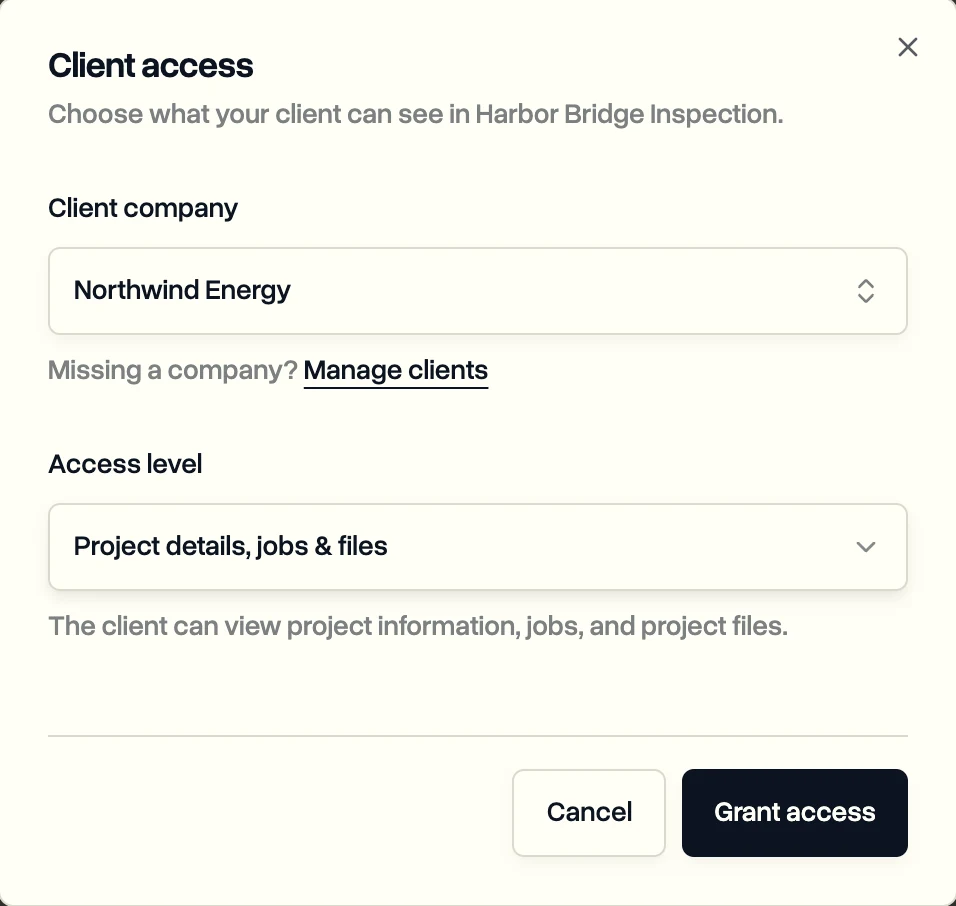
What each access level shows
- Project details only: basic project information.
- Project details & files: project information and project files.
- Project details & jobs: project information and jobs.
- Project details, jobs & files: project information, jobs and project files.
- Full access: project information, jobs, project and job files, and the flight data from each job.
To change it later, open Client company again, pick a new level and click Save changes. Remove access takes the project away from them.
What your client sees
- Projects: the projects you shared, showing only what their access level allows.
- Discussion: each shared project's discussion, where they can read and reply to your team. They can't be @mentioned, so reply to them in the thread.
- Feed: a timeline of the work on their projects.
- Flight Planning: the weather and airspace check. See Check weather and airspace before you fly.
- Full access also lets them download the flight data from each job.
Last updated Nov 18, 2026
Did this answer your question?
Still stuck?
Ask DroneBundle AI in the app, or email us and a person will answer.