Check weather and airspace before you fly
Get a go or no-go call from the wind, rain and visibility at a site, see the forecast for the coming days, and check which airspace rules apply on a map before anyone travels.
Clients can use Flight Planning too. Only admins and project managers can record a LAANC number on a project.
A few minutes here saves a wasted drive. Check the weather call and the airspace for the exact spot before a pilot leaves.
Check a location
- In the sidebar, click Flight Planning.
- Search for a city, an address, GPS coordinates or a What3Words address.
- Read the Safety Score. It weighs wind, gusts, rain, storms and visibility into one call: GO, PROCEED WITH CAUTION, HIGH CAUTION or NO-GO, with any Safety Warnings listed next to it.
Below it are the conditions now, and the Weather Forecast Timeline for the hours and days ahead, so you can spot a better window. The hours it suggests follow the flight hours in your preferences.
Going back to the same sites? Click Save Location to keep one, and open Saved Locations to jump to it next time. Admins and project managers can also open Job Locations to pick any job with an area drawn.
Check the airspace
The map on Flight Planning shows the airspace for the US, the UK and much of Europe, including Austria, Denmark, Estonia, Finland, France, Germany, Ireland, Spain, Sweden and Switzerland.
- Click any spot on the map to see which rules apply there and whether you need permission first.
- Open Layers to show or hide zones like controlled airspace, no-fly areas, temporary restrictions, power lines and obstacles.
- In the US, follow the links to check NOTAMs and the FAA's temporary flight restrictions before you go.
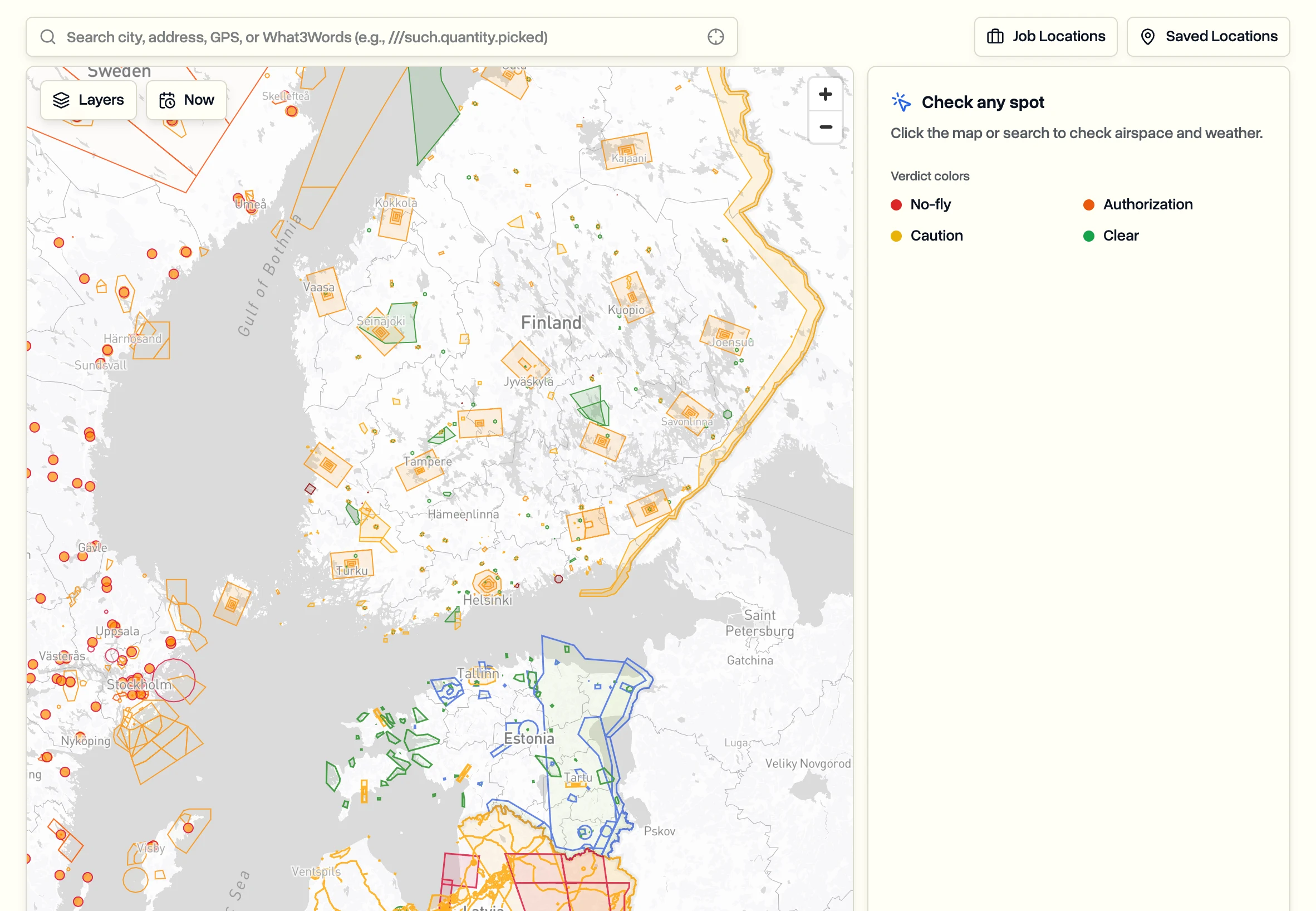
The map shows what's published, but you're responsible for the flight. Always check the official sources and get the authorization you need.
On a project or job
You don't need to search for a site you already have:
- The Weather tab on every project and job shows the forecast for that site.
- The Area tab shows the airspace the drawn area sits in.
- In the US, admins and project managers can record the authorization under LAANC Authorization # when they edit the project, so the pilot has it on site.
On the phone app, the airspace map and weather come with you. See Use DroneBundle on your phone.
Last updated Nov 18, 2026
Did this answer your question?
Still stuck?
Ask DroneBundle AI in the app, or email us and a person will answer.