Your plan, free trial and billing
See how many trial days are left, pick a plan, change it later, update your card and invoices, and buy extra processing credits or storage.
Everyone can open the Billing tab, but only admins and project managers can buy or change anything.
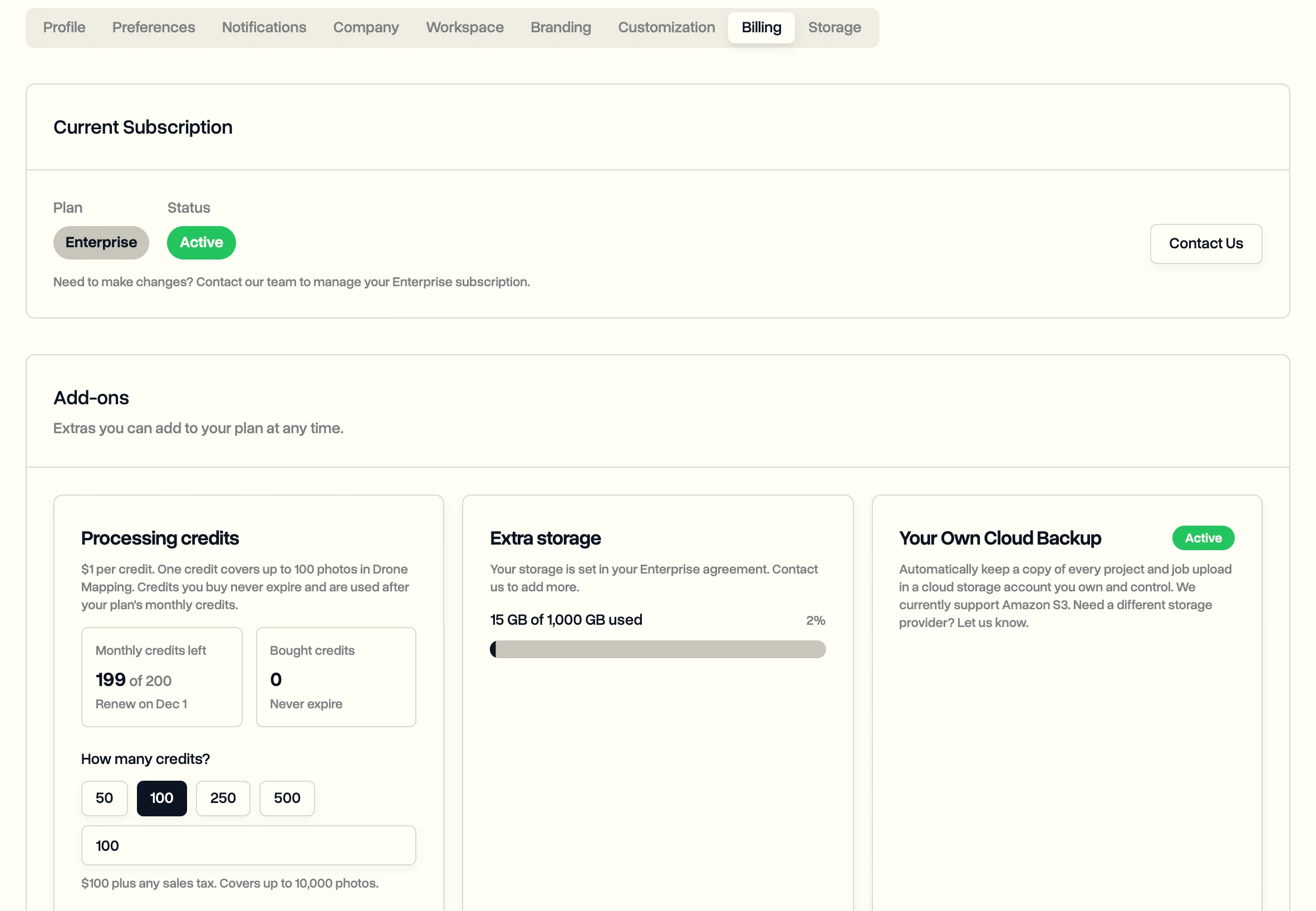
Everything about your plan lives in one place: in the sidebar, click Settings, then the Billing tab.
During the free trial
Every new workspace gets 14 days with every feature, including the Enterprise ones, and no credit card. The Billing tab counts down the days left.
When the trial ends, the workspace locks and every page sends you to Billing with a Trial Expired notice. Nothing is deleted. Pick a plan and everything you added is there again.
Pick a plan
- Click Settings, then Billing.
- Compare the plans. Click Show all features to see the full list for each.
- Click Choose Solo or Choose Team and pay by card in the checkout. Your plan is active a few seconds later.
| Plan | For | People |
|---|---|---|
| Solo | One-person drone businesses | 1 |
| Team | Crews | Up to 10 |
| Enterprise | Drone programs | Unlimited |
For Enterprise, click Contact us. Enterprise is set up with you, can be paid by invoice, and includes custom roles, safety records, maintenance, the API and more. See pricing for what each plan includes.
Change plan, card or invoices
- To move between Solo and Team, click the other plan on Billing. The change applies right away: moving up charges the difference for the rest of the month, and moving down credits what's left to your next invoice. Before you confirm, DroneBundle lists what stops working.
- To update your card, download invoices or cancel, click Manage Subscription under Current Subscription. It opens the secure billing portal.
If a plan ends, you see Plan Ended and the workspace locks the same way as after a trial. Your data stays.
Buy extra credits or storage
Under Add-ons:
- Processing credits are for Drone Mapping. Enter How many credits? and click Buy credits. Credits you buy never expire and are used after your plan's monthly credits.
- Extra storage adds space in 500 GB blocks for a monthly price, billed with your plan. Click Add storage and pick how many blocks. On Enterprise, storage is part of your agreement, so contact us instead.
- Your Own Cloud Backup keeps a copy of every upload in your own Amazon S3 storage. It's an Enterprise add-on. See Back up your files to your own cloud storage.
Hit a feature that's not on your plan? DroneBundle takes you to Billing and shows which plan unlocks it.
Last updated Nov 18, 2026
Did this answer your question?
Still stuck?
Ask DroneBundle AI in the app, or email us and a person will answer.