New FeatureNew
Weekly Report: Your Drone Operation's Week in One PDF, Every Monday
weekly-reportreportingpdf-reportemailneeds-attentionflight-activitymaintenancesafety
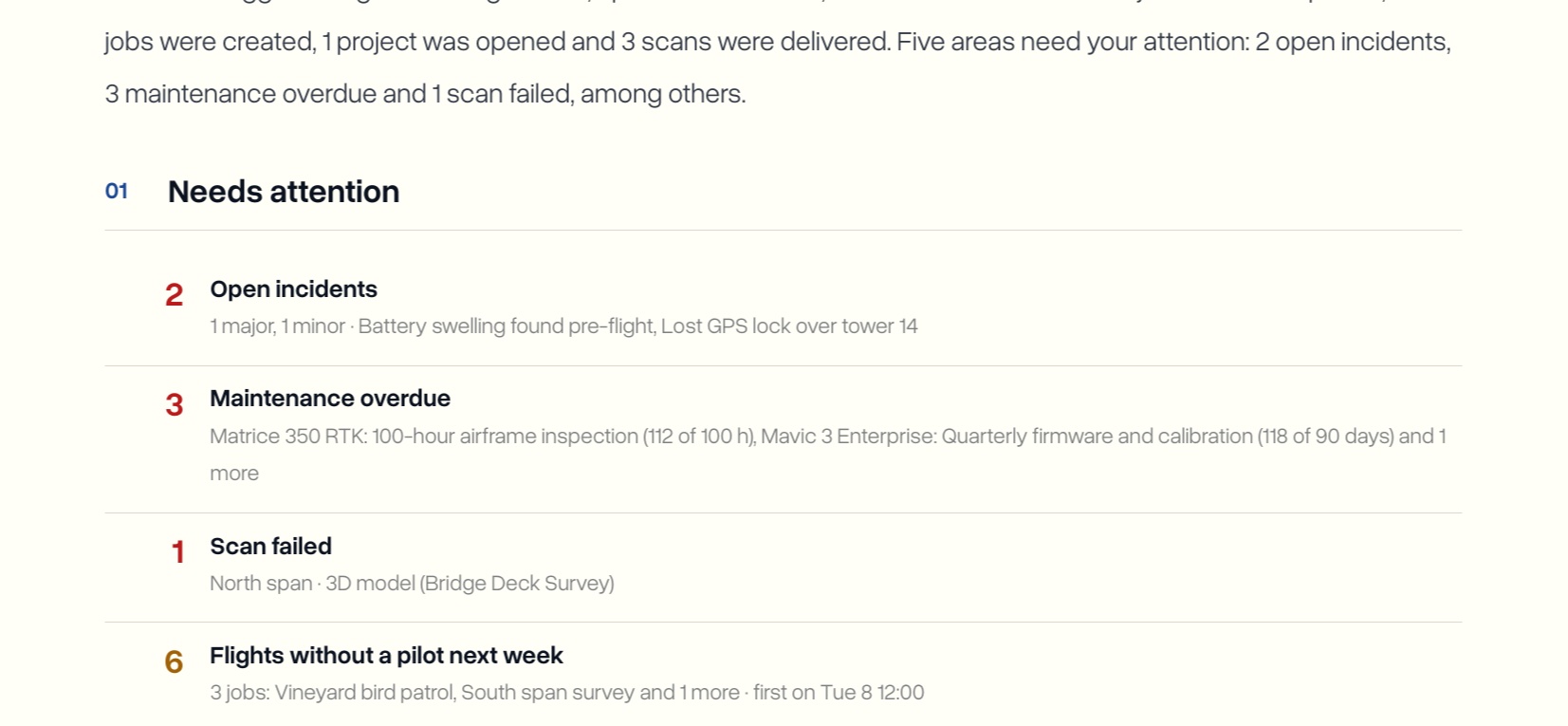
Every Monday morning, DroneBundle emails workspace owners and project managers a short PDF of the week: flights, jobs finished, everything that needs attention, what is coming up next week, and where every project stands. Nobody has to build it, export anything, or remember to send it.
The Week at a Glance
- Up to five numbers at the top: flights, flight time, jobs completed, areas that need attention, and scans delivered
- Each count shows how it compares with the week before
- A short summary of the week in plain sentences, mentioning only what actually happened
- Numbers adjust to the workspace: a team that does not log flights sees jobs in progress instead, and a team without scans gets no scans number
Needs Attention Comes First
- One list of everything that needs someone to act, red for problems now, amber for problems soon, grey for things worth knowing
- Open incidents with their severity
- Maintenance overdue or due soon, per drone, battery, or dock
- Scans that failed
- Flights next week with no pilot, with the first one's day and time
- Jobs past their end date that are still active
- Audits due next week
- Jobs on hold, kept apart so a paused job is never counted as late
- Scheduled flights not marked complete
- The count at the top is the number of areas, not the number of items
Projects, Flights, and Next Week
- Projects this week: one row per project with flights, air time, jobs done, new jobs, scans, and incidents, with the client under each project
- Flight activity by pilot and by aircraft, with dock flights from FlightHub 2 sync on their own row
- Next week: a day-by-day count of scheduled flights, with days that have flights without a pilot flagged, and a dated list of jobs starting, audits due, and maintenance coming up
Scans, Safety, Fleet, and Status
- 3D scans delivered that week, plus anything still processing or failed
- Safety: incidents reported, incidents still open, the risk register, and audits completed
- Fleet and maintenance: drones, batteries, docks, and other equipment, what was added, and maintenance done, overdue, and pending
- Where things stand: every project and job by status, using your own status names
- Each section appears only when that part of the workspace is in use, so reports are usually two or three pages
The Email Is the Short Version
- The summary, three numbers (flights, jobs completed, areas needing attention), and a one-line list of what needs attention, or All clear
- The full report attached as a PDF, easy to forward to someone who does not use DroneBundle
- On Enterprise workspaces with custom branding, the report shows your workspace name and logo, without the Generated by DroneBundle line
Where It Lives
- Sent every Monday at 06:00 UTC, covering the seven days before
- Goes to the workspace's active owners and project managers
- On for every workspace with an active plan or free trial, with nothing to switch on
- Weeks with no activity are skipped
- Turn it off under Settings, Notifications, in the Reports group