New FeatureNew
DroneBundle for Slack: AI Answers and Daily Posts
slackintegrationsdronebundle-aipilot-scheduledaily-postsweather
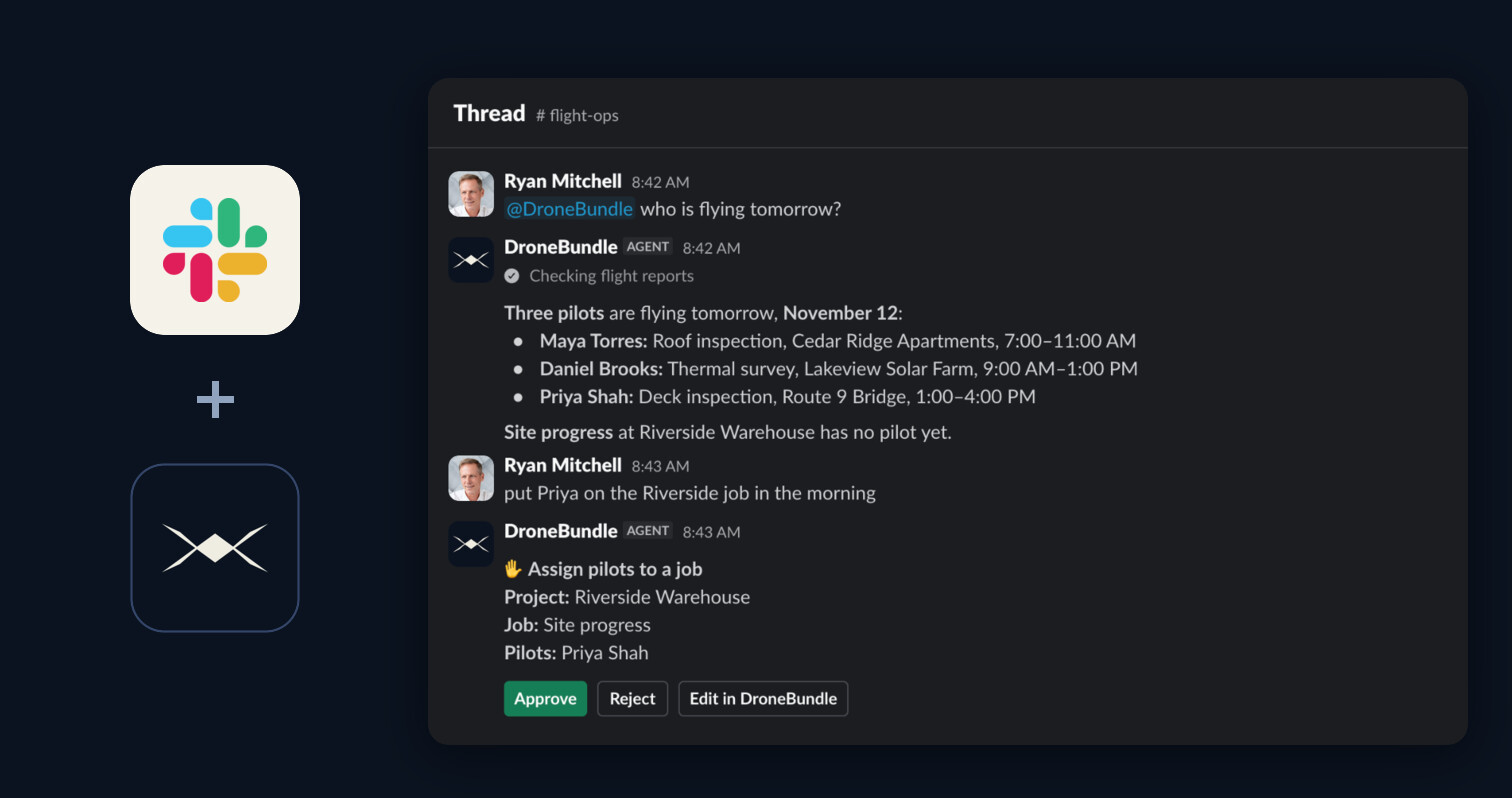
Ask DroneBundle AI from Slack and get daily updates in your channels. Mention @DroneBundle to ask about your work or to make a change after you approve it, and get the schedule, flight recap, due dates, and weather posted on their own.
DroneBundle AI in Slack
- Mention @DroneBundle in a channel or send it a direct message
- It answers from your live projects, jobs, pilots, and flights, and shows each step while it works
- Reply in the thread to keep going, with no second mention
- Pick the same conversation up in the dashboard
Every Change Waits for You
- Create projects and jobs, assign pilots, update statuses, and review flights by asking
- Each change arrives as a card with Approve, Reject, and Edit in DroneBundle
- Only the person who asked can approve it
Daily Posts
- Tomorrow's schedule: each pilot's jobs, times, and flight counts, plus any flight with no pilot
- Yesterday's flights: what was flown, what has no report, and why others did not fly
- Due soon: overdue and upcoming maintenance, plus expired and expiring documents
- Tomorrow's weather: the daytime forecast for each job, in your units, with windy or wet jobs flagged first
- Choose the channel, time, time zone, and days, and send a test post at any point
Where It Lives
- Connect it once from Integrations, then Slack
- For a private channel, type /invite @DroneBundle in the channel first
- Workspace owners and project managers connect Slack and ask DroneBundle AI
- DroneBundle AI in Slack is on every plan, and daily posts are on the Team and Enterprise plans and in every free trial
- Slack's agent view needs a paid Slack plan. Mentions, direct messages, and daily posts work without it
- DroneBundle AI can make mistakes, so check important answers