New Feature
Job Feed: Timeline, Filters & Display Settings
feedtimelinejob-schedulingfiltersgroupingsortingdisplay-settingsshareable-viewsrecurring-jobsoperations
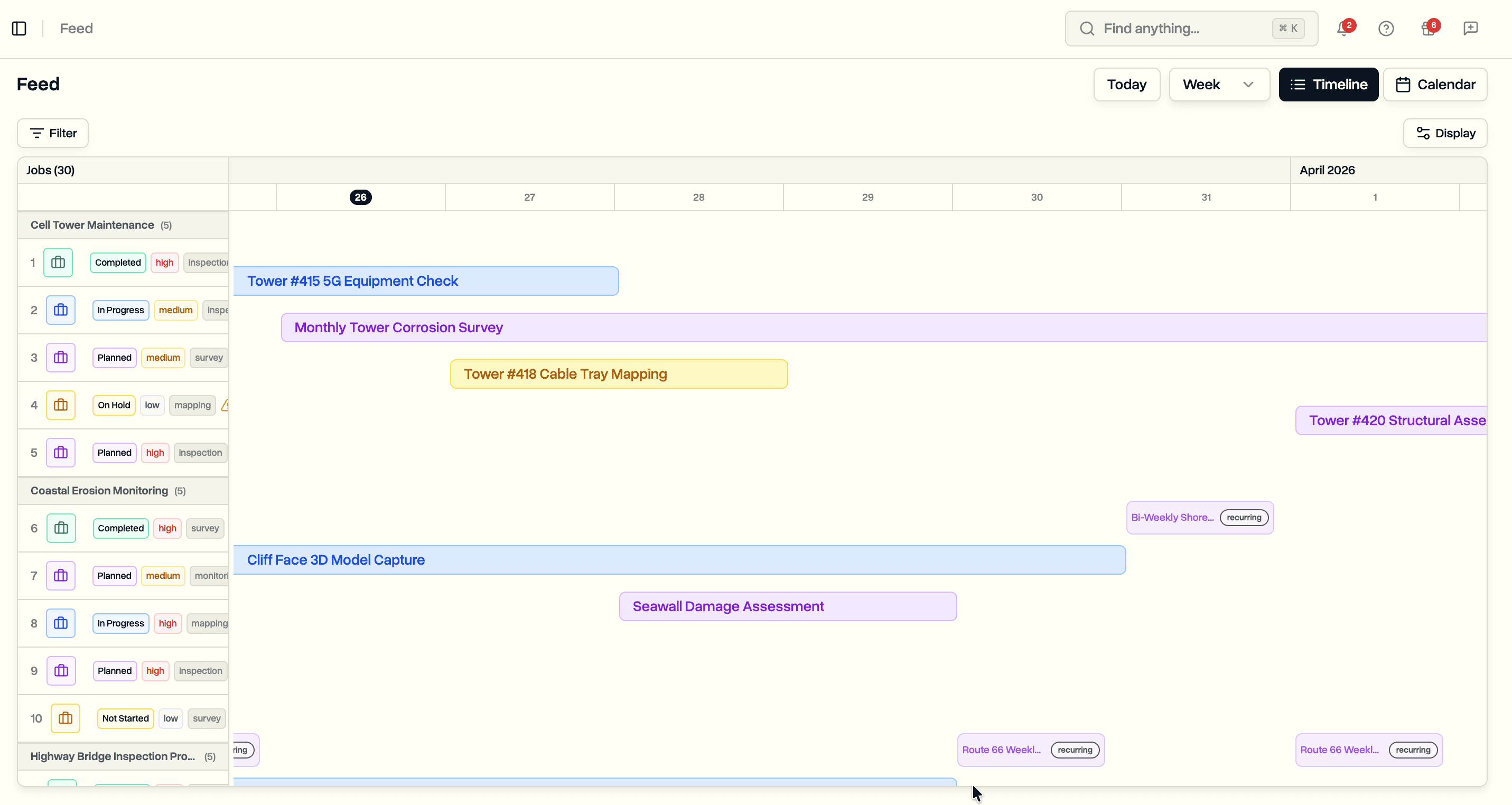
See all jobs across your workspace on a single timeline. Filter, group, sort, and customize what you see.
Timeline View
Every job in your workspace on one screen.
- Horizontal bars spanning each job's scheduled dates, color-coded by status
- Resizable sidebar listing jobs with pilot, status, priority, and job type details
- Recurring jobs expand into individual occurrences (weekly, monthly)
- Job labels stay visible as you scroll horizontally
- Progressive loading for large workspaces
Filtering
Seven filter types to narrow the view.
- Status, Job Type, Priority, Pilot, Project, Job Pattern, Search
- Active filters shown as removable pills with a Clear All option
- Role-based defaults: pilots see their own jobs, clients see all accessible jobs
- Filters persist across view switches (timeline/calendar)
Display Settings
Control how jobs are organized and what details are shown.
- Group by: None, Project, Status, or Pilot
- Sort by: Start Date or Name (ascending/descending)
- Toggle display properties: Pilot, Status, Priority, Job Type
- Group headers show item count
Shareable Views
- All filters and display settings sync to the URL
- Copy a link to share a specific filtered view with your team
- Settings also persist in browser storage