Invoice a client from flown flights
Create a client invoice from the flights you flew in a period, or from a project or job, then download it as a PDF.
Client invoices live in Documents, next to your other files. Each line can come from the flights you flew, a project or job, or anything you type in.
Create the invoice
- In the sidebar, click Documents, then the Invoices tab.
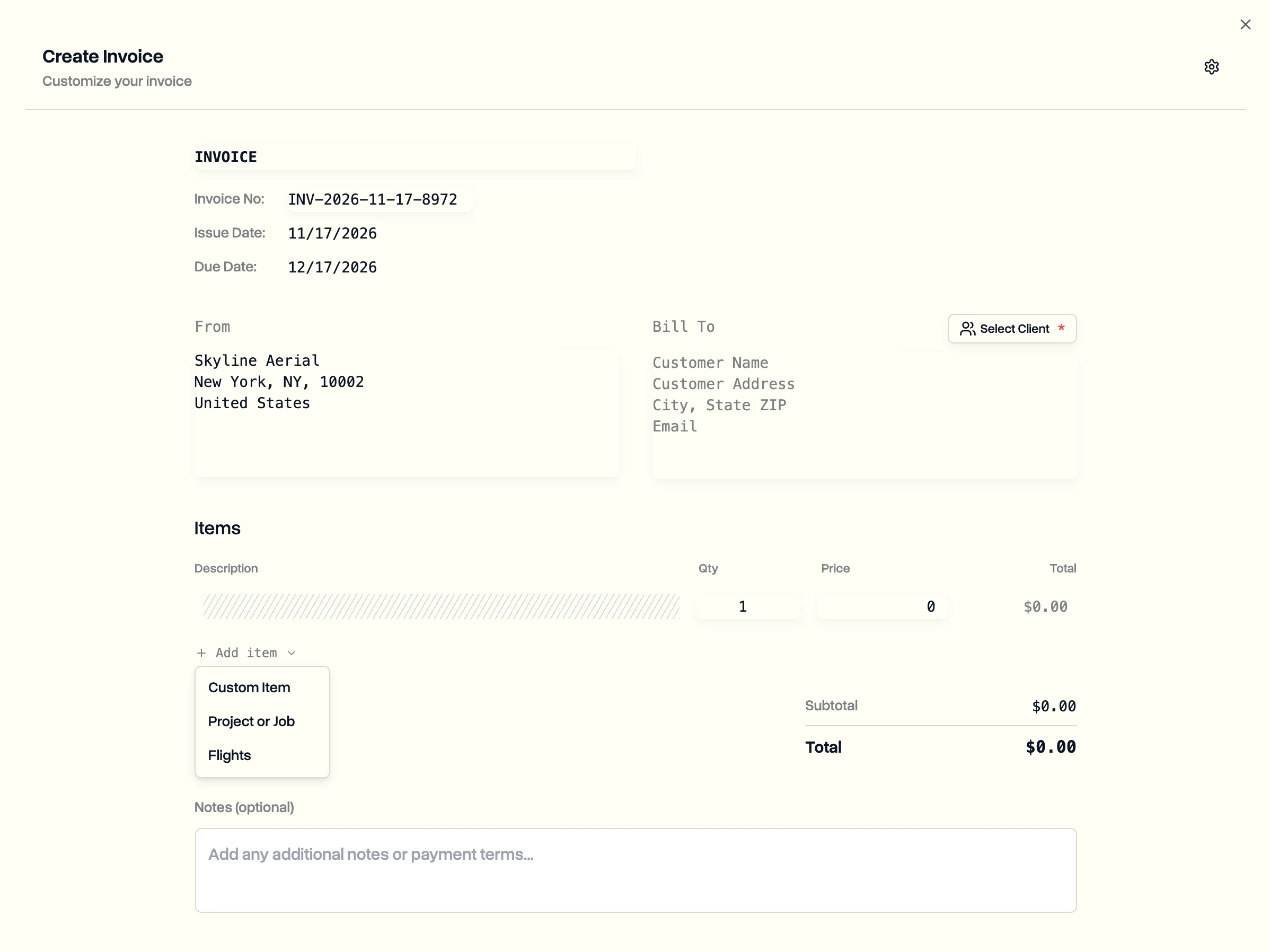
- Click Create invoice.
- Click Select Client and pick the client company.
- Click Add item and choose what to bill:
- Flights: pick a period and tick the flights under Included for billing, then click Add to invoice.
- Project or Job: pick a project and its jobs.
- Custom Item: type a description, quantity and price.
- Check the quantities, prices and notes, such as your payment terms.
- Click Preview PDF to see it as your client will.
- Click Create Invoice.
The invoice is saved under Documents, Invoices. Click Download PDF to send it to your client. On Enterprise, the PDF carries your own logo.
Which flights show up? Flights count as flown once their log or their pilot's report says so. If your workspace requires manager approval, flights appear here after they are approved.
Last updated Nov 17, 2026
Did this answer your question?
Still stuck?
Ask DroneBundle AI in the app, or email us and a person will answer.