New Feature
Secure Messages: Private, Expiring, and Password-Protected Messages in Discussions
project-discussionchatprivate-messagesexpiring-messagespassword-protectionsecuritycollaboration
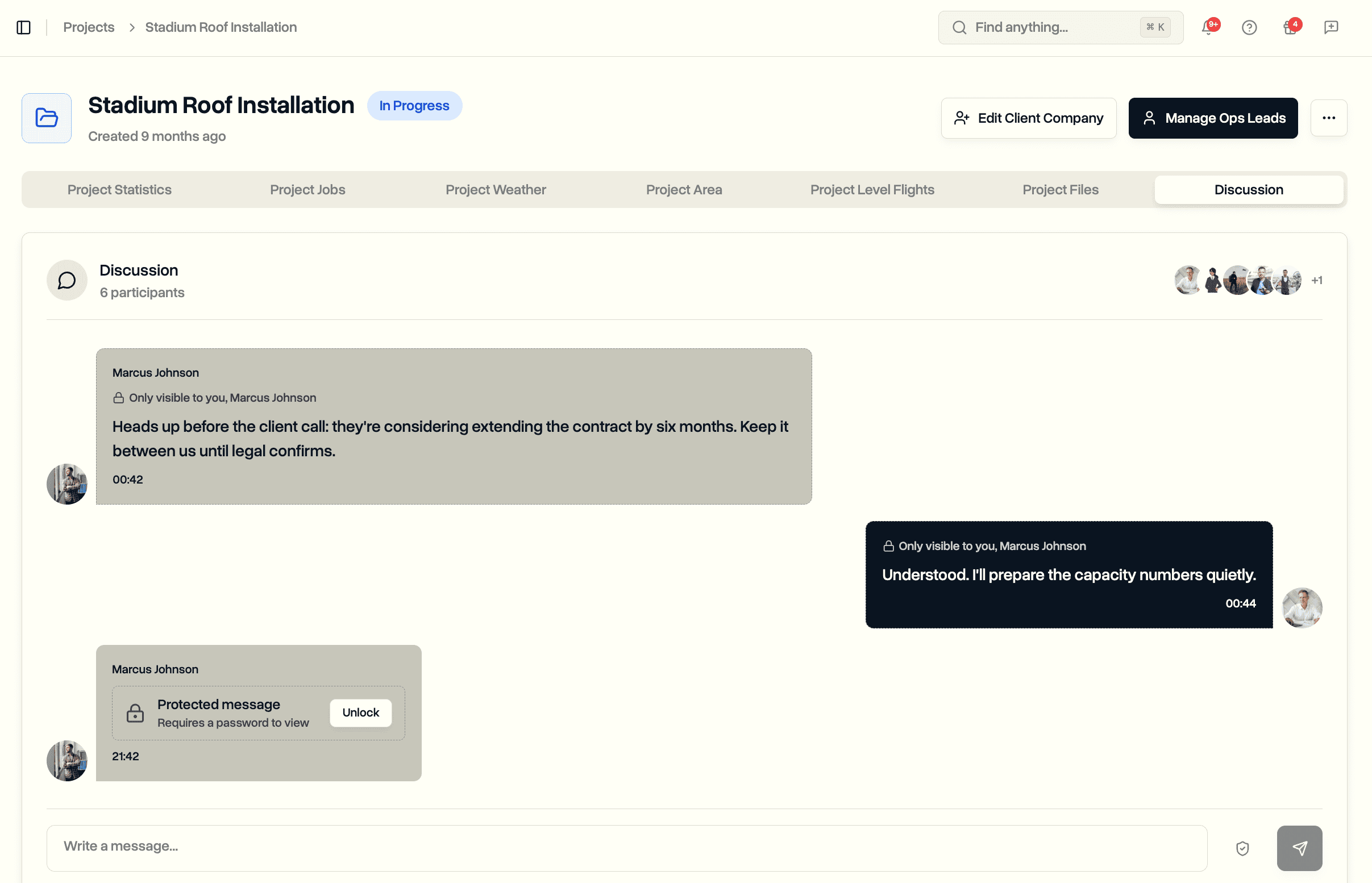
Send a message only chosen people can see, give a message an expiry so it disappears on schedule, or lock the content behind a password that is never stored. Use one option or stack all three on a single message.
Send Securely
A shield button next to Send opens the new Send securely menu, in every project discussion and in chat.
- Three independent switches: Private message, Expires, Password protect
- Active options show as tags above the message box before you send, with one-click Clear
- Any combination works on the same message
Private Messages
Pick exactly who sees the message. For everyone else it doesn't exist.
- Recipient picker works like @mentions: anyone on your internal team, with the same on-project rules for pilots and ops leads
- Recipients who weren't in the discussion yet are added on send
- Recipients see a lock line: "Only visible to you, ..."
- No admin override: private means private, clients are never available as recipients
Expiring Messages
Give temporary information a lifespan.
- Presets for 1 hour, 24 hours, and 7 days, or a custom date with an exact time
- Dates and times display in your own format, US or European
- Everyone sees a countdown on the message, turning amber near the deadline
- At expiry the content becomes unreadable for everyone at once and is removed from storage shortly after; a short "message expired" note keeps the thread history intact
Password Protection
Lock the content of a message behind a password.
- Type your own password or generate one
- The password is never stored, so the content cannot be read without it, by anyone, including us
- The message shows as a locked card with an Unlock button; the right password reveals it on the spot
- Repeated wrong guesses are blocked for a while
- No recovery: a lost password means sending the message again. Share it outside the discussion.
No Leaks Around the Edges
- Chat list previews show "Private message" or "Protected message" instead of the text
- Notification emails for a protected message never include the content
- Private messages only notify the chosen recipients, and @mentions inside one are limited to people who can see it
Where It Lives
- The Discussion tab on every project and the Chats page
- Every participant gets the same three options, whatever their role
- Available on every plan that includes team chat