Improvement
Inline Edits on the Jobs Page: Update Fields Without Opening a Job
jobs-pageinline-editingquick-editstatuspilotspriorityschedulingoperations
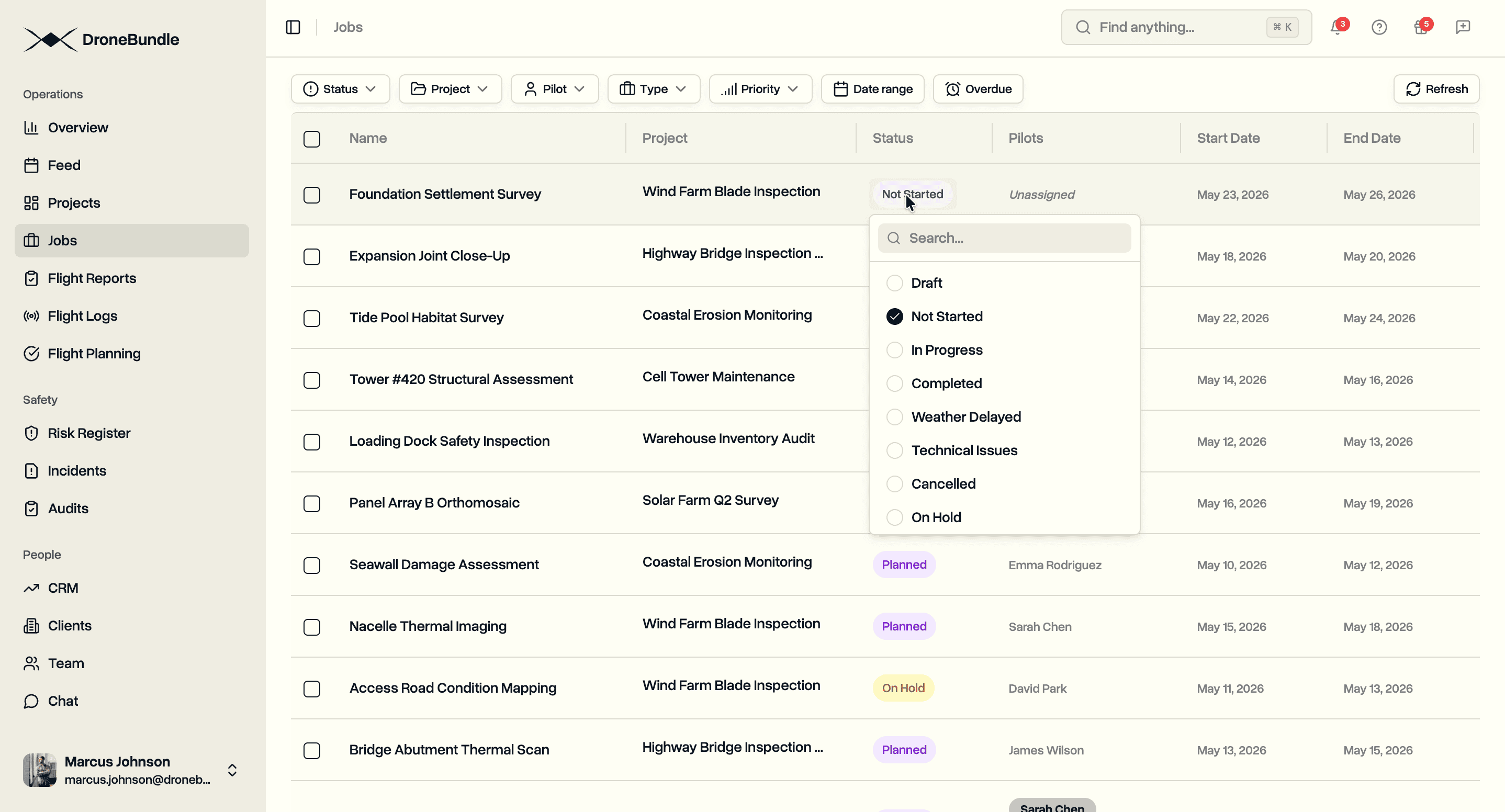
Change the name, project, status, pilots, dates, priority, and type straight from the Jobs table. Each cell saves on its own. The full edit dialog is still there for everything else.
Editable Fields
Every column on the Jobs table is now an in-place editor.
- Name. Click to edit, press Enter to save, Escape to cancel.
- Project. Rename the project from any of its job rows. The new name updates everywhere on screen, including the filter bar and the project list.
- Status. Pick from the workspace's stages with a search box. Default and custom pipelines render correctly per job. Picking Other on the default pipeline asks for a reason before saving.
- Pilots. Add or swap pilots from a single dialog without leaving the page.
- Start Date and End Date. Calendar picker. End date can be cleared for jobs with no firm deadline.
- Priority. Pick from the four priority levels.
- Type. Pick from every job type with its icon.
Saving and Errors
- A spinner shows on the cell while the change saves
- Toast appears if the save fails, and the cell rolls back to its previous value
- Clicking a cell never opens the full edit dialog
Notifications
- Inline edits skip per-job email and in-app notifications, the same way bulk actions do
- The full edit dialog still sends notifications when you save from there
Availability
Available on every plan with no setup.