New Feature
Global Jobs Page: Cross-Project Filtering and Bulk Actions
jobs-pagecross-projectbulk-operationsbulk-statusbulk-prioritybulk-assignbulk-unassignbulk-deletefilteringoverdue-jobsworkspace-jobsoperations
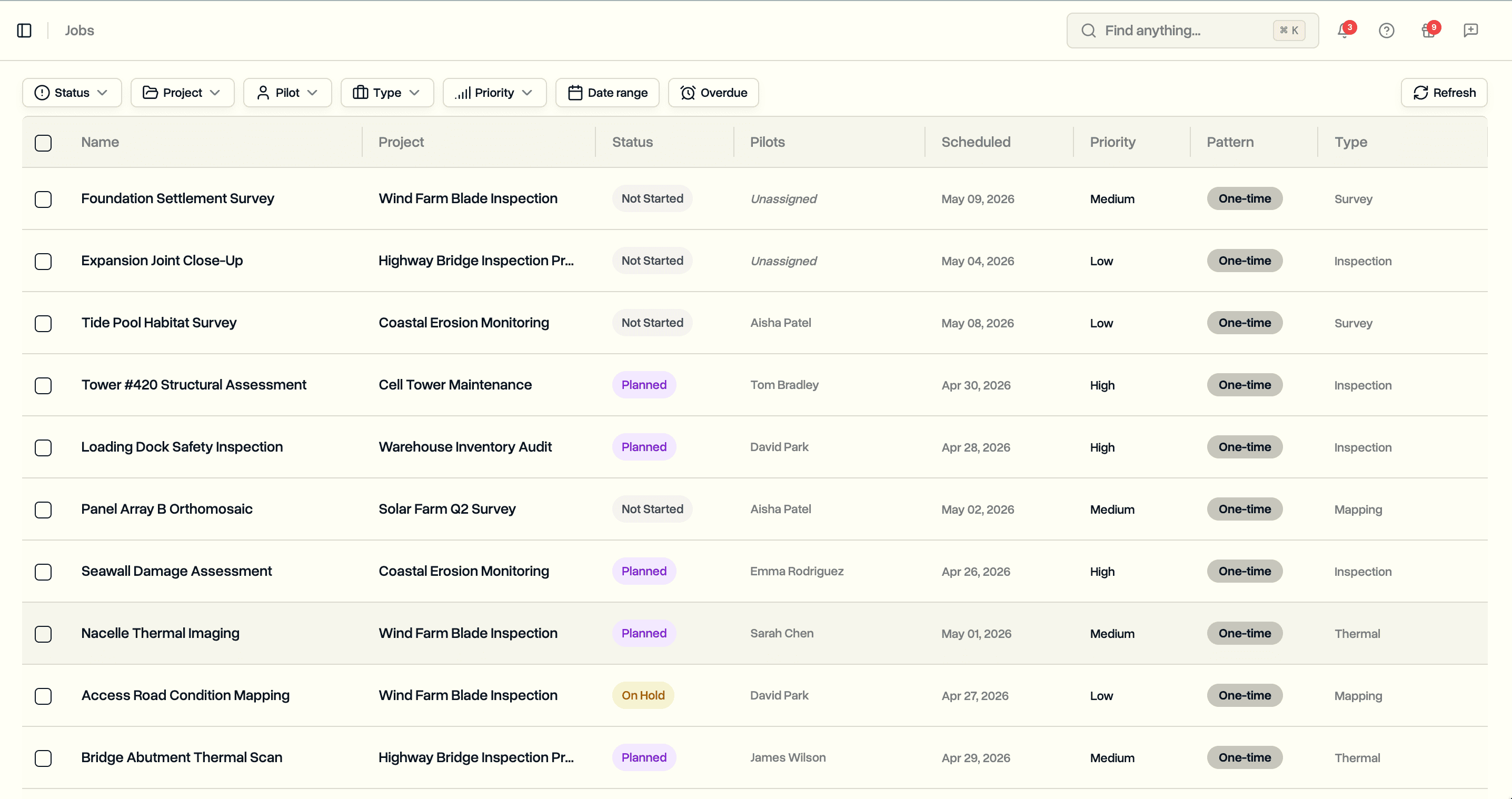
Browse every job in the workspace from one page. Filter across projects, pilots, and dates. Bulk change status or priority, assign or unassign pilots, and delete many jobs at once without opening each project.
The Page
A new Jobs entry in the sidebar under Operations, next to Projects, Flight Reports, and Flight Logs.
- Workspace-wide table of every job: name, project, status, pilots, scheduled date, priority, pattern, and type
- Newest jobs at the top by default; sort by status or scheduled date from the column headers
- Click a project name to jump into that project
- Click any row to open the full edit dialog with name, description, inspection notes, capture types, and recurring schedule
Filtering
The filter bar covers the questions project managers actually ask.
- Status (with Default and Custom tabs when the workspace uses a custom job pipeline)
- Project (multi-select, active projects only)
- Pilot (multi-select, plus an Unassigned option for jobs with no pilot)
- Job type and priority (multi-select)
- Date range
- Overdue toggle for jobs past their scheduled date that are not complete
- Filter state lives in the URL, so any view can be bookmarked or shared with a teammate
Bulk Actions
Select one or more rows and a toolbar appears.
- Change status. Works across projects. Mixed default and custom pipeline selections are handled automatically, one group at a time.
- Change priority. Update priority on every selected job at once.
- Assign pilots. Add one or more pilots; pilots already on a job are skipped.
- Unassign pilots. Remove pilots. The list shows only pilots currently on the selected jobs, not the full roster.
- Delete. Confirm dialog with the row count.
Selection stays put across actions, so the common "move Alice's workload to Bob" flow is a two-click sequence: filter by Alice, unassign Alice, assign Bob.
Progress and Retry
- Live counter while a batch runs: "Updating 23 of 87..."
- Per-row spinner on jobs being updated
- Success toast when the batch finishes cleanly
- Error banner if anything failed with three buttons: Retry failed, View errors (per-row error message), Dismiss
- Failed jobs stay selected, so Retry runs only on them
Notifications
- Bulk actions skip per-job email and in-app notifications across the board
- Single-job edits still send notifications as before
- A small tooltip on the bulk Assign pilots button reminds users to inform pilots separately
Permissions and Availability
- Workspace admins and project managers see the Jobs entry and can use it
- Pilots and clients don't see the page
- Available on every plan with no setup