New FeatureNew
Custom Dashboards: Build the Overview Your Team Actually Needs
overviewdashboardsanalyticsdronebundle-ai
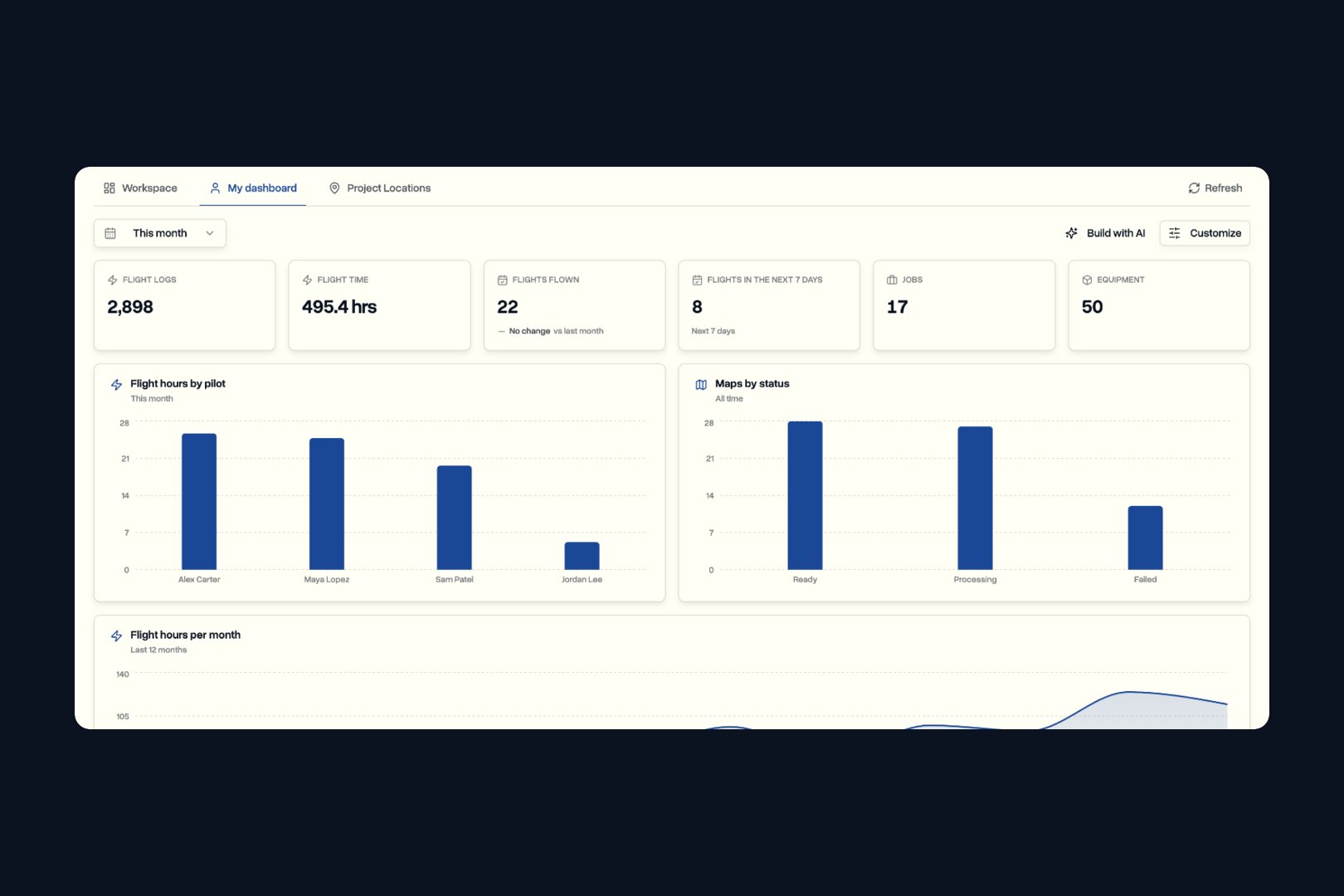
The Overview is now yours to build. Pick ready-made cards, make your own in one sentence, drag them where you want them, or ask DroneBundle AI to look at your workspace and suggest a dashboard. Keep a shared Workspace dashboard for the team and a My dashboard for yourself.
Cards Built From a Sentence
- Show what to count, split it by what matters, pick the period and the chart: "Flight hours, split by drone model, this month, as a bar chart"
- Count jobs, projects, flights, flight logs, maps, equipment, maintenance, incidents, risks, audits, the team, clients, invoices and deals
- Split by status, pilot, job type, drone model, client, project, or over time per day, week or month
- Numbers, bar charts, line charts, donuts and ranked lists, with a live preview as you choose
- Only include the records you care about, like completed jobs or one client
- Your own status names and colors show up on every card
Ready-Made Cards
- A gallery of cards for jobs, flights, the fleet, safety, the team and clients, each previewing your own numbers
- Add one in a click, then change anything about it
Two Dashboards
- Workspace is shared with everyone who can open the Overview. Changes stay a draft until you publish them
- My dashboard is yours alone. It starts as a copy of the Workspace dashboard and saves as you go
- Drag to reorder, resize cards, undo, or start over
Built by DroneBundle AI
- Click Build with AI and ask it to look at your workspace and suggest a dashboard
- It checks which records you actually have, skips what you don't use, and explains its picks
- Every change shows as an approval card with live previews of the new cards
- Numbers line up in a row at the top and charts pair up below, grouped by topic
- Ask it to organize a dashboard you arranged yourself into tidy rows
- Ask for a single number without adding a card: "How many flight hours did we log this year?"
Who Can Use It
- The Enterprise plan and every free trial
- On other plans the Overview keeps its standard cards, and Customize and Build with AI show what Enterprise adds
- Admins and project managers change the Workspace dashboard, and custom roles can be given the same right
- Everyone who can open the Overview can build their own My dashboard