The FAA DroneZone (faadronezone-access.faa.gov) is the Federal Aviation Administration's official online portal for registering drones, requesting airspace authorizations, and reporting accidents. Part 107 waiver applications moved to the FAA's Aviation Safety Hub in 2026. Registration costs $5 per aircraft and is valid for three years. It is not the same as B4UFLY, which only shows you where you can fly.
Search for "FAA drone zone" and you land in a swamp of look-alike websites, half-answers, and confusion about which tool does what. The FAA DroneZone is one specific thing: the official government portal where you register aircraft and file the paperwork that keeps your operation legal. Everything else that gets lumped in with it, from the B4UFLY airspace app to LAANC authorizations to "No Drone Zone" signs, is a separate system with a separate purpose.
That confusion is expensive. Some operators pay $50 to a scam site for a $5 registration. Others assume DroneZone shows where they can fly, then launch into controlled airspace without authorization. A few try to take their recreational safety test on DroneZone and cannot figure out why the option is not there.
This guide fixes all of that. You will learn exactly what the FAA DroneZone does, how to register a drone step by step, how registration differs between recreational and Part 107 pilots, and how airspace authorization, waivers, and accident reporting flow through the portal. Then we will cover the one thing DroneZone was never built to do: keep your records organized once you are running more than a drone or two.
What is the FAA DroneZone?
The FAA DroneZone is the Federal Aviation Administration's official web portal for drone owners and operators, reachable at faadronezone-access.faa.gov. It is where you create an account, register aircraft, request permission to fly in controlled airspace when other methods are not available, and file certain safety reports. Nothing you do here happens through a third party. It is a direct line to the FAA.
The portal bundles several distinct services under one login. According to the FAA, these include the Small Unmanned Aircraft System Registration System, Part 107 waiver and airspace authorization requests, Part 107 accident reporting, FAA Recognized Identification Areas for Remote ID, Community Based Organization recognition, and Certificates of Authorization for public and government operators. One of those has since moved: the FAA's Part 107 waivers page says new waiver applications now go through its Aviation Safety Hub, while waivers already submitted in DroneZone are still processed there.
For most commercial pilots, DroneZone matters for three reasons: it is where your aircraft get their registration numbers, it is the backup path for airspace authorization when LAANC is not an option, and it is where you go after an incident to file a required report. If you hold a Part 107 remote pilot certificate, you will visit DroneZone regularly.
One point of confusion worth settling early: the certificate itself, the Part 107 knowledge test, and pilot training do not live on DroneZone. Those run through the FAA's airman certification systems and approved testing centers. DroneZone is about the aircraft and the operational paperwork, not the person. If you are still figuring out which drone license you need, sort that out before you touch the portal.
FAA DroneZone vs B4UFLY vs LAANC vs No Drone Zone
The single biggest source of confusion around the FAA drone zone is that four different tools share overlapping territory and get used interchangeably. They are not the same. Mixing them up leads to real compliance gaps. Here is what each one actually does.
| Tool | What it is | What you use it for | Cost |
|---|---|---|---|
| FAA DroneZone | Official FAA portal | Registration, manual airspace authorization, accident reports | $5 per registration; account is free |
| B4UFLY | Airspace awareness service (via approved providers) | Checking where you can and cannot fly before takeoff | Free |
| LAANC | Automated authorization system | Near-instant approval to fly in controlled airspace at set altitudes | Free |
| No Drone Zone | An FAA safety label | Identifying specific locations where drone flight is banned | N/A |
The FAA DroneZone is paperwork and permissions. It is where records are created and requests are submitted.
B4UFLY answers a different question entirely: can I fly here? It shows controlled and uncontrolled airspace, altitude ceilings near airports, and temporary restrictions. Note that the standalone B4UFLY mobile app was retired in February 2024. The FAA now delivers B4UFLY information through a set of approved service providers rather than a single government app. If you want a deeper walkthrough of airspace classes and where flying is allowed, our overview of the different types of airspace covers it.
LAANC, the Low Altitude Authorization and Notification Capability, is the fast lane for controlled airspace. Through an approved app, a Part 107 pilot can get near-real-time authorization to operate up to the altitude ceiling published on the UAS Facility Maps for a given area. LAANC and DroneZone both grant airspace authorization, but LAANC is automated and instant while DroneZone is manual and slow. More on that split below.
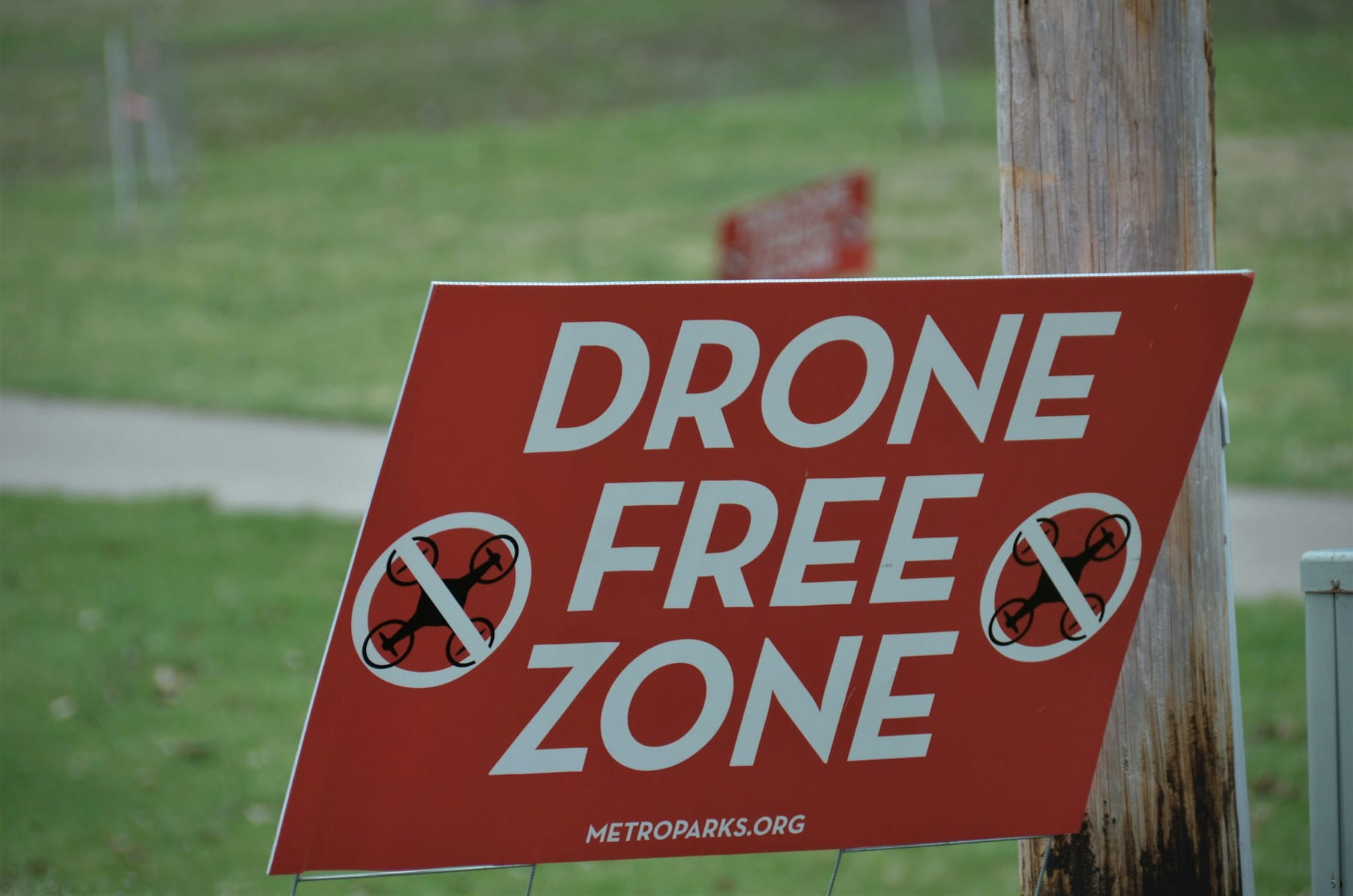
"No Drone Zone" is not a tool at all. It is a label the FAA uses for places where drone flight is prohibited, such as certain national landmarks, stadiums during events, and security-sensitive sites. When you see the phrase, treat it as a hard boundary and check the specifics against current no-fly zones and restricted areas.
How to register your drone on FAA DroneZone
Registering a drone on the FAA DroneZone takes about five minutes and costs $5 per registration. You must register any drone that weighs more than 0.55 pounds (250 grams), and the requirement applies whether you fly for fun or for hire. The full mechanics are covered in our dedicated FAA drone registration walkthrough, but here is the short version.
- Create an account at faadronezone-access.faa.gov. You will need a valid email address and a physical address in the United States.
- Choose your registration type. Select the recreational option (flying under the Exception for Limited Recreational Operations) or the Part 107 option (flying commercially or under the small UAS rule). This choice matters, and we break it down in the next section.
- Enter aircraft details. For Part 107 registrations you will list the make and model of each drone. For a recreational registration you register yourself, not each individual aircraft.
- Pay the $5 fee with a credit or debit card.
- Receive your certificate. You get an FAA registration certificate with a unique registration number. You must have a copy, paper or digital, in your possession every time you fly.
- Mark the aircraft. Display the registration number on the exterior of the drone, where it can be seen without tools.
Registration is valid for three years, after which you renew for another $5. Missing a renewal is one of the more common compliance slips, especially for operators juggling several aircraft on different dates. It is the same discipline as staying on top of your Part 107 renewal: a small recurring task that carries real penalties if it lapses.
Registration also connects to Remote ID, the digital "license plate" broadcast most drones are now required to transmit. Registering does not automatically make you Remote ID compliant, but the two systems are linked, and DroneZone is where you declare a FRIA if you fly a drone without built-in Remote ID. Our explainer on what Remote ID is covers how that obligation works in practice.
Recreational vs Part 107 registration
The most important detail competitors gloss over is that recreational and Part 107 registration are not the same product, even though both cost $5 and last three years. The difference is how many drones a single registration covers.
Under a recreational registration (the 44809 exception), you register the person. One $5 registration covers every drone you own and fly recreationally. Add a second drone, a third, a tenth, and they all fly under the same registration number at no extra cost.
Under Part 107, you register the aircraft. Each drone must be registered individually, each carries its own $5 fee, and each receives its own unique registration number. Fly ten drones commercially and you hold ten registrations.
This matters because the registrations are not interchangeable. A recreationally registered drone cannot legally be used for commercial work, and a commercially registered aircraft is what the FAA expects to see behind any paid or business flight. If you started as a hobbyist and are now taking on jobs, you need to register the aircraft under Part 107, even if you already registered it recreationally. The Part 107 rule overview lays out where the commercial obligations begin.
For an operator running a mixed fleet, this distinction quietly creates a records problem. Every Part 107 aircraft has its own number and its own three-year clock. Tracking those individually, by hand, is exactly where things start to slip.
Avoiding FAA DroneZone scam sites
Registering a drone with the FAA costs $5, and any site charging more is not the FAA. This is worth saying plainly because look-alike registration sites are a persistent trap. They mimic the government branding, rank in search results, and charge $50 or more to "process" a registration that the FAA itself does exactly the same way for $5.
The only official portal is faadronezone-access.faa.gov. If a website asks for $20, $50, or a recurring subscription to register your drone, close the tab. These operations are not illegal registrars offering a shortcut. They are middlemen charging a markup for a free-to-access government service, and some simply take the money.
A few tells: the official portal never bundles registration with a paid "study course" or "compliance package," it does not upsell insurance during checkout, and the fee is always exactly $5 per registration. When in doubt, type the URL directly rather than clicking an ad. The same caution applies to anyone offering to "expedite" your registration for a premium. There is no expedite tier. The government process is already the fast one.
Airspace authorization through DroneZone
The FAA DroneZone is the manual path to airspace authorization, used mainly when LAANC is unavailable for the location or altitude you need. Most controlled-airspace requests today should go through LAANC first, because it returns approvals in near real time. DroneZone is the fallback, and it operates on a very different timeline.
Here is the practical split, confirmed by the FAA's Part 107 airspace authorization guidance:
- Use LAANC when the airport and altitude you need are covered by the UAS Facility Maps. Approval is automated and near-instant through an approved app. Part 107 pilots can also submit a "further coordination" request through LAANC for altitudes above the published grid, which a human reviews and which must be filed at least 72 hours ahead.
- Use DroneZone when the airport is not LAANC-enabled, or when your operation falls outside what LAANC can grant. These requests are processed manually at FAA Air Traffic Service Centers and should be submitted at least 60 days before your planned operation. File late and the request may be canceled or denied.
That 60-day lead time reshapes how you plan jobs. A LAANC-covered site can be authorized the morning of the flight. A DroneZone-only site needs to be on your calendar two months out. For anyone bidding commercial work near an airport without LAANC coverage, that lead time is a scheduling constraint, not a footnote. Building it into your drone flight planning from the start prevents the awkward call where a client's date is simply not achievable.
Airspace authorization also does not replace your other pre-flight obligations. You still check for temporary flight restrictions, and for certain operations you may need to file a NOTAM. Authorization to enter controlled airspace is one layer, not the whole stack. If your work is heading toward flights beyond visual line of sight, the airspace picture gets more involved still, which is why mapping out BVLOS requirements early pays off.
Waivers, exemptions, and accident reporting
Beyond registration and airspace, every commercial operator eventually needs two more things: waivers and accident reports. Accident reports go through DroneZone. Waivers no longer do.
Waivers let you fly outside the standard Part 107 rules when you can show the operation stays safe. Want to fly at night in a way the rule does not already permit, over people, or beyond visual line of sight? You now apply for a certificate of waiver through the FAA's Aviation Safety Hub, which replaced DroneZone for new waiver applications, and the FAA reviews your safety case before granting it. The application asks you to describe how you will mitigate the specific risk, and vague submissions get rejected. Our detailed FAA drone waiver guide walks through what a strong application looks like and which waivers are realistic to obtain.
Accident reporting is the obligation people forget until they need it. Under 14 CFR 107.9, a Part 107 operator must report to the FAA within 10 days any operation that results in serious injury, loss of consciousness, or property damage of at least $500 (other than to the drone itself). That report is filed through the FAA DroneZone. Knowing this in advance matters, because a stressful post-incident moment is a bad time to learn you have a 10-day clock running. Sound incident reporting habits, including preserving flight data and documenting what happened, make the required filing far easier.
Public agencies and some specialized operators also use DroneZone for Certificates of Authorization, and the portal is where FAA Recognized Identification Areas are requested. These are narrower cases, but they underscore the point: DroneZone is the single front door for the FAA's operational drone paperwork, and staying on top of it is a core part of drone compliance.
What the FAA DroneZone does not do
The FAA DroneZone registers aircraft and processes requests, but it is not an operations tool, and treating it like one leaves real gaps. Understanding its limits is what separates operators who stay organized from those who scramble.
DroneZone does not administer the recreational safety test. The Recreational UAS Safety Test, or TRUST, is a free, mandatory test for recreational flyers, but you take it through one of the FAA-approved test administrators, not on DroneZone. People routinely log into the portal looking for TRUST and cannot find it. It was never there.
DroneZone does not track your flight logs, your pilots' currency, or when each certificate and registration expires. It stores the registration itself, but it will not remind you that three of your aircraft renew next month or that a pilot's flight hours need logging for a client report. It has no view of your team, your equipment maintenance, or your job schedule.
The portal also has no concept of a fleet as a managed unit. It holds a list of registrations tied to your account, but it does not connect those registrations to the pilots flying them, the waivers that apply, or the jobs they support. For a solo hobbyist, that is fine. For a business, the missing connective tissue is exactly where compliance risk hides. Keeping pilot certifications and compliance aligned with aircraft records is a job DroneZone was never designed to do.
Managing DroneZone records across a fleet
Once you run more than a couple of aircraft, the real challenge stops being the DroneZone portal itself and becomes keeping everything it generates organized. Each Part 107 registration has a number and a three-year expiry. Each pilot has a certificate with its own renewal date. Each waiver has conditions and an end date. Each controlled-airspace job may need LAANC or a 60-day DroneZone request. DroneZone holds none of that together for you.
This is the gap a dedicated operations platform fills. In DroneBundle, each aircraft record can carry its FAA registration number and renewal date, each pilot profile tracks certificate and currency dates, and the system flags what is coming due before it lapses. Instead of checking the portal aircraft by aircraft, you see the whole fleet's compliance status in one place. For a growing operation, that is the difference between proactive drone fleet management and a last-minute scramble when an auditor or client asks for proof.
The airspace side connects too. When you plan a job, knowing in advance whether a site is LAANC-covered or needs a 60-day DroneZone request changes how you schedule. Tying that intelligence into flight planning and airspace workflows means the authorization lead time is visible at the moment you are quoting a client, not discovered two weeks before the flight. Teams doing sensitive work, from public safety and emergency response to infrastructure inspection, lean on exactly this kind of visibility, and it feeds directly into how they manage safety and compliance as a whole.
None of this replaces the FAA DroneZone. You still register on the portal, request manual airspace authorizations there, and submit accident reports through it. What changes is that the records those actions create stop living in scattered PDFs and screenshots, and start working as a single operational picture. For a business scaling past a handful of drones, that shift matters as much as the registrations themselves.
Frequently asked questions
Is the FAA DroneZone free?
Creating a DroneZone account and logging in is free. Registering a drone costs $5 per registration, valid for three years. Airspace authorization requests and Part 107 waiver applications are also free to submit through the portal. The only mandatory fee is the $5 registration, and any website charging more than that for registration is not the official FAA service.
What is the website for FAA DroneZone?
The official FAA DroneZone is at faadronezone-access.faa.gov. That is the only legitimate portal for FAA drone registration and airspace authorization. Waiver applications go through the FAA's Aviation Safety Hub. Older links and search ads may point to look-alike sites that charge inflated fees, so it is safest to type the address directly rather than clicking through an advertisement.
Do I have to register my drone if it weighs under 250 grams?
Recreational flyers do not have to register a drone that weighs 0.55 pounds (250 grams) or less when flown under the Exception for Limited Recreational Operations. Anyone flying under Part 107, meaning commercial or business operations, must register the aircraft regardless of weight. So a sub-250-gram drone flown for a paying client still needs registration, while the same drone flown purely for fun does not.
Is the FAA DroneZone the same as B4UFLY?
No. The FAA DroneZone is the portal for registration and airspace authorization requests. B4UFLY is a separate service that shows where you can and cannot fly before takeoff, now delivered through FAA-approved providers after the standalone app was retired in 2024. You register and file paperwork on DroneZone, and you check airspace with B4UFLY. Different tools, different jobs.
Ready to keep your registrations and authorizations organized?
The FAA DroneZone gets your aircraft registered and your airspace requests filed, but it will not tell you which registration renews next month, which pilot's certificate is about to lapse, or whether next week's job site needs a 60-day airspace request. Once you are running a fleet, that tracking is the hard part, and it is exactly where things fall through.
DroneBundle keeps every registration number, renewal date, pilot certification, and airspace requirement in one place, and flags what is coming due before it becomes a problem.
Start your free trial today and see your whole fleet's compliance status at a glance. No credit card required.
Or book a live demo to walk through registration tracking and airspace planning with our team.