Maintenance: Schedule Service by Flight Hours, Cycles, and Calendar Days
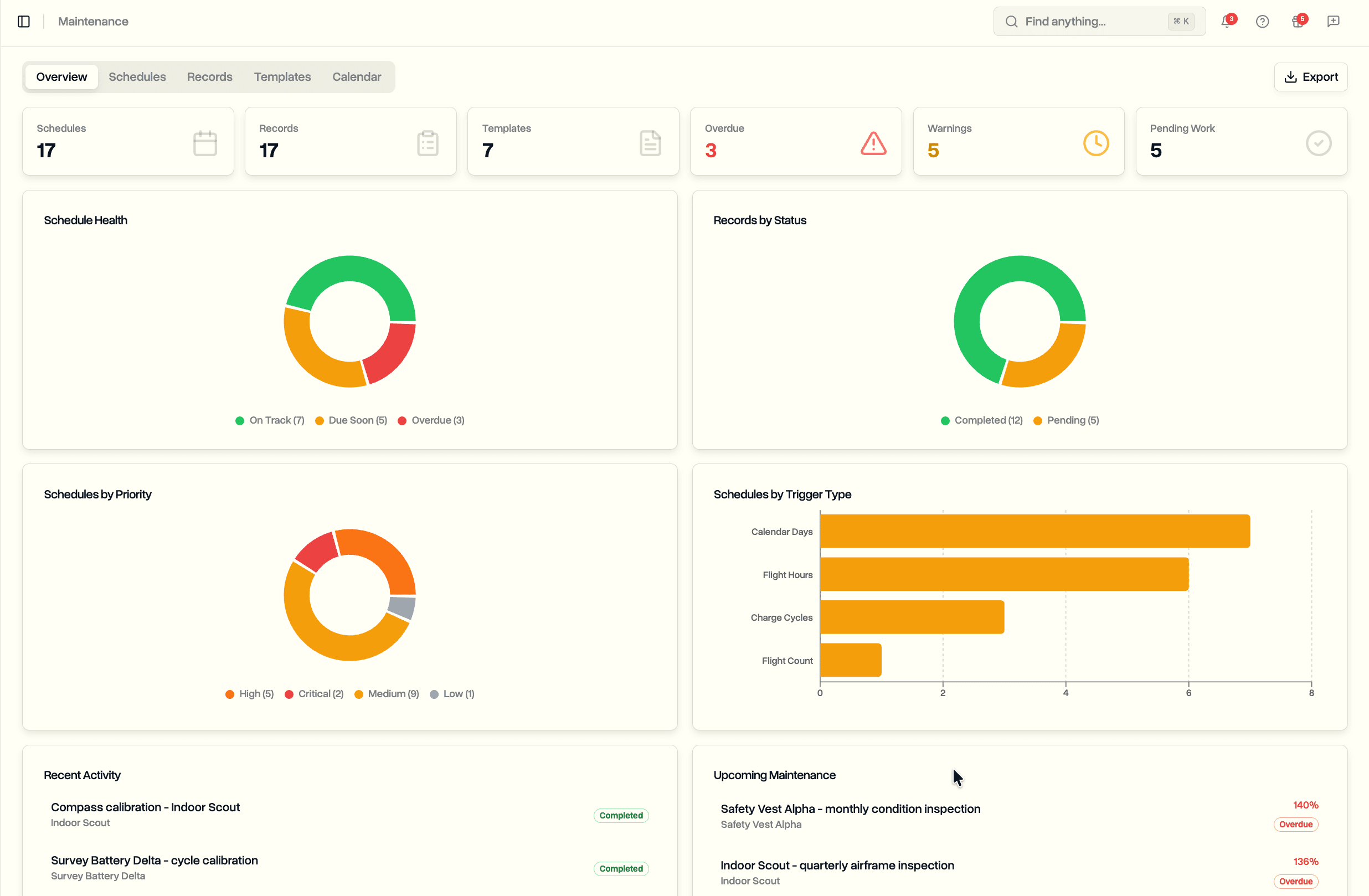
Set maintenance schedules per drone, track progress automatically from flight logs, record every service, and get alerts before anything falls overdue.
Maintenance (Enterprise)
Track service across your whole fleet from one place, tied to your equipment and flight logs.
- Overview dashboard: schedule, record, and template counts, plus overdue, due-soon, and pending totals
- Breakdowns by schedule health, priority, trigger type, and record status
- Recent activity and upcoming maintenance at a glance
- Available on Enterprise and during the trial
Maintenance Schedules
Recurring service rules attached to a piece of equipment.
- Four trigger types: flight hours, flight count, calendar days, battery charge cycles
- Set the interval, priority (low, medium, high, critical), and active or paused status
- Trigger types are filtered to what fits the equipment category
- Pause a schedule while equipment is out of service
Automatic Progress Tracking
Schedules advance on their own from flight data, with no manual counter entry.
- Per-equipment running totals for flight time, flights, and charge cycles, updated as flight logs are processed
- Progress shown as a percentage against the interval: on track, due soon at 80%, or overdue at 100%
- Fully automated for DJI: the Log Sync app uploads flight logs from your controller after each flight
Recording Maintenance
Log completed or pending work against any schedule.
- Eight categories: preventive, corrective, inspection, calibration, firmware update, component replacement, cleaning, other
- Assign work to a team member and record who performed it and when
- Attach photos, receipts, and reports
- Status history on every record
- Completing a record resets the schedule and starts the next interval
Maintenance Templates
Reusable sets of schedules you can apply to equipment in one step.
- Three categories: manufacturer, regulatory, and custom programmes
- Each template bundles several scheduled services for an equipment type
- Duplicate any template, with version tracking on updates
- Predefined templates are locked; duplicate one to build a custom copy
Maintenance Calendar
See projected service dates across the month.
- Each event shows the schedule, priority, and status
- Filter to a single piece of equipment
- Overdue and due-soon counts at the top
Alerts
A nightly check warns you before service items fall overdue.
- Escalating levels: warning at 80%, urgent at 90%, overdue at 100%
- Notified only when a schedule moves up to a new level
- Assignment notifications when maintenance is assigned to a teammate
Export
Hand a clean record to insurers and regulators.
- Export to an Excel spreadsheet or a branded PDF
- Choose what to include: schedules, records, and equipment counters
- Filter by equipment and by record date range
Equipment Integration
- Each piece of equipment carries its own maintenance history
- Service ties back to the equipment register and your safety records