Improvement
Bulk Flight Approvals: Approve, Reject, and Revert in One Step
bulk-operationsflight-approvalsapprove-rejectrevert-approvalsflight-reports
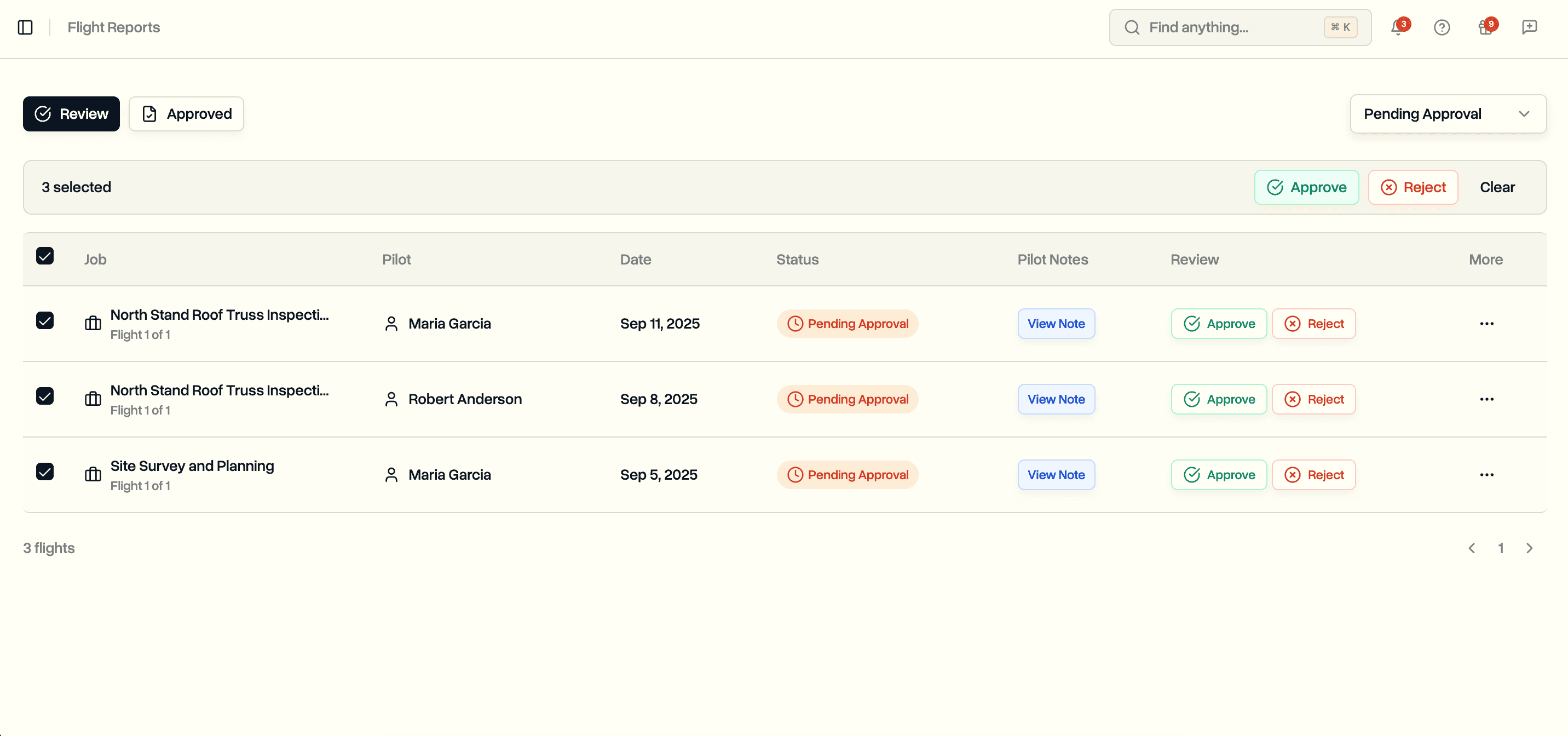
Select multiple flights at once and approve, reject, or revert them together with one shared note.
Bulk Selection
Select individual flights or the entire page from the Flight Reports table.
- Checkbox on each row for individual selection
- Header checkbox to select every flight on the current page
- Selection bar appears above the table showing the count
- Clear button to reset selection
- Selection resets automatically when you change filters or pages
Bulk Approve and Reject
On the Review tab, approve or reject many pending flights in a single operation.
- One shared approval note or rejection reason applied to every selected flight
- Rejection reason is required, approval note is optional
- A hint shows when any selected rows are not pending approval, and only pending rows are acted on
- Progress indicator during the operation: "Approving 5 of 12..."
- Flights processed in parallel batches of 10 for speed
- Success and failure counts reported after completion
Bulk Revert
On the Approved tab, revert many approvals at once when data needs to be re-reviewed.
- One shared reason applied to every selected flight
- Reverted flights move back to "Pending Approval" and are removed from invoicing
- Same batched processing and progress feedback as approve and reject
- Available only to users with approval permissions
Where It Works
- Review tab on Flight Reports (bulk Approve and Reject)
- Approved tab on Flight Reports (bulk Revert)