Improvement
Bulk File Management: Select, Delete, and Manage Files Faster
bulk-deletefile-managementproject-filesjob-files
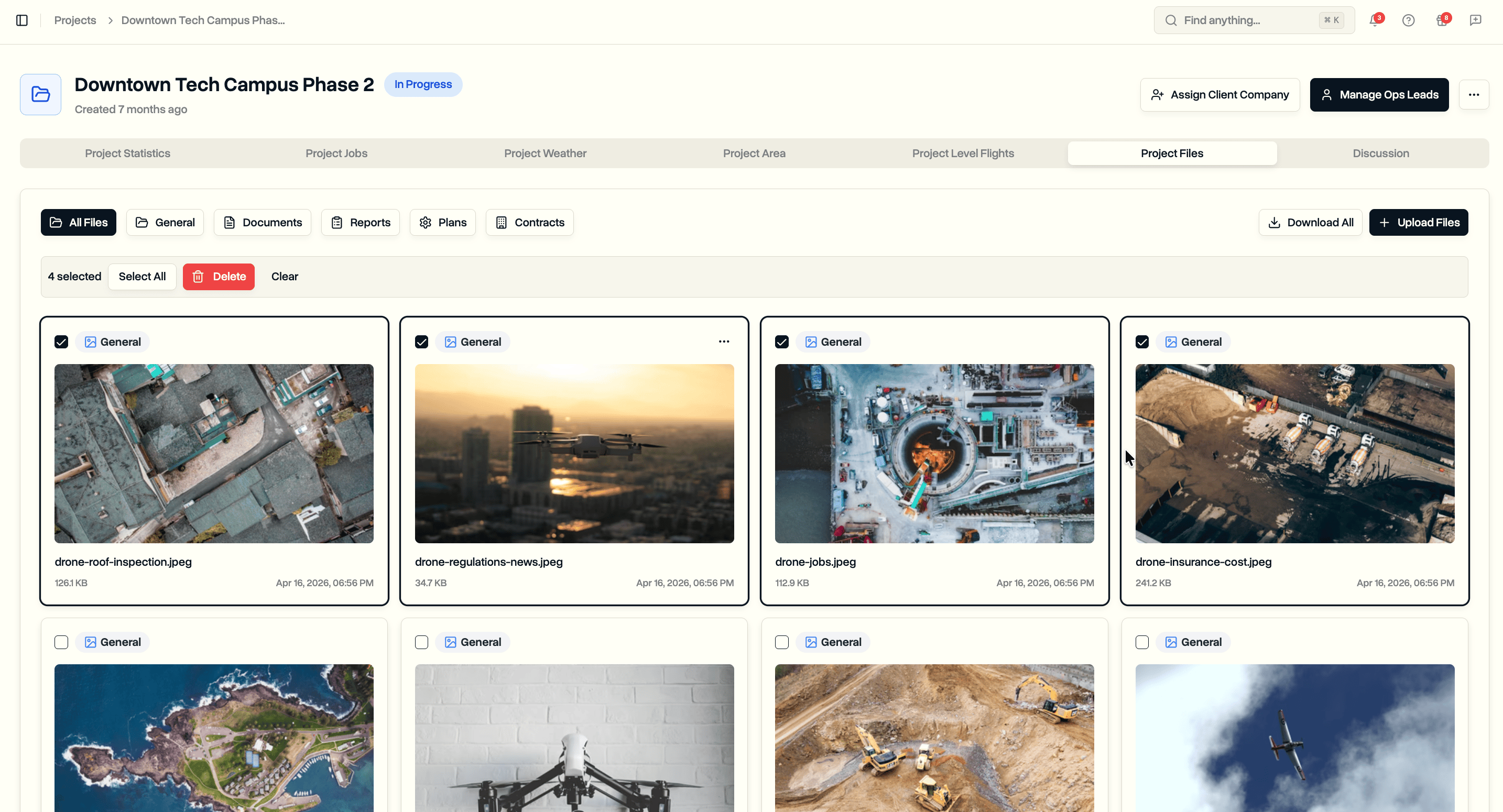
Select multiple files at once and delete them in bulk. Available for both project files and job files.
Bulk Selection
Select individual files or all files at once from any file grid.
- Checkbox on each file card for individual selection
- Selected files highlighted with a border ring
- Selection bar appears when files are selected showing the count
- Select All / Deselect All to toggle the entire filtered view
- Clear button to reset selection
- Selection works with category filters: select all within a filtered view
Bulk Delete
Delete multiple files in a single operation instead of one by one.
- Confirmation dialog shows the exact number of files being deleted
- Progress indicator during deletion: "Deleting 5 of 12..."
- Files deleted in parallel batches of 10 for speed
- Success and failure counts reported after completion
- File counts and storage metrics updated automatically
Where It Works
- Job Files tab on any job
- Project Files tab on any project