Drone mission planning software lets commercial operators design flight paths, check airspace restrictions, integrate weather data, and manage compliance documentation from a single platform. The right tool turns a 45-minute pre-flight workflow into a repeatable 10-minute process, and the wrong one leaves your team stitching together spreadsheets, weather apps, and PDF checklists before every job.
Most comparison articles list a handful of apps, mention waypoint planning, and move on. That works if you fly solo and just need a grid pattern tool. But if you coordinate multiple pilots across client sites, need audit-ready documentation for Part 107 or EASA compliance, or want weather and risk data baked into every mission file, the conversation is more nuanced than "which app has the nicest map interface."
This guide breaks down what actually matters when evaluating drone mission planning software for commercial work, where the popular tools fall short, and how to build a planning workflow that scales with your operation.
What drone mission planning software actually does
Drone mission planning software automates the pre-flight workflow that commercial operators used to handle manually: route design, airspace checks, overlap calculations for mapping jobs, altitude management, and sensor configuration. Modern platforms go further by pulling in live weather feeds, regulatory databases, and equipment records so that everything a pilot needs sits in one place before launch.
The core functions include:
- Waypoint and route design with adjustable speed, altitude, and heading at each point
- Airspace awareness through integration with LAANC, airspace classification databases, and no-fly zone layers
- Overlap and GSD calculators for photogrammetry and mapping missions
- Terrain following using digital elevation models to maintain consistent above-ground altitude
- Sensor and camera triggers synced to flight path positions
- Mission templates that let teams reuse proven configurations across similar job sites
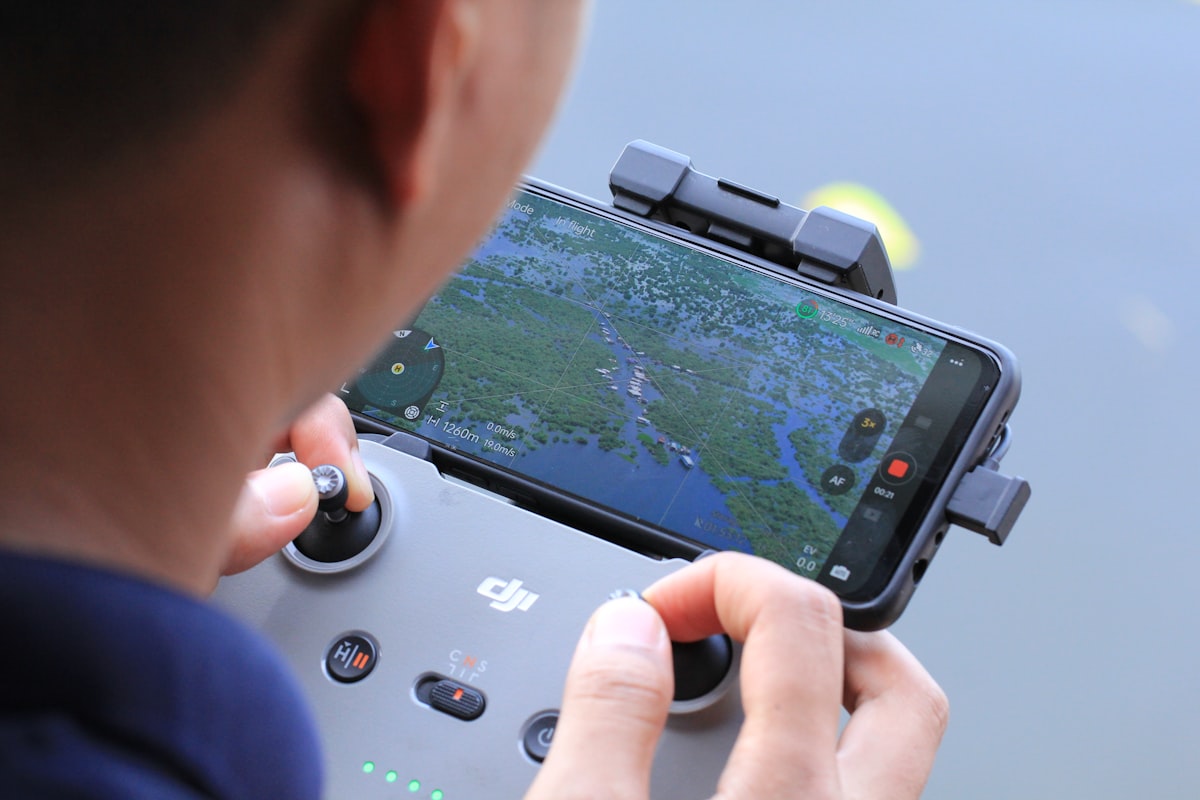
For solo pilots flying a single DJI aircraft, the manufacturer's built-in planner often covers the basics. The gap shows up when you move beyond single-aircraft, single-site operations. That is where dedicated drone flight planning software earns its cost.
Features that separate professional tools from hobbyist apps
Professional drone mission planning software must handle the operational complexity that free or bundled apps ignore. Three areas consistently separate commercial-grade platforms from consumer tools: multi-mission management, team collaboration, and data continuity.
Multi-mission management means planning, storing, and scheduling dozens of missions across different job sites without losing context. A construction company running weekly progress flights at four sites needs mission versioning so pilots fly the exact same path each visit. Consumer apps treat every flight as a standalone event. Professional tools treat missions as reusable assets tied to projects and clients.
Team collaboration matters the moment a second pilot joins your operation. Can a manager review and approve a mission plan before a field pilot executes it? Can the pilot in the field see notes or checklists attached by the ops manager? Tools like DroneBundle handle this through project-based workflows where mission plans, flight approvals, pre-flight checklists, and deliverables live in one shared workspace.
Data continuity connects planning to execution to reporting. The best mission planning software feeds directly into your flight logging, data processing, and reporting pipeline. If your planning tool is disconnected from your logs and compliance records, you are duplicating data entry and inviting errors. Integrated platforms close that loop automatically.
Weather integration: the feature most tools get wrong
Real-time weather integration is the single most overlooked capability in drone mission planning software. Most competing tools either ignore weather entirely or link to a generic forecast that the pilot checks separately. Neither approach is good enough for professional operations.
Effective weather integration does three things at the planning stage:
- Forecasts wind speed, gusts, and direction at mission altitude, not just surface conditions. A 12 mph surface wind can mean 25+ mph gusts at 300 feet AGL, which exceeds the operating limits of many commercial drones.
- Flags precipitation probability, cloud ceiling, and visibility against regulatory minimums. Part 107 requires 3 statute miles of visibility and a 500-foot cloud clearance. Software should flag violations automatically.
- Provides location-specific METAR and TAF data for the actual mission site, not the nearest major airport 40 miles away.
Most operators we talk to still check weather on a phone app, then mentally cross-reference with their aircraft specs. That process works until it does not. A gust exceeds the drone's limit mid-flight, or fog rolls in faster than the generic forecast predicted. Software that embeds weather considerations directly into the mission planning screen eliminates that gap.
DroneBundle's weather integration feature pulls hyperlocal forecasts, wind data at altitude, and precipitation probability into every mission plan. If conditions breach your configured thresholds, the system flags the mission before your pilot ever drives to the site.
Risk assessment workflows built into planning
A proper risk assessment should happen during mission planning, not as a separate PDF form filled out after the fact. Drone mission planning software that integrates risk assessment into the planning workflow catches hazards before they become incidents.
The best tools evaluate risk across multiple dimensions:
- Airspace risk: proximity to airports, controlled airspace boundaries, temporary flight restrictions
- Ground risk: population density beneath the flight path, vehicle traffic, critical infrastructure
- Operational risk: pilot experience level for this mission type, equipment age and maintenance status, battery cycle count
- Environmental risk: wind relative to aircraft limits, temperature extremes, electromagnetic interference sources
A SORA-compliant risk assessment for European operations under EASA regulations requires quantifying both ground and air risk classes. Software that automates these calculations saves hours per mission and produces consistent, auditable results.
Too many operators treat risk assessment as a checkbox exercise. That is a liability problem. When something goes wrong, regulators and insurance providers want to see that you identified and mitigated risks systematically, not that you ticked "low risk" on a form without supporting data.
Compliance and documentation at the planning stage
Drone mission planning software should generate compliance documentation as a byproduct of planning, not as extra work. Every mission plan contains the data regulators want to see: flight area, altitude, time, pilot assignment, aircraft serial number, and weather conditions. The right software captures all of it automatically.
For U.S. operators, FAA compliance under Part 107 requires maintaining flight records and ensuring pilot certification currency. If your mission planning software tracks which pilot is assigned to each mission and flags expired certificates before they fly, you have eliminated one of the most common compliance failures in commercial drone operations.
For LAANC authorizations, some platforms submit the request directly from the mission planning screen. Others require pilots to switch to a separate app, re-enter flight details, and then come back. That duplication wastes time and introduces error risk.
European operators face additional complexity with U-Space requirements and Remote ID mandates. Software that supports multiple regulatory frameworks lets companies operating across borders manage compliance from one system instead of maintaining parallel workflows for each jurisdiction.
Documentation generated during planning also supports your client portal. Clients increasingly want to see pre-flight risk assessments, authorization confirmations, and pilot credentials before approving fieldwork. Software that packages this information automatically strengthens client trust and reduces administrative overhead.
Fleet-level mission coordination
Single-pilot mission planning is a solved problem. The harder challenge is coordinating missions across a fleet of aircraft, multiple pilots, and overlapping schedules. This is where most standalone mission planning apps fall apart.
Fleet-level coordination requires the software to answer questions like:
- Which aircraft are available on the mission date, and do they have the right payload for this job?
- Which pilots are certified for this aircraft type and mission profile?
- Are there maintenance items due before the scheduled flight that would ground the aircraft?
- Do any other missions overlap geographically or temporally with this one?
Standalone planning tools handle the flight path. Operations management platforms handle the coordination layer on top. The most efficient workflows combine both in a single system.
DroneBundle connects mission planning directly to equipment management, pilot scheduling, and synced flight logs so that a planned mission flows seamlessly into execution and post-flight reporting. No copy-pasting between apps. No "I thought someone else checked the battery count."
For teams managing multi-drone operations, this integration is not a nice-to-have. It is the difference between scaling confidently and scaling into chaos.
Comparing popular drone mission planning platforms
No single platform is best for every operation. The right choice depends on your fleet size, regulatory environment, and how tightly you need planning integrated with the rest of your workflow.
| Platform | Best For | Planning Features | Compliance | Fleet Mgmt | Weather |
|---|---|---|---|---|---|
| DJI Flight Hub 2 | DJI-only fleets | Waypoints, mapping grids | Limited | Basic | Surface only |
| UgCS | LiDAR and corridor mapping | Terrain following, photogrammetry | Minimal | No | No |
| DroneDeploy | Construction mapping | Automated grid plans | Basic | Limited | Basic |
| Pix4Dcapture | Survey-grade photogrammetry | GSD calculator, overlap control | No | No | No |
| DroneLink | Automated complex paths | Component-based flight plans | Minimal | No | No |
| DroneBundle | Full operations management | Mission plans tied to projects | Part 107, EASA, Part 108 | Full | Hyperlocal, altitude-aware |
The key distinction: tools like UgCS and Pix4Dcapture excel at the flight path engineering side of planning. They build precise routes for technical data capture. But they stop at the flight path. They do not track which pilot flies, whether the aircraft is maintenance-current, or whether weather will hold.
Platforms like DroneBundle approach mission planning as one step in a larger operational workflow. Planning connects to compliance, equipment, scheduling, CRM, and reporting. For a solo pilot doing occasional mapping work, that integration is overkill. For a drone service business running 20+ missions per week, it is essential.
How to evaluate software for your operation
Choosing drone mission planning software comes down to matching capabilities to your operational reality. Start by mapping your current workflow and identifying where time gets wasted or errors sneak in.
If your pain point is flight path quality, prioritize tools with advanced waypoint editors, terrain-following DEM support, and sensor-specific overlap calculators. Most standalone tools handle this adequately, but they stop there.
If your pain point is operational overhead, look for platforms that connect planning to scheduling, compliance, and reporting. The minutes saved per mission compound fast when you run dozens of flights per week. Choosing the right fleet management software covers this evaluation in depth.
If your pain point is compliance risk, prioritize tools with built-in regulatory frameworks, automatic LAANC submission, pilot certification tracking, and audit-ready documentation. This matters most for operators pursuing FAA waivers or BVLOS approvals. DroneBundle covers all three pain points in a single platform.
If your pain point is client management, evaluate whether the planning tool integrates with your CRM and client communication workflow. Can clients see mission status? Can you attach deliverables to the same project that holds the mission plan? Disconnected tools force you to manage this manually.
Before committing, run a real mission through the platform's trial period. Not a demo dataset. Your actual job site, your actual aircraft, your actual regulatory requirements. That is the only way to know whether the tool fits.
Building a mission planning workflow that scales
A scalable mission planning workflow separates what can be templated from what must be customized per job. The goal is reducing per-mission planning time without sacrificing safety or data quality.
Start with mission templates for your most common job types. A standard roof inspection template, a construction progress monitoring template, a power line survey template. Each template locks in camera settings, overlap percentages, altitude rules, and safety parameters. Pilots adjust only the site-specific variables: location, boundaries, and schedule.
Layer in automated checks that run every time a mission is created or modified. Airspace validation, weather forecast review, equipment availability, and pilot certification status should all trigger automatically. If any check fails, the system flags it before the pilot heads to the field. This is the workflow streamlining approach that separates efficient teams from overworked ones.
Add post-flight linkage so that data captured during execution feeds back into the mission record. Flight logs, telemetry data, and deliverables attach to the same project. When a client asks about a specific flight six months later, you pull up one record instead of searching across five different tools.
Ready to see how this works in practice? Try DroneBundle free or book a live demo to walk through a full mission planning workflow with your team.
FAQ
What is the best drone mission planning software for commercial operators?
The best drone mission planning software depends on your operation's size and needs. For teams managing multiple pilots, aircraft, and clients, integrated platforms like DroneBundle that connect planning to compliance, fleet management, and reporting in one system consistently outperform standalone flight path tools.
Does drone mission planning software handle FAA compliance automatically?
Some platforms include LAANC authorization submission and airspace restriction checks. Fewer track pilot Part 107 certification expiration dates or generate audit-ready flight records automatically. Look for software that treats compliance as part of the planning workflow rather than a separate manual process.
Can mission planning software integrate weather data?
Basic tools show surface weather forecasts. Professional platforms integrate altitude-specific wind data, METAR/TAF reports, precipitation probability, and visibility forecasts directly into the planning screen. The best tools flag missions where conditions breach your configured safety thresholds before your team leaves the office.
How much does drone mission planning software cost?
Standalone planning tools range from free to $50-150/month for premium features, but they only cover the flight path. Integrated operations platforms like DroneBundle start at $149/month for small teams and scale to $999/month for business-tier features including unlimited projects, CRM, and full fleet management. The per-mission time savings typically pay for the platform within the first month.