Project Discussion: Mention a Teammate and They Get an Email
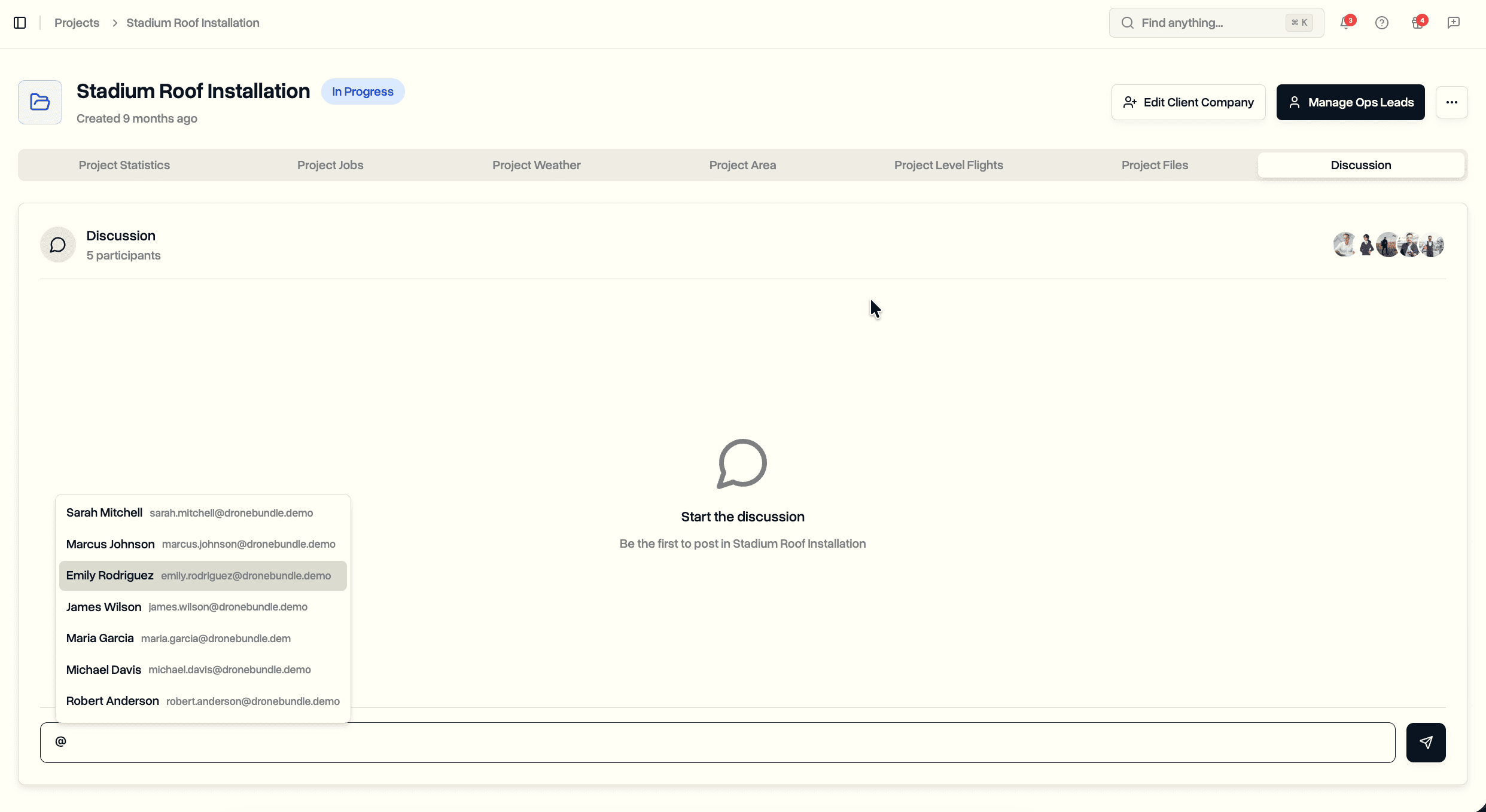
Type @ in any project discussion to pull a teammate into the thread. Project managers always get the email. Pilots and ops leads are notified only if they're actually working on the project.
How Mentions Work
Open a project, switch to the Discussion tab, and type @. A dropdown shows the workspace, minus clients and yourself.
- Pick anyone active in the workspace
- Up to 25 mentions per message
- Mentioned teammates who weren't in the discussion yet are added on send
Who Gets the Email
The email rules track who's actually involved in the project:
- Project managers and workspace admins are notified every time
- Pilots are notified only if they have a job in this project
- Ops leads are notified only if they have project access on this project
Mentioning someone outside those rules still works inside the message text, but no email goes out and they aren't added to the discussion. They can be tagged so the conversation reads naturally without surprising anyone with a notification.
Off-Project Badge
Pilots and ops leads who aren't on the project show a yellow Not on this project badge in the mention dropdown, plus a short banner under the input listing anyone in that group you've tagged. No guessing whether the mention will land.
Silencing the Email
- Settings → Notifications → Mentions toggle
- Available to pilots and ops leads as well, alongside the regular Messages toggle
- Default is on
Where It Lives
- Any project's Discussion tab
- Same access as the rest of the discussion: roles that can see the project