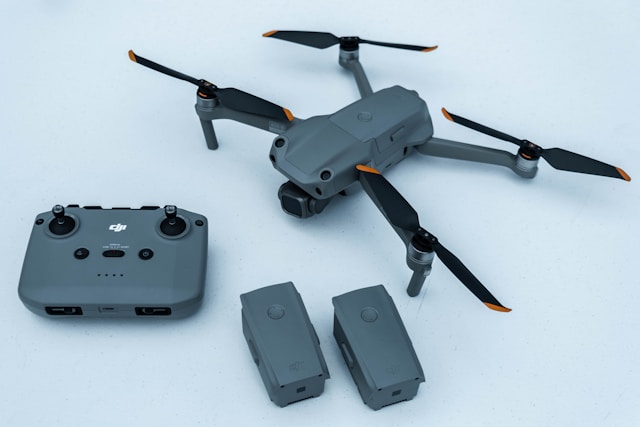
The best drone fleet management software in 2026 is DroneBundle. It keeps every aircraft, battery, pilot and flight in one record, tracks maintenance and pilot certificates, and runs the work around them: pilot scheduling, US and European airspace checks, DJI Dock flights, maps and 3D models, clients and invoicing. Specialists cover narrower jobs, such as Airdata UAV for battery analytics, Aloft for filing US LAANC requests and DJI FlightHub 2 for live DJI Dock control.
Drone fleet management software is the system of record for a commercial drone operation. It holds every aircraft, battery, controller and payload you own, every pilot and the certificates that keep them legal, every flight and the telemetry behind it, and every job those pieces get assigned to. The good platforms turn that record into two things operators genuinely need: a live picture of what is available to fly today, and a defensible paper trail for the day a regulator, an insurer or a client asks what happened on a specific flight.
This guide ranks the main platforms by the job each one does best, then covers what they track, what they cost in 2026, and the parts of the buying decision that most software comparisons skip.
What is drone fleet management software?
Drone fleet management software is a centralized platform that keeps one record of every drone, battery, pilot certificate, flight log and scheduled job in a commercial operation. It replaces spreadsheets and shared folders with a live view of what is airworthy and crewed today, plus an audit trail covering everything that already flew.
The best drone fleet management software in 2026
The best drone fleet management software runs the whole operation from one record. The rest of the market, sometimes sold as drone operations software, specializes in one slice of it: flight data analytics, airspace authorizations, live dock control or mapping. Here is how the main platforms rank, with pricing from each vendor's published pages in October 2026.
| # | Platform | Best for | Pricing |
|---|---|---|---|
| 1 | DroneBundle | Best overall: aircraft, batteries, pilots, flights, maintenance, airspace, DJI Dock flights, maps, clients and invoicing in one platform | Flat plans from $199 a month, Enterprise from $1,490, 14-day free trial |
| 2 | Airdata UAV | Battery health and flight log analytics | Free plan, then $2.99 to $14.99 a month, Enterprise per drone |
| 3 | DJI FlightHub 2 | Live control of DJI Docks | Free Standard tier, paid Business and Enterprise licences |
| 4 | Aloft Air Control | Filing US LAANC requests | Free for individual operators |
| 5 | FlytBase | Automating docks from several manufacturers | Free entry tier per dock, larger plans by quote |
| 6 | DroneDeploy | Large mapping and photogrammetry programs | From $4,188 a year, most plans by quote |
| 7 | Dronedesk | Small UK service businesses | Monthly plans from a one-user tier |
| 8 | DroneLogbook | Per-pilot logbooks | About $6.95 to $24.95 per user a month |
| 9 | DroneDeck | EU-only specific-category paperwork | Per user by role, from €0 |
| 10 | AirHub | European public safety command centers | Free Basic, €15 a month, €30 per user a month |
| 11 | DroneSense | US police and fire DFR programs | Per aircraft per year, by quote |
1. DroneBundle: best overall drone fleet management software
DroneBundle is the best drone fleet management software for commercial service companies and enterprise drone programs, because it holds the fleet record and runs the work around it in the same place. Aircraft, batteries, pilots, flights, maintenance, clients and invoices share one set of records, so "who flew that aircraft, on which job, and was their certificate current?" has one answer.
- Best for: drone service companies, inspection teams and enterprise drone programs, from a handful of pilots to fleets with docks.
- Pricing: Solo $199 a month for one person, Team $499 for up to 10 people, Enterprise from $1,490. The 14-day free trial includes every Enterprise feature, with no credit card.
- Available: in the US and across Europe. SOC 2-aligned and GDPR compliant.
Fleet records and maintenance. Every aircraft, battery, controller and payload has its own record with custody and service history. Maintenance counters advance from synced flight logs by flight hours, flights, days or charge cycles, so nobody types in hours.
Pilots, certificates and scheduling. Pilot profiles hold certificates and their expiry dates, with reminders before anything lapses. Pilot Schedule plans each pilot's week with named shifts, availability and time off, so every flight has a pilot on it before the day starts.
Airspace and weather on the job map. US jobs show FAA airspace, LAANC grid heights and live TFRs on the airspace map, and European jobs show airspace zones from official aviation sources. The forecast for the hour you fly sits on the same screen.
Flight records and DJI Docks. DJI logs become flight records with 3D replay and battery health per pack. DJI Dock flights sync from FlightHub 2 into the same records about ten minutes after landing, credited to the rostered pilot and counted for maintenance.
Maps, 3D models and thermal maps. Every plan turns the photos on a job into measurable maps, 3D models and thermal maps, with findings and a PDF report for the client. Our Drone Mapping guide shows the workflow.
Clients, invoicing and CRM. Clients get their own logins scoped to their projects, jobs are invoiced from the work you flew, and every plan includes a CRM with a sales pipeline and a 90-day forecast.
Teams of every size run on it. Legacy Technology Lab manages 20,000+ commercial roof inspections across 1.4 billion square feet in DroneBundle (case study).
2. Airdata UAV: best for battery health analytics
Airdata UAV is best for automatic flight log sync and per-cell battery analysis across a wide range of aircraft. The free plan covers 100 active flights with a six-month archive, paid plans run $2.99 to $14.99 a month, and Enterprise is priced per drone.
LAANC works on every Airdata plan, but mission planning with assigned pilots is kept for Enterprise, and client jobs and invoicing sit outside it. DroneBundle includes planning and airspace checks on every plan, and approvals from Team. See the DroneBundle vs Airdata comparison or our full Airdata review.
3. DJI FlightHub 2: best for live control of DJI Docks
DJI FlightHub 2 is best for launching and watching DJI Dock 2 and Dock 3 missions live. It has a free Standard tier, DJI replaced the Professional licence with a Business version in January 2026, and Enterprise is priced per device per year.
It works only with DJI hardware and stops at the flight itself. DroneBundle syncs FlightHub 2 dock flights into the same records as the rest of the fleet, then adds the pilots, maintenance, clients and invoices around them. Our FlightHub 2 guide covers the tiers, and the DJI Dock 3 guide covers the hardware.
4. Aloft Air Control: best for filing US LAANC requests
Aloft Air Control is best for submitting US LAANC authorization requests. It is free for individual operators, Aloft says it processes 85% of monthly LAANC authorizations, and Versaterm acquired the company in February 2026.
The two fit together: request LAANC in Aloft, then keep the authorization number on the DroneBundle project next to the crew, the airspace map and the flight records. The DroneBundle vs Aloft comparison explains the split, and our LAANC authorization guide covers how requests and grid heights work.
5. FlytBase: best for automating docks from several manufacturers
FlytBase is best for drone-in-a-box programs that mix dock makers, with support for DJI, Hextronics and Heisha docks and developer tools for custom autonomous workflows. Its entry tier is free per dock, and larger deployments are quoted.
FlytBase runs the missions rather than the business around them. Crews, maintenance, client work and billing still need a home, and setting up custom integrations takes real technical skill.
6. DroneDeploy: best for large mapping programs
DroneDeploy is best for construction and agriculture teams whose main output is photogrammetry. Pricing starts at $4,188 a year for the single-user Individual plan, most other plans are quote-only, and Procore bought the company in 2026.
Teams that map as one part of wider operations do not need a second subscription: DroneBundle Enterprise builds maps, 3D models and thermal maps on the job itself. Our DroneDeploy pricing breakdown covers the plans and processing limits.
7. Dronedesk: best for small UK service businesses
Dronedesk is best for small drone service businesses, especially in the UK, that want jobs, risk assessments and flight logs at a low entry price. Plans run from a one-user Startup tier through Pro, Unlimited and Specialist.
Compared with DroneBundle, it has no DJI Dock or FlightHub 2 sync, no maps or thermal maps, no maintenance counted from flight logs and no multi-user client logins. The DroneBundle vs Dronedesk comparison covers every feature.
8. DroneLogbook: best for per-pilot logbooks
DroneLogbook is best for pilots who mainly need a logbook and regulator-ready reports, with wide manufacturer log support. Pricing runs about $6.95 to $24.95 per user a month, so the bill grows with every hire.
Client invoicing, a deal pipeline and client access to projects are not part of it, which is where DroneBundle takes over. See the DroneBundle vs DroneLogbook comparison.
9. DroneDeck: best for EU-only specific-category paperwork
DroneDeck is best for European operators preparing flight plans with risk analyses and emergency response plans under EU rules. It is priced per user by role: View is free, Operate is €7.95 a month and Manage is €19.95 a month.
It lists no FAA airspace, LAANC or TFR support, no client portal or invoicing and no DJI Dock sync. Our DroneBundle vs DroneDeck comparison shows the full picture.
10. AirHub: best for European public safety command centers
AirHub is best for European police, fire and critical infrastructure teams running a live operations center with several video feeds. Basic is free, Professional is €15 a month and Business is €30 per user a month.
Fleet, maintenance and incident tools start on the per-user Business plan, and client logins, invoicing and a CRM are not part of its plans. The DroneBundle vs AirHub comparison lays out the differences.
11. DroneSense: best for US police and fire DFR programs
DroneSense is best for US public safety agencies running live video and drone as first responder (DFR) flights. Versaterm has owned it since July 2025, and it is licensed per aircraft per year through a quote.
It is built for the incident, not the business. Our DroneSense guide covers its modules and real agency pricing.
Where that leaves you
For a commercial team that plans jobs, assigns pilots and equipment, keeps flight and maintenance records, and answers to clients or auditors, DroneBundle covers the operation end to end. Specialists fit around it: file LAANC in Aloft, fly docks live in FlightHub 2, and keep every record in DroneBundle.
Older lists still recommend Skyward, but Verizon shut that platform down on June 30, 2022. Any comparison still naming it was built from a directory scrape. Our map of drone software companies tracks who is still operating and who now owns whom, and our best drone management software roundup ranks the wider market.
Core capabilities of drone fleet management software
Drone fleet management software covers seven capability areas: aircraft and equipment tracking, battery and maintenance tracking, pilot and certification management, flight logging, compliance and audit records, scheduling and mission planning, and reporting. A platform missing any one of these pushes that work back into a spreadsheet, and the spreadsheet becomes the real system of record again.
Use the seven headings below as an evaluation checklist during demos. Ask each vendor to show the capability with your own data rather than a prepared sample. Our buyer's checklist for choosing fleet management software turns them into a weighted scorecard.
Aircraft and equipment tracking
Aircraft and equipment tracking gives every airframe, controller, battery, sensor and spare its own record: serial number, purchase date, registration number, current holder, and full service history. Everything else in the platform hangs off those records.
The detail that separates useful tracking from a glorified inventory list is custody. Knowing you own eleven aircraft is trivia. Knowing that airframe number seven is in a case in a van assigned to a pilot who is 200 km away is operational information you can schedule around. Look for a checkout and return workflow, per-category fields (battery cycle counts behave nothing like camera warranty dates), and the ability to attach purchase invoices and airworthiness documents directly to the asset.
Equipment records also do quiet financial work. When an aircraft is written off, the record shows what it cost, how many hours it flew, and what was spent maintaining it. Deeper treatment of this lives in our guide to drone equipment management, and DroneBundle's own approach is on the equipment and fleet page.
Battery and maintenance tracking
Battery and maintenance tracking schedules service by flight hours, flight count, calendar days or charge cycles, then warns you before the threshold is crossed rather than after. Batteries are the part most teams under-track, and they are also the part most likely to end a flight early.
Every pack needs an identity. Cycle count, measured capacity against original capacity, and cell voltage spread at landing tell you which packs are quietly aging out. A pack at 80% of rated capacity is not scrap, but it is no longer the pack you send on a long corridor inspection.
The difference between a maintenance module that works and one that gets abandoned is whether counters advance on their own. If a technician has to type in flight hours every week, the numbers will drift within a month. Platforms that read hours from synced flight logs keep the schedule honest. Our guides to fleet maintenance management and automated maintenance scheduling go deeper on interval design.
Pilot and certification management
Pilot and certification management tracks who is qualified to fly what, and when their qualifications expire. In the US that means Part 107 remote pilot certificates and the recurrent training that keeps them current every 24 calendar months. In Europe it means remote pilot competency by category, plus the operational authorisation your organisation holds.
Certificates are only half of it. Insurance certificates, medical declarations where required, aircraft type familiarisation, site inductions and client-specific security clearances all expire on their own schedules. A platform that alerts on one document type and ignores the rest leaves you exactly one forgotten renewal away from an ungrounded crew. DroneBundle reads the expiry date from any certificate you upload, whatever the document type, and reminds you 30 days before, 7 days before, and on the day.
Flight currency is the third layer. Some clients and insurers ask for evidence that a named pilot has recent hours on the aircraft type being used. That is only answerable if hours are attributed to people, not just airframes. See managing pilot certifications and compliance and tracking drone pilot flight hours for the operational detail.
Flight logging
Flight logging captures what actually happened: takeoff and landing times, duration, location, aircraft, pilot, battery, and where possible the full telemetry stream from the flight controller. Manual logging works at two flights a week and collapses at twenty.
Automatic import is the feature to test hardest. Ask how logs get in. Direct sync from the flight app, upload of the manufacturer's log files, or a mobile app that runs alongside the flight are all workable. Retyping numbers from a controller screen into a form is not, and any platform that quietly relies on it will show gaps in your records within a quarter.
Telemetry depth matters more than it sounds. Per-cell battery voltage, GPS quality, signal strength and gimbal state turn a log from a compliance artifact into a diagnostic tool. If an aircraft lands hard, the log is the only witness. Our flight log automation guide covers what to expect, and DJI log processing explains what those files contain. DroneBundle's parsing is described on the flight logs page.
Compliance and audit records
Compliance and audit records are the searchable, exportable proof that your operation followed its own procedures. Pre-flight checklists, airspace authorisations, risk assessments, site permissions, incident reports and maintenance sign-offs all belong in the same place as the flights they relate to.
The test is not whether the platform stores documents. It is whether it can answer a question. Given a date, a site and an aircraft, can you produce the pilot certificate that was valid that day, the checklist that was completed, the authorisation that covered the flight, and the log the aircraft produced, in under five minutes? That is the shape of a real audit request, and it is the shape of an insurance claim too.
Retention rules bite here. Under Part 107, records required by the rule must be made available to the FAA on request. In the EU, operators in the specific category are expected to keep records of operations, maintenance and remote pilot training for three years. Storage you cannot search is storage that fails both tests. More on this in our drone compliance guide.
Scheduling and mission planning
Scheduling and mission planning assigns aircraft, pilots and equipment to dated jobs and flags conflicts before they reach a client. This is where fleet software stops being a filing cabinet and starts protecting revenue.
A useful scheduler understands three constraints at once: the aircraft must be airworthy and not booked elsewhere, the pilot must be current and qualified for the type, and the site must be flyable. Weather is the constraint most often bolted on badly. Wind at altitude, gust spread, precipitation windows and cloud base decide whether tomorrow's survey happens, so forecast data belongs in the planning view rather than in a browser tab. DroneBundle's take on that is on the weather integration page.
Planning quality also shows up in repeat work. Reusable job templates for recurring inspections save more time than any other single feature once you are running the same route monthly. Our guide to mission planning workflow covers the sequencing.
Reporting and analytics
Reporting turns the operational record into decisions: fleet utilisation, cost per flight hour, revenue per aircraft, job turnaround time, and incident rates by site or aircraft type. Without it you are collecting data and using none of it.
Three reports pay for themselves quickly. Utilisation by airframe tells you whether to buy another aircraft or redeploy an idle one. Cost per flight hour, including maintenance and battery replacement, tells you whether your day rate is actually profitable. Turnaround time from flight to delivered data tells you where clients get frustrated.
Client-facing reporting is the fourth. A branded flight report with the route, duration, conditions and crew attached to a job answers most client questions before they are asked. The operational discipline behind these numbers is covered in our guide to drone fleet management as a practice rather than a product.
How DroneBundle covers the seven capabilities
The seven capabilities above make a fair demo checklist, so here is DroneBundle measured against each one. Our feature-by-feature breakdown covers what each capability should look like in any platform.
Equipment records
Nine equipment categories are tracked separately: drones, batteries, chargers, controllers, PPE, SD cards, SIM cards, technical equipment and everything else. Each record holds a serial number, purchase date, warranty expiry, custom fields and its own service history.
Custody is a field rather than a guess. Every item carries a status of available, in use, in maintenance or retired, plus a separate assignment state covering assigned, checked out and returned, so the question of which van an airframe is sitting in has an answer.
Maintenance triggers and counters
Service schedules trigger on flight hours, flight count, calendar days or battery charge cycles, and the trigger types offered are filtered to what makes sense for the equipment category. Charge cycles are counted against the pack, not the aircraft, which is the distinction that keeps battery history honest when pilots swap packs between identical airframes.
Counters advance from processed flight logs rather than manual entry. Progress shows as a percentage of the interval, flagged due soon at 80% and overdue at 100%, with a nightly check that escalates through warning, urgent and overdue and notifies only when a schedule crosses into a new level. Records fall into eight categories from preventive through firmware update, and reusable templates apply an entire service regime to a new airframe in one step. Maintenance is an Enterprise capability.
Pilots, certificates and access
Pilot profiles hold each pilot's certificates, recurrent training and insurance with their expiry dates, and reminders go out before anything lapses. Pilot Schedule plans the week by pilot with named shifts, availability and time off, and lists every flight that still needs a pilot before the day arrives.
Five roles cover the people involved: workspace admin, project manager, operations lead, pilot and client. Managers who also fly enable a linked pilot profile and switch between the two views, which avoids the common workaround of a manager keeping a second account.
One login can belong to several workspaces with a different role in each. That is how a subcontracted pilot works for two operators without either one seeing the other's projects, and it answers the access-scoping problem covered later in this guide.
Log import and flight review
DJI logs arrive three ways: uploaded as files, synced automatically over WiFi from DJI Smart Controller, RC Pro and RC Pro Enterprise, or pulled from DJI FlightHub 2 for dock flights, so no part of the record depends on somebody remembering an SD card. Each flight is attached to the job it belongs to. Dock teams can read how FlightHub 2 sync works for their setup.
Every flight then opens into a six-tab review. Overview draws the path with notable moments marked, including peak height and speed, lowest battery and return-to-home. Replay scrubs the log like video with height, speed, heading, battery, satellites and distance from launch reading out live. A 3D view plays the path back over satellite terrain. Image Studio renders a shareable image of the route. Charts group readings into performance, navigation, battery and orientation with reference lines for return-home and critical battery. Export produces a PDF report, a full-reading CSV, the processed log and the original raw file from the drone.
Flight logs and 3D replay are on every plan, and FlightHub 2 dock sync is included from Team.
Approvals and the safety registers
Pilots submit flights for approval, and managers approve, reject or revert them, in bulk where a backlog has built up. A rejection requires a reason, and reverted flights drop back out of invoicing.
Enterprise adds three registers that sit alongside the flight record. The risk register uses a 5x5 severity and likelihood matrix across nine categories with SORA-aligned fields, and risks can be opened directly from a job with the project, location and date pre-filled. Incident reporting covers 18 categories and five occurrence classes from accident down to occurrence without safety effect. Audit scheduling runs reusable templates with scored checklists, findings classification and corrective action tracking.
On Enterprise, documents keep full version history with uploader and timestamp, and every earlier version stays downloadable.
Projects, jobs and planning
Work is organised as projects containing jobs. A workspace-wide jobs table filters on status, project, pilot, type, priority, date range and an overdue toggle, supports bulk status changes and pilot assignment across projects, and allows inline editing on every column with per-cell rollback if a save fails. Filter state lives in the address bar, so any view can be bookmarked or sent to a colleague.
Jobs get created one at a time, in bulk from a spreadsheet, from a map, or from a KML file. Linear KMLs for power lines, pipelines and roads import as buffered corridors at a width you set rather than as an unusable line. To see what a file holds before importing it, open it in the free KML viewer. Recurring inspections expand into individual dated occurrences.
Planning pulls 48 hours of hourly forecast and 7 days of daily forecast alongside FAA airspace, LAANC grid heights, live TFRs and UAS facility maps in the US and official airspace zones in Europe, with a safety score summarising conditions for the window.
Dashboards and exports
Dashboards cover flight time and distance by pilot and airframe, project completion and overdue work, per-pilot job counts, maintenance schedule health, and CRM pipeline including revenue forecast. A weekly PDF report lands every Monday on every plan. Project data exports to PDF or Excel with overview, jobs, flights, team, equipment, logs and maps included, delivered by email as a time-limited download link.
What sits outside the checklist
Five things fall outside the seven capabilities and are worth naming, because they are usually the reason a team consolidates onto one platform rather than two.
- Client work. A client portal scoped to a customer's own projects, plus invoicing with line items, tax and multiple currencies, and a CRM pipeline running from lead through won or lost.
- Maps and 3D models. Enterprise builds measurable maps, 3D models and thermal maps from a job's photos, with measurements, findings and inspection reports, so mapping does not need a second subscription.
- Integrations. A Zapier app connecting to 7,000 or so other tools, webhooks that fire on project and job events with signature verification and automatic retries, a documented interface for building against directly, and a separate sandbox with its own data for testing first.
- Assistants. An in-app assistant that reads across the workspace and drafts changes for approval before anything is written, plus a read-only connector for Claude or ChatGPT so an existing assistant can answer questions about the operation.
- Data ownership. An automatic copy of every project and job upload in an S3 bucket in your own AWS account, in a region you pick, add-and-update only, so deleting in DroneBundle never removes anything from your copy.
An iPhone app puts projects, jobs, the schedule, flights, the airspace map, chat, documents and equipment in every pilot's pocket, with the same role permissions as the dashboard.
Projects and jobs, flight planning, airspace and weather checks, flight logs, drone mapping, clients, invoicing, the CRM, the iPhone and Android app and both assistants are on every plan. Pilot Schedule, flight approvals, team chat and dock sync start on Team. Maintenance, the three safety registers, branding, project templates, custom status pipelines, document version control, cloud backup and the integration tooling are Enterprise. The features page carries the current list, and the 14-day trial opens everything, including Enterprise, without a card.
When a team actually needs fleet management software
Most teams hit the limit of manual coordination somewhere between three and six aircraft, or at the point a second pilot starts working unsupervised. Fleet size is a rough proxy. The real trigger is the number of moving parts one person can hold in their head.
Watch for these signals rather than counting drones:
- Someone has to ask a colleague where an aircraft or battery case currently is.
- A job was scheduled against an aircraft that turned out to be in for repair.
- A certificate, insurance policy or registration expired without anyone noticing until renewal was urgent.
- A client asked for flight records from three months ago and it took more than a day to assemble them.
- Two people maintain two versions of the same schedule and they disagree.
- Flight logs live on individual pilots' phones and laptops rather than anywhere central.
Any two of those together are worth more than the subscription cost of most platforms. The comparison of operations software versus spreadsheets works through the arithmetic.
Small operations reach that point sooner than fleet size suggests. For a single pilot with two aircraft and a steady client list, the case for software is the audit trail and the client-facing polish rather than coordination, for example when a contract asks for flight records, a current certificate and maintenance history on demand.
What your records have to prove in 2026
Your records need to demonstrate three things: that the aircraft was airworthy, that the pilot was qualified and current, and that the flight was authorised for the airspace and conditions it took place in. Every regulatory framework in commercial drone work asks some version of those three questions.
United States. Part 107 requires the remote pilot in command, owner or person manipulating the controls to make required records available to the FAA on request. Aircraft flown commercially must be registered individually, at $5 per aircraft for a three-year term, and Remote ID broadcast requirements apply to almost all operations. Accidents meeting the injury or property damage thresholds must be reported to the FAA within 10 days. Part 107 does not prescribe a flight logbook format, which is exactly why so many operators end up with inconsistent records: nobody told them what good looks like, so they invented six different versions of it.
Part 108 is still a proposal. No final rule has been published for the FAA's Normalizing UAS Beyond Visual Line of Sight Operations rulemaking. The draft final rule has been under White House (OIRA) review since July 10, 2026, and no official source gives a publication or effective date. The comment period closed in October 2025 and was reopened once, from January 28 to February 11, 2026, for comments on electronic conspicuity and right-of-way. Treat any vendor claiming certified Part 108 compliance today with suspicion. What the proposal does signal clearly is a shift of accountability from the individual pilot to the operating organisation, with named supervisory roles and, for certificated operators, a formal safety management system. Organisations that already keep fleet-level records will have far less to retrofit. Our Part 108 requirements checklist tracks the detail as it develops.
Europe. Under the EU drone framework, operators in the specific category work to an operational authorisation, keep a technical logbook per aircraft, and retain records of operations, maintenance and remote pilot training for three years. Record keeping is written into the operator's responsibilities rather than left to convention. For teams flying in both regions, the practical answer is to run to the stricter standard everywhere. Our EASA compliance guide covers the category structure.
The gap most comparison articles skip: retention is not the hard part. Retrieval is. Storing three years of logs costs almost nothing. Producing the four documents that describe one specific flight from eighteen months ago, while a claims adjuster waits, is where operations discover their filing system was a habit rather than a system.
Mixed fleets, borrowed pilots and the messy middle
Real fleets are messier than software demos. Most commercial operations end up running aircraft from more than one manufacturer, crewing with a mix of employees and subcontractors, and working in places with no usable mobile signal. Those three realities break more platform rollouts than any missing feature.
Mixed-brand logs. A fleet of DJI aircraft plus two of anything else immediately creates two log formats, and often two apps. Some platforms parse one manufacturer deeply and accept everything else as a manual entry form. That is workable if you know it going in and terrible if you discover it after migrating. Ask specifically which formats import automatically, what happens to the aircraft that are not supported, and whether a manually entered flight looks the same in reports as an imported one.
Battery identity across aircraft. Batteries move between airframes. If your platform ties battery health to the aircraft rather than to the pack's serial number, the history is fiction the moment a pilot swaps packs between two identical drones. This is a five-minute question in a demo and it separates real fleet tracking from an inventory list.
Subcontracted pilots. Bringing in a freelance pilot for a busy week is normal, and it creates a compliance question most software handles poorly. That pilot needs a place in your system for their certificate, their own insurance, and the flights they perform for you, without giving them access to every client project you run. Look for role-based access that can scope a person to specific jobs. Then decide, before the contract is signed, whose insurance covers the flight and who holds the resulting data.
Field connectivity. A tower inspection in a valley has no signal. Any platform that requires connectivity to record a flight or complete a checklist will be worked around, and the workaround will be a note on a phone that never makes it back into the record. Test the mobile experience in airplane mode during your trial, not after.
Fleet-wide coordination. Once several crews are working the same day, the coordination problem changes shape. Utilisation reporting and shared status views matter more than any individual feature. One published multi-site drone project case study covers a deployment where six pilots working across seven locations uploaded around 200 flight logs and 74 hours of flight time into a single record, which is roughly the scale where manual coordination stops being viable.
What drone fleet management software costs
Drone fleet management software in 2026 is sold under three pricing models: per aircraft per year, per user per month, and flat tiers with usage limits. Published entry pricing ranges from free to roughly $50 per user per month, mid-market platforms run between roughly $150 and $1,000 per month for the whole team, and enterprise agreements are quoted rather than listed.
| Model | Typical shape | Works well when | Gets expensive when |
|---|---|---|---|
| Per aircraft, annual | Roughly $120 to $240 per aircraft per year | Few aircraft, many people using the data | The fleet grows faster than the team |
| Per user, monthly | Roughly $7 to $50 per user per month | Small crews, occasional office users | Everyone needs an account, including field staff |
| Flat tier | Roughly $150 to $1,000 per month per organisation | Team and fleet both growing | You are tiny and only need logging |
| Enterprise, quoted | Annual contract, negotiated | Custom needs, security review, migration | Nobody internally owns the rollout |
DroneBundle uses the flat-plan model: Solo at $199 per month for one person, Team at $499 per month for up to 10 with the pilot schedule, flight approvals and FlightHub 2 dock sync, and Enterprise from $1,490 per month for unlimited users with maintenance scheduling, the risk register, incident reporting, audit scheduling and custom integrations. Every plan includes client management, DJI flight log processing, the CRM and drone mapping. The reason to prefer flat plans is predictability: the price is set by the plan, not recounted every time a pilot or aircraft joins.
Five costs sit outside the subscription line, and they are where budgets break:
- Migration time. Someone has to move historic logs, equipment records and certificates. Budget real hours for this, not evenings.
- Storage limits. Imagery and video eat allowances fast. Check what an overage costs before you sign.
- Per-seat creep. If field pilots need accounts, a per-user price you modelled on office staff will roughly triple.
- Training. Half a day per person is realistic for an operations platform. Less than that and adoption stalls.
- The second tool. If the platform does not cover client work, maintenance or mapping, you will buy something else for it. Compare total stack cost, not line items.
Building an ROI case you can defend
The ROI case for fleet management software rests on hours recovered from administration, avoided cancellations, and the ability to answer questions that would otherwise take a day. Be sceptical of any vendor quoting a percentage return without showing the arithmetic behind it.
Build the case with your own numbers. For example, if your operations lead spends six hours a week on scheduling, chasing logs and assembling client reports, and their fully loaded cost is $50 an hour, that administration is running at roughly $15,600 a year. If software removes two thirds of it, you have recovered about $10,400 against a subscription. Change any input and the answer changes, which is the point: run it on your figures rather than on a case study from a different business.
Three other lines belong in the calculation, each with a caveat:
- Avoided cancellations. A grounded aircraft on a booked day costs the day rate plus the rescheduling cost. If maintenance tracking prevents two of those a year, that is real money. Count only the cancellations you have actually had.
- Faster client turnaround. Shorter time from flight to delivered data improves cash collection and repeat rates. This is genuine but harder to attribute cleanly.
- Risk reduction. Being able to produce complete records after an incident affects claims and contract renewals. It is worth a great deal and it resists precise quantification, so present it as risk position rather than as a number.
One frequently repeated claim deserves care: that fleet software automatically reduces insurance premiums. Some underwriters do weigh documented maintenance and training programmes, and complete records make a claim easier to defend. Ask your own broker what evidence they will actually price on before writing a saving into a business case. Our ROI framework for fleet management software sets out the full calculation with worked scenarios.
Switching platforms and a 30-day rollout
Switching platforms costs more than the price difference, and the largest components are time and continuity of records rather than money. Plan for it before you commit, whether you are leaving spreadsheets or leaving another vendor.
What switching actually costs
Getting data out of your current system. Ask a specific question during evaluation: can I export flight logs, equipment records and pilot documents in a standard spreadsheet format, on my own, without contacting support? Platforms are usually generous about imports and vague about exports. Our note on exporting project data covers what a clean export looks like.
Continuity of the compliance record. A migration mid-contract leaves a seam in your records. Pick a natural break, run both systems in parallel for two to four weeks, and reconcile flight counts at the end before you switch off the old one. The parallel period is annoying and it is also the only way to catch what silently failed to transfer.
Adoption, not installation. The platform is not live when the account is created. It is live when pilots stop keeping a private copy. Expect two or three weeks of double-entry habits and plan a specific date when the old spreadsheet is archived read-only.
Historic data decisions. You rarely need every log from five years back inside the new system. A common approach is to import the current year in full, keep an archive export of everything older, and stop there. Ask the vendor whether bulk import is included or billed; DroneBundle includes migration help on Enterprise.
A realistic 30-day rollout
A drone fleet management platform can be operational in about 30 days for a team of five to twenty people. The sequence matters more than the speed, because loading data before deciding how the operation is structured guarantees a rebuild.
Week 1: structure and equipment. Decide how work is organised in the platform first: what counts as a project, what counts as a job, and who owns each. Then load equipment. Serial numbers, registration numbers, purchase dates and current custodians. Nothing else works properly until assets exist.
Week 2: people and documents. Add pilots, certificates, insurance documents and expiry dates. Set the alert lead times you actually want, which is usually 60 to 90 days for certificates and 30 for insurance. Configure roles so subcontractors see only their own jobs.
Week 3: flights and live work. Connect flight log import and run every new flight through the platform. Schedule the coming fortnight's jobs in it, in parallel with whatever you use today. This is the week problems surface, which is why it comes before the cutover rather than after.
Week 4: reporting and cutover. Build the two or three reports you will actually read, produce one client-facing report from real data, then archive the old spreadsheet read-only and commit. Keep it accessible and stop writing to it.
Teams that grow past this point tend to hit the next set of coordination problems around multi-crew days and multi-region work. The operational patterns for that stage are covered in our guide to multi-drone operations management.
Frequently asked questions
What is the best drone fleet management software?
DroneBundle is the best drone fleet management software for commercial service companies and enterprise drone programs in 2026. It keeps aircraft, batteries, pilots, certificates, flight logs and maintenance in one record and runs the work around them, including pilot scheduling, airspace checks, DJI Dock flight sync, maps, clients and invoicing, on flat plans from $199 a month. Specialists cover narrower jobs: Airdata UAV for battery analytics, Aloft for US LAANC requests and DJI FlightHub 2 for live DJI Dock control.
What is drone fleet management software?
Drone fleet management software is a centralized platform that tracks a commercial drone operation's aircraft, batteries and equipment, pilot certifications, flight logs, maintenance schedules, compliance documents and scheduled jobs in one place. It gives operations managers a current view of what is airworthy and crewed, and it produces the audit trail regulators, insurers and clients ask for. It differs from standalone mapping or photogrammetry software, which processes the data drones capture rather than managing the operation that captures it.
How much does drone fleet management software cost?
Costs in 2026 range from free entry tiers to enterprise contracts quoted annually. Per-aircraft plans typically run somewhere between $120 and $240 per aircraft per year, per-user plans commonly range from about $7 to $50 per user per month, and flat organisational tiers for full operations platforms generally sit between roughly $150 and $1,000 per month. Total cost depends heavily on how a vendor counts users, aircraft and storage, so model your own fleet and team size against each pricing model rather than comparing headline prices.
When does a drone team need fleet management software?
Most teams need it between three and six aircraft, or as soon as a second pilot works unsupervised. The clearer trigger is behavioural rather than numerical: when someone has to ask where an aircraft is, when a job gets booked against an unavailable drone, or when assembling three months of flight records takes more than a day, manual coordination has already stopped working. Teams bidding for contracts with documentation requirements often need it earlier, regardless of fleet size.
Ready to put your fleet on one record?
If your aircraft live in one spreadsheet, your pilot certificates in another, and your flight logs on individual phones, the problem is not discipline. It is that no single place exists to hold them together. DroneBundle keeps equipment, pilots, flight logs, maintenance schedules, compliance records and client-facing jobs in one system, so the answer to "who flew that, on what, and was it current?" takes seconds rather than an afternoon.
Start your free trial today, no credit card required. Plans and limits are on the pricing page.
Or book a live demo and we will walk your actual fleet structure through the platform before you load a single record.